

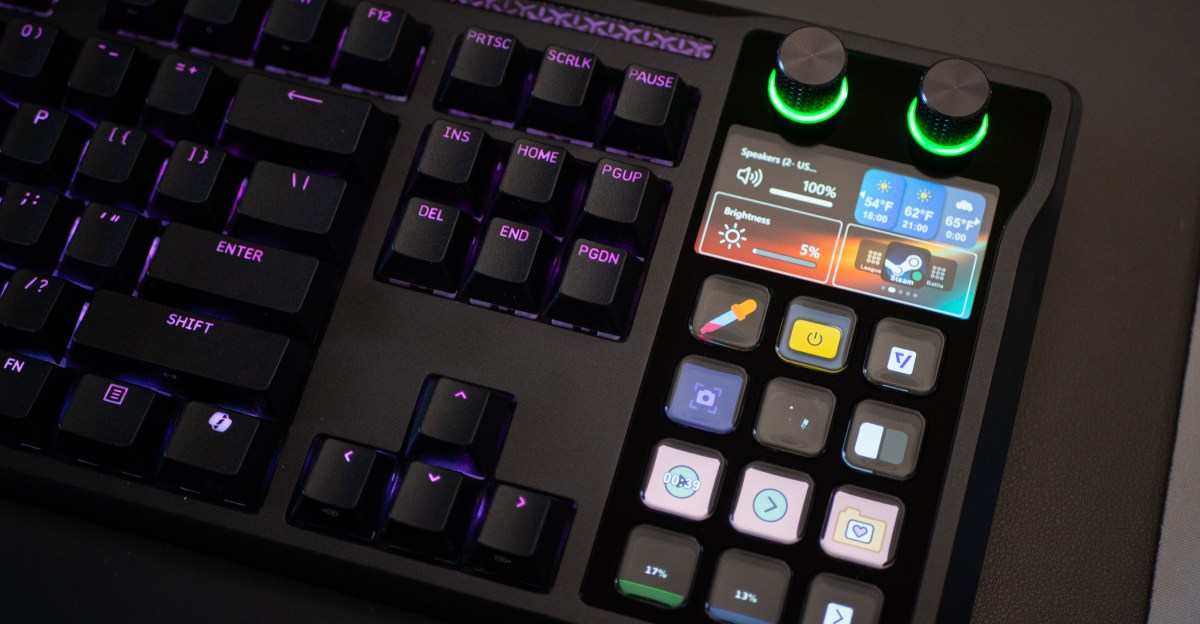
The Corsair Galleon 100 SD didn’t just come out of the ether. The new full-size mechanical keyboard with a Stream Deck fused to its side is the result of a lot of things coming together over the years. Corsair’s gaming business is more refined than ever, and Stream Deck’s wide ecosystem of plug-ins makes the dedicated hardware useful to just about anyone, even if they have little interest in streaming. The fusion makes sense.
The possibilities with a Stream Deck were already vast, and the Galleon makes it easier to feel like a power user. I can turn my Philips Hue lights on and off throughout my apartment with one of its dials, and I can pause, skip, and fave tracks in YouTube Music with its buttons. I can launch The Verge, declutter a mess of windows on my screen into a tidy grid, and so much more with a single button press — all without taking my hands off the keyboard.
Anyway, here’s a quick history lesson on how we got here: The Galleon is the result of acquisitions and another company’s misfortune. After Corsair bought Elgato in 2018, it acquired a majority stake in iDisplay, the company that already produced tiny screens for the Stream Deck. And it’s possible none of this would have happened if iDisplay hadn’t been asked years earlier to supply OLED screens for each key of Art Lebedev’s groundbreaking, yet ultimately flawed, Optimus Maximus keyboard, which sold for $1,490 at launch in 2008. So here we are.
The Galleon is reasonably priced at $350. Yes, you can pay about $60 for a Deck Mini and then buy a very good keyboard; perhaps both will cost you less than $350. But it’s fun to use a product that’s both a good, polished keyboard and a great bundle of customizable buttons and dials.
$350
The Good
- Fused, single-cable design looks great.
- It’s a good keyboard attached to the best Stream Deck.
The Bad
- It’s pricier than just buying a Stream Deck and a good keyboard.
- Keyboard and Stream Deck use different software.
- I wish it was modular.
The Stream Deck integration is the big draw with the Galleon. It has 12 buttons, a non-touch screen, and two rotary dials, all of which can be customized. The LCD screen behind the keys is Elgato’s highest-resolution screen in a Stream Deck so far (it’s a 5-inch 720 x 1280 IPS display). You can drag and drop commands and plug-ins through the Stream Deck app, giving you easy access to day-to-day niceties, like commonly used emoji to use during video calls, as well as more powerful integrations.
Elgato developed official Stream Deck plug-ins for several popular services, including Philips Hue, Apple Mail, Slack, Zoom, Photoshop, YouTube, Spotify, and more. There’s a vibrant community of developers who submit their own plug-ins as well. The rabbit hole goes really deep, not just for plug-ins, but for the customizable app icons you can assign to each button, and the backgrounds you can use on the larger screen. Some of them are real time-savers, like this Helldivers 2 profile that lets you execute Stratagems with the push of a button, as opposed to frantically hammering directional keys while enemies are encroaching.
1/2Photo by Cameron Faulkner / The Verge
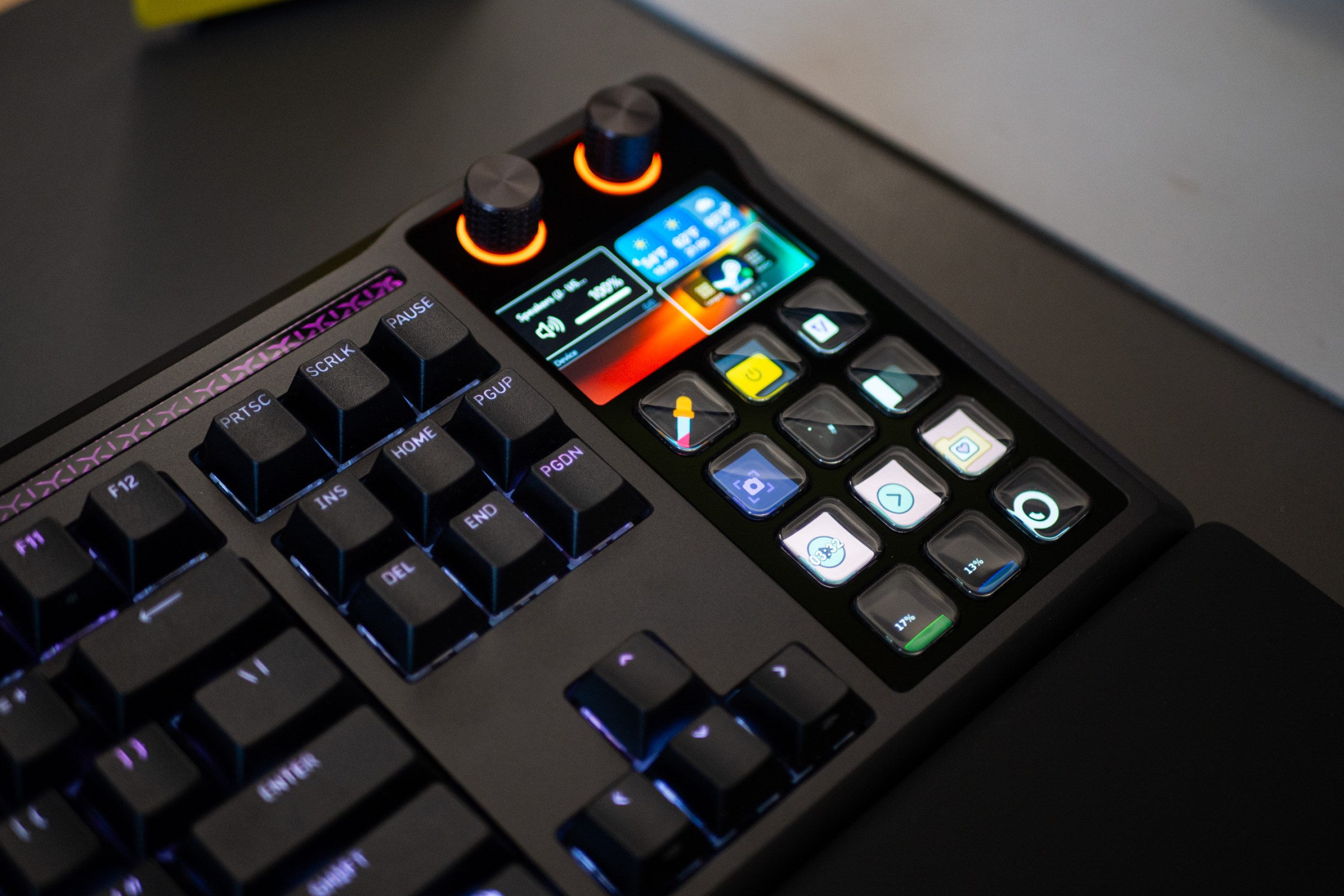
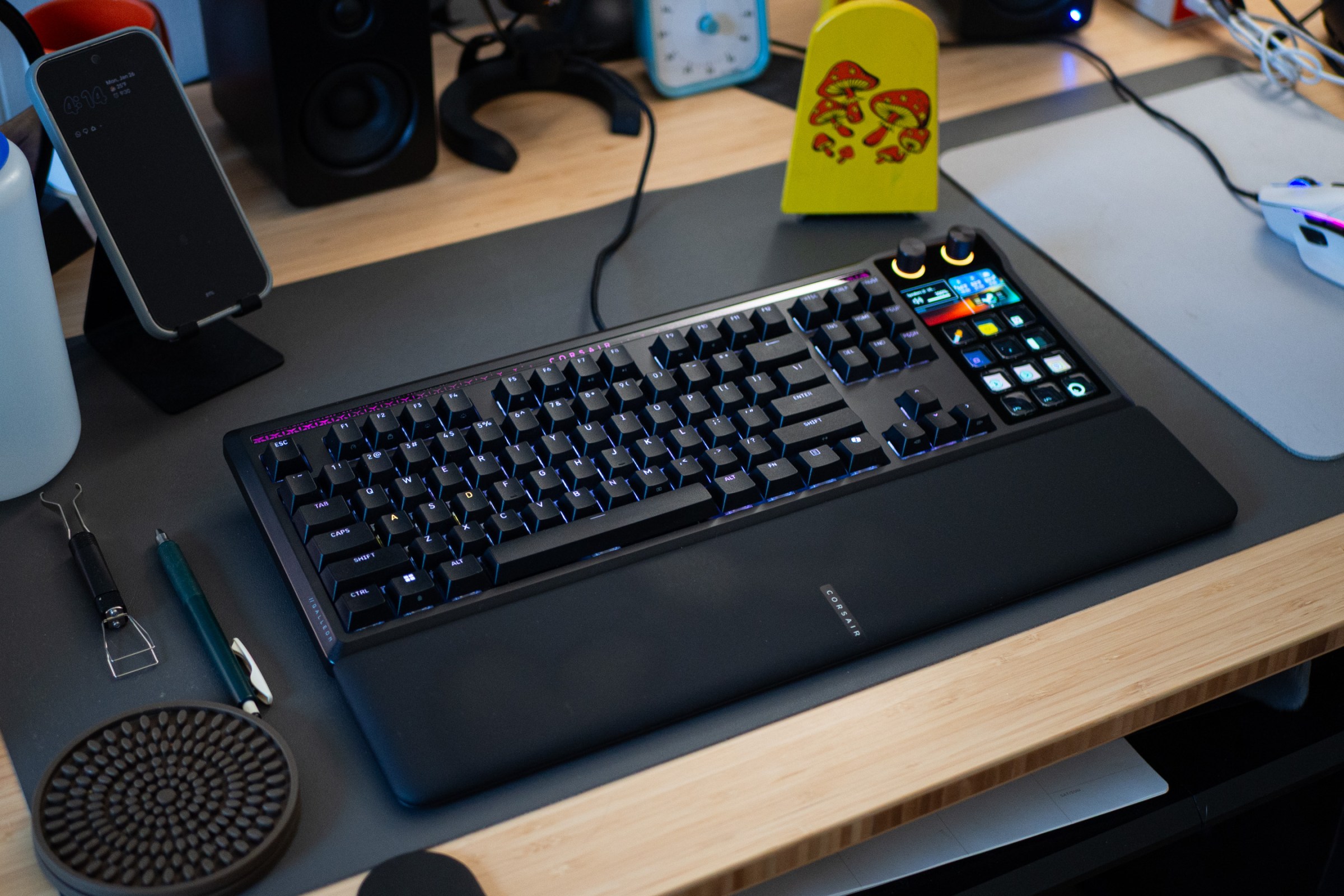
The keyboard attached to the Stream Deck is good, too, even if it’s not the center of attention here. It looks slick and subdued, with per-key RGB LEDs that can be configured in Corsair’s browser-based Web Hub app. You don’t need to use the software, but you need the Stream Deck app to get the most out of the buttons and dials. The chassis has an aluminum housing, and a large wrist pad can be attached magnetically near its bottom keys. The Galleon connects to your PC (or game console — it officially supports Xbox and PlayStation) with a single USB-C-to-A cable. If you have an extra accessory to connect, you can plug the second included USB-C-to-A cable into your PC for data or charging passthrough. Then, attach your gadget to the USB-C port.
The design isn’t that different from Corsair’s Vanguard series of keyboards. The Galleon includes gasket mounting and multiple layers of dampening. Typing sounds and feels satisfying and bouncy, yet controlled. Its MLX Pulse switches have a pronounced “thock” sound and don’t require much force to actuate. One of the few missed opportunities is making the Stream Deck modular, so that left-handed typists can easily access its buttons and knobs. The Mountain Everest Max did this years ago, and it’s all the more puzzling given Corsair hired that company’s founder, Tobias Brinkmann, as the VP of its gaming division responsible for building this very keyboard. Corsair’s marketing manager Andrew Williams shared with The Verge that it’s because development on the Galleon had already begun by the time Brinkmann was hired, and followed the statement with “Who knows? Maybe we will iterate on this. :)”
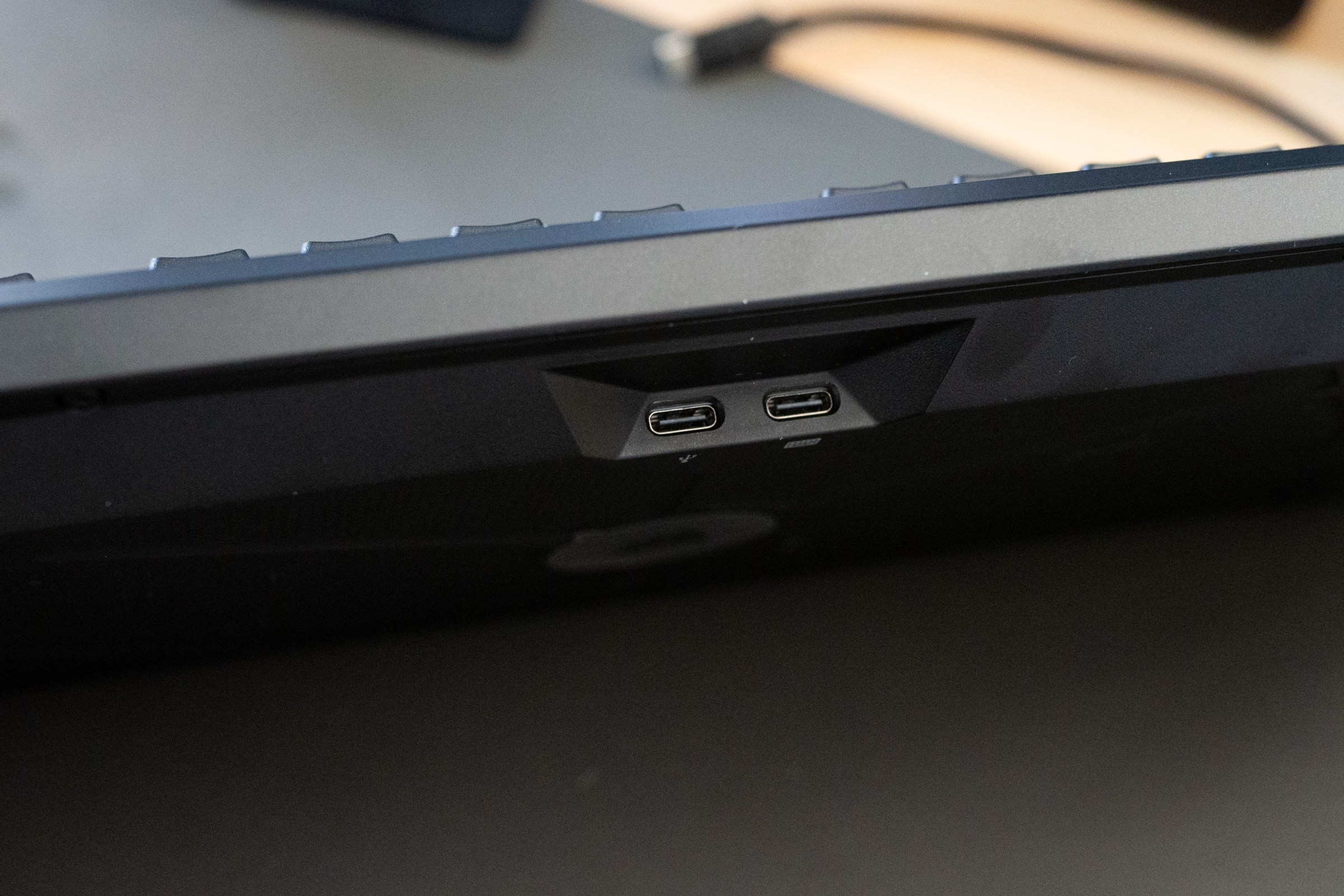
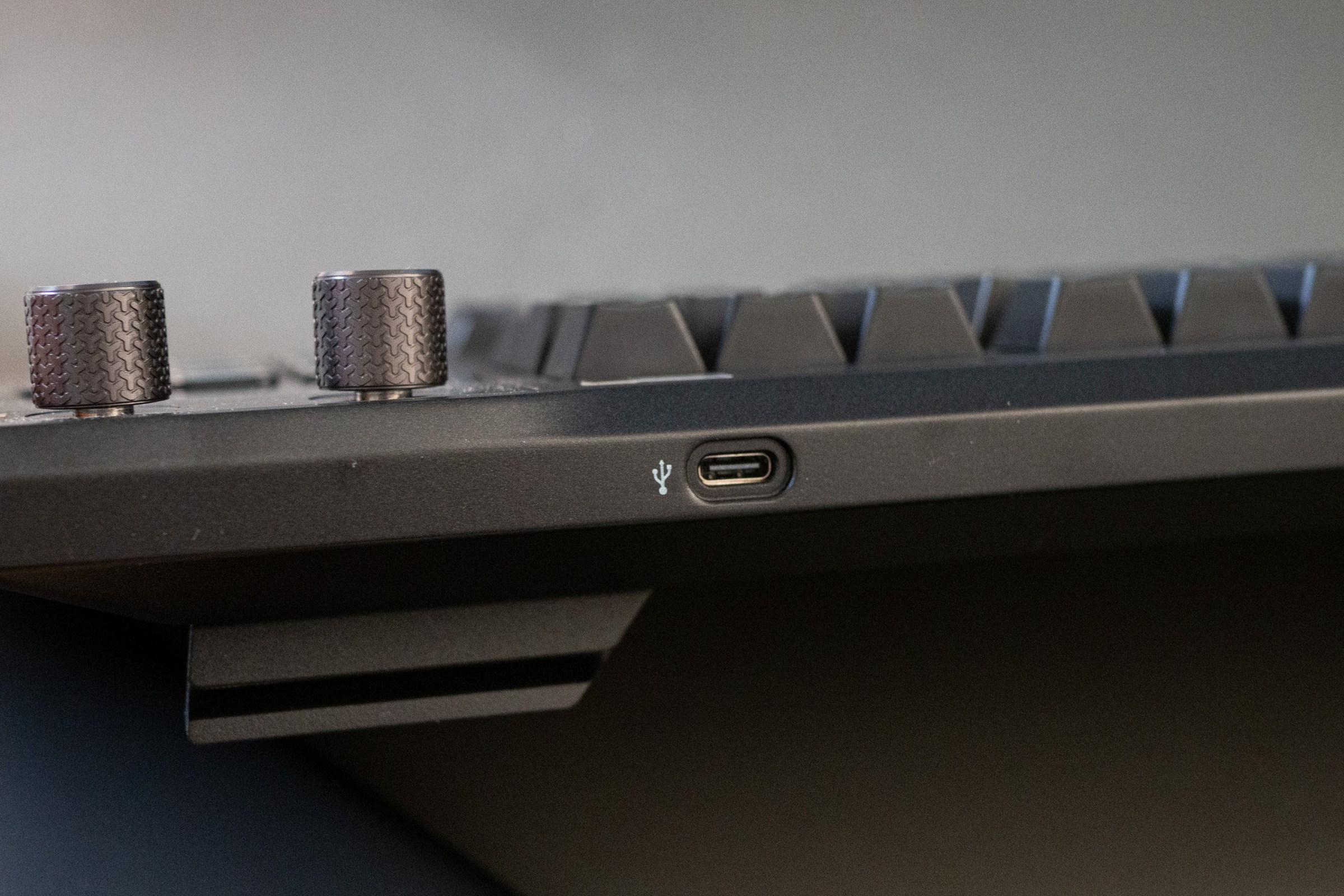
1/2
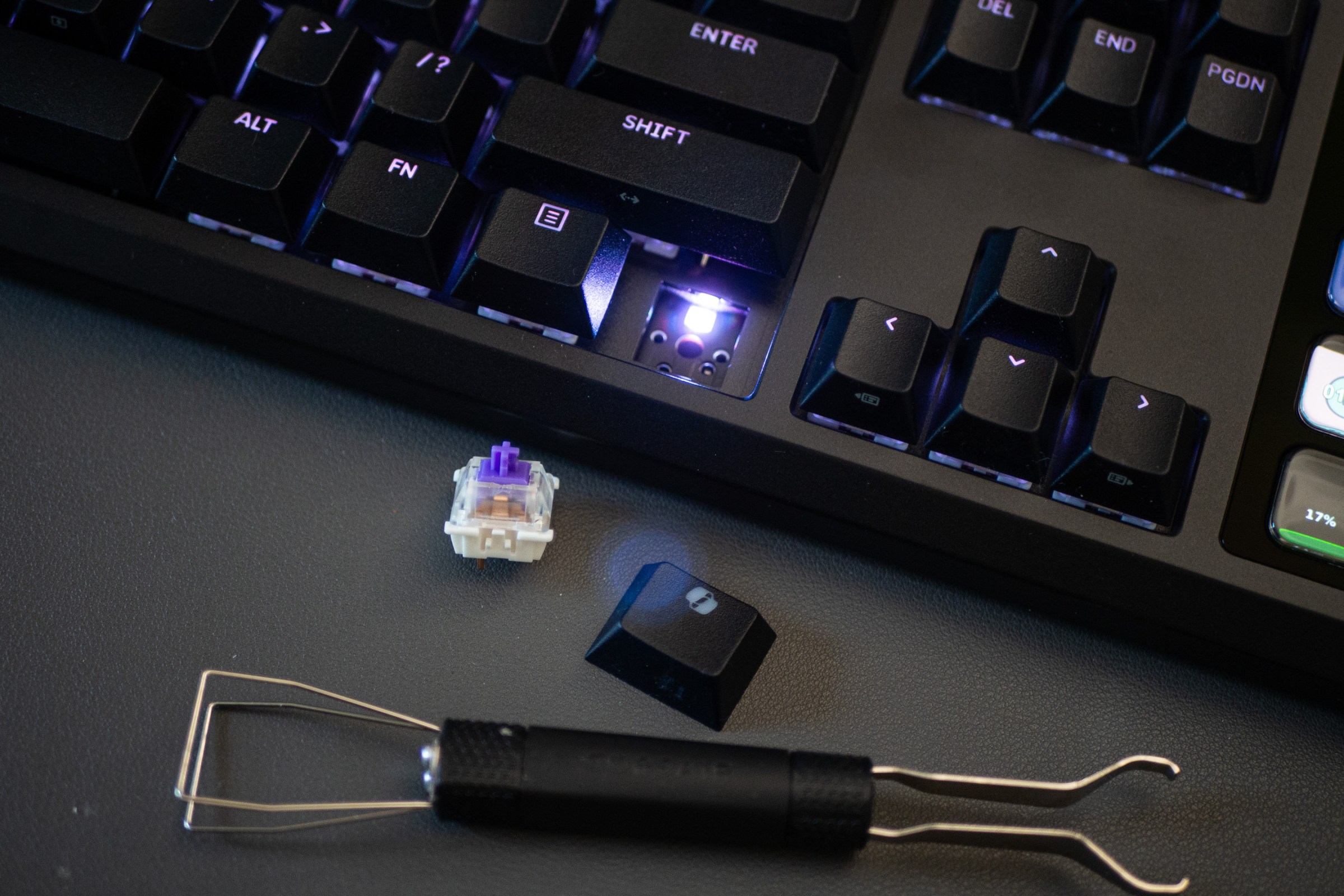
Coming off of recently testing the Asus Falcata keyboard, which uses the longer-lasting, more customizable Hall effect switches that are both quieter and significantly faster to actuate (too fast for me until I set actuation point thresholds), the MLX Pulse feels more like what I’m used to typing on with my Kinesis Freestyle Edge RGB split ergonomic keyboard. If you have a preferred switch, you aren’t locked to using Corsair’s. The Galleon supports hot swapping switches, so long as it’s a 3-pin or 5-pin switch. A tool is included to make it easy to deconstruct each switch down to the bottommost layer covering the PCB.
I’ll only ever scratch the surface of what’s possible with the Stream Deck. The device started out as a companion for streamers on Twitch, so there’s a bevy of resources — ready-made drop-in assets to make your stream look more professional, some for free, some for a fee — from Elgato and other developers. For just being a set of buttons and knobs, the possibilities with this mature cross-platform ecosystem are vast, and those who really tap into it will get a lot out of the Galleon.
Even for those who use the Stream Deck more casually, $350 for the convenience of a two-in-one product is not a terrible price. It’s a luxury I don’t think is worth upgrading to if you’re already happy with your keyboard or your current Stream Deck. If you need one of the ingredients, or both, this all-in-one, single-cable gadget is just a really cool thing.
Read the full article here
