

Introduction
Some people say sorry with flowers; Dell has said it with a trip back to the drawing board for its primo ultraportable laptop, name included.
After confusing fans in 2025 by putting XPS out to pasture in favour of Dell Premium – then properly vexing them by sticking with capacitive function keys that were widely hated on the outgoing model – Dell has course corrected for the new generation. The XPS 14’s resurrection also includes Intel’s latest Core Ultra 300 Series processors, bringing healthy performance and efficiency gains to more closely compete with Apple’s best.
However, with prices starting from $1,600/£1599 directly from Dell and quickly climbing depending on spec, it’ll need to put in a strong showing to dethrone the most recent MacBook Pro. The Windows-powered alternatives haven’t been asleep at the wheel either, with new Qualcomm Snapdragon silicon bringing epic battery life and plenty of power. Has Dell done enough to become a de facto ultraportable choice once more?
Design & build: what’s in a name?
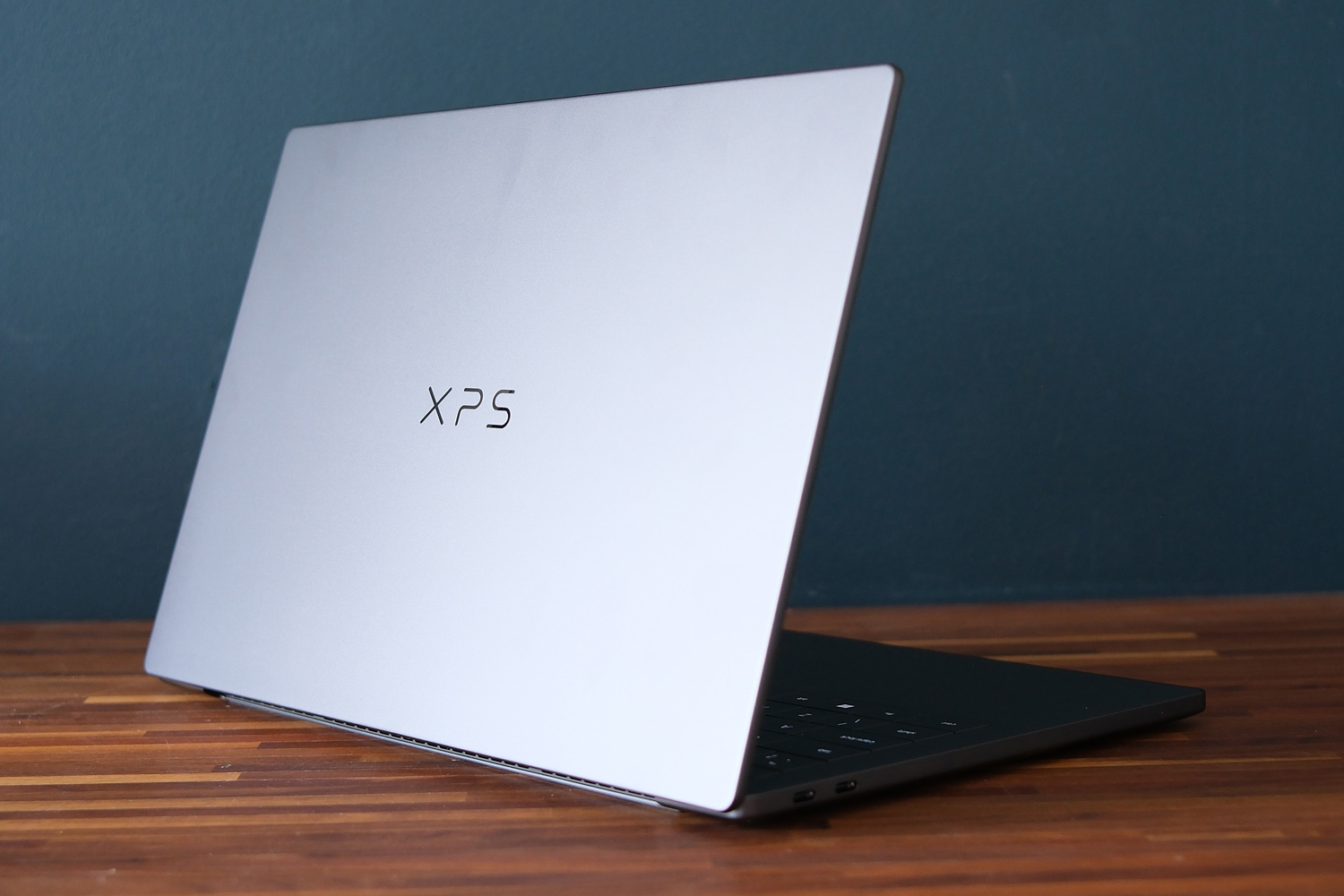
Dell has obviously learned how much stock laptop shoppers placed in the XPS brand. Those three letters now take pride of place on the lid, leaving the sole Dell logo lurking on the underside of the machine.
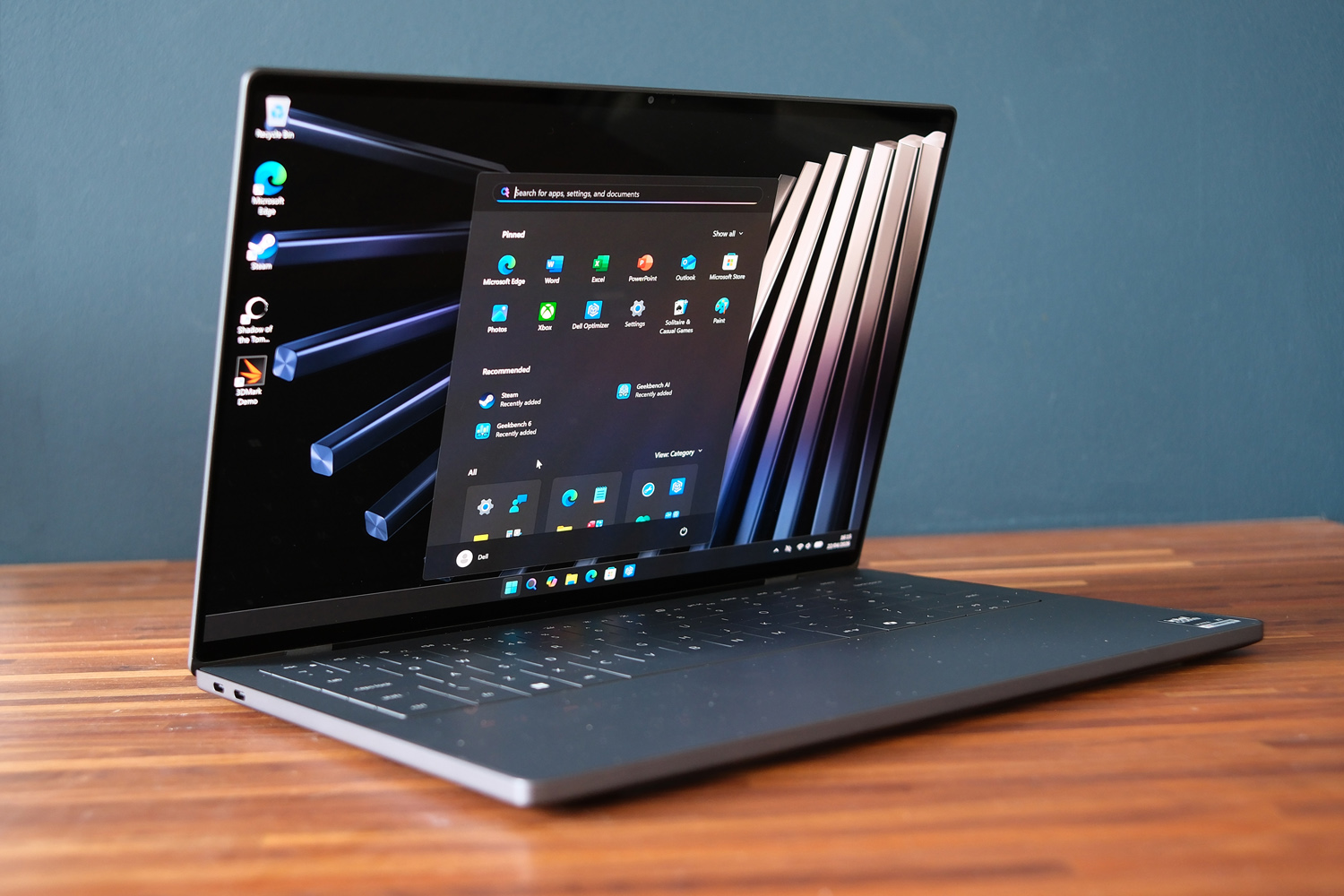
The laptop itself has taken some mild design inspiration from the latest MacBook Pro, with rounded corners and an all-aluminium unibody that feels cool to the touch, but Dell has gone even slimmer at just 14.6mm. It’s also a fair bit lighter at 3lbs/1.36kg, and takes up less desk space to boot. This is a seriously portable machine considering how much power it’s packing.
I like the Graphite Black colour scheme, which might pick up fingerprints quite quickly but doesn’t lean as far into corporate territory as a Lenovo ThinkPad. A lighter Shimmer version is still on the horizon; it should lean more towards champagne than the Dell 14 Premium’s Platinum white.
While I could open the screen with one hand, it was fiddly. I wish Dell would have added a more prominent lip or cutout rather than the sliver of leading edge you get here. The hinge is light enough and holds the screen firmly in place at any angle. Gorilla Glass 3 then adds a great level of scratch protection, which is doubly important if you spring for the model with a touchscreen.
Dell has managed to stash an 8MP webcam in the screen bezel. It delivers very clean 4K resolution visuals for video calls and supports Windows Hello authentication, but doesn’t have any kind of physical lens shutter. Reaching for a Post-it note in pursuit of privacy feels a bit inelegant for a machine that’s otherwise so sleek. That the power button no longer doubles as a fingerprint sensor is also a shame.
Connectivity at the sides is fast, but not exactly plentiful. There are three Thunderbolt 4 USB Type-C ports along with a 3.5mm headphone port. The microSD card slot of the old model has been jettisoned. That’s a downer if you’re regularly copying files off a digital camera, action cam or PC-based gaming handheld.
Keyboard & touchpad: better without touch
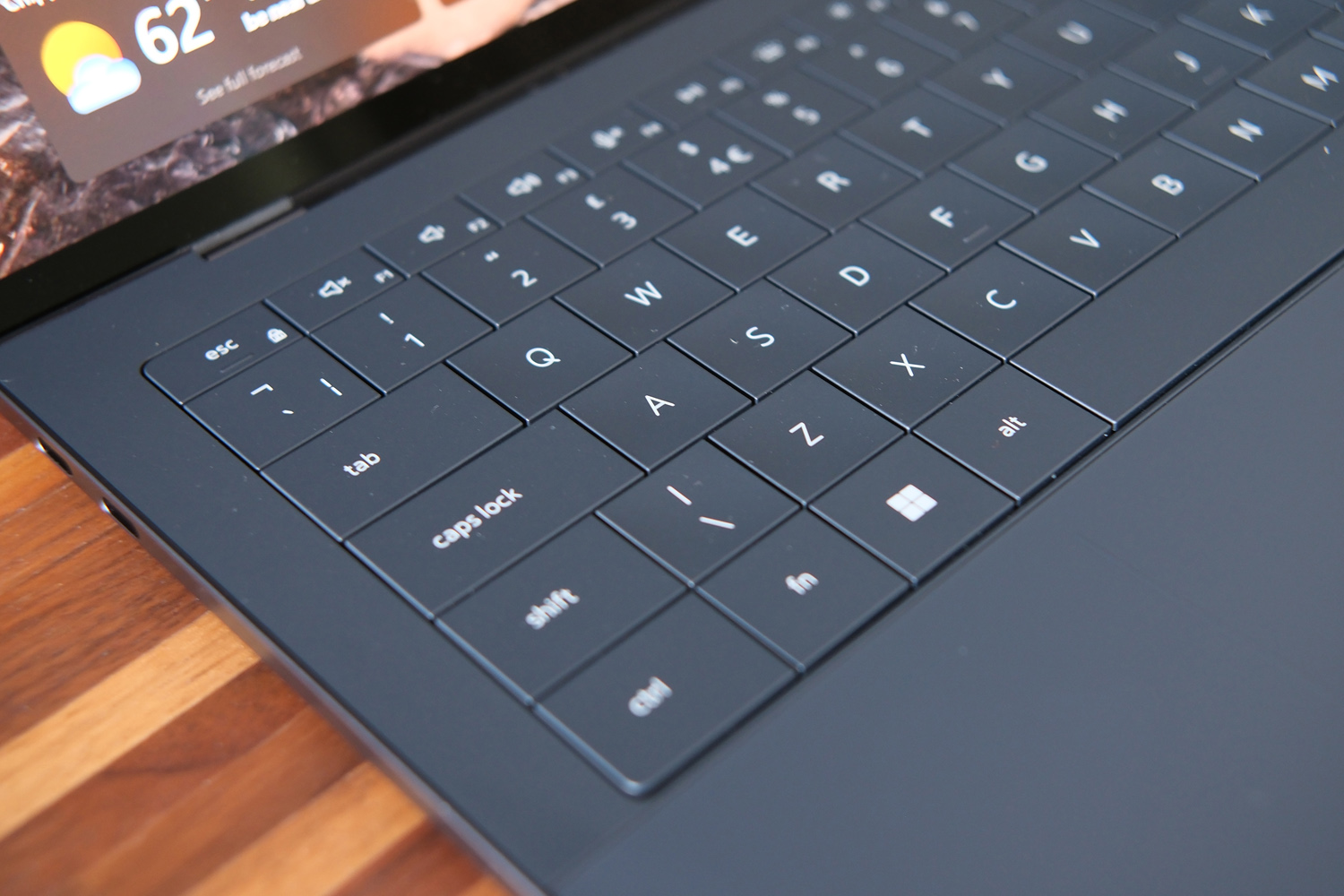
Open the XPS 14 up and you’ll instantly spot the biggest positive change between generations. Having never really clicked with Dell’s controversial capacitive function row, I was relieved to see the return of physical keys. The touch-sensitive strip has been banished to the shadow realm, leaving behind delete and escape keys you can actually feel.
It’s great that Dell has also managed to increase the amount of key travel for 2026, so it no longer feels like you’re tapping away on a touchscreen, but this is still a very slim ultraportable. At 0.8mm there’s really not a lot of movement here, even if the keys themselves have a decent amount of bounce.
The overall typing experience left me a little cold. The large QWERTY keys are tightly grouped, meaning I would frequently knock adjacent keys by mistake. Accuracy and speed both took a hit from my usual levels. It’s something you’d adjust to if coming from a laptop with more widely spaced island-style keys, but that process won’t happen overnight.
The haptic touchpad, on the other hand, is now heaps better than before. Tactile etching at either side now clearly indicate its boundaries, rather than making you guess which bit of the glass front will actually recognise your inputs like the previous generation. Tracking, sensitivity, multi-touch gesture recognition and haptic response are all spot on. It’s easily among the best I’ve tried on a Windows laptop.
Screen & sound: smaller yet mightier
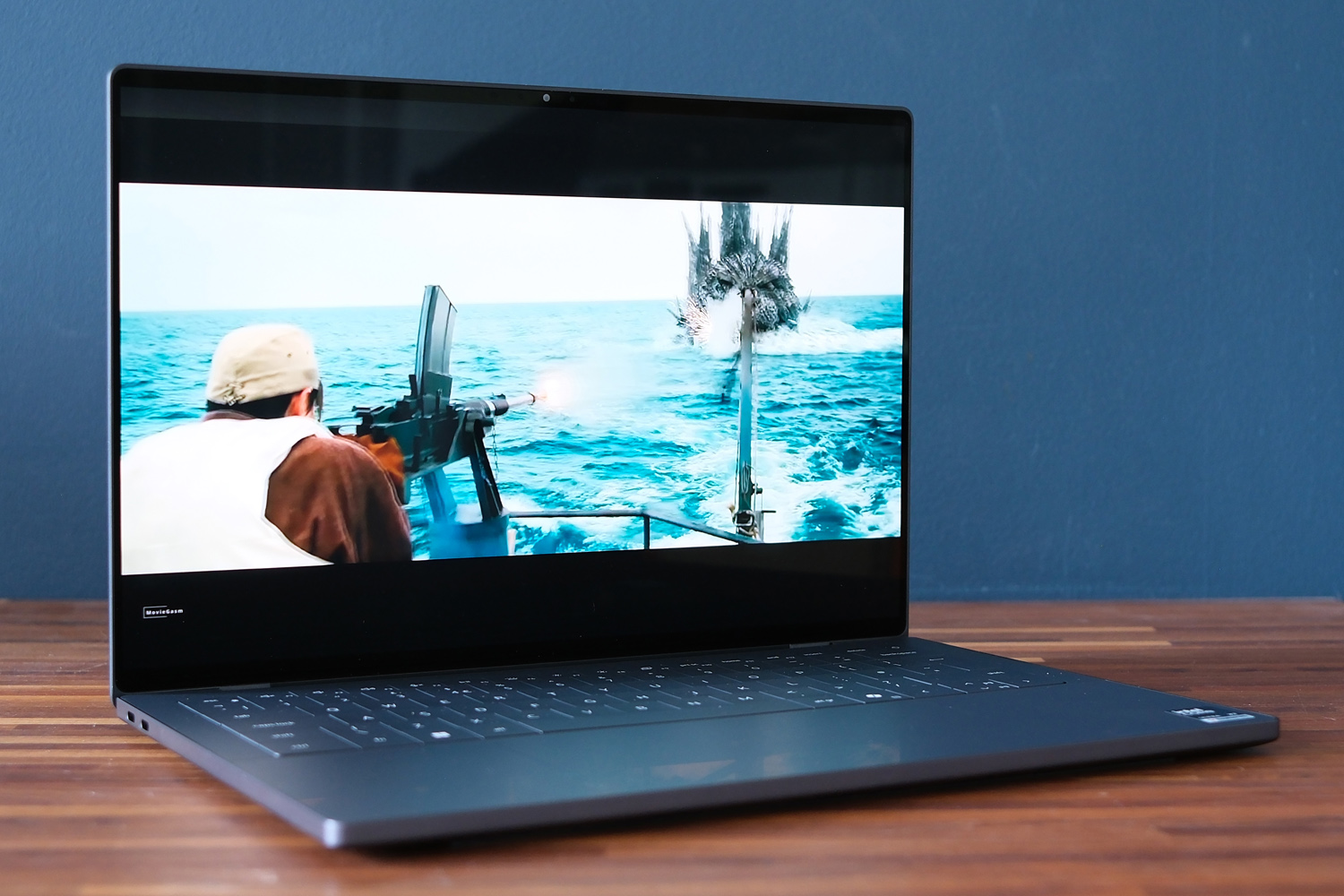
While you can outfit the base XPS 14 with a 1920×1200 resolution, non-touch LCD display, I can’t think of why you would. Beyond having lots more pixels to play with, the 14in, 2880×1800 OLED on my review unit only adds around $100/£100 to the price and is a quantum leap forward in colour and contrast.
It’s a tandem OLED, meaning there are multiple panel layers at play to boost colour saturation. sRGB coverage is exceptional and accuracy is also top-tier, so creatives won’t need to factor in a screen calibration before getting to work. Videos and games simply burst of the screen, with exceptionally deep blacks really helping create a sensation of depth. The 120Hz refresh rate then guarantees smooth scrolling and motion.
Brightness is a little reserved compared to the MacBook Pro M5, which also has a tandem OLED panel; I’m betting Dell has toned things down to maximise battery life. I was still able to crank things high enough to see clearly while working next to an open window on a sunny day, though the glossy finish does mean light reflections can be a bit distracting.
One aspect the old Dell 14 Premium stays on top is sheer size. That laptop had a 14.5in display, whereas here you’re seeing slightly less screen estate at 14in. The bezels are skinnier on the 2026 replacement, though, which helps shrink the laptop’s overall footprint. This is comfortably up there with the best laptop screens I’ve used.
Dell has equipped the XPS 14 with a 10W speaker system, split across split across two 3W down-firing main drivers and two up-firing 2W tweeters – though you wouldn’t guess by looks alone. There aren’t any obvious speaker grilles; the high frequencies are channelled out through the keyboard tray.
The result is audio that’s loud and clear for a laptop of this size, if lacking a little in low-end muscle. That’s a common complaint among ultraportables, and music wasn’t so anaemic that I instantly reached for headphones.
Performance and battery life: panther lake came to play
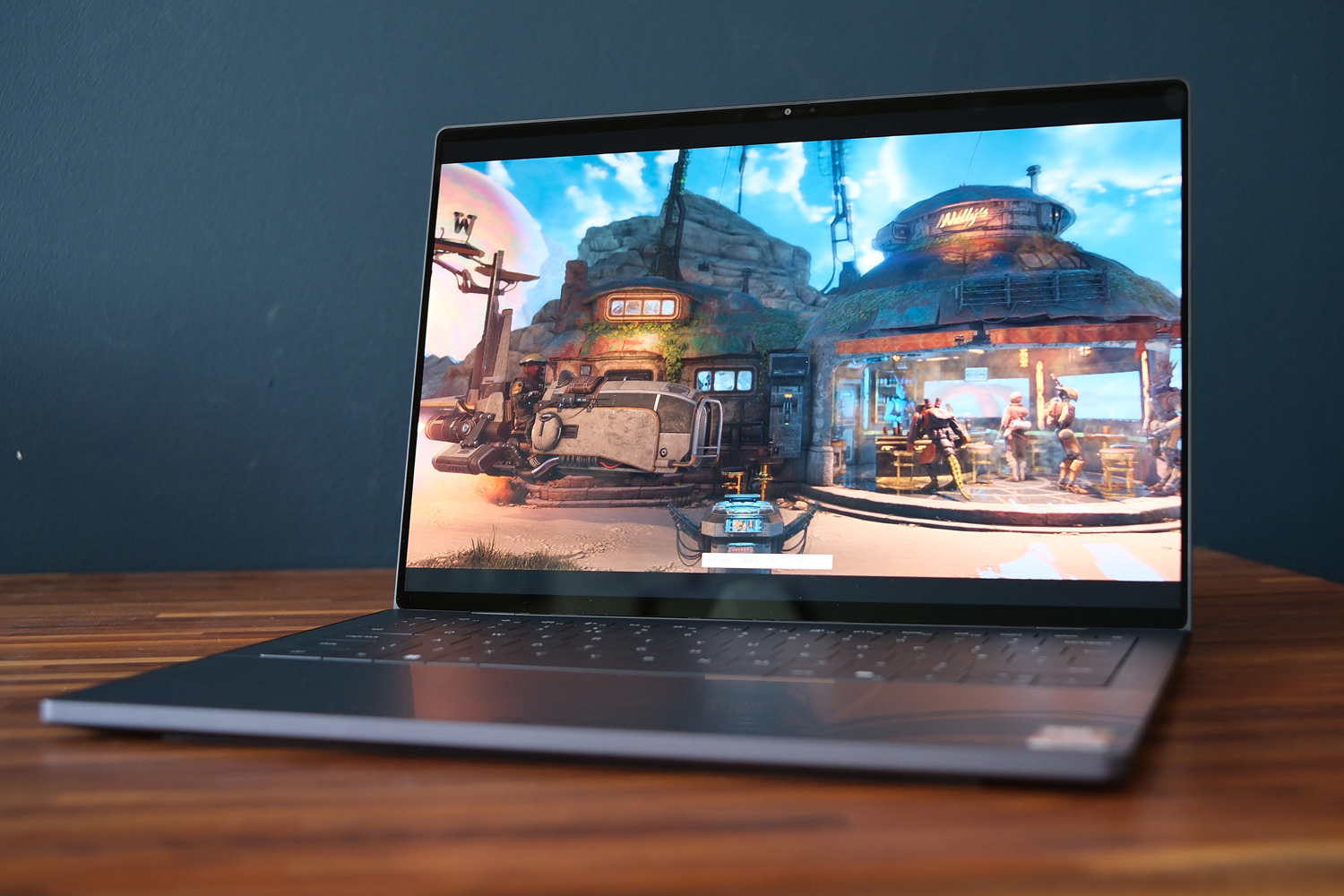
The base XPS 14 is no slouch, shipping with an eight-core Intel Core Ultra 5 325 and 16GB of RAM, but I’m betting most people will want to step up to the version powered by an Ultra X7 358H chipset. Intel’s more advanced Panther Lake silicon doubles the core count to 16 and includes far more advanced Intel Arc B390 integrated graphics.
My review unit, which costs £2299 as tested, also bumped the memory to 32GB and SSD storage from a modest 512GB to a more useful 1TB. The combination is really quite powerful, putting in synthetic benchmark scores that aren’t all that far off the top-tier Core Ultra X9 chip found in the Asus Zenbook Zuo (2026).
I’d say the X7 is better suited to an ultraportable machine that’ll be tasked with jobs as strenuous as 4K video editing. Windows feels effortlessly responsive and my daily mix of word processing, email, image edits and music streaming – which mostly all takes place in a browser window – was no sweat at all. If you’ve got apps that can make use of the upgraded NPU, you’ll also appreciate a meaningful uplift in AI acceleration compared to the previous generation Intel hardware.
This is enough oomph to sit the XPS 14 somewhere between M5 and M5 Pro-powered Apple MacBooks. Interestingly the Asus Zenbook A16 and its Qualcomm Snapdragon X2 Extreme chipset delivers even higher benchmark scores, but it also has to contend with a (slightly) more limited software selection on account of its ARM architecture.
| Dell XPS 14 (2026) benchmarks | |
| Geekbench 6 single-core | 2858 |
| Geekbench 6 multi-core | 16788 |
| Geekbench AI | 8326 |
| Speedometer 3.1 | 31.9 |
| 3DMark Steel Nomad | 5855 |
| Shadow of the Tomb Raider (RT off) | 35fps (2800×1800, Highest) 60fps (1920×1080, Medium) |
This latest processor generation is redefining what to expect from integrated GPUs; based on the scores I saw the XPS 14 can quite happily play recent titles at 1080p as long as you’re sensible with the detail sliders. The Arc B390’s new Xe3 architecture has 12 compute units and 16 MB of shared L2 cache to play with, which is enough to see off laptops with dedicated RTX 4050 Laptop GPUs.
Shadow of the Tomb Raider was console-quality, managing 35fps at the highest graphics and native resolution. Dipping to Full HD and the Medium preset gave a smoother 60fps – and that was before activating Intel’s XeSS upscaling, which helps even more. Just expect the laptop to get rather warm and spin up its active cooling fans to noticeable levels if you’re gaming on the regular.
Intel has also caught up massively on battery life. While the XPS 14 isn’t the longest-lasting machine I’ve tested with Panther Lake internals, it only relies on a 70Whr battery, so the figures I saw during testing are still rather impressive. Dell’s claim of 20 hours of Netflix streaming felt pretty accurate, so long as I lowered the screen brightness to below 50%. That’s approaching MacBook territory.
In more demanding tests I saw the battery drain in around 12-14 hours, which is still plenty for all-day working. If you really need to eke out time between trips to a plug socket, the LCD variant may be the one to go for, based on my experience with older models – though you’re giving up the OLED model’s luscious visuals in the process.
Dell XPS 14 (2026) verdict
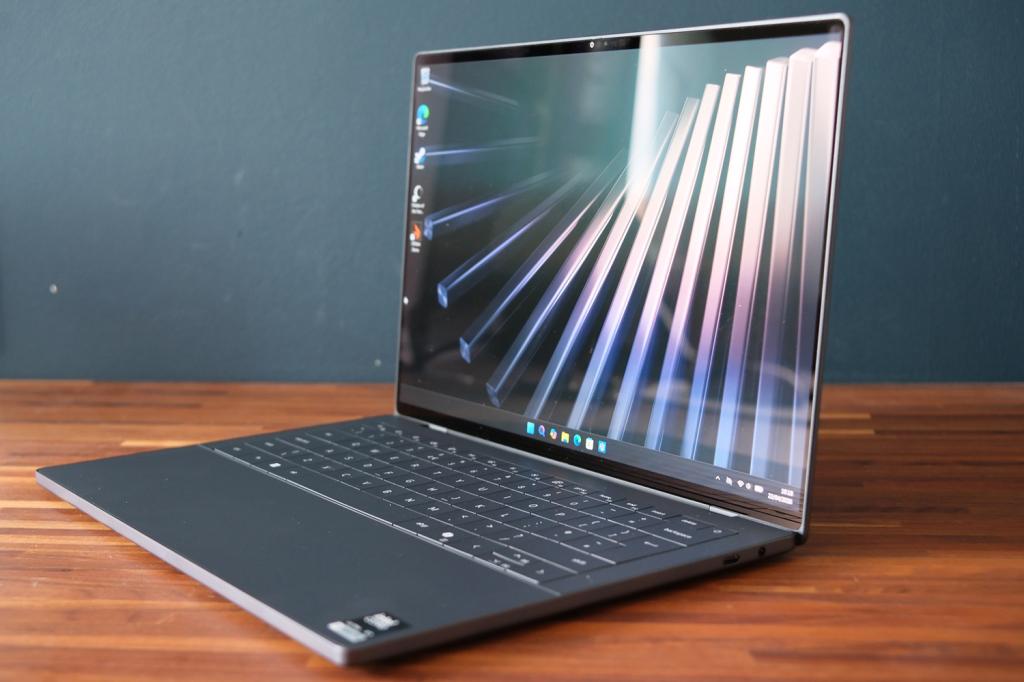
The new XPS 14 is proof Dell can take user complaints on the chin and come back even stronger. The firm has directly addressed the old model’s biggest pain points, reversed an unnecessary rebrand, and stepped up on power courtesy of Intel’s latest CPUs. This is a powerful yet long-lasting ultraportable with a simply gorgeous screen. It looks and feels like a thoroughly modern machine too.
It’s not a complete redemption: the keyboard still takes some getting used to and connectivity has dipped a bit between generations. Pricing isn’t on Dell’s side, either. Apple’s 14in MacBook Pro with the base M5 silicon in similar specification is more affordable, plus it has a more comfortable keyboard and keeps creator-friendly features like an SD card slot.
As far as Windows-powered lightweight laptops go, however, it’s up there near the top of the pile.
Dell XPS 14 (2026) technical specifications
Scroll to see more →
| Specifications | Dell XPS 14 (2026) |
|---|---|
| Screen | 14in, 1920×1200 LCD/14in, 2880×1800 OLED |
| Processor | Intel Series 3 Core Ultra 5 325/Core Ultra X7 358H |
| Memory | 16/32/64GB |
| Graphics | Intel Graphics/Intel Arc Graphics |
| Storage | 512GB/1TB/2TB/4TB SSD |
| Operating system | Windows 11 |
| Connectivity | Thunderbolt 4 USB-C x3, 3.5mm headphone port |
| Battery | 70Whr |
| Dimensions | 310x210x14.6mm, 1.36kg |


Read the full article here
