
Close Menu
Gadget Guide News
  • Home
  • News
  • Features
  • Reviews
  • Best Stuff
  • Buying Guides
  • Deals
  • More Articles

Subscribe to Updates

Get the latest tech news and updates directly to your inbox.

Trending

Where was tvOS 27 at WWDC?

June 9, 2026

5 things I already love from the iOS 27 beta

June 9, 2026

Instagram is finally letting everyone reorganize their profile grid

June 9, 2026
Facebook X (Twitter) Instagram
Gadget Guide News
Subscribe
  • Home
  • News
  • Features
  • Reviews
  • Best Stuff
  • Buying Guides
  • Deals
  • More Articles
Gadget Guide News
  • Best Stuff
  • Buying Guides
  • Reviews
  • Deals
  • Features
Home»News»5 things I already love from the iOS 27 beta
News

5 things I already love from the iOS 27 beta

News RoomBy News RoomJune 9, 2026033 Mins Read
Share Facebook Twitter Pinterest Copy Link LinkedIn Tumblr Email Telegram WhatsApp
Follow Us
Google News Flipboard
Share
Facebook Twitter LinkedIn Pinterest Email Copy Link

iOS 27 has only been out for a few hours, and I’ve been messing around with the developer beta on my iPhone 16 Pro. I was most interested in trying out the new Siri AI, but unfortunately, I’m still on Apple’s waitlist for that. In the meantime, I’ve been poking around a bunch of features that aren’t about AI and found a lot that I’m happy with — even though this doesn’t seem to be as big of an update as in previous years, the fit and finish throughout the operating system is already great to see.

Here are a few neat things that have jumped out at me.

The Liquid Glass opacity slider should have been there from the start

I’ve always thought the Liquid Glass redesign, introduced with iOS 26 last year, was fine — not great, but not particularly bad (well, after Apple cleaned up some early issues, at least). But the new opacity slider in iOS 27 is awesome: It lets you make Liquid Glass elements like tab bars more clear or more frosty, meaning you can see objects under them in different degrees of opacity. Want to really see what’s under your search bar? Go glassy. Would you prefer to keep things more readable? Opt for more of a tint. (You can probably guess which I prefer.)

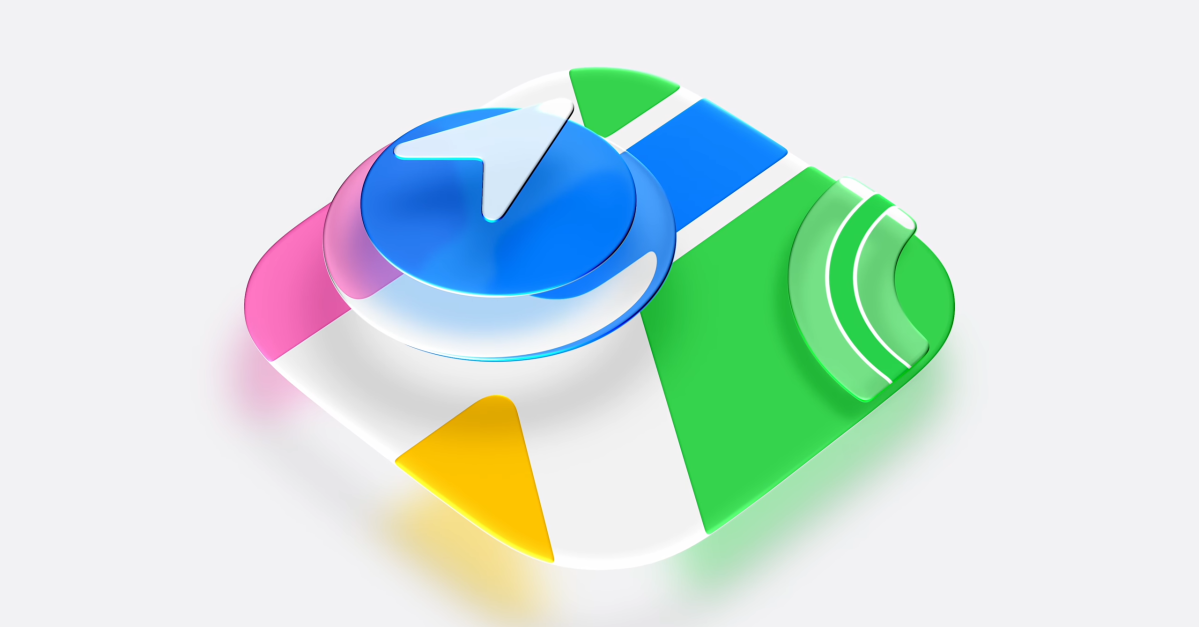
Apple took another pass at many of its icon designs introduced with iOS 26, and overall, they seem much better to me. The changes are typically subtle — tweaks to colors or adding a little more glassy texture — but I think they make things look much more polished.

Different volume settings

From settings, you can now — finally — set independent volumes for ringtones, alarms and timers, and alerts and system sounds. In the Sounds & Haptics menu, just toggle off the switches that let you match alarms and timers as well as alerts and system sounds with your ringtone volume, and you can adjust the more granular volume settings from there.

I have to confess that I never use widgets, but I saw that extra large widgets were coming with iOS 27 this year and I had to see a few of them for myself. They’re seriously huge; they take up an entire screen of apps (except for the dock). But I could see them being an extremely useful way to look at an entire calendar or a long list of to-dos.

You can make the time really small on your Lock Screen

While editing the Lock Screen, you can now put the time next to the date at the very top of the screen. That opens up more real estate, which is nice if you want to see more of your wallpaper image, like a family photo or a cool piece of art, or if you just want a little less clutter on your screen.

We’ll be digging in a lot more over the next few days, so keep an eye on The Verge. And if you just want to see a giant list of promising features coming to Apple’s next big updates, I’ve got you covered.

Read the full article here

Follow on Google News Follow on Flipboard
Share. Facebook Twitter Pinterest LinkedIn Tumblr Email Copy Link
News Room
  • Website

Related Posts

Where was tvOS 27 at WWDC?

June 9, 2026

Instagram is finally letting everyone reorganize their profile grid

June 9, 2026

Apple’s Screen Time updates are too little, too late

June 8, 2026
Add A Comment
Leave A Reply Cancel Reply

Top Articles

Best phones to buy in 2026: top smartphones tested, reviewed, and ranked by our experts

April 16, 2026

Best Apple Watch in 2026: all current models reviewed and rated

May 6, 2026

Best Royal Pop models ranked: these are the Swatch x Audemars Piguet collab watches I’d recommend

May 19, 2026
Latest Reviews

Dell’s new XPS 14 is better in almost every way

News RoomJune 7, 2026

This chunky little tablet got my kid to clean up his toys

News RoomJune 5, 2026

I customized a MacBook Neo with colorful spare parts

News RoomJune 5, 2026

Subscribe to Updates

Get the latest tech news and updates directly to your inbox.

Demo
Most Popular

Google’s Gemini AI can answer your questions with 3D models and simulations

April 10, 2026

Best phones to buy in 2026: top smartphones tested, reviewed, and ranked by our experts

April 16, 2026

Best Apple Watch in 2026: all current models reviewed and rated

May 6, 2026
Our Picks

Got an Intel-based Mac? Here’s why you’ll want to replace it over the next couple of years

June 9, 2026

Apple’s Screen Time updates are too little, too late

June 8, 2026

Apple’s new child safety features are what I’ve been waiting for – but here’s what you should be worried about

June 8, 2026

Subscribe to Updates

Get the latest tech news and updates directly to your inbox.

Facebook X (Twitter) Instagram Pinterest
  • Home
  • Privacy Policy
  • Terms of use
  • For Advertisers
  • Contact
2026 © Prices.com LLC. All Rights Reserved.

Type above and press Enter to search. Press Esc to cancel.