

Hi, friends! Welcome to Installer No. 132, your guide to the best and Verge-iest stuff in the world. (If you’re new here, welcome, happy soccer, and also you can read all the old editions at the Installer homepage.)
This week, I’ve been preparing for a month of getting absolutely nothing done during the World Cup. I’ve also been reading about Steven Spielberg and wearables and the Boeing 747, overloading on computer nostalgia thanks to The Virtual OS Museum, watching that Knicks game winner over and over and over, listening to the fabulous new This Was SportsCenter podcast and the fabulous old The Renner Files podcast, and trying to tame my increasingly disastrous inbox with Avec. It’s going… medium.
I also have for you an early candidate for movie of the summer, a new way to watch an old classic show, a portable camera and mouse worth a look, and much more. Let’s do this? Let’s do this.
(As always, the best part of Installer is your ideas and tips. What are you watching / reading / downloading / playing / listening to / slathering with sunscreen this week? Tell me everything: [email protected]. And if you know someone else who might enjoy Installer, forward it to them and tell them to subscribe here.)
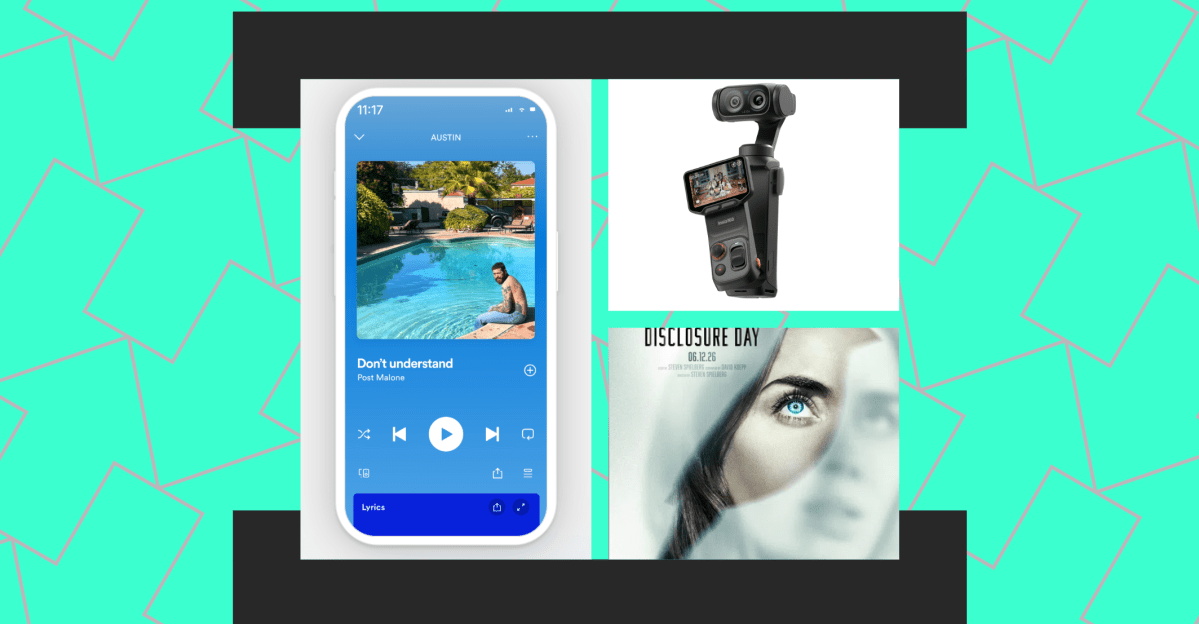
- Pool. I remain totally convinced that “take a bunch of screenshots and let AI make sense of it” is a fundamentally great interface for using computers. Pool, which is finally out of beta, is exactly that — a way to bookmark and do things with anything you see on your screen. It starts by grabbing and sorting all your old screenshots, too, which has been a wild blast from the past.
- Disclosure Day. Spielberg making an alien movie: pretty much always a good thing! The trailer for this one made me nervous, but the reviews are mostly good. Even the ones that aren’t good are like, “It’s very fun but also it’s just a Spielberg alien movie,” which is actually precisely what I’m looking for.
- Mister Rogers’ Neighborhood. A formative TV show for generations of kids is finally, officially on YouTube. The channel’s brand-new, but already has clips, full episodes, and livestreams to watch. That’s my toddler’s YouTube diet sorted for the foreseeable future.
- The Logitech Mobi Fold. If you carry a portable mouse for working on the go, there’s a good chance this $80 one’s an upgrade. It’s tiny, has a few useful customization options, and I think I like that it’s a touchpad instead of a scroll wheel? Very curious to drop this one into my travel iPad setup.
- Claude Fable 5. Leaving aside my many feelings about the fact that Anthropic shipped a variation on the model that two months ago it called too dangerous to release, I have been very impressed with Fable’s power and thoroughness so far. It’s a heck of a vibe-coding tool. And use it now, since it’ll start costing extra in nine days!
- The Insta360 Luna Ultra. This is like the Rolls-Royce of gimbal cameras. Two lenses, upgraded processing, a very clever detachable screen / remote control, and more. The $769 price is too high for me, but I suspect it’ll be worth it for a lot of creators.
- Incorruptible by Eric Ries. Ries’ other book, The Lean Startup, is one you’ll find in basically any tech company’s office. This new one asks a very good and timely question: Is it possible to be successful without compromising all your morals and values? Ries says yes, and boy I hope he’s right.
- Bluesky group chats. It really seems like the Twitter-style, feed-based era of social is ending. Which is great news. Smart of Bluesky to get on top of it, and I really like the idea of creating spaces like this that are much smaller but still more than one-to-one chat. If you add me to a group, I promise to only send a few unhinged memes every day.
- The Boox Go 6 Gen II. This is Boox’s most Kindle-like device, and the new model adds note-taking features, has a bunch of color options, and of course comes with access to all your Android apps. I’d be all in on this thing if it didn’t run a SIX-YEAR-OLD version of Android, but even still I’m curious to give it a whirl.
- NotebookLM. Google’s little research tool continues to impress me, and a bump up to Gemini 3.5 both makes the app smarter and gives it a bunch of new ways to present information. As a way to upload and query a bunch of websites / documents / PDFs, NotebookLM is tough to beat.
The big news of this week was WWDC, Apple’s annual developer conference. That’s where Apple announces all the most important software it has coming this year. This edition was pretty much all about AI: the new Siri that seems to be very good so far, a lot of generative image editing stuff that seems simultaneously cool and creepy and bad, and Apple Intelligence stuff all over the place. I have a lot of testing to do, and developers have a lot of updating to do, before we know exactly how that’s going to go.
But there’s one feature that’s already changing how I use my phone: widgets. Specifically, the monster, whole-page homepage widgets Apple now supports. Almost as soon as I started playing with them, I wound up completely redesigning my homescreen setup, so I have a page of apps and then what amounts to a side-scrolling set of giant widgets. I love it, and figured I’d share:
Image: David Pierce / The Verge
I’ve spent forever trying to build or find a great way to see everything I have going on — my calendar, my tasks, the weather, all that stuff — at a glance. Something about these big widgets feels uncluttered in a way I just love. I’m definitely going to end up with 100 pages of them.
On the off chance giant widgets excite you as much as they excite me, a couple of quick caveats. One, you probably shouldn’t install developer betas on your primary device; so far I’ve found iOS 27 to be pretty stable, but definitely bad for my battery life. Also, most apps don’t offer these huge widgets and won’t for a few months while developers figure out the new tools. Lastly, these widgets are big, but they still don’t quite take up the whole screen, and that might aesthetically irritate you too.
Still, while widgets may not be the most important feature of iOS 27, or even the one that most changes the way you use your phone (that’d be Siri in both cases), I am firmly in favor of any feature that gives me more information without making me open apps. Big-ass widgets do just that.
Here’s what the Installer community is into this week. I want to know what you’re into right now as well! Email [email protected] or message me on Signal — @davidpierce.11 — with your recommendations for anything and everything, and we’ll feature some of our favorites here every week. For even more great recommendations, check out the replies to this post on Threads and this post on Bluesky.
“My kids and I *love* the new Bluey game, Bluey’s Quest for the Gold Pen. The story is fun for them, but it’s also a very good introduction to platform mechanics for kiddos. And there is basically no way to ‘die’ or lose items, so the stress level is very low (unlike when they watch me trying to figure things out in Breath of the Wild…)” — Craig
“Animal Kingdom on Netflix. Can’t believe I waited so long to watch it.” — Justin
“Might be too late, but I just downloaded Mosaic a few weeks back and absolutely love it. Might be the perfect app for baseball scores/news/info. Still in beta but so so good.“
“The indie web is alive and thriving. Bubbles is another attempt to highlight blogs you can follow. Built on top of the fediverse, and RSS, and web mentions.” — Renganathan
“I’m obsessed with the Mood.camera app. It recreates film photography, and I basically don’t use the built-in camera app on my iPhone anymore. There’s a lot of fun to be had creating your own presets or scouring the Mood subreddit to try out those put together by others.” — Tom
“Playing the final update to Destiny 2, it’s been the end of a 12-year era! Bittersweet, but it’s a good sendoff for a game that could have been so much more.” — Nikki
“I’ve been obsessed with the Teenage Engineering x Kanye West collab — a tiny stem player for ‘Jesus is King’ called SP-1 that I guess was largely unreleased. A few enterprising folks on Reddit and a group called Solderless ended up figuring out a way to let you wipe the Kanye album and load up new audio tracks. Huzzah! You can find it for under $50 and it’s super fun.” — Spencer
“The new Skrillex album, Soma, is so damn good. It might be his best work. Just dance banger after banger, I don’t get tired of it!” — Óli
“I recently started my summer college semester and I wanted to branch off from lugging a laptop around constantly, but also I enjoy taking notes, so I decided to move my iPad mini from the shelf to my desk again for like the millionth time. I found a neat little device called the Nillkin Cube Pocket Foldable, and truly it has been one of the best things I’ve purchased in a while. It folds up into a pocket-size square and it’s extremely light but also feels nice to type on when I wanna put a note into Obsidian. Also, gesture swipes work on it, so that’s another plus when I’m swiping through apps I refuse to close even though they aren’t being used.” — Brandon
I have included Widow’s Bay in this newsletter a few times already, but the wildest thing keeps happening: Every time I ask you all for recommendations, week in and week out the most popular thing in my inbox is Widow’s Bay. I should probably stop talking about it at some point, but as it happens I agree with you. It’s handily my favorite show of the year so far, a show with a premise and a shtick that absolutely should not work and instead somehow just keeps getting better.
The season finale is this week, and the show was just renewed for its second season. I’m preaching to the choir here, but I cannot say this strongly enough: GO WATCH WIDOW’S BAY. It is special. And we all need to talk about the finale when it drops.
Read the full article here
