

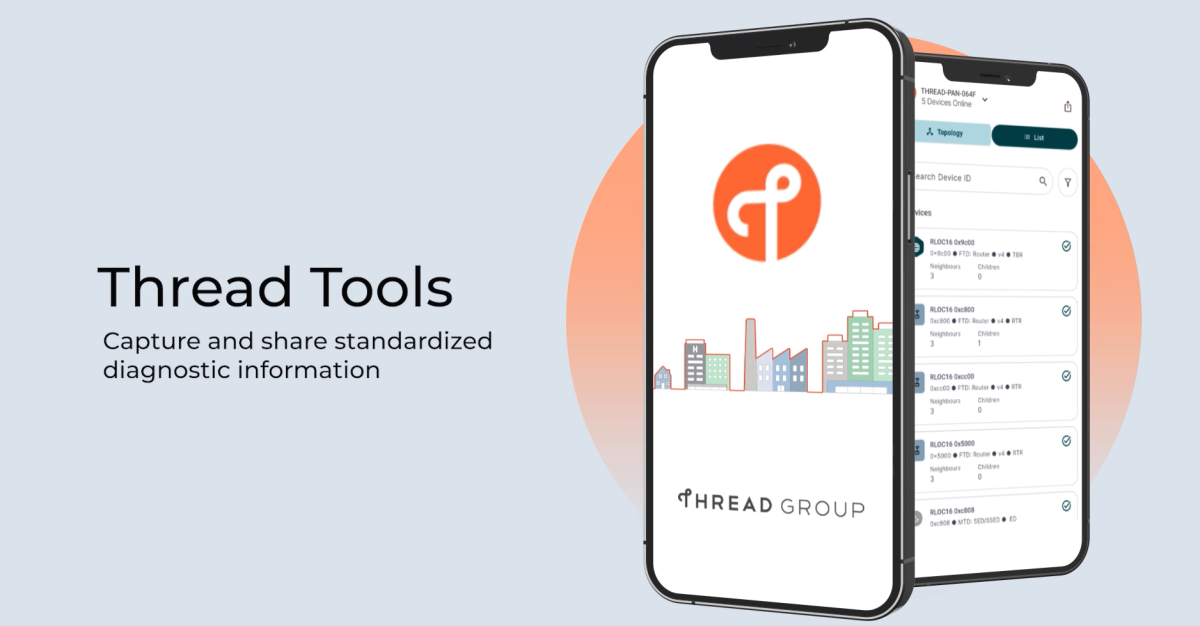
The new Thread Networks Diagnostics Tools app from Thread Group, the standards body behind the wireless IoT protocol, officially launches in beta today. The app, which arrives on iOS today and has been available on Android in alpha for a few weeks, is the first dedicated tool to provide visibility into your Thread-based smart home network. I’ve been testing the Android version on my complicated home network and, with a bit of extra legwork, have diagnosed several issues with my Thread setup.
Thread is one of the protocols the smart home standard Matter runs on, and since Matter over Thread devices began arriving in 2023, there have been reports of people struggling to connect or keep Thread devices connected, along with multiple border routers causing issues. There have been ad hoc tools and apps that have provided some insight into your Thread network to help solve these, along with some high-level tools in Home Assistant, but for most users, Thread has been a black box.
This app is the first step in providing visibility into your Thread network. When connected to your home’s Wi-Fi network, the Thread Tools app can show you which devices are connected to which routers, which are acting as mesh extenders, and the signal strength of all those connections. For example, if your Thread door lock isn’t responding or is frequently disconnecting, you can check its signal strength and, if it’s weak, try moving a border router closer or add a mesh-extending device like a smart plug nearby.
You can export the very detailed data the app generates as a .json file and share it with a manufacturer or ecosystem to help with troubleshooting (or, as I did, feed it into Claude). For example, the recent issues Ikea has struggled with, where some users weren’t able to get their devices onboarded to their Thread network, could be helped by a tool like this.
These diagnostic tools have been available in the Thread spec since 1.4 launched in 2024; Ikea recently implemented some as part of its attempts to address those issues, but a dedicated tool should be able to paint a broader picture. Smart home blog Matter Alpha has published a deep dive into what the app reveals.
In my time with the alpha version on Android, I’ve found it fairly limited for troubleshooting my network. My biggest issue is multiple networks created by border routers from different manufacturers, and it only shows me the mesh details for one. (Merging networks is something that’s planned for the app in the future).
When I open the app, I do see a list of all of my networks and which Border Routers serve them, but I can only connect to one to view its mesh details. That’s likely because it’s the network the Pixel phone I’m using is connected to. Fingers crossed the iOS version, which launches today, offers insights into the other networks, since most of them were set up using my iPhone.
When the Pixel connects, it tells me the mesh is now ready for diagnostics and monitoring. I can then see a map of my network and click into it to get detailed information about each device and how it connects, which devices are serving as mesh extenders, the signal strength between all devices, and how they’re connected to each other. However, everything is identified by numbers, so it’s hard to tell which device I’m looking at without calling up MAC IDs. Hopefully this will be simplified in the future.
While the app visualizes the network well, it doesn’t offer any help interpreting what it’s seeing. To get some insights, I exported its .json file to Claude and asked it to identify the devices and flag any potential problems. Using the app’s data, it identified several potential problems, including an outdated border router, unstable Thread devices, and a lock that was repeatedly dropping from the network.
One particularly useful find was a “vintage half dead” 2020-era border router that was still on the network despite having lost its Wi-Fi connection. It turned out that was the Nest Hub Max that had originally created my network but was now offline.
This showed both the promise and the limitations of the app. I learned more about my Thread network in an hour than I have in the three years it’s been running in my home, but turning that information into actionable troubleshooting still required other tools and technical know-how. Of course, the app isn’t really designed for everyday users; it’s more for manufacturers, who can prompt users to export a .json file and use their own tools to help diagnose issues.
Still, Thread Group says it’s actively working to add more features along with encouraging developers to bring their own ideas to the table. Jonathan Hui, VP of technology at Thread Group and a software engineer at Google, told me in an interview that planned enhancements include allowing the mobile phone running the app to connect to a border router and retrieve the network credentials if it doesn’t have them — which is the problem I have on my Pixel. From there, they hope to build an ability to merge Thread networks using the app. Which would be huge. Multiple Thread networks can lead to connectivity and reliability problems when devices end up on different networks. Despite new credential-sharing mechanisms, manually merging them is still tricky.
The Thread Tools app is being run as an open-source project on GitHub, says Hui. This allows people to add features via pull requests, which they hope will rapidly expand its functionality. “We hope this will inspire solution providers to incorporate these solutions themself, adapt the source code into their own solutions, or use it as a reference for developing their own.”
Read the full article here
