

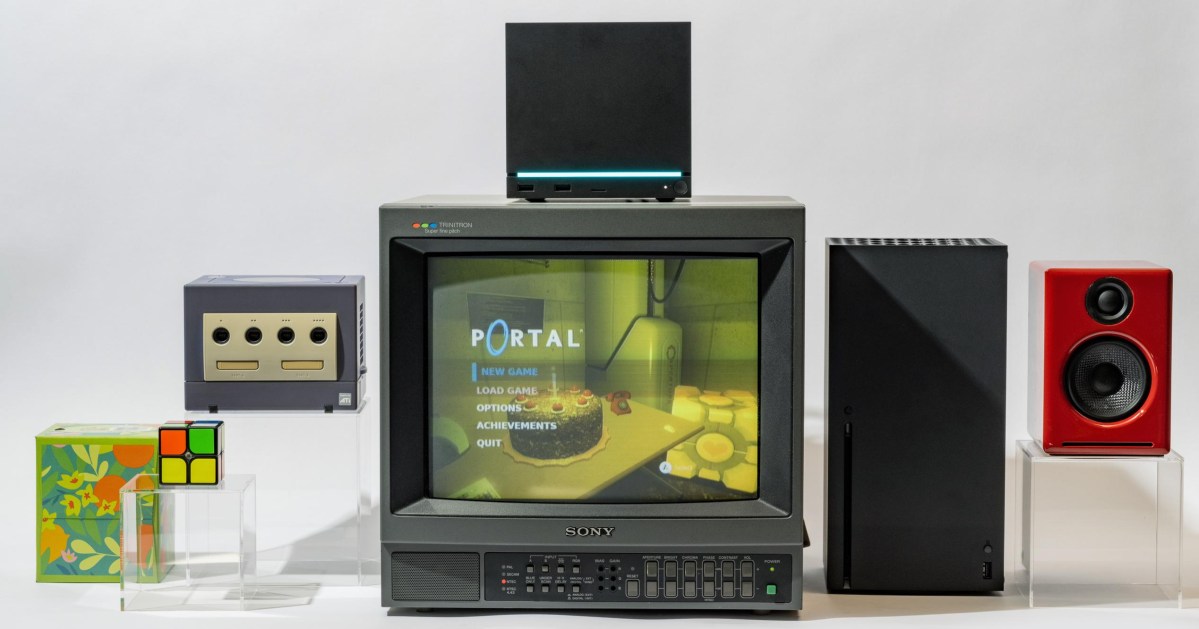
My first day with the Steam Machine was a mess. Instead of enjoying a worry-free game console, I spent hours troubleshooting what felt like a finicky PC. That’s because the Steam Machine is a PC, with a very important twist.
Since the Magnavox Odyssey came out in 1972, game consoles have been built with the same basic goal: to effortlessly play proprietary games on a TV screen. Nintendo, Sony, and Microsoft have spent decades essentially selling the same product. A few consoles could do more, but the formula you know and love remains buy box, plug into TV, insert game, play.
The Steam Machine aims to be something bigger. It’s a vision of a box with fewer restrictions and an almost endless catalog of games — for those willing to spend nearly twice the price of a PlayStation 5.
That’s right. Today, Valve has announced the Steam Machine will start at $1,049 without a gamepad or $1,128 bundled with one, but you aren’t getting a significant boost in performance over the 5.5-year-old Sony PS5 you can still buy today. Even after three price hikes, a vanilla $650 PS5 offers sharper images in Cyberpunk 2077 and Horizon Zero Dawn Remastered in my tests. So how can Valve possibly charge over a grand, you might ask?
It’s because the Steam Machine is, let’s say, a PC-plus. It’s a PC that acts more like a console than any you’ve used before. It’s incredibly cool and quiet, so much smaller than a PS5, surprisingly smooth, and completely navigable with any modern gamepad you own. You don’t need a mouse, keyboard, or even Valve’s own touchpad-equipped Steam Controller to download, launch, or play games. Joysticks do the job.
It’s the best attempt I’ve seen at a PC that actually fits into a living room, and far better than anything I could build from parts. Valve’s bet on the Steam Machine is that you literally can’t build it yourself. Even if you had the design and engineering chops, Valve tells The Verge it’s selling these components at cost, negotiating with suppliers to get you the best deal amid a memory supply and demand crisis like the world’s never seen before.
But is it good enough for $1,049? That depends on what you actually expect this PC to do — and whether Valve manages to reduce some of the lingering friction before it winds up at your door.
$1049
The Good
- Delightfully small
- Incredibly cool and quiet
- Play PC games on TV without mouse and keyboard
The Bad
- Nearly twice the price of PS5 for PS5 performance
- Have to manually configure games
- Can’t yet trust it to sleep
For better or for worse, the Steam Machine isn’t ready for the console wars just yet. Buy box, plug into TV, insert game, play is not yet the reality.
Opening the box, I had to plug and unplug and replug the Steam Controller to control anything at all. My Denon receiver only output stereo sound, not 5.1 surround, so I had to plug it directly into my Samsung OLED. That Samsung TV didn’t recognize the Steam Machine, so I had to manually enable Game Mode to get HDR and VRR. Valve didn’t preinstall key dependencies like Proton that let Windows games work, so they had to download before I could play. Since I was waiting anyhow, I decided to queue up a whole bunch of game downloads and walk away — only to find half the games didn’t finish, leaving me with 800GB of incomplete installs on a completely full drive.
I’m told all of this will change, and Valve is the rare company with a history of following through. When I discovered the Steam Machine would spontaneously reboot, freeze, and throw graphical errors when I tiptoed up to its video memory limit, Valve fixed it in one day. My original Steam Deck review is almost irrelevant because of how thoroughly Valve dealt with that handheld’s issues.
But like with the Steam Deck, the day one experience feels incomplete and best consumed by power users. Speaking of which, I’m typing this entire review on a Steam Machine right now — because, again, it’s a PC.
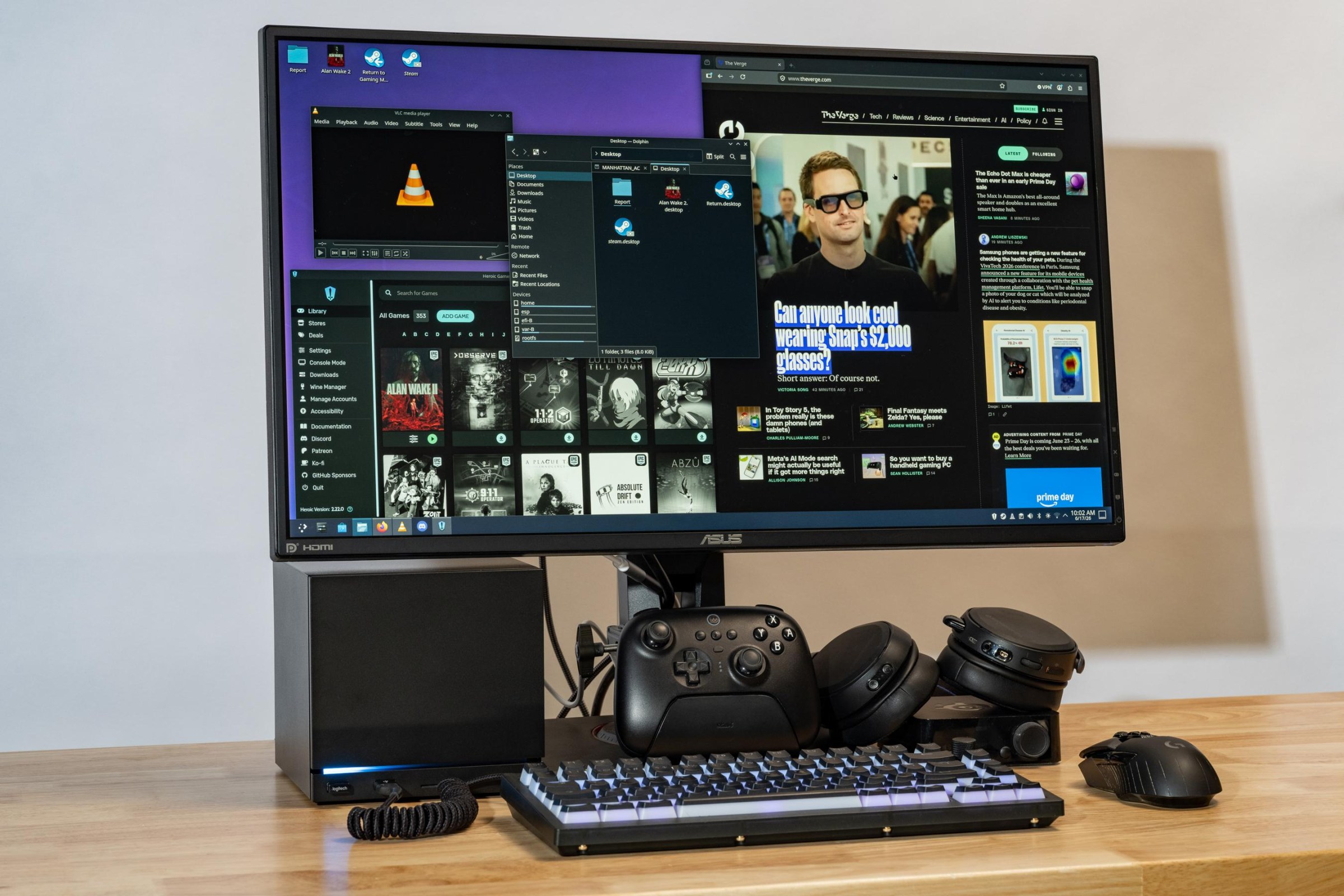
I plugged my keyboard, mouse, speakers, headset, USB hub, and two monitors into the Steam Machine, and everything just worked, giving me a Linux desktop that feels nearly as capable as the one I’m dual-booting on my regular PC right now. (But much quieter.) I even got an external Blu-ray drive working by plugging it into the front ports. If you don’t already have a desktop, it helps make the price more palatable.
When I’m gaming from the Steam Machine on my desk, a couple feet away from a monitor, it’s obvious it doesn’t have the graphical muscle of larger gaming desktops. But when it’s under my TV, I’m impressed by the Machine’s gaming chops. It’s no beefy gaming rig, but in almost every game I tried, I could manage a smooth, playable frame rate the same way today’s other consoles do: choosing a lower resolution like 1080p and upscaling it to the 4K resolution of my TV, using AMD’s FSR super resolution technique to do so.
1/9
While you won’t be able to run the most intensive games at a true 4K resolution because you’ll run out of video memory and graphical power too quickly, I found the Steam Machine’s frame rate is incredibly stable and pairs well with TVs that support variable refresh rate (VRR). There’s just enough horsepower to, say, play Indiana Jones or Returnal at 1440p medium spec, or Forza Horizon 6 at 1440p high spec, or Cyberpunk 2077 at upscaled 4K with high spec, or Shadow of the Tomb Raider at true 4K and medium, because they didn’t drop below 40fps minimum at those settings for me — that’s mostly within the window where VRR syncs each frame perfectly with the TV.
I wouldn’t have expected Indiana Jones and the Great Circle in particular to feel like a great experience, as it’s one of the more intensive PC games you can buy. But I’ve now spent hours punching Nazis and cracking whips from my couch and I’m genuinely enjoying it.
I even downloaded the RAM-hungry Alan Wake II from the Epic Games Store (via Heroic, you can install it from the Discover app on the Linux desktop) and found it playable at an 847p base resolution like on the PS5 and Xbox Series X.
What bugs me is that in every case, I had to figure that out with trial and error. Unlike on a PS5, the console makers and game developers aren’t yet tweaking the settings for you. There’s no Steam Machine presets for any of the AAA games I’ve tried, no global FSR toggle, no checkerboard rendering or PSSR like Sony’s consoles use to make games look good on 4K TVs. By default, Valve has set the entire console to 1080p as a precaution, so you can’t even set an upscaled 4K resolution until you override that first.
When I reviewed the PS5 Pro, I couldn’t recommend the extra spend to anyone who doesn’t sit close to their TV screen. From my couch, 12 feet away from my 65-inch TV set, even my 20/20 vision wasn’t enough to see a $200 difference in graphical quality over the base PS5 model. All that mattered was that the games felt smooth, and that’s how I feel about a properly configured set of Steam Machine games, too. But they absolutely do look uglier at 12 feet by default on Valve’s box because of Valve’s arbitrary 1080p cap. Hopefully game developers will create Steam Machine presets soon.
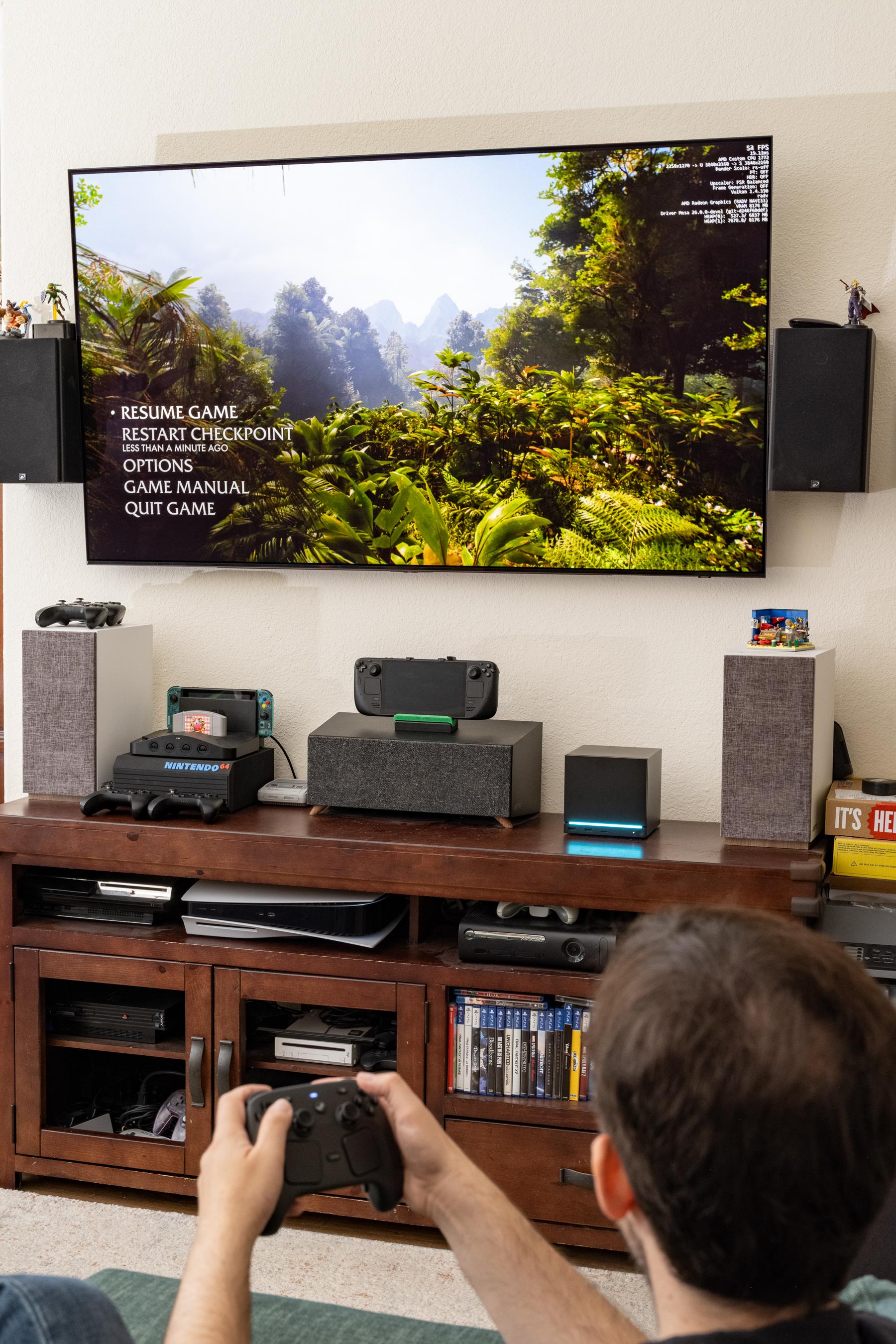
What really kills me is that I can’t yet trust the Steam Machine to properly suspend my game when I put it to sleep. Three times, I’ve left a game running and found it exactly where I left it 12 or 14 hours later. But three other times, I found my game session gone, and once I found my TV running in the middle of the night. Valve nailed this with the Steam Deck, so I’m hoping it’s just a matter of time.
And hopefully Valve will give the Steam Machine more creature comforts we’d want from consoles, too:
- It’s so nice that powering on the system with the Steam Controller or a Bluetooth pad can wake my whole entertainment system with HDMI-CEC commands, and power them off when I’m done. But I had to go hunting for a TV remote when my kid turned on our Apple TV by accident and I couldn’t just press a Steam button to switch back.
- You can remote-control the whole Steam Machine from a Steam Deck or any other Steam computer and stream games either direction — but unlike with the PS5, you can’t remotely wake the Steam Machine to do that if it’s already asleep.
- Despite the awesome-looking configurable RGB LED status bar that can visually track download progress, the Steam Machine won’t automatically download anything while powered down — you have to start the download first, and then it can finish while asleep.
- Though Valve was proud of its dedicated internal antenna for the Steam Controller, I had a lot of disconnects I’ve never seen with the PS5 or Xbox. Valve says it has fixes coming.
1/8
Before I conclude, here are a few more tidbits you might appreciate:
- Valve confirms to The Verge that the Steam Machine will get AMD’s superior FSR 4 upscaling, similar to PlayStation.
- Valve says a graphics driver update should improve ray-tracing performance by as much as 20 percent in some games — I’d written off RT because my frame rates tanked whenever I turned it on, but perhaps that’ll change.
- You can change your TV volume with a gamepad! Hold down the Quick Access Menu button and flick the left stick up and down.
- Like with the Steam Deck, you can get a huge amount of real-time performance statistics, RAM consumption, and more by turning on the built-in overlay.
- You can wake the Steam Machine (and thus your HDMI-connected entertainment system) with Bluetooth pads: I did it with an 8BitDo Pro 2.
- SteamOS recognized both of my SteelSeries Arctis Pro Wireless headset’s audio devices automatically, so the chatmix feature works to easily hear your friends over the game or vice versa.
- The Ethernet port is fast: I got nearly 1Gbps downloads from Valve’s servers on my 1Gbps fiber connection!
- While HDR worked great, things did seem overbright and washed out in SDR by default.
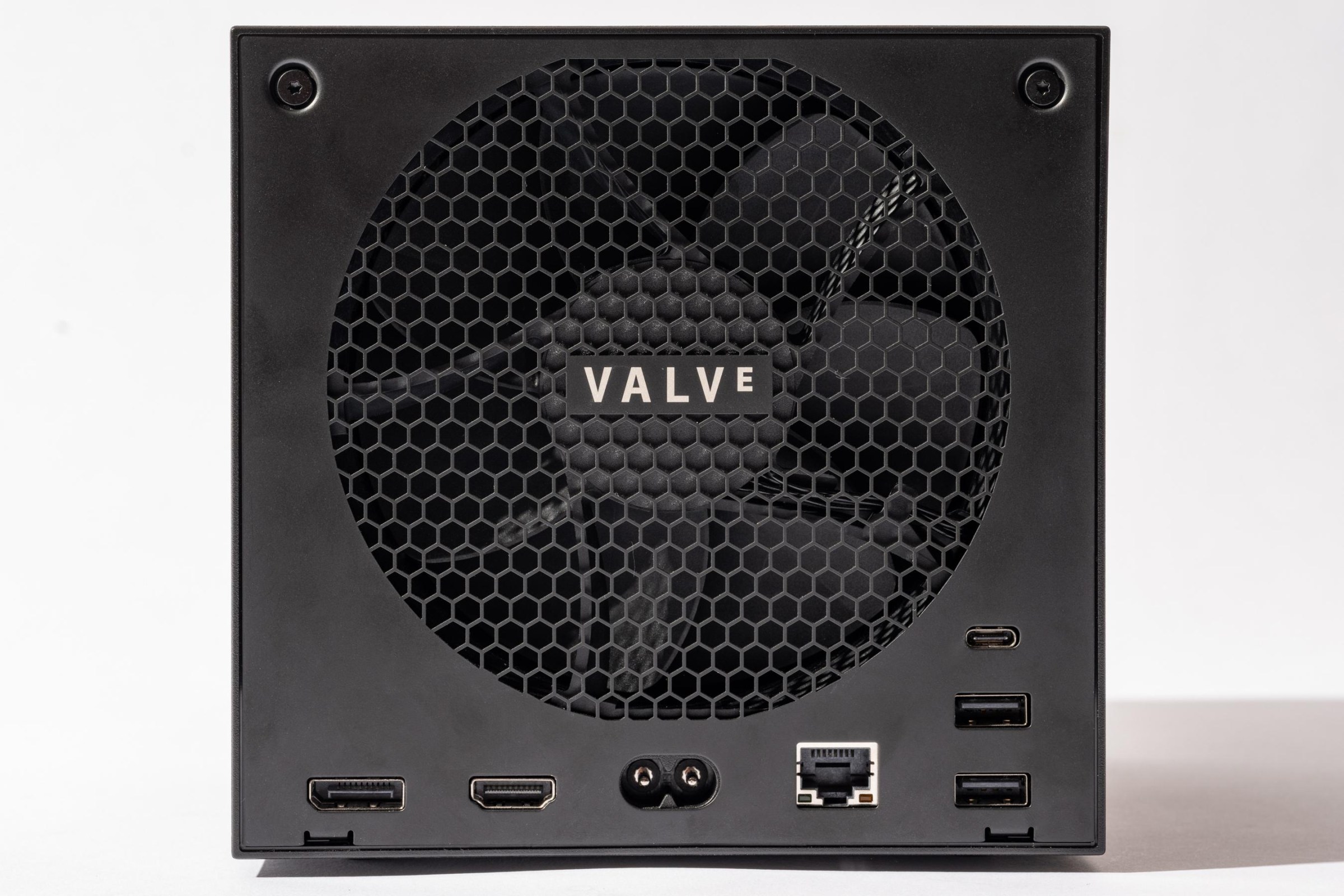
- The front USB ports are faster and may provide more power than the rear: My USB 2.0 optical drive flashed a too-little-power error plugged into the rear ports.
- I was impressed to find my TV remote could navigate the Steam menus via HDMI commands — just know you can’t use the TV remote to play 2D games yet.
- While the Steam Machine has multi-monitor support in desktop mode, it only currently supports a single monitor in gaming mode.
- If you have a microSD card from your Steam Deck, you can just plug it in and play games installed on it as long as you let dependencies like Proton install first.
- The LED progress bar is only for the current download or install, not all pending downloads.
- When not downloading, you can set the RGB LED bar to breathing, rainbow, solid color, or a “patrolling” eye. You can make it quite bright or very dim and change the speed and hue.
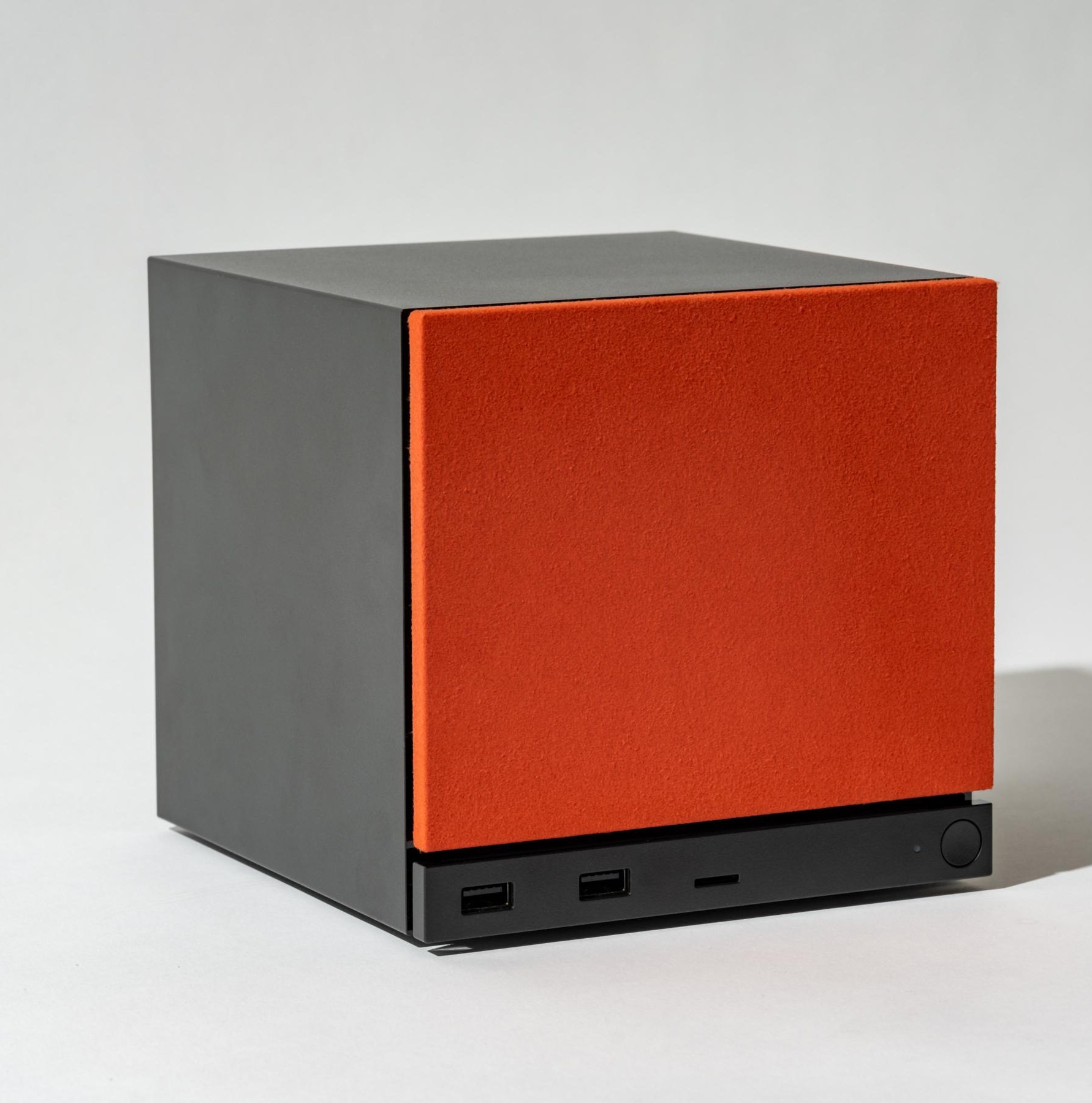
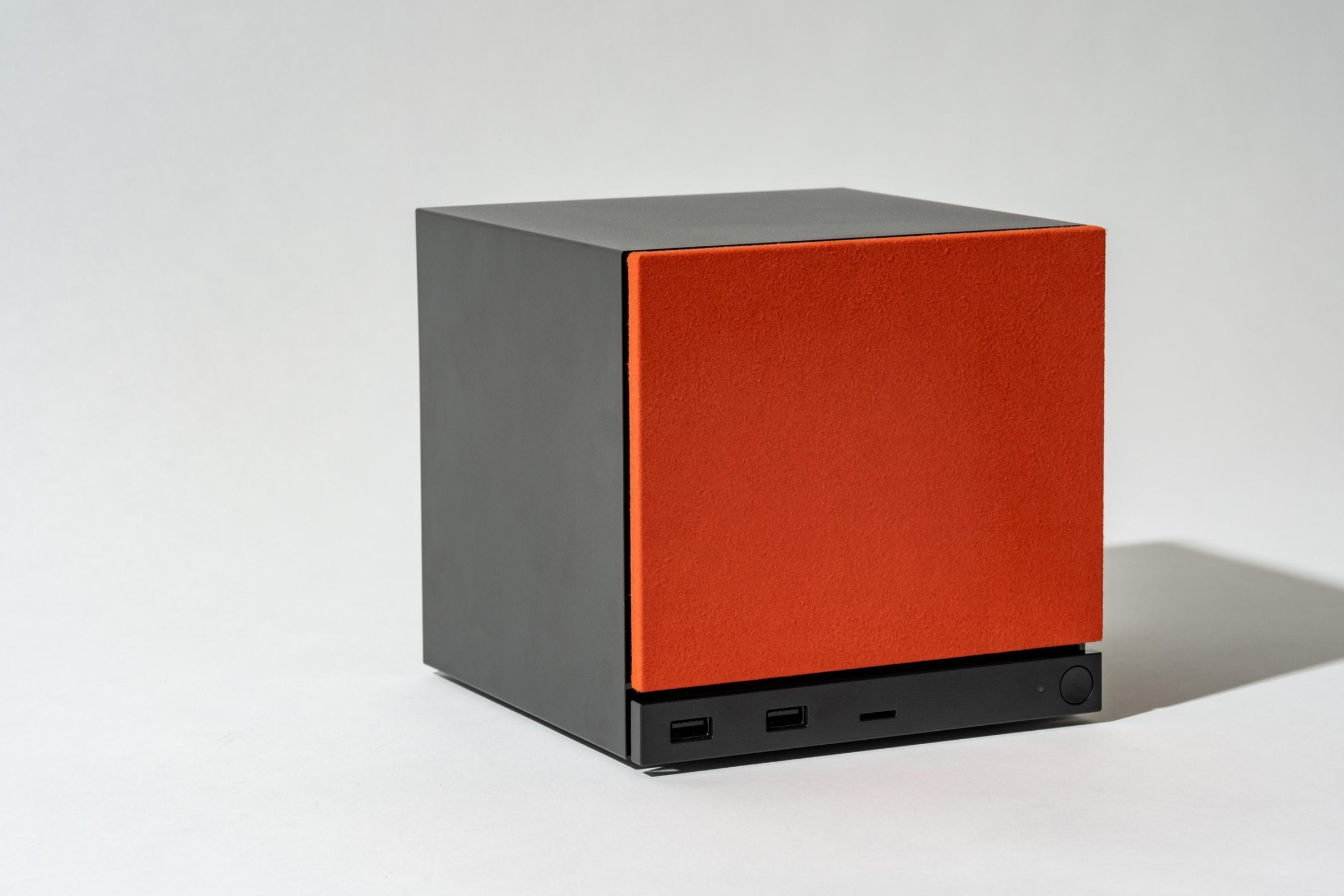
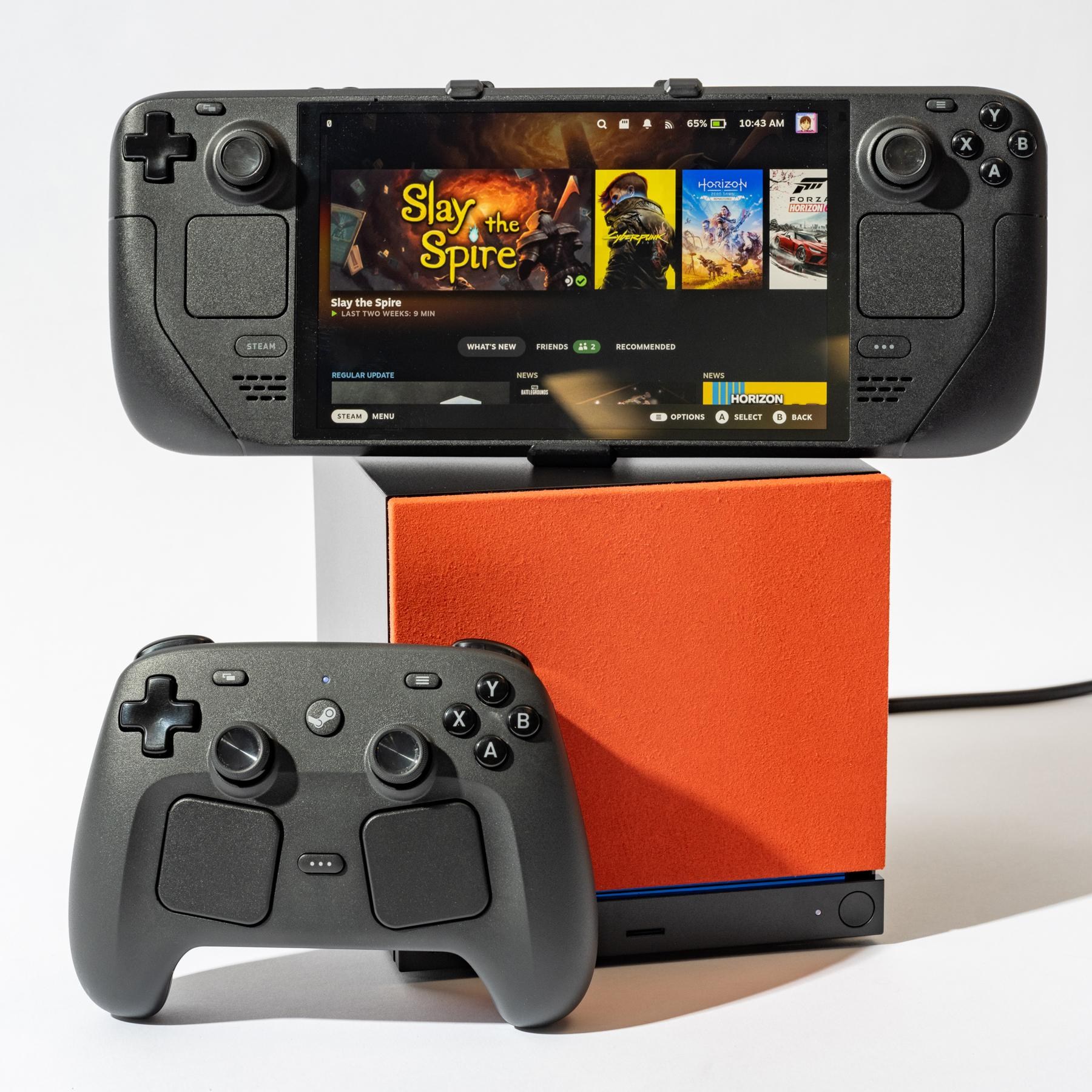
- The faceplates are magnetic and removable; Valve will release the CAD so you can design and 3D-print your own. The 2TB model comes with fuzzy red and walnut ones, too.
In 2022, the Steam Deck handheld began as a buggy, broken mess I could only recommend to early adopters. One month later, I could recommend it to savvy friends. A year of updates later, I felt comfortable recommending it to anyone who could understand the pros and cons. By early 2024, I could recommend a Deck OLED to just about anyone. I fully expect the Steam Machine will have a similar trajectory, because nobody does updates like Valve does updates — its track record is impeccable.
But the Steam Deck didn’t just open up PC gaming to people who wanted it to be portable; it made gaming PCs more affordable too. At $400 for LCD or $549 for OLED, it was the best deal in town, opening up PC gaming to those who had console money but couldn’t afford a traditional gaming rig at all.
That’s not quite what’s happening here. Valve explains that it’s not subsidizing the Steam Machine because of its “beliefs about how healthy ecosystems are built.” Sure, but that means with the Steam Machine you’re paying normal PC prices, instead of what you’d pay for a console. I still think this package is special and is an incredible deal — if you plan to use it as a PC and not just a game console. I wish it existed back when I went off to college and needed a compact setup for work and play in my dorm room.
You won’t hear me say that you should “wait and see” what the PS6 and Xbox “Project Helix” are like this time around. RAMageddon has made the future of game consoles impossible to predict. Word is Sony has pushed back its plans to 2028 or even 2029, while Microsoft is rethinking the entire console business. While the memory crisis might have impacted Valve’s price, it’s not like next-gen game consoles will surpass it very soon.
If you do want a Steam Machine this year as Valve works out the kinks, don’t hesitate to sign up for a chance to reserve one. Valve tells us it was only able to secure around two-thirds of its planned stockpile due to component shortages so far. Even at this price, I expect them to sell out fast.
Read the full article here
