


I still remember giving my oldest child (now eight) their first tablet. It was around four years ago, and I chose one from Amazon’s Fire Tablet Kids range because they are fairly indestructible when it comes to toddler tantrums. They also come with a two-year Worry Free guarantee, so if your child breaks it (inevitable), Amazon will replace it for free within that time. If your child smashes an iPad or iPhone, you’ll be on your own, sobbing quietly while wishing you bolted on the Apple Care service.
Despite that latter point, I recently decided to move my eight-year-old onto an iPad (I know, I know, judge me another day). Not because Amazon’s parental controls aren’t good – actually, I think they are great – and not because the Amazon Fire Tablet 10 Kids Pro wasn’t still good enough for her – she still loved it, mostly for a game about baking virtual cupcakes. I moved her to an iPad because of the new parental controls coming with iOS 27, iPadOS 27, and macOS 27.
Apple has spent the past decade bolting on parental controls to iOS, piece by piece. While its Screen Time feature has always been useful, it’s also felt a little scattered, with a menu of toggles tucked under various sections within Screen Time – the digital equivalent of a junk drawer, you might say. That changes with iOS 27, iPadOS 27 and macOS 27, which land later this year and bring a full rebuild of how Apple handles child safety – there’s even a dedicated website. If you’ve got a kid with an Apple device, or you’re about to hand one over, here’s what you should change straight away.
Start with the account
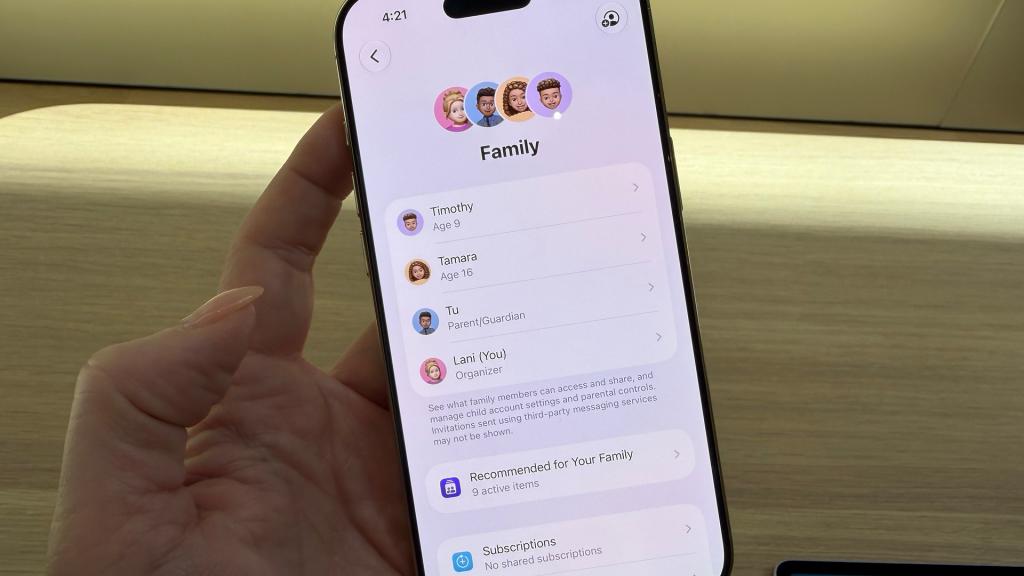
Everything from here depends on getting the child account right. It sounds obvious, but if you miss this step or leave an old account misconfigured, half of what I’m talking about won’t apply. Don’t panic, though. Apple has simplified the setup process, so a device now asks straight away whether it belongs to a child under 12, a teenager, or an adult. Every other restriction is then built around the answer you give, so while your six-year-old might act like a teenager, complete with foot-stomping and mysterious moods, you don’t want to select that option unless they actually are one.
If your child already has a device (lucky them), it’s worth checking that their birthdate and account tier are accurate in Settings. I know plenty of parents who set up accounts for their children years ago and haven’t looked since, in the same way nobody has looked at the back of the fridge since 2019. If they don’t, and you’re starting from scratch, it’s easy to set up a new child account during the setup process.
Curate the list of start-up apps
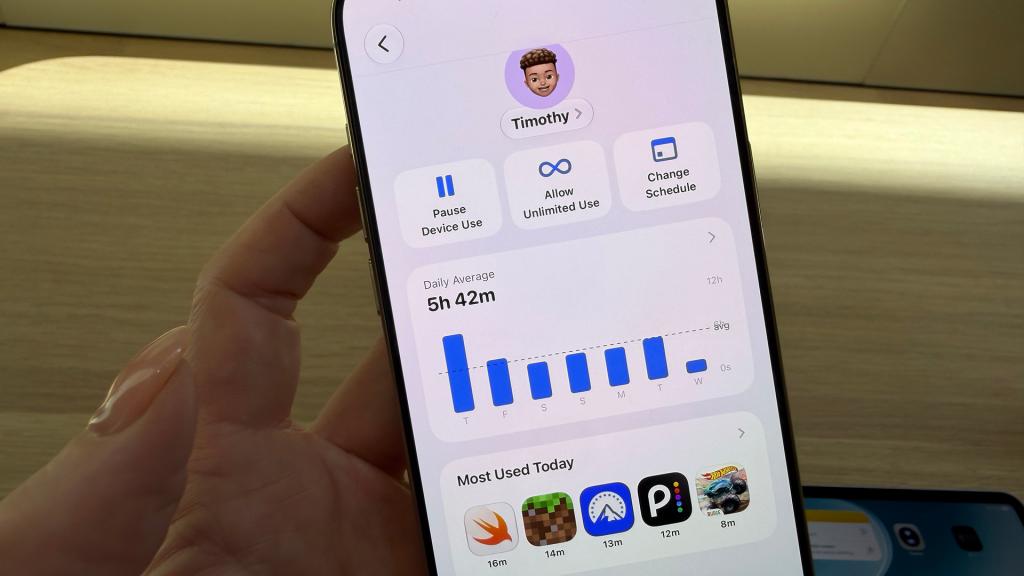
Once you’ve got the account sorted, you’ll be prompted during the setup process to set up parental controls, with the first step being to decide what your child can explore. This covers apps and websites, as well as the content you deem appropriate for apps like Apple Music.
The new setup flow nudges you towards two lean starting points for apps. The first is called Essentials Only, which includes only the Phone, Messages, and FaceTime apps – essentially a very expensive walkie-talkie. The second option is called Apps to Get Up and Running, which adds Photos, Camera, Music, Clock, Mail, and Safari to that essentials list. You can be more selective if you prefer.
Any apps you don’t select initially will need your approval before they’re downloaded, and this uses the same Ask to Buy system that already exists for Apple devices. A child asks for permission, and you receive a message in the Messages app on your iPhone, iPad or Mac, allowing you to block or approve from wherever you are (as long as you have an internet connection).
Turn on Ask to Browse
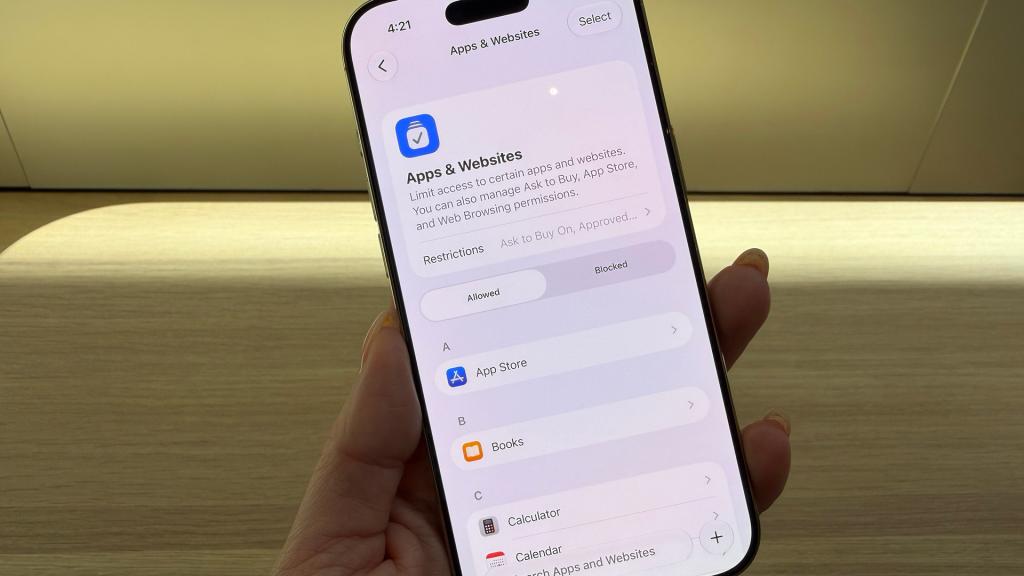
The same now applies to websites, too, with the extension of the Ask to Buy system to the open web in a feature called Ask to Browse. During setup, you choose between Approved Websites only, where you can initially add a list of allowed websites. After that, any new website your child visits will need approval. When a child tries to visit a site you haven’t approved, a request arrives on your iPhone, iPad or Mac via the Messages app, like the Ask to Buy system.
Approvals can also be very granular if you want them to be. You’re not limited to a blanket yes or no for an entire website. You can clear specific YouTube channels while leaving the rest blocked, for example, or allow a homework site without opening the floodgates to everything else. It takes a bit of ongoing admin, but it’s better than hoping a broad content filter will catch everything. If your child is older, or you aren’t keen on the admin, you can also select Non-Restricted Websites at setup, so your child can visit sites you haven’t blocked without your approval every time. It’s worth noting that known adult websites are always restricted (I’ll let you work out which ones those are).
Lock down who your child can talk to
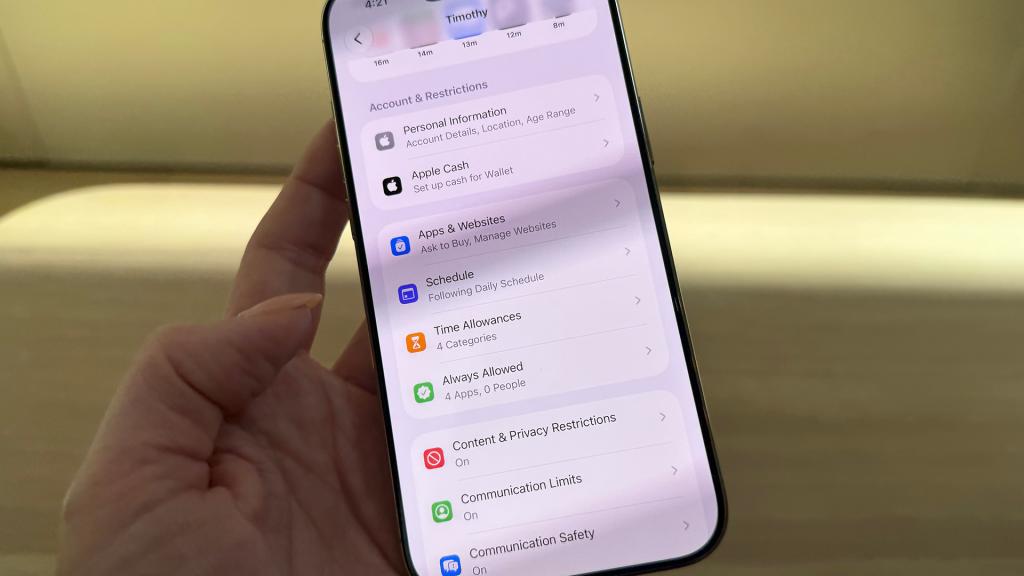
Content filtering gets most of the attention, but who a child can message matters just as much as what they can browse and this has been considerably tightened up with the new software. New contact requests – over Messages, FaceTime or Phone – now have to be approved by you. If a child tries to add a number that isn’t already on their approved list, the request lands on your device for you to approve.
Sitting alongside that is Communication Safety, which isn’t new but has expanded. It already scans Messages and FaceTime for nudity and automatically blurs anything it flags, with this feature switched on for every under-18 account. It now does the same for graphic violence, blurring or blocking gore before a child sees it. Sadly, this only covers Apple’s own apps for now, so it doesn’t apply to apps like WhatsApp, though Apple has opened up APIs that let other developers build in the same protection if they choose to.
Set Time Allowances and Schedules
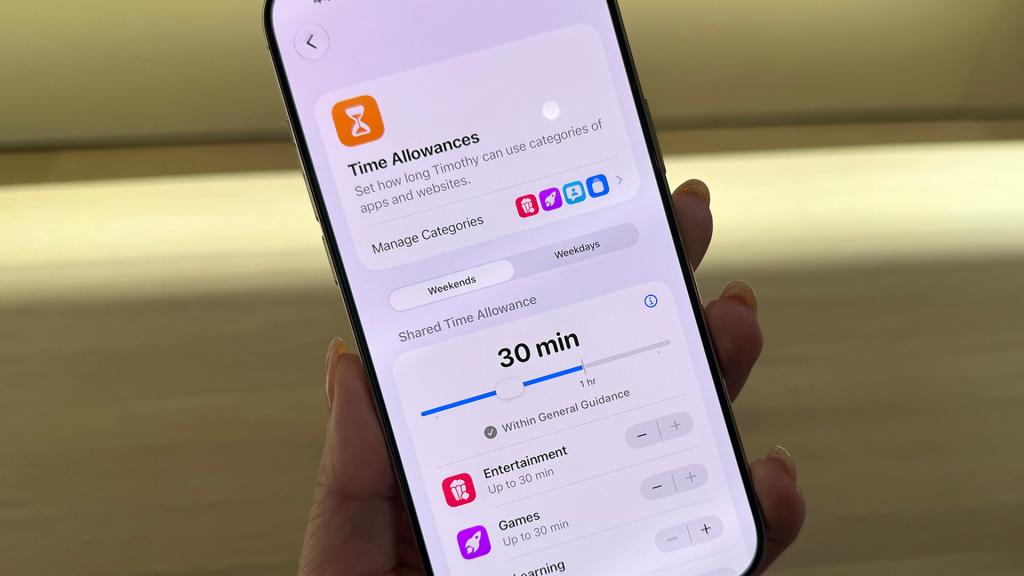
The old App Limits system is being replaced by Time Allowances in the new software, allowing you to set time budgets across app categories, such as Entertainment, Games, and Social Media. To give you a baseline, Apple provides age-appropriate starting points based on external research, which you can then adjust to fit your household. Go over the hour marker, though, and you should be prepared for some quiet judgement as the “General Guidance” tick vanishes, silently informing you that you are, like the rest of us, the reason screen time exists at all.
It’s also worth setting up the new Schedules option, which lets you restrict app access at set times of day — useful for locking devices down during homework, dinner time or bedtime, and for winning back at least one argument a day. The redesigned Screen Time dashboard now gives a clear snapshot of daily usage and the apps getting the most attention (spoiler: it will not be the Kindle app). There’s also a one-tap pause for instant timeouts, and, just as importantly, a one-tap extension for when a kid actually does need five more minutes to finish something — or, more likely, five more minutes to negotiate for five more minutes after that.
None of these settings make a device foolproof, and no parental controls replace an actual conversation about what your child is doing online. But as far as parental controls do go, Apple’s new Screen Time system gets a lot right, and it’s worth spending those twenty minutes to set up a device properly before handing it over.


Read the full article here
