

Introduction
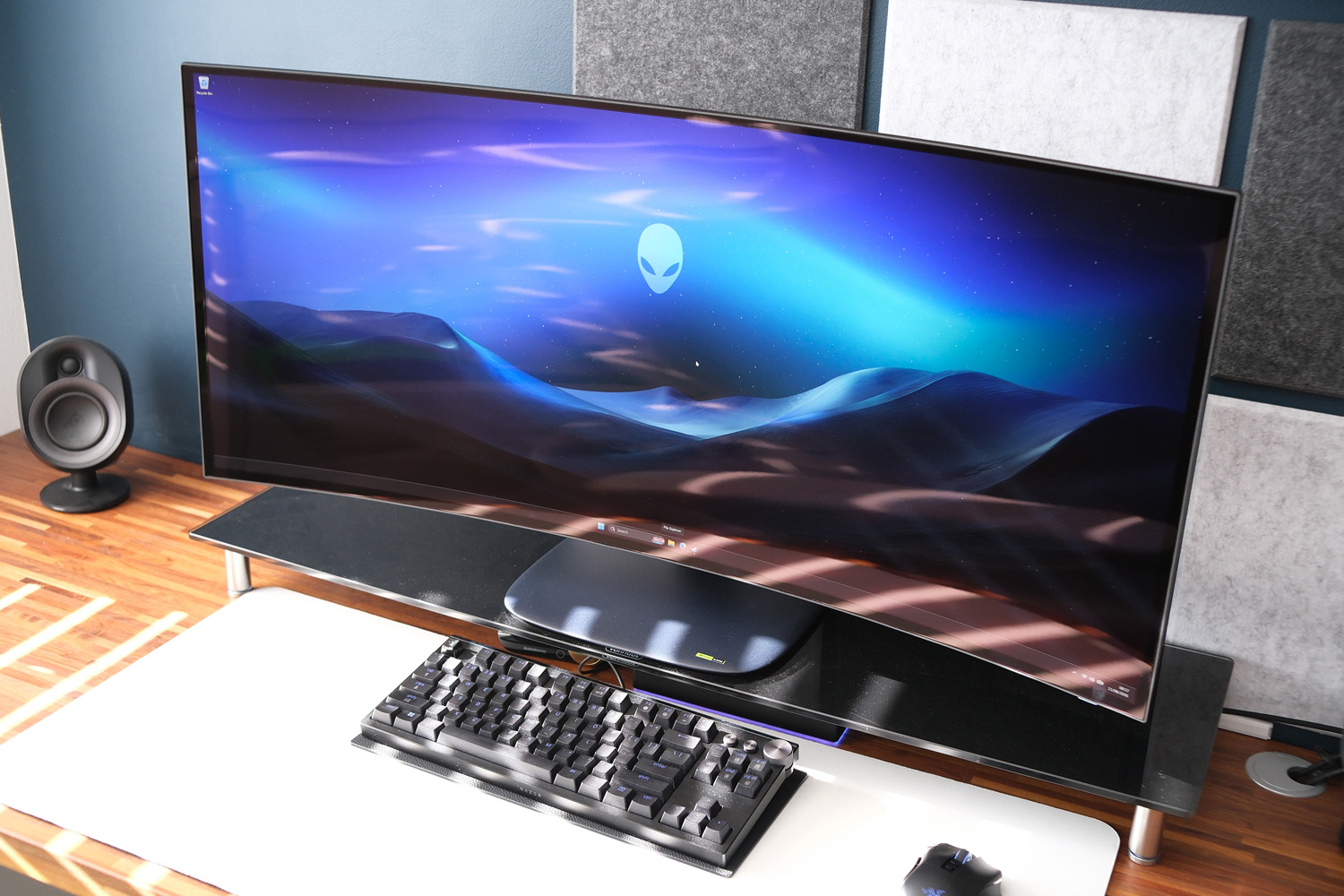
Alienware’s display team has really been pulling out all the stops lately. Fresh off the launch of one of my new favourite mainstream gaming monitors comes this, a monstrous 5K2K ultrawide with more pixels than most of us will know what to do with. The AW3926QW is the first of it’s kind, taking a 4th-gen Tandem OLED panel from LG Display but opting for a few differences from the one LG uses in its own 39GX950B-B.
You’re getting a pure RGB sub-pixel layout here, with two layers of blue elements – which should almost entirely eliminate fuzzy text fringing on Windows computers. The panel has a glossy finish rather than a matte one. Otherwise it’s a dead heat, with a speedy 165Hz refresh rate, plenty of high speed connectivity and a desk-filling 1500R curve.
Those specs are enough to demand a suitably out-of-this-world price, mind. The Alienware AW3926QW will set you back a significant $1100 (via Dell USA from August 27), £999 or €1149 (appearing on Dell UK, France and Germany websites from September 8). Does it make sense for the average gamer when its baby brother is already in such a sweet spot?
Does the AW3926QW mix up Alienware’s design at all?
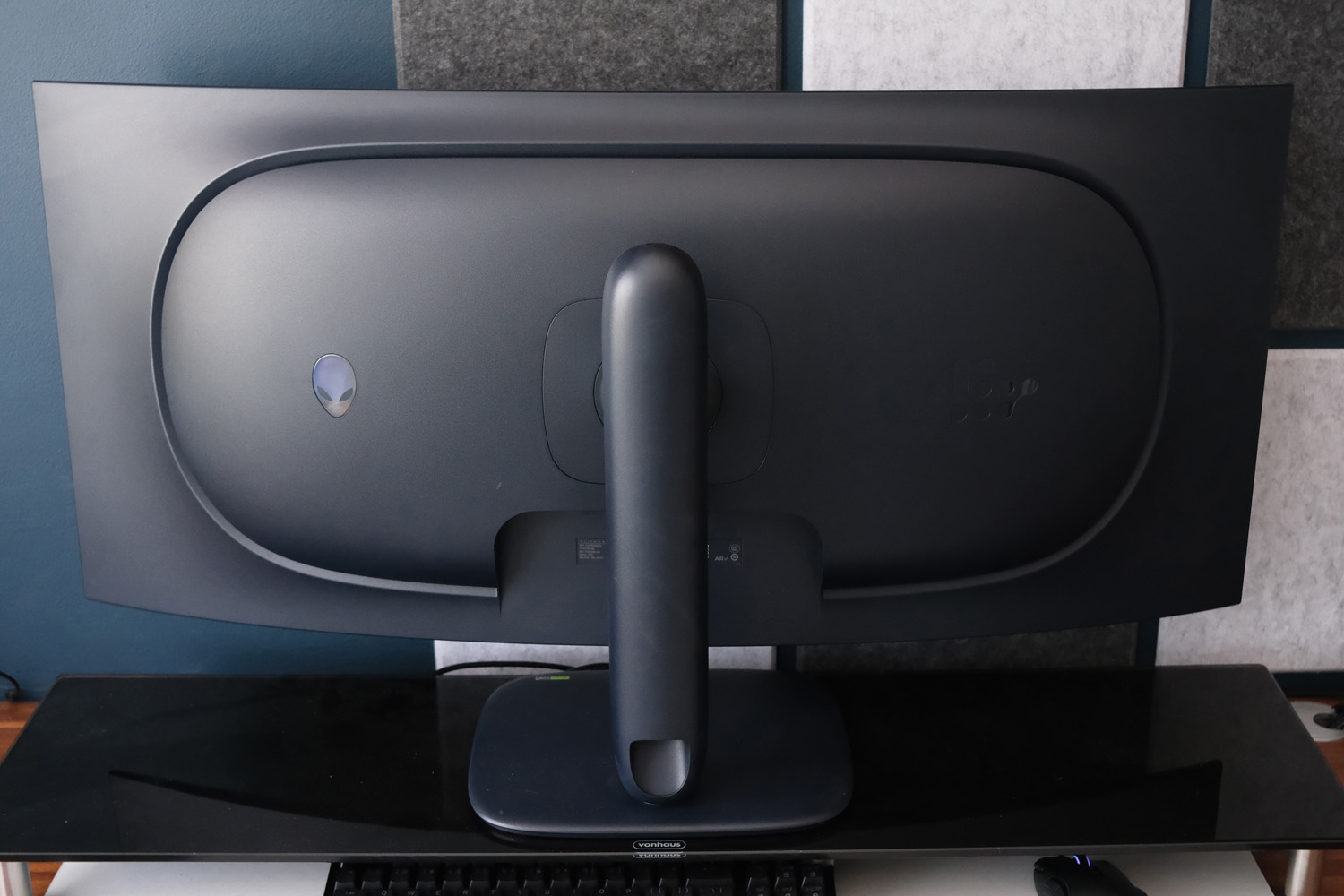
Wow, and I thought the 34in AW3426DW was big. The AW3926QW demands even more desk space, filling my 1m-long monitor stand almost completely. The 1500R curve used here is a little more aggressive than the smaller monitor’s 1800R one, but not so much that the extreme edges of the panel look warped or distorted. It doesn’t spill out any further than the base of the stand, which has a fairly large footprint.
The skinny, two-piece stand screws together without tools in a matter of seconds. It has a generous amount of height adjustment and horizontal pivot, but less tilt and rotation. I’m not sure why you’d want to put a curved monitor in portrait, but if you do it’ll require a VESA-compatible monitor arm or wall mount.
The cutout for routing cables is particularly handy if you like a tidy desk, as is the internal power supply; it means you only have to run a simple three-pin power cord to an outlet, rather than make room for a boxy external power brick.
I’m a big fan of Alienware’s latest display design language, which is minimal yet still retains a few of the firm’s styling signatures. The RGB-illuminated power button and alien head logo at the rear aren’t overly flashy, while the small block of otherworldly graphics add a bit of mystery. The navy blue matte plastic is unlikely to match any of your other peripherals unless you’re going for an all-Alienware setup, but it’s not such a contrast it looked out of place next to my black mouse and keyboard.
I wouldn’t call the bezels at all chunky, and while on first inspection they don’t seem to be uniformly thick, that’s to leave space for pixel shift (which prevents image burn-in). The effect is wonderfully subtle, moving the image by a few pixels every few minutes.
What’s the AW3926QW like for connectivity?
After being a little disappointed with the AW3426DW’s modest selection of ports, I was happy to see that the much pricier AW3926QW hasn’t skimped at all.
You get two HDMI 2.1 Fixed Rate Link (FRL) ports that support the maximum 5120×2160 resolution and 165Hz refresh rate, along with HDR and variable refresh rate. One of them even supports eARC, which is a rarity in desktop monitors. That’s partly why you’ll also find a 3.5mm headphone port, as there are no built-in speakers here.
The solo DisplayPort 2.1 input has a future-proof 80Gbps bandwidth, while a USB-C port can handle both DisplayPort 2.1 Alt Mode and Power Delivery up to 90W. That’s perfect for running a laptop off a single cable.
A second USB-C downstream port can supply up to 15W for refuelling other gadgets, while two Type-A ports let you plug in peripherals (once you’ve hooked up the 5Gbps Type-B upstream port). Alienware still places one Type-C and one Type-A in the bottom edge of the screen frame, making them easy to reach for flash drives and temporary connections, but I find them less useful for more permanent fixtures like webcams as the cables are always on display.
On the other hand, I can’t fault the AW3426DW for including a KVM switch, letting you assign USBs to a particular display input. It makes this a fantastic monitor for home working as well as gaming.
How easy is the AW3926QW’s interface to navigate?
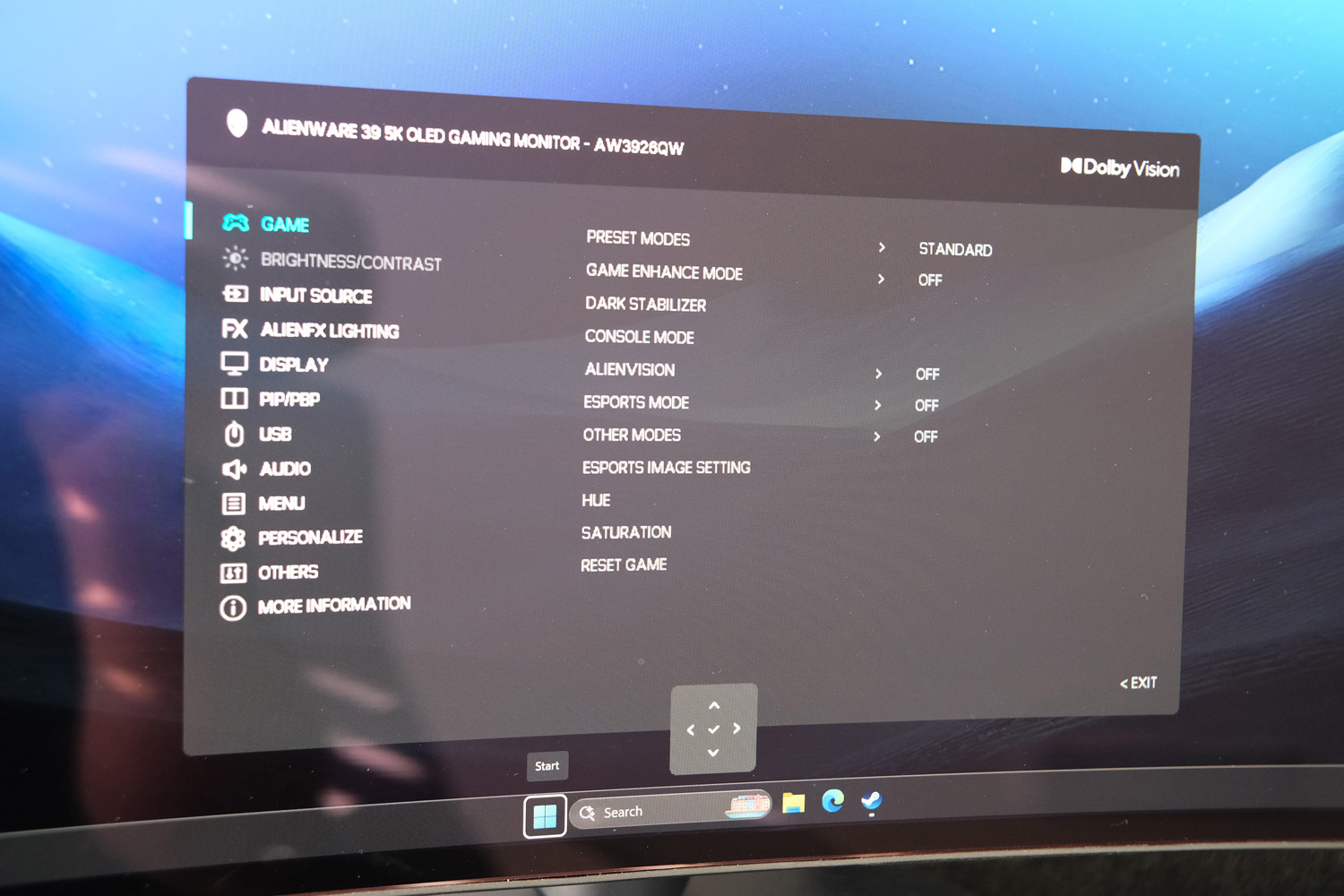
The AW3926QW doesn’t stray from Alienware’s usual approach to onscreen menus and controls. I largely stuck with the small joystick at the screen’s bottom edge to jump around the OSD, which is chock full of options but doesn’t take up too much of the display so you can see what impact your tweaks have in real-time. Being able to assign regularly used settings to either directional joystick inputs or a scrolling shortcuts carousel is a nice addition.
You can also use the Windows-based Alienware Command Center tool and change most settings from the desktop.
Gaming-specific settings tick all the major boxes, including a black level booster, customisable onscreen crosshair, and an esports mode that can do a convincing impression of either a 25in or 27in monitor. 1:1 pixel mapping, a 16:9 aspect ratio and a 330Hz maximum refresh rate mean you’re getting pro gamer-grade performance when you need it.
I think Picture-in-Picture/Picture-by-Picture modes are a must for any ultrawide screen, so it’s great to see a multitude of split options for working across multiple PCs at the same time.
Alienware’s manual OLED care options remain rather sparse, though, with only one option to trigger a pixel refresh. You can’t tell it to dim static UI elements, for example. That said, pixel shift does at least kick in automatically on the regular to prevent image retention. The AW3926QW has the firm’s standard three-year OLED warranty, which includes burn-in cover.
How does the AW3926QW perform in games?
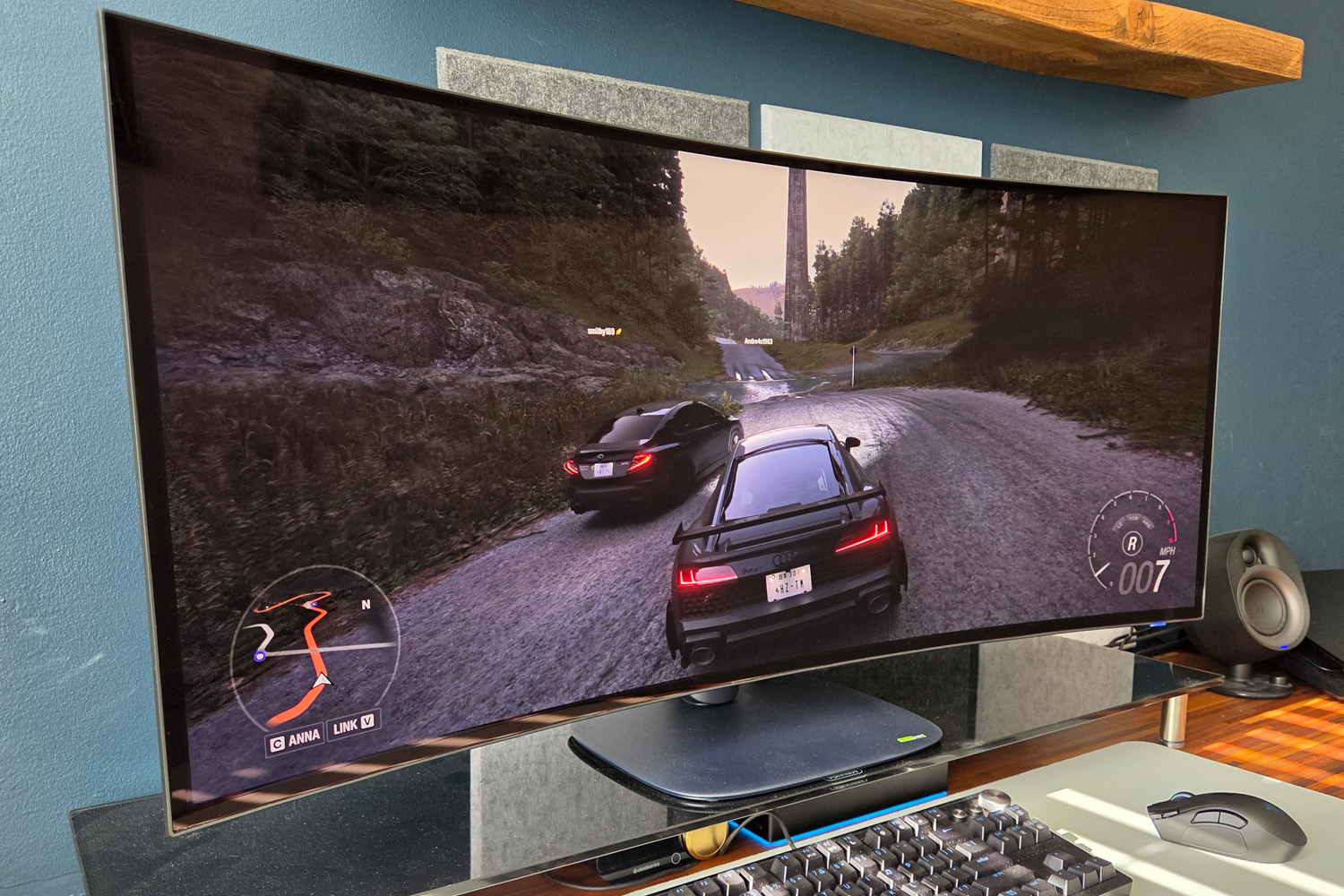
You’re going to need a monster of a graphics card to play games at the AW3926QW’s native resolution, but doubly so if you want to hit its maximum 165Hz refresh rate. That said, it supports AMD FreeSync Premium Pro and VESA AdaptiveSync, and is also Nvidia G-Sync Compatible, which should go a long way to prevent screen tearing. I had no issues, whether gaming on a desktop PC with a GeForce RTX 5070Ti or a laptop with an RTX 5090 – though the former needed to use DLSS upscaling and frame generation for the best performance in newer titles.
If frame rate matters more than resolution, say for a fast-paced first person shooter, the AW3926QW can also crank things up to 330Hz in its Dual Mode, which drops the maximum resolution to 2560×1080.
However you play, the 0.03ms response times are essentially instant, with zero input delay and phenomenal motion clarity. I couldn’t spot any overshoot, unsightly pixel transitions, or ghosting effects at all.
How good is the AW3926QW’s overall picture quality?
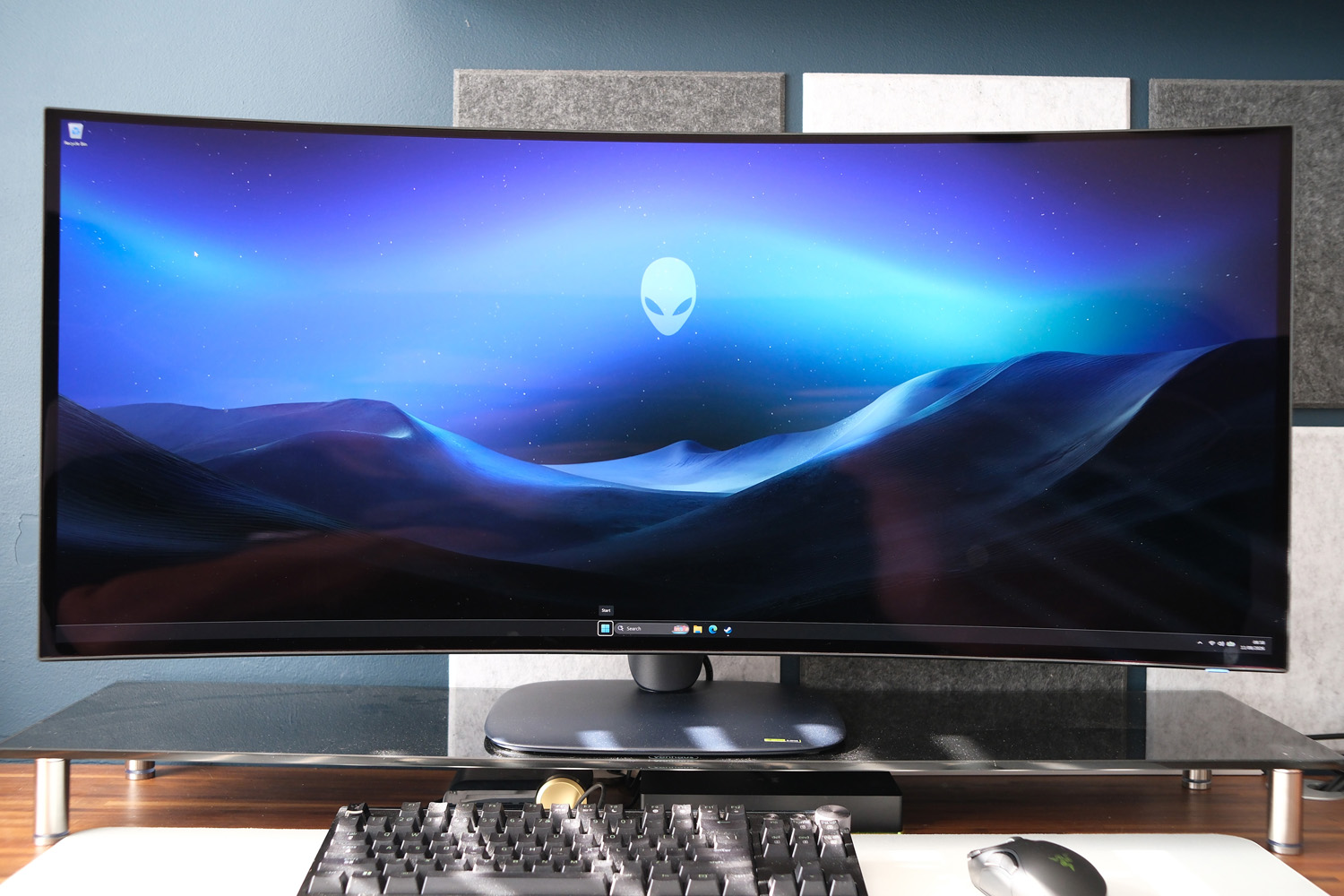
With a pixel density on par with 32in 4K monitors that use traditional 16:9 or 16:10 aspect ratios, this Alienware is fantastically sharp. There’s simply an excellent level of detail on show – it’s a big step up from earlier ultrawides, which typically maxed out at 3440×1440.
The AW3926QW arrives calibrated from the factory, with its Standard picture preset delivering a wonderful combination of deep and vibrant yet accurate colours. Though I didn’t have LG’s rival display to hand for a side-by-side comparison, Alienware’s removing the white sub-pixel has helped bring more colour volume, with no noticeable banding between hues.
LG has revised the sub-pixel layout for its own-brand rival to better cope with text fringing, but anyone super-sensitive to the effect will be better served here. Even at a tiny font scale, I had no issues with soft or fuzzy text in Windows.
The glossy panel coating plays a role in having such head-turning colour, but it does have the downside of making light reflections rather noticeable. While this wasn’t a concern while gaming in the events, it did mean I mostly kept my home office blinds closed while working during the day.
Black depth is outstanding, however, being even better than the newest QD-OLED alternatives (which have largely eliminated any purple tint in daylight conditions with the help of anti-reflective treatments). Movies, games and images have impeccable contrast in both brightly lit and night time settings.
If this panel has any weakness, it’s brightness – but even then it’s only by a tiny margin. The 330 nits full-screen SDR measurement is only a slight dip from similarly-sized rivals with RGBW panels. The 1300 nit peak HDR brightness sees a wider margin, but OLED’s outstanding contrast means perceived brightness is as good as an LCD monitor that measures higher. You’re still getting enough punch for DisplayHDR True Black 500 certification, with compatible content having exactly the sort of visual punch I’d want.
Should you buy the Alienware AW3926QW in 2026?
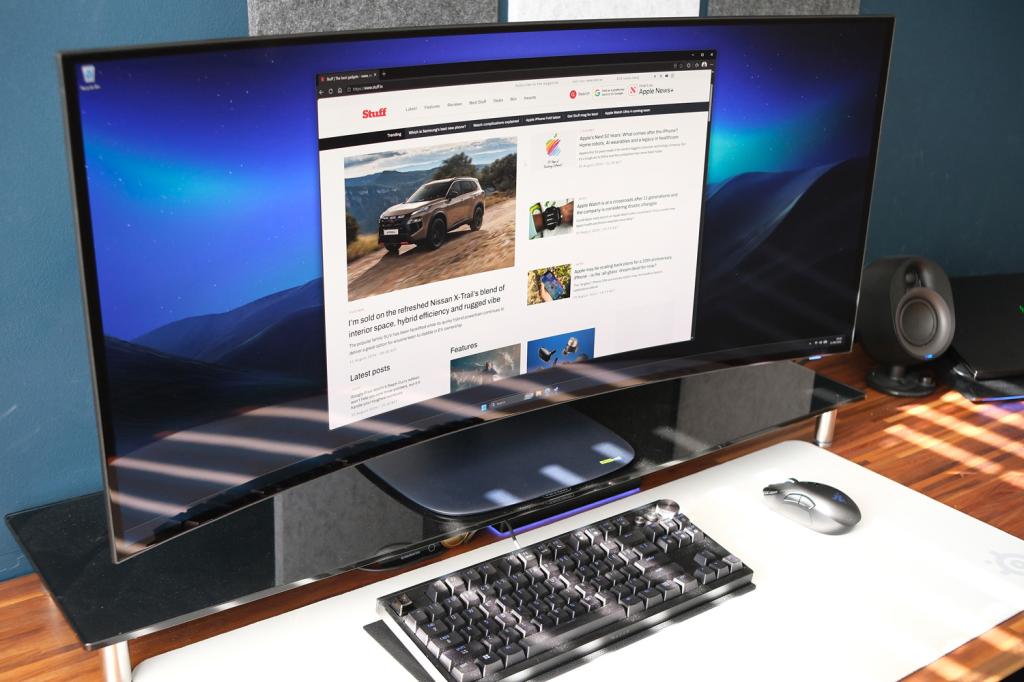
I was blown away by the AW3926QW. It delivers gorgeous visuals, rapid gaming performance, and precisely the sort of connectivity I’d expect from a top-tier display. There’s something here for both solo and multi-system setups, plus the size isn’t so huge you’ll need to knock down a partition wall (unlike some 45in and 49in rivals).
It comes highly recommended, then – but only for gamers with a big enough budget to afford the high asking price and a suitably muscular GPU to feed it enough frames per second. Anyone that already relies on upscaling to get playable performance will need to swallow the (currently outrageous) cost of a graphics card upgrade before the Alienware will show its true potential.
What are the Alienware AW3926QW’s technical specifications?
Scroll to see more →
| Specifications | Alienware AW3926QW |
|---|---|
| Screen size | 39in, 21:9 |
| Resolution | 5120×2160 |
| Refresh rate | 165Hz, Nvidia G-Sync |
| Response time | 0.03ms |
| Brightness | 1300 nits (peak, HDR) |
| HDR | HDR10, Dolby Vision |
| Connectivity | 2x HDMI 2.1, DisplayPort 1.4, 1x USB3 Type-B, 1x USB3 Type-A, 1x USB-C |
| Dimensions | 920×470-580x243mm, 11.2kg (with stand, height compressed/extended) / 920x408x130mm, 7.75kg (panel only) |


Read the full article here
