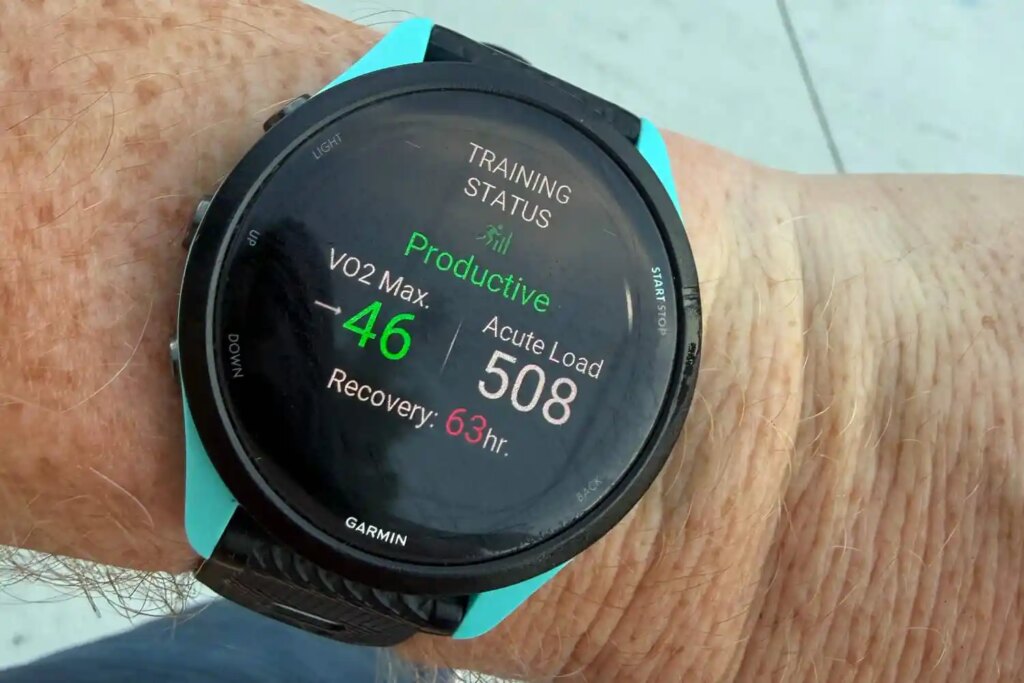
You may know the feeling. Just finished a long run or smashed a personal best in the 5K and eagerly await the validation from your trusted Garmin fitness watch companion.
There’s nothing that quite prepares a human for the deflation of the word ‘Maintaining’ appearing on the display in yellow lettering. “Your current training load is sufficient to maintain your fitness,” follows, if you seek further clarity. When you’ve just run faster/farther than ever, you want that sweet reward – the green Productive running man.
Instead? Rejection. Like that teacher who doesn’t lavish praise on their best student because they know they’re capable of so much more. It’s more than tough love. It feels personal.
So how does it work? How does Garmin calculate your Training Status? Just recently the company answered your exasperated questions…
How is Training Status calculated?
Training Status can inform you if you’re Detraining, Unproductive, Recovering, Overreaching and even Peaking on those rarest of occasions.
There are lots of variables (see below) that go into determining the Training Status you fall into, going well beyond the individual workout. Ideally Peaking comes after a long training block followed by a tapering of activities so you’re ready to rock on race day. However, that one solid run a week might not tell you what you want to hear.
“The reason your watch might tell you you’re unproductive after your run is because it’s been looking at all your training data for the last four weeks or so and has determined what you’re doing is not propelling your fitness forward anymore,” says Joe Heikes, a product manager for Garmin.
He believes the Maintaining status has been unfairly maligned: “It’s not bad to be maintaining. That’s a very common training state for most people to be in most of the time,” Joe adds. “This is the state that you might want to be in between races and training seasons. You’re not training hard to propel your fitness forward but you don’t want to lose anything.”
Before we talk about going from Maintaining to Productive, we need to know the key factors determining training status in the first place. Training Status comprises of three main factors:
Vo2 Max: The maximum volume of oxygen your body can consume during strenuous exercise. If this is on the rise, you’re on the right track to a Productive status.
Training Load: Garmin uses a metric called excess post-exercise oxygen consumption (EPOC) to calculate how hard you exercised and the cumulative load of your recent activities and the associated recovery needs. You’ll see it denoted as Acute Load
Heart-rate variability: The variance of the time (calculated in milliseconds) between the heartbeats. High HRV usually indicates physical wellbeing, good sleep and good recovery.

How do I get more Productive?
So it’s not just about running more, getting your distance up and your times down? Absolutely not. To achieve that Productive status, you’ll benefit from a good balance in the following areas.
Vary workouts to include more Vo2 Max specific stuff
“Advancing your training load By increasing slowly your training load you may see a productive status. We’ll be recognising that even though the VO2 Max number might not be going up, your capability as an athlete is going up,” Joe says.
“Maybe your workout mix could be a contributor. If you want to see that Vo2 Max move, you’ll need to do more Vo2 max specific workouts.”

So, runners who’re going by the rule of keeping your long runs in zone two and slowly increasing the mileage or the pace are unlikely to see their Vo2 Max increase along with it. You can boost your anerobic fitness and reap an increase in Vo2 max by adding more exercises that require short bursts of energy, continuously.
Swapping one of your easy runs for a shorter, but more intense workout like interval training will boost the chances of your overall progress being recognised. Periods of high effort at 90-95% of your max heartrate, followed by recovery jog/walk and repeat. Hill repeats are another good example. Throw in a HIIT class here and there.
Share the load
Garmin advises that maintaining the ‘optimal’ training load will help you maintain and improve your fitness. It’ll give you a Load Ratio score comparing Acute (measured over the last 7 days) and Chronic (measured over 28 days). Achieving a ratio of 0.8 and 1.9 will get you in the green. If you’re under, you won’t see much improvement. If your over, you may be working too hard to reap the positive results you seek. In this instance you might see an “Overreaching” Training status.

Recover well
And between your workouts? Make sure you’re getting plenty of sleep. Consistent bedtimes and wake times. Go easy on the drink.
While you want to push your training load into the optimal range, verging into overtraining will affect your heart rate variability. Aim for the green ‘balanced’ HRV status on your watch. That’ll push your heart rate variability up. And, remember a higher HRV doesn’t always equal better if the balance is off.
Garmin explains: “Mounting evidence shows a relationship between abnormally high HRV values relative to your personal baseline and functional overreach (overtraining), especially when that overreach is achieved through large amounts of low-intensity physical activity. In these situations, your parasympathetic system is working hyperactively towards the goal of reestablishing homeostasis.”
And what if you still don’t see Productive?
Garmin’s advice is not to stress about it and accept your tough love. Maintaining is considered a pretty good place to be unless you’re training for a big race. You can be extraordinarily fit and still be maintaining. Despite what you may believe at times, your Garmin doesn’t hate you.
“We’re more your tough love company,” Joe adds. “We want to see you be the very best that you can. We want to tell it like it is and not sugarcoat it. Really, the key is to appropriately balance training load with recovery with mixture of intensities to see your fitness advance.”
Read the full article here