


Sick of tinny TV audio? Want to bring cinema sound home – but don’t have space for a bunch of speakers? You’ve probably already worked out the ultimate upgrade will be a soundbar. Picking the right one for your screen setup can be a little trickier – especially with so much jargon and tech terminology to decipher. Our buying guide cuts through all that.
Whether sound quality matters most, you prefer a sleek design over functionality and features, or are on a tight budget, we’ve simplified the buying process by breaking down the most important factors to consider. Here’s how to select the perfect soundbar for your needs.
Soundbar types
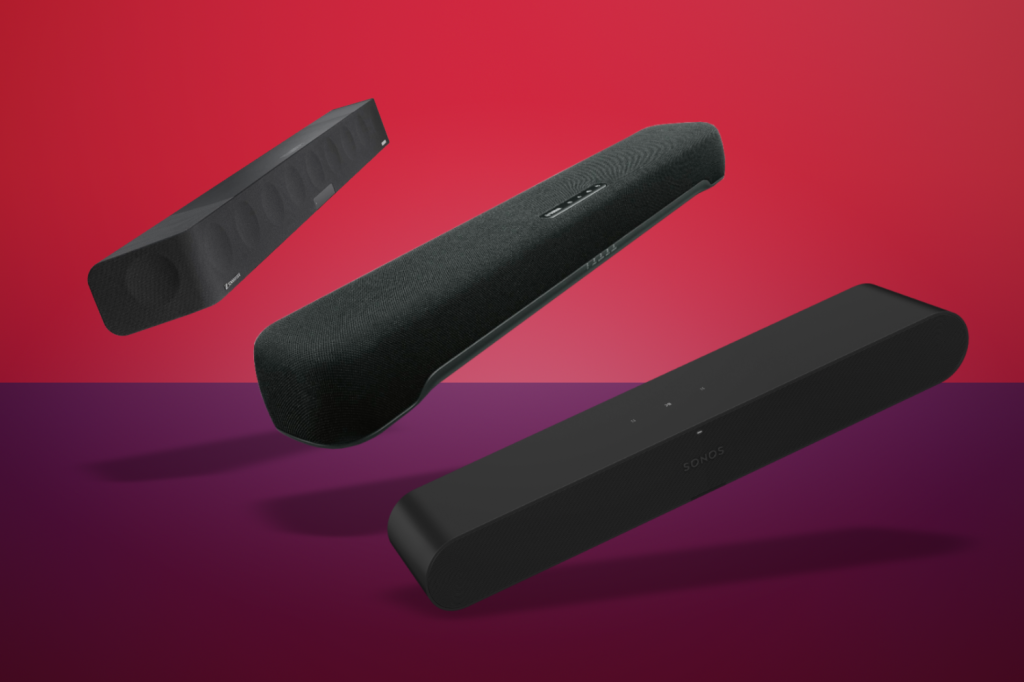
They might all be long, slim speakers you place in front of your TV, but not all soundbars are the same. The cheapest, most basic systems deliver stereo sound, just louder and with clarity than your telly can manage; they’re a great choice if you’re just wanting extra volume, but don’t expect them to replicate the cinema experience.
For that, you’ll want to step up to a model with surround sound. The most affordable options use virtual surround sound, tricking your ears into thinking the soundbar has more speakers than it actually does; more expensive models contain extra speaker drivers (often angled outwards or upwards) that are even more immersive. These often carry Dolby Atmos branding, and bounce sound off your walls and ceilings.
Want to go even further? There are high-end soundbars with separate satellite speakers, which can be placed behind your sofa (or somewhere else in your room) for a true surround sound experience. They might connect to the soundbar wirelessly but require mains power, or may have built-in batteries so you can watch entire movies without needing to recharge.
Pretty much every kind of soundbar mentioned here can be found with a separate subwoofer. The cheapest models may include a wired sub, while more expensive models include wireless versions that are more easily placed at the back of a room. A subwoofer’s larger speaker driver will hands down produce more bass than the ones inside any soundbar, so is an essential addition for giving movies and music some low-end oomph.
Soundbar-TV compatibility

Most modern soundbars have a bunch of ways to connect to your TV. HDMI is the most common wired option, though digital optical connections are still a reliable option for older TVs. Wireless options often include Bluetooth. Look at your TV’s outputs before buying a soundbar to make sure the one you want has a matching connection.
For advanced features like Dolby Atmos surround sound, you’ll need to connect the soundbar to your TV’s HDMI eARC port. Short for enhanced Audio Return Channel, eARC sends audio from other sources connected to your TV to the soundbar; using it will also save you from having to rewire games consoles, Blu-ray players or set-top boxes from the TV to the soundbar.
It’s also worth considering whether you want the soundbar to integrate seamlessly with your TV, or if you’re fine with a separate remote control. A good way to keep things simple is to buy a soundbar from the same manufacturer as your TV; they will almost certainly recognise each other and let you control volume using your TV remote. They may even be able to share audio signals wirelessly, for a neater install.
Features to look out for

Only the most basic soundbars offer volume control; pretty much every model on sale today above a certain price point will have a host of other features. Ones worth bothering with include a customisable equaliser, for tweaking the audio output for your personal preferences. Bass and treble are a must, while pricier models should also let you adjust the volume of each speaker driver individually; this is great for boosting speech volume through the centre channel, if you’re struggling to hear conversations.
Voice enhancement technology builds on this further, automatically enhancing dialogue over background noise without having to increase the volume of the entire soundbar. Compatibility with voice assistants like Alexa or Google Assistant can also be a plus, allowing you to control your soundbar using voice commands.
Bluetooth connectivity is a must-have if you want to stream music from your other gadgets while in the same room. Built-in Wi-Fi and a smartphone companion app will let the soundbar play music directly from services such as Spotify, from anywhere with an internet connection.
Setting a budget

The most expensive soundbars typically offer the best audio quality and most advanced features, but it’s not always necessary to blow your budget. Know how much you’re willing to spend, then search for models with functionality you consider must-haves; consider other features as an added bonus.
Customer reviews on retailer websites and reputable tech publications (including ours) are a good way to weed out potential duds. Pay attention to the pros and cons mentioned in any reviews, and any specific aspects or pain points that testers highlight.
Read the full article here
