
Close Menu
Gadget Guide News
  • Home
  • News
  • Features
  • Reviews
  • Best Stuff
  • Buying Guides
  • Deals

Subscribe to Updates

Get the latest tech news and updates directly to your inbox.

Trending

Apple’s website leaks MacBook ‘Neo,’ which could be its new cheaper laptop

March 3, 2026

The 6G, modular, robot phones of the future

March 3, 2026

Xiaomi, unlike Google and Samsung, thinks camera hardware comes first

March 3, 2026
Facebook X (Twitter) Instagram
Gadget Guide News
Subscribe
  • Home
  • News
  • Features
  • Reviews
  • Best Stuff
  • Buying Guides
  • Deals
Gadget Guide News
  • Best Stuff
  • Buying Guides
  • Reviews
  • Deals
  • Features
Home»Features»How to get more from the iPhone’s Camera Control button
Features

How to get more from the iPhone’s Camera Control button

News RoomBy News RoomJanuary 28, 2026013 Mins Read
Share Facebook Twitter Pinterest Copy Link LinkedIn Tumblr Email Telegram WhatsApp
Follow Us
Google News Flipboard
Share
Facebook Twitter LinkedIn Pinterest Email Copy Link

One of the most exciting additions to Apple’s iPhone 16 smartphone lineup was Camera Control.

This feature, in the form of a dedicated camera button also on the newer iPhone 17 series, merges Apple’s hardware design with advanced software capabilities to make getting the perfect shot that little bit easier.

Here’s everything you need to know about Camera Control:

What is Camera Control?

On the surface, Camera Control is a dedicated camera button, but dig a little deeper and you’ll soon realise there’s a lot more going on that makes Camera Control a genuinely innovative addition to newer iPhones.

The new button integrates a tactile switch for a satisfying click, a high-precision force sensor for light press gestures, and a capacitive sensor for touch interactions. This combination allows users to instantly access the camera, take photos, and start video recording with ease.
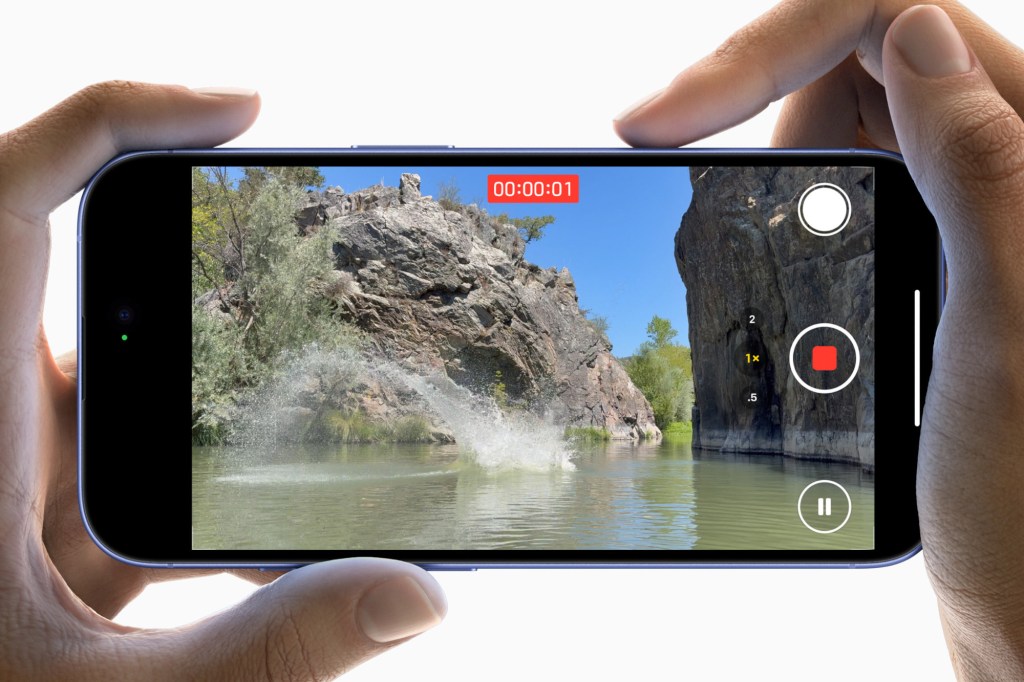
Gone are the days of fumbling to unlock your phone or open the camera app. With Camera Control, you can quickly launch the camera with just a click. It’s similar to double-pressing the power button on an Android phone to bypass the lock screen and automatically open the camera app.

The Camera Control button’s tactile feedback offers a familiar, satisfying feel, while the light press gesture enables users to interact with the camera in new ways.

You see, the Camera Control doesn’t stop at just snapping pictures. A new camera preview feature helps users frame their shots more effectively. By sliding your finger across the Camera Control button, you can adjust various camera settings, such as zoom, exposure, and depth of field.

Does Camera Control work with third-party apps?

The Camera Control button is designed to work with third-party apps, such as Snapchat, allowing developers to tap into this new hardware and create unique camera experiences.
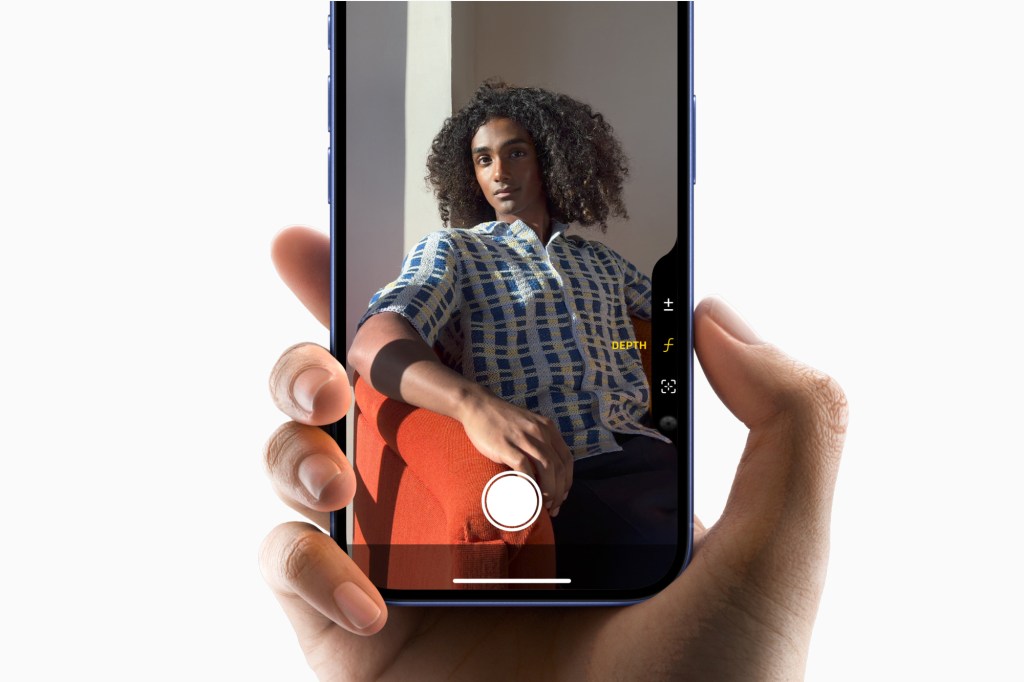
This opens up exciting possibilities for social media platforms and photography apps to enhance their user interfaces and make content creation even more accessible.

Camera Control can also unlock even more powerful features thanks to AI. With a press and hold, you can quickly access information about objects and places.

For example, you could walk past a restaurant, press Camera Control, and instantly pull up its hours, ratings, or reviews. Or maybe scan a flyer to add an event directly to your calendar.

AI-driven object recognition can also allow users to identify dog breeds, plants, landmarks, and more.

Apple is also opening up Camera Control as a gateway to third-party AI/Search tools. Whether you want to search Google for where to buy an item you’ve just snapped a picture of, or get quick problem-solving assistance from ChatGPT.

Liked this? How to customize the iPhone Action Button and make it work better for you

Read the full article here

Follow on Google News Follow on Flipboard
Share. Facebook Twitter Pinterest LinkedIn Tumblr Email Copy Link
News Room
  • Website

Related Posts

The next iPhone could borrow a serious trick from professional cameras. Here’s why it could be game-changing

February 24, 2026

Best Fire Tablet 2025: every Amazon tablet ranked

February 23, 2026

Best tablets in 2026 for all budgets

February 23, 2026
Add A Comment
Leave A Reply Cancel Reply

Top Articles

Asus now claims it’s not dropping the RTX 5070 Ti amid memory shortages

January 16, 2026

The best earbuds we’ve tested for 2026

January 12, 2026

Instagram says it fixed the issue that sent password reset emails

January 11, 2026
Latest Reviews

Xiaomi’s Leica Leitzphone mostly earns the name

News RoomFebruary 28, 2026

Tenways nearly perfects the shareable city e-bike

News RoomFebruary 28, 2026

The best instant cameras for 2026

News RoomFebruary 28, 2026

Subscribe to Updates

Get the latest tech news and updates directly to your inbox.

Demo
Most Popular

Naya Connect is a modular mechanical keyboard system for the indecisive

January 14, 2026

Asus now claims it’s not dropping the RTX 5070 Ti amid memory shortages

January 16, 2026

The best earbuds we’ve tested for 2026

January 12, 2026
Our Picks

Big Google Home update lets Gemini describe live camera feeds

March 3, 2026

Mastodon now has a button for sharing content from other websites

March 3, 2026

Samsung’s Digital Home Key lets you use your phone as your key

March 3, 2026

Subscribe to Updates

Get the latest tech news and updates directly to your inbox.

Facebook X (Twitter) Instagram Pinterest
  • Home
  • Privacy Policy
  • Terms of use
  • For Advertisers
  • Contact
2026 © Prices.com LLC. All Rights Reserved.

Type above and press Enter to search. Press Esc to cancel.