
Close Menu
Gadget Guide News
  • Home
  • News
  • Features
  • Reviews
  • Best Stuff
  • Buying Guides
  • Deals

Subscribe to Updates

Get the latest tech news and updates directly to your inbox.

Trending

Apple’s M2 MacBook Air is just $599 during Cyber Monday

December 1, 2025

Netflix kills casting from phones

December 1, 2025

These great Cyber Monday tech deals will likely be gone tomorrow

December 1, 2025
Facebook X (Twitter) Instagram
Gadget Guide News
Subscribe
  • Home
  • News
  • Features
  • Reviews
  • Best Stuff
  • Buying Guides
  • Deals
Gadget Guide News
  • Best Stuff
  • Buying Guides
  • Reviews
  • Deals
  • Features
Home»News»How to turn off Liquid Glass on your iPhone once you’ve got iOS 26.1
News

How to turn off Liquid Glass on your iPhone once you’ve got iOS 26.1

News RoomBy News RoomNovember 4, 2025013 Mins Read
Share Facebook Twitter Pinterest Copy Link LinkedIn Tumblr Email Telegram WhatsApp
Follow Us
Google News Flipboard
Share
Facebook Twitter LinkedIn Pinterest Email Copy Link

It’s fair to say that Apple’s Liquid Glass design language hasn’t exactly been a roaring success. I think it’s absolutely fine on larger screens in fairness – I’ve got used to it on macOS 26 Tahoe for example and it’s not too invasive on iPadOS 26 either. And it’s essentially a relief that the latest version of the iPad software has finally nailed some decent multitasking features. The new windowing feature works well.

But on the iPhone‘s smaller display, Liquid Glass is a different story for me and as I’ve said in reviews, some apps have become harder to use.

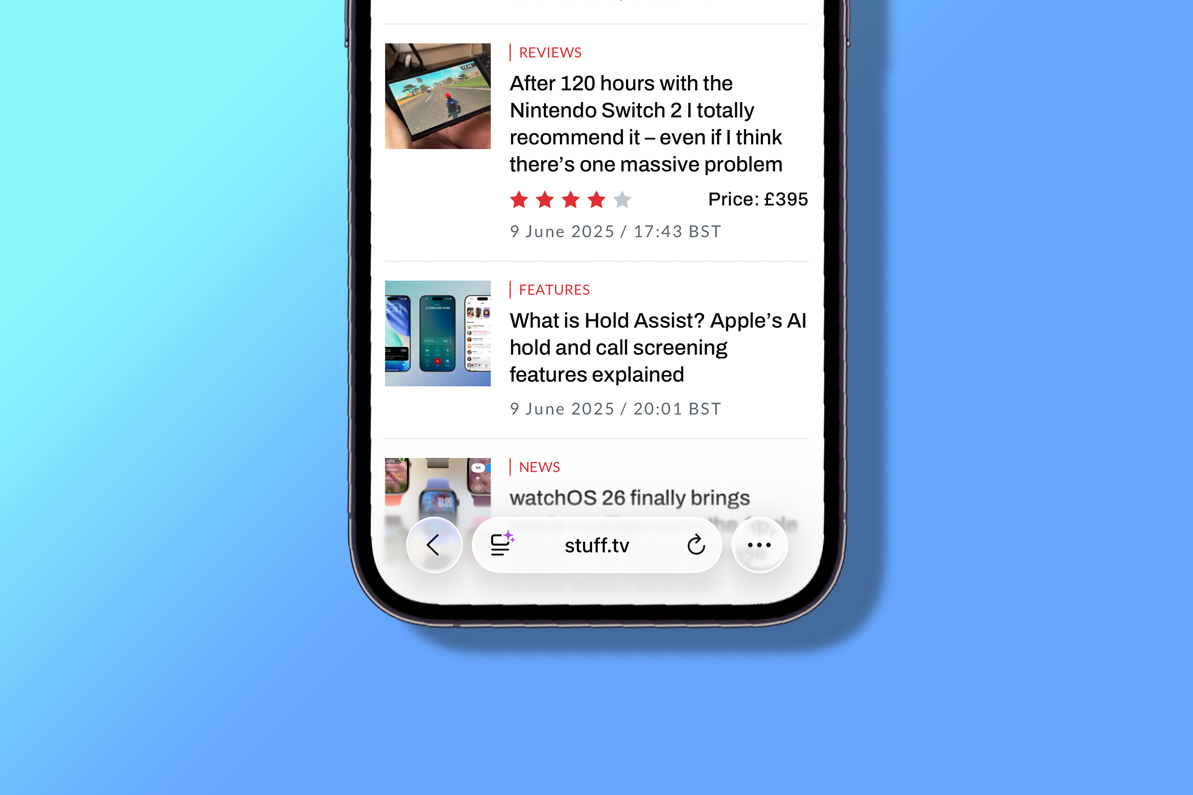
It’s hard to read text in the menu of the Apple Music interface while Safari’s address/search bar is not only small and hard to target properly but the text is also hard to read with the transparency. I found it so difficult in fact, that I just did what I thought I’d have done years ago and replaced Safari with Chrome on my iPhone’s home screen.

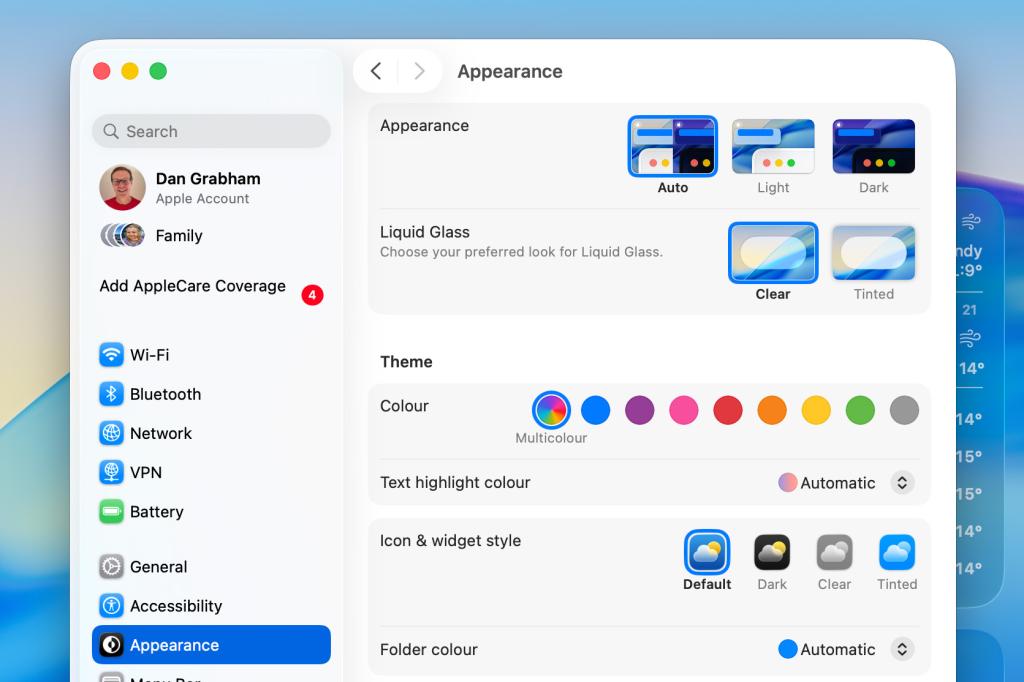
However, with the iOS 26.1 update, Apple has given you the option of reducing the effect of Liquid Glass with a new Liquid Glass toggle that enables you to reduce the level of transparency in Settings > Display & Brightness. An option now gives you the option to instead add a tint to elements, rather than making them almost see-through – the Liquid Glass default, called ‘Clear’ in the menu options.

The description on the feature says: “Choose your preferred look for Liquid Glass. Clear is more transparent, revealing the content beneath. Tinted increases opacity and adds more contrast.”

So what’s it like? Well, it basically softens the effect. There’s still a hint of transparency, but it really is just a hint and elements are nearly opaque. It’s a lot better to use in my opinion and will probably assuage those who have made complaints.

As you might expect, the feature is also available in iPadOS 26.1 – again via Settings > Display & Brightness – as well as in macOS 26.1 via Settings > Appearance.
All these features appear to be similar to the Accessibility setting called Reduce Transparency that has been present in earlier versions of iOS 26. This toggle says it will “improve contrast by reducing transparency and blurs on some backgrounds to increase legbility”.

In the iOS 26.1 update, Apple has also fixed the alarm screen while iPadOS 26.1 brings back the popular Slide Over multitasking feature for iPad users, having previously removed it.

Also don’t forget to check out some of our favourite iOS 26 tips and tricks including Call Screening, Hold Assist, polls in Messages and lots more.

Read the full article here

Follow on Google News Follow on Flipboard
Share. Facebook Twitter Pinterest LinkedIn Tumblr Email Copy Link
News Room
  • Website

Related Posts

Apple’s M2 MacBook Air is just $599 during Cyber Monday

December 1, 2025

Netflix kills casting from phones

December 1, 2025

These great Cyber Monday tech deals will likely be gone tomorrow

December 1, 2025
Add A Comment
Leave A Reply Cancel Reply

Top Articles

A bundle with Amazon’s biggest smart display and a stand just got its biggest discount

October 3, 2025

The OnePlus 15 is the phone to buy if you hate charging your phone

November 13, 2025

Kodak’s has ‘new’ 35mm film on the market – here’s why it’s a big deal

October 3, 2025
Latest Reviews

Rivian’s software-powered e-bike won me over with its adaptability 

News RoomNovember 28, 2025

Arturia’s AstroLab 37 crams 44 synths into a tiny keyboard

News RoomNovember 25, 2025

The 5 best noise-canceling headphones of 2025

News RoomNovember 25, 2025

Subscribe to Updates

Get the latest tech news and updates directly to your inbox.

Demo
Most Popular

Pixel Airdropping to iPhones, Macs, and iPads works great

November 21, 2025

A bundle with Amazon’s biggest smart display and a stand just got its biggest discount

October 3, 2025

The OnePlus 15 is the phone to buy if you hate charging your phone

November 13, 2025
Our Picks

Anker’s Laptop Power Bank is $32 off for Cyber Monday, its biggest discount yet

December 1, 2025

Data centers in Oregon might be helping to drive an increase in cancer and miscarriages

November 30, 2025

This deal on smart glasses was too good for my husband to pass up

November 30, 2025

Subscribe to Updates

Get the latest tech news and updates directly to your inbox.

Facebook X (Twitter) Instagram Pinterest
  • Home
  • Privacy Policy
  • Terms of use
  • For Advertisers
  • Contact
2025 © Prices.com LLC. All Rights Reserved.

Type above and press Enter to search. Press Esc to cancel.