Close Menu
Gadget Guide News
  • Home
  • News
  • Features
  • Reviews
  • Best Stuff
  • Buying Guides
  • Deals
  • More Articles

Subscribe to Updates

Get the latest tech news and updates directly to your inbox.

Trending

58 best browser games you can play for free

August 17, 2026

Six free sleep hacks that have been hiding on your phone and smartwatch this whole time – and where to find them

August 17, 2026

I’m hooked on Peak Design’s new City bags

August 17, 2026
Facebook X (Twitter) Instagram
Gadget Guide News
Subscribe
  • Home
  • News
  • Features
  • Reviews
  • Best Stuff
  • Buying Guides
  • Deals
  • More Articles
Gadget Guide News
  • Best Stuff
  • Buying Guides
  • Reviews
  • Deals
  • Features
Home»Features»Six free sleep hacks that have been hiding on your phone and smartwatch this whole time – and where to find them
Features

Six free sleep hacks that have been hiding on your phone and smartwatch this whole time – and where to find them

News RoomBy News RoomAugust 17, 2026006 Mins Read
Share Facebook Twitter Pinterest Copy Link LinkedIn Tumblr Email Telegram WhatsApp
Follow Us
Google News Flipboard
Share
Facebook Twitter LinkedIn Pinterest Email Copy Link

You’ve spent a small fortune on a phone smart enough to recognise your face in the dark, a watch that tracks everything from Pilates to padel, and a smart speaker that controls your lights and plays whatever music you fancy, even if that sometimes means Whitney Houston when you say ‘white noise’. And yet there you are, lying awake at 1am, tossing and turning, telling yourself you really need to get to sleep (which, naturally, makes it even harder).

Don’t worry, though — there’s good news. Your existing tech is already packed with sleep-fixing hacks you might never have thought to turn on. No £400 smart ring required, no smart mattress that costs more than your car. Just a few settings you’ve been scrolling past for years.

Use Wind Down and Sleep modes

Tucked away in the Sleep Schedule settings, Wind Down on iPhone lets you set a bedtime window of 15 minutes to 3 hours. Activate it, and your phone slides into Sleep Focus, dimming the screen and muting notifications, like a bouncer politely telling everyone the club’s closing. If you’ve never used Sleep Focus, think of it as your iPhone and Apple Watch announcing that nobody needs you until morning — except possibly your mum, because some things transcend software.

Notifications are filtered to an allow list, letting through certain contacts or apps while the school WhatsApp group chat’s 47-message meltdown about a lost jumper waits until the morning. It also powers sleep tracking on Apple Watch and mirrors your iPhone by default. You can split them to act independently, but doing so rather defeats the point of the whole exercise.

Sleep hacks

Samsung and Android users get the same tucking-in service, though the name varies depending on which phone you’re using. On stock Android, it’s Digital Wellbeing’s Bedtime mode, while on Samsung devices, it’s called Sleep and is found under Modes and Routines. Both will stop your screen from lighting up like a lighthouse every time someone likes your holiday post, and, like Apple’s version, you can choose which contacts get through. The bedtime mode can also be triggered automatically when you plug in your charger, which is either wonderfully convenient or very irritating, depending on when you’re plugging your phone in.

Ultimately, none of this is really about silencing your phone — there’s a silent button for that, people — it’s about silencing the anticipation of a notification, which is very possibly the actual thing keeping you half-awake at 2am, ears pricked like a meerkat on sentry duty.

Get Dark Mode scheduled

Sleep hacks

We’ve had Dark Mode for a while now — both iPhone and Android launched it in 2019, so there’s a decent chance your phone’s already doing this automatically. If it isn’t, sort it out. On iPhone (Settings > Display & Brightness > Automatic) and Android/Samsung (Settings > Display > Dark mode > Schedule), your screen will then switch to darker tones at sunset without you lifting a finger.

While you’re in there, turn on Night Shift on iPhone or Eye Comfort Shield on Samsung. It warms your screen’s colour temperature, so scrolling in bed feels less like being interrogated under strip lighting and more like sitting in a dimly lit pub. Less blue light means less interference with the melatonin your brain’s trying to produce, which can help keep your circadian rhythm on track.

Use a smart plug to get the lights off and white noise on

Sonos Roam 2

Already own a smart plug because you got over-excited during a Prime Day sale? Good — now you’ll finally have a use for it beyond turning the Christmas tree on and off. Use one to turn off your lamp at a set time, and a second to fire up a fan, white noise machine, or just set a Bluetooth speaker to gently rasp out static like an old radio hunting for a signal.

No smart plug? Your phone might be enough on its own. iPhone’s Background Sounds (Settings > Accessibility > Audio/Visual) will play rain, ocean or plain white noise all night, with the screen off, no app or subscription required (I know, it makes a nice change). White noise can smooth over the 3am creaks, sirens and neighbours, while the lamp turning itself off might help you get into a consistent bedtime routine.

Drop that room temperature

Tado X Thermostat on a wall with a woman in the room

If your thermostat’s smart enough to know the weather, it’s smart enough to schedule a drop in your bedroom temperature by a couple of degrees an hour or two before bed, then creep it back up before your alarm so you’re not hurled into consciousness by an Arctic bedroom.

Your body temperature needs to drop for sleep to properly kick in, which is why you might have found you drift off to the land of nod better in a chilly room than a stuffy one. It’s also why sleep-tracking devices like EightSleep’s Pod and its Autopilot system adjust your bed’s temperature in real time based on the sleep stage you’re actually in, cooling things down for deep sleep and warming them up as you head towards REM. 

Consistent bedtime for the win

Apple Watch Series 11 sleep data on Health app

You probably won’t want to hear this, but just showing up to bed on time can really help your sleep. Your Apple Watch, Fitbit or smart ring isn’t just logging hours for the hell of it; it’s building a picture of how consistent your bedtime and wake-up times are – and that includes weekends.

So aim for consistency, then check the Sleep section in Apple’s Health app on iPhone or Samsung Health/Google Fit’s Sleep tab on Android to spot any patterns. Those after-work drinks on a Thursday and lazy Sundays will have an impact because your body doesn’t care what day of the week it is. A rhythm that stays roughly the same every day, weekends and all, gets you into deep sleep faster than an irregular one, even if the total hours look similar.

Use the silent alarms 

Sleep hacks

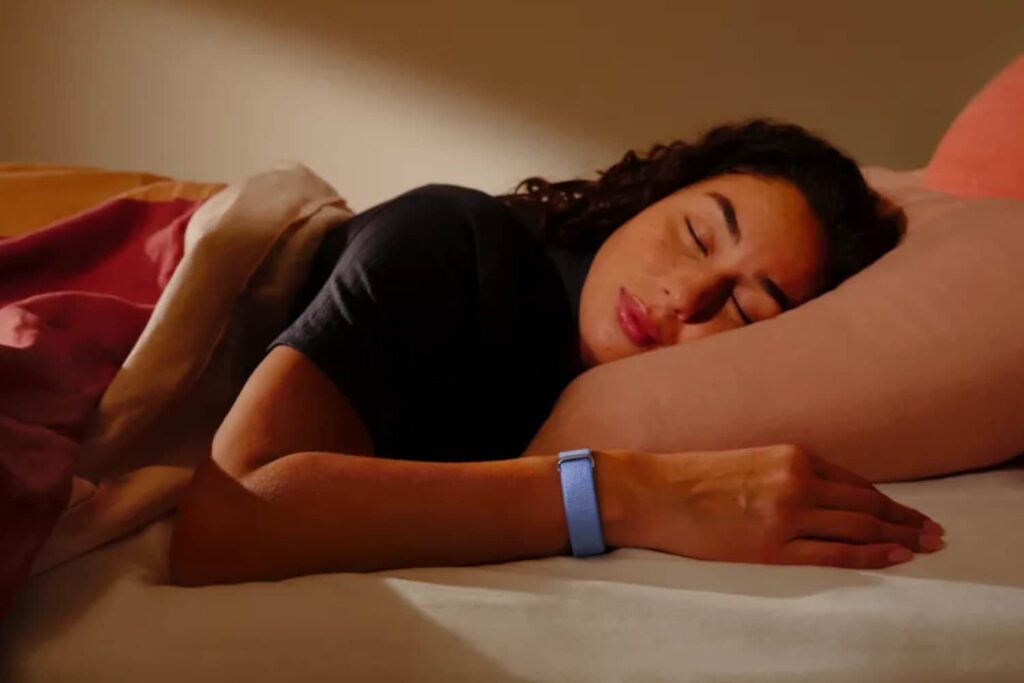
I can’t overstate how much of a foul mood an actual alarm puts me in. I’ve been using silent alarms since Apple Watch got native sleep tracking with watchOS 7 back in 2020, and I’ve not looked back — waking up to a gentle wrist buzz beats waking up to a klaxon every day of the week. Whatever’s on your wrist, Fitbit, Garmin or Apple Watch, try the silent alarm and see if your mornings improve.

Some trackers are smart enough to nudge you awake during your lightest sleep stage, too — Fitbit’s had this since 2019 via its Smart Wake feature — so you might also wake up feeling more refreshed. At the very least, I’d hazard a guess you’ll be significantly less likely to hurl your phone across the room before 8am.

Read more: How I use sleep tracking tech without letting it ruin my sleep

google preferred source

Apple News

Read the full article here

Follow on Google News Follow on Flipboard
Share. Facebook Twitter Pinterest LinkedIn Tumblr Email Copy Link
News Room
  • Website

Related Posts

58 best browser games you can play for free

August 17, 2026

I can’t fault the Chery Tiggo 4 for offering great value, but should you buy one?

August 16, 2026

Why I am never buying another iPhone case from Apple – and never should have bought one in the first place

August 15, 2026
Add A Comment
Leave A Reply Cancel Reply

Top Articles

What to expect from Apple’s September event: iPhone Fold, iPhone 18 Pro, Apple Watch Ultra 4 and more

July 4, 2026

I asked Apple’s new Siri AI and Google Gemini the same 10 questions – here’s how they responded

June 19, 2026

Swatch posts the correct answers to the MoonSwatch Mission to Moon 1969 ESTA quiz – did you pass?

July 23, 2026
Latest Reviews

I’m hooked on Peak Design’s new City bags

News RoomAugust 17, 2026

I finally found a magnetic phone grip I never want to remove

News RoomAugust 15, 2026

Xteink’s tiny e-readers are getting access to free books through Libby

News RoomAugust 15, 2026

Subscribe to Updates

Get the latest tech news and updates directly to your inbox.

Demo
Most Popular

You can now try Apple’s all-new Siri AI yourself on your iPhone, iPad or Mac – here’s how

July 13, 2026

What to expect from Apple’s September event: iPhone Fold, iPhone 18 Pro, Apple Watch Ultra 4 and more

July 4, 2026

I asked Apple’s new Siri AI and Google Gemini the same 10 questions – here’s how they responded

June 19, 2026
Our Picks

I loved adventuring on the Fiido Nomads Pro touring e-bike – but discovered a powerful motor isn’t everything

August 17, 2026

OpenAI reportedly disbanded its preparedness team

August 16, 2026

Amazon is trying to crush class-action suits before they get started

August 16, 2026

Subscribe to Updates

Get the latest tech news and updates directly to your inbox.

Facebook X (Twitter) Instagram Pinterest
  • Home
  • Privacy Policy
  • Terms of use
  • For Advertisers
  • Contact
2026 © Prices.com LLC. All Rights Reserved.

Type above and press Enter to search. Press Esc to cancel.