
Close Menu
Gadget Guide News
  • Home
  • News
  • Features
  • Reviews
  • Best Stuff
  • Buying Guides
  • Deals

Subscribe to Updates

Get the latest tech news and updates directly to your inbox.

Trending

Georgia Tech announced the finalists in its wild musical instrument competition

February 14, 2026

A powerful tool of resistance is already in your hands

February 14, 2026

The Pocket Taco is the best way to turn your phone into a Game Boy

February 14, 2026
Facebook X (Twitter) Instagram
Gadget Guide News
Subscribe
  • Home
  • News
  • Features
  • Reviews
  • Best Stuff
  • Buying Guides
  • Deals
Gadget Guide News
  • Best Stuff
  • Buying Guides
  • Reviews
  • Deals
  • Features
Home»Reviews»The Pocket Taco is the best way to turn your phone into a Game Boy
Reviews

The Pocket Taco is the best way to turn your phone into a Game Boy

News RoomBy News RoomFebruary 14, 2026016 Mins Read
Share Facebook Twitter Pinterest Copy Link LinkedIn Tumblr Email Telegram WhatsApp
Follow Us
Google News Flipboard
Share
Facebook Twitter LinkedIn Pinterest Email Copy Link

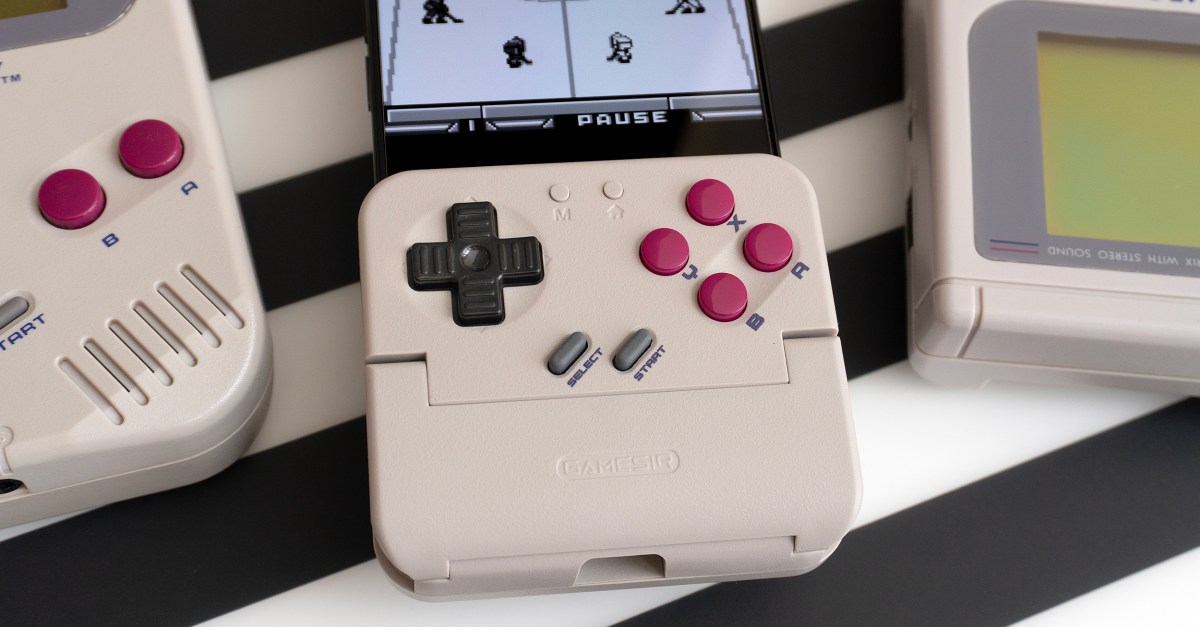
My ongoing quest to turn my iPhone into one of my favorite consoles of all time has led me to a curiously named controller. GameSir’s Pocket Taco is only barely pocketable, and distinctly lacking in taco fillings, but for $35, it’s an excellent and easy way to turn your phone into a Game Boy-inspired handheld for playing retro games that don’t require a pair of thumbsticks.

Unlike the Abxylute M4 mobile controller that attaches to phones using magnets, or the Backbone Pro that sandwiches your device between a split gamepad, the Pocket Taco uses a hinged mechanism that, for lack of a better description, bites onto the bottom half of your smartphone.
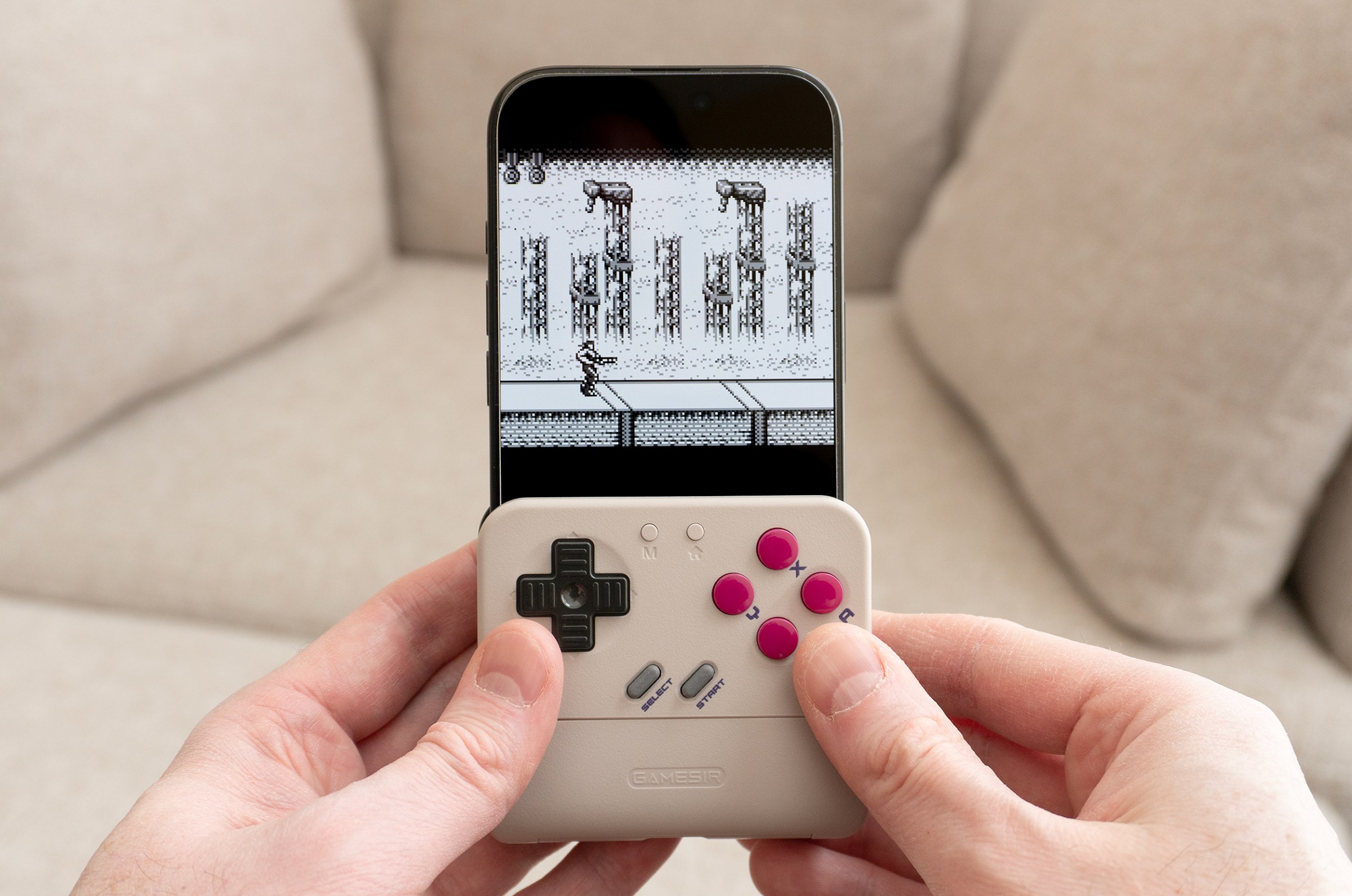
Inside the Pocket Taco are soft silicone pads on either side that grip your phone without damaging it.

The ergonomics aren’t as good as standalone controllers, but the Pocket Taco is quite comfortable to play with.

Inside the Pocket Taco, you’ll find soft silicone pads on either side that securely grip your device without scratching it or leaving any bite marks. The hold feels satisfyingly secure, and while my iPhone could slightly shift from side to side while inside the Pocket Taco, at no point did it ever feel at risk of falling out on its own.

The Pocket Taco’s hinge expands wide enough to attach to smartphones still inside bulky cases, and its open sides can accommodate phones and devices wider than the controller itself. You could use it with an iPad Mini, for example, although I didn’t have the chance to test the ergonomics of such a setup.

8BitDo announced a similar Game Boy-style controller for smartphones at CES 2026, featuring a front panel that can fully flip down. I couldn’t understand why anyone would want that feature, but after playing with the Pocket Taco for a week, I now understand why 8BitDo took that approach.

The front panel on the Pocket Taco can only hinge outward about 45 degrees, blocking the lower part of your smartphone’s screen while attached to your device. 8BitDo’s FlipPad gives you full access to your smartphone’s screen and UI while it’s attached, but I frequently found myself having to completely remove the Pocket Taco if I wanted to flip over to another app, or even just unlock my phone.
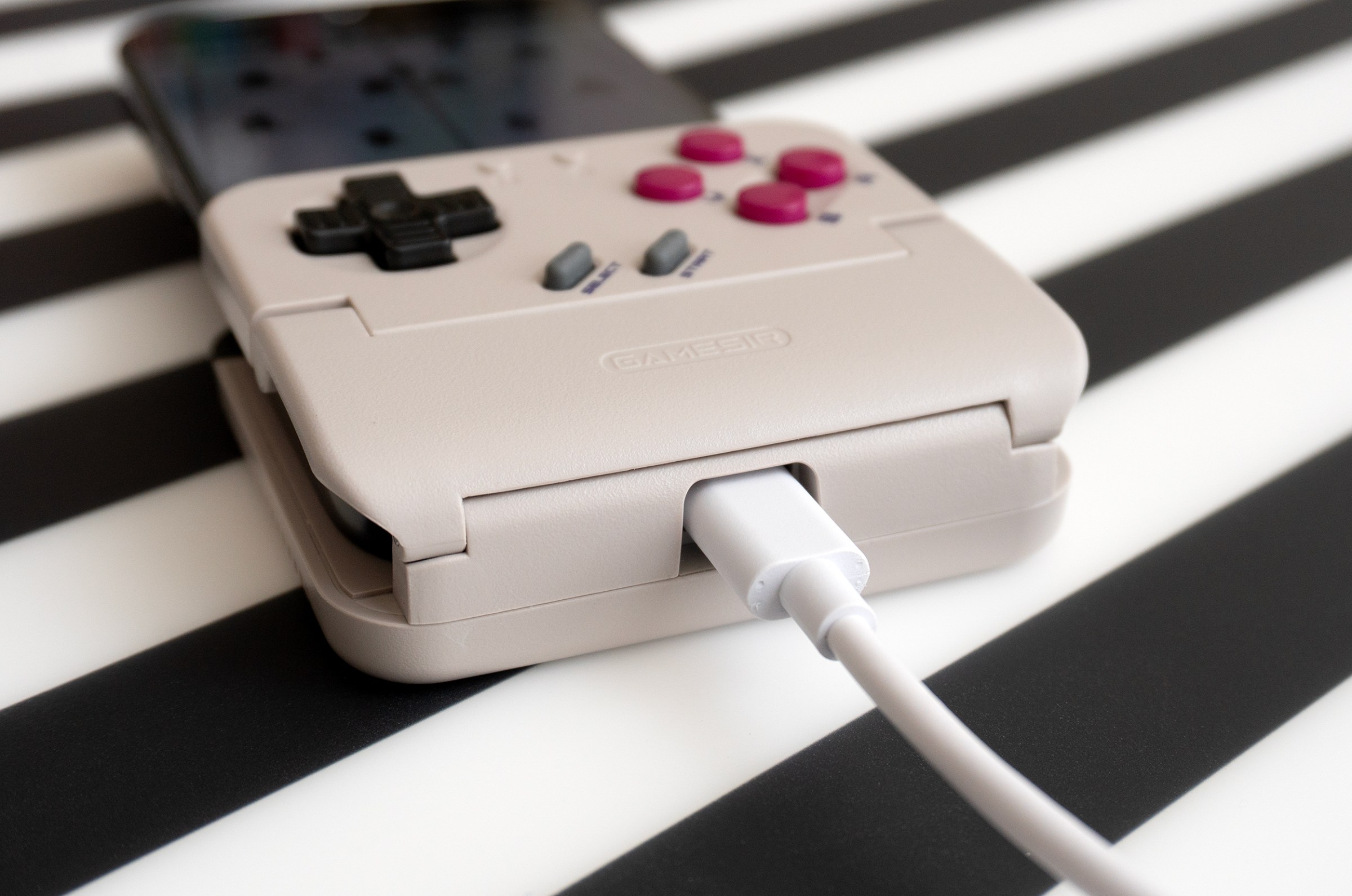
A passthrough hole on the bottom of the Pocket Taco lets you plug in a power cable, assuming your device’s charging port is centered.

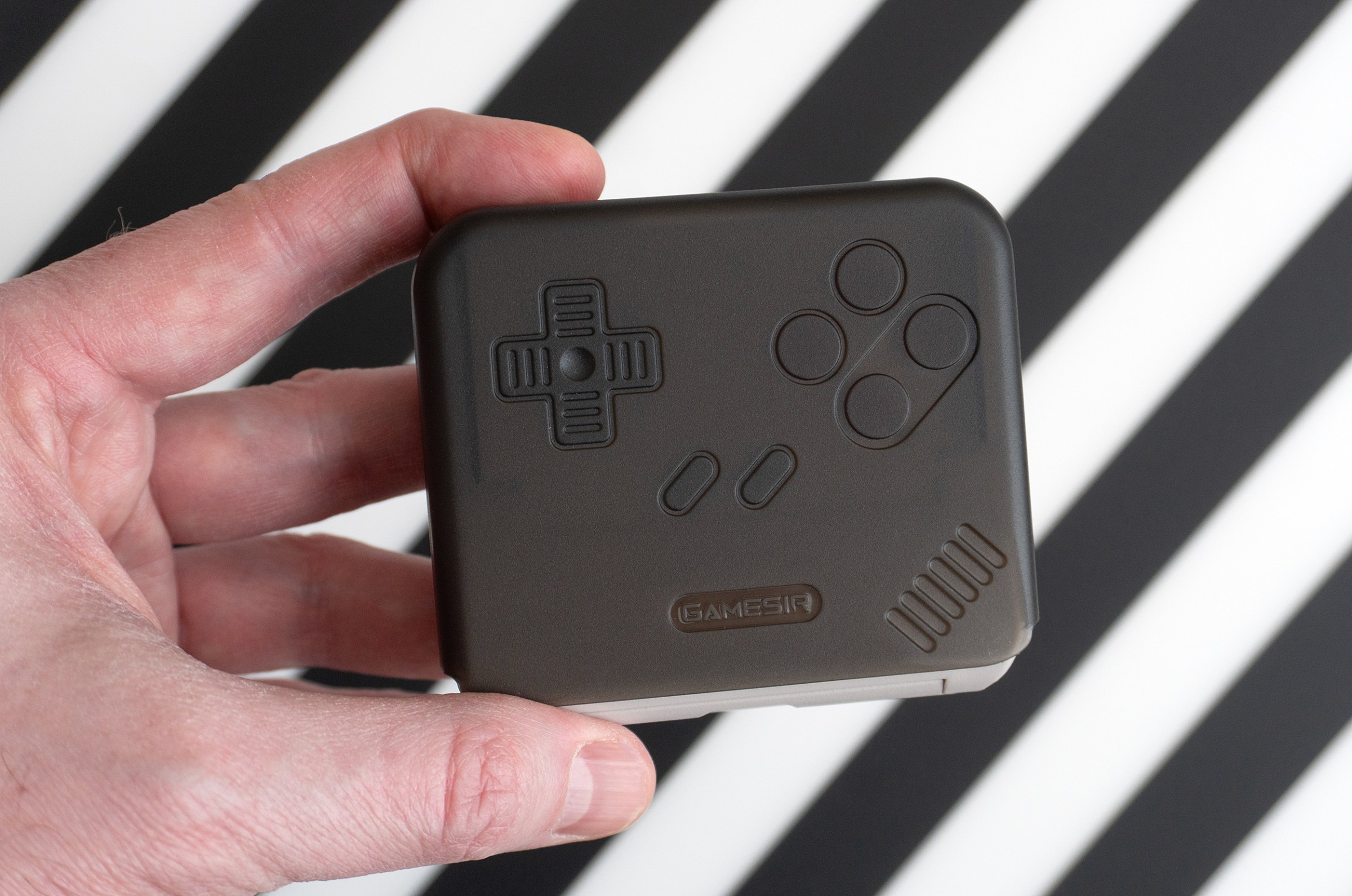
A hard plastic carrying case is included, but the Pocket Taco is a bit too thick to be comfortably pocketed.

I haven’t tested the USB-C 8BitDo FlipPad yet, but a big advantage of the larger Pocket Taco is that it connects to your device over Bluetooth and has its own 600mAh rechargeable battery that won’t drain your phone. Opening the Pocket Taco powers it on and automatically pairs the controller with the last device you used — in my case, an iPhone 16 Pro. GameSir doesn’t list iOS as being officially supported, only Android, but I was able to connect to the Pocket Taco and my iPhone recognized it as a “DualShock 4 Wireless Controller.”

The Pocket Taco turns off automatically when you remove it from your phone. It powers up and reconnects quickly, though, so having to occasionally remove the controller to access your phone’s screen isn’t a huge inconvenience.
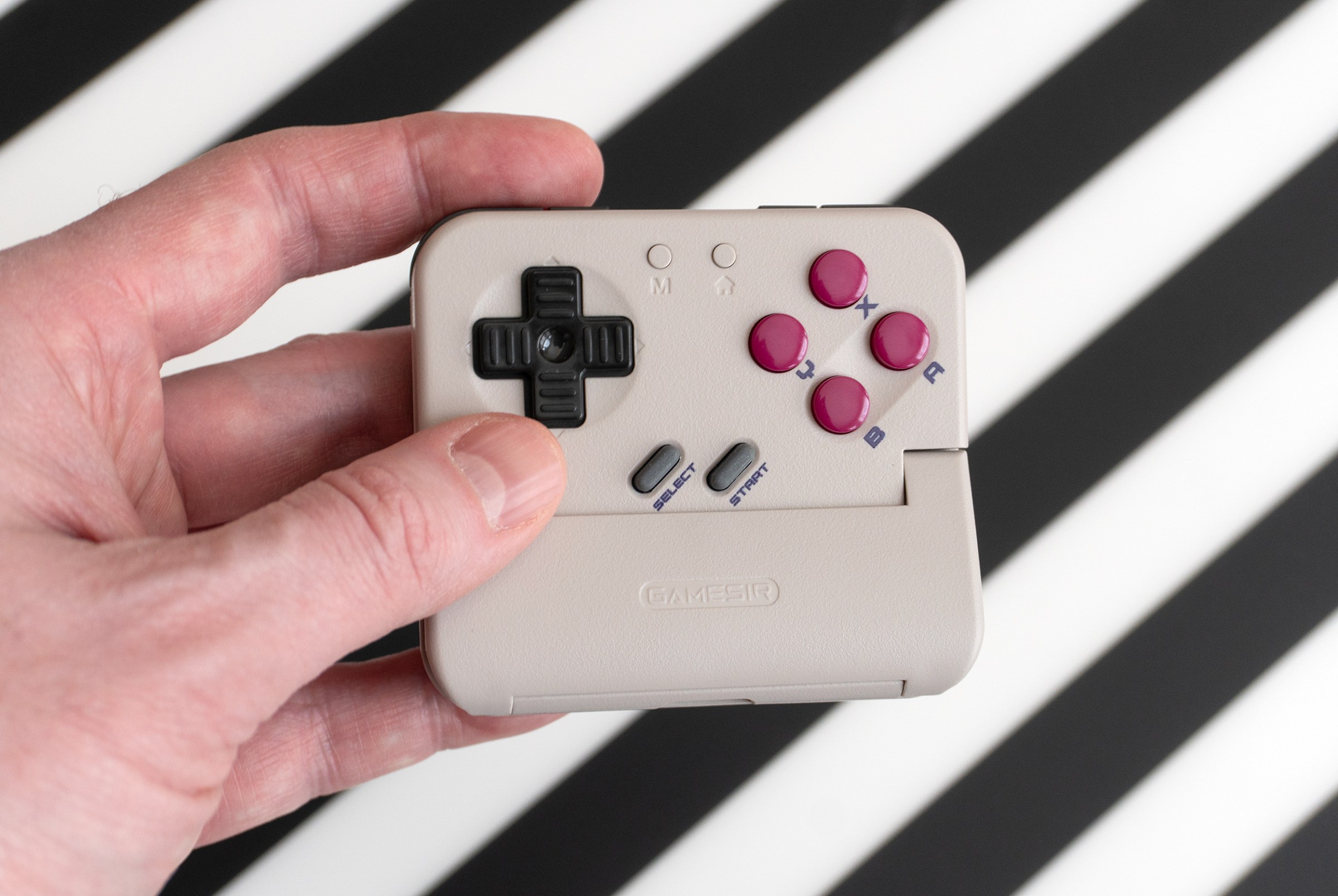
A person holding the Pocket Taco on its own.

The Pocket Taco turns on automatically when attached to a phone, but it can also be powered on manually and used as a portable standalone wireless gamepad.

The Pocket Taco’s home button can also be used to manually power it on and off when it isn’t attached to a device, allowing it to be used as a standalone rechargeable Bluetooth controller. It was easy to pair with the Switch 2.
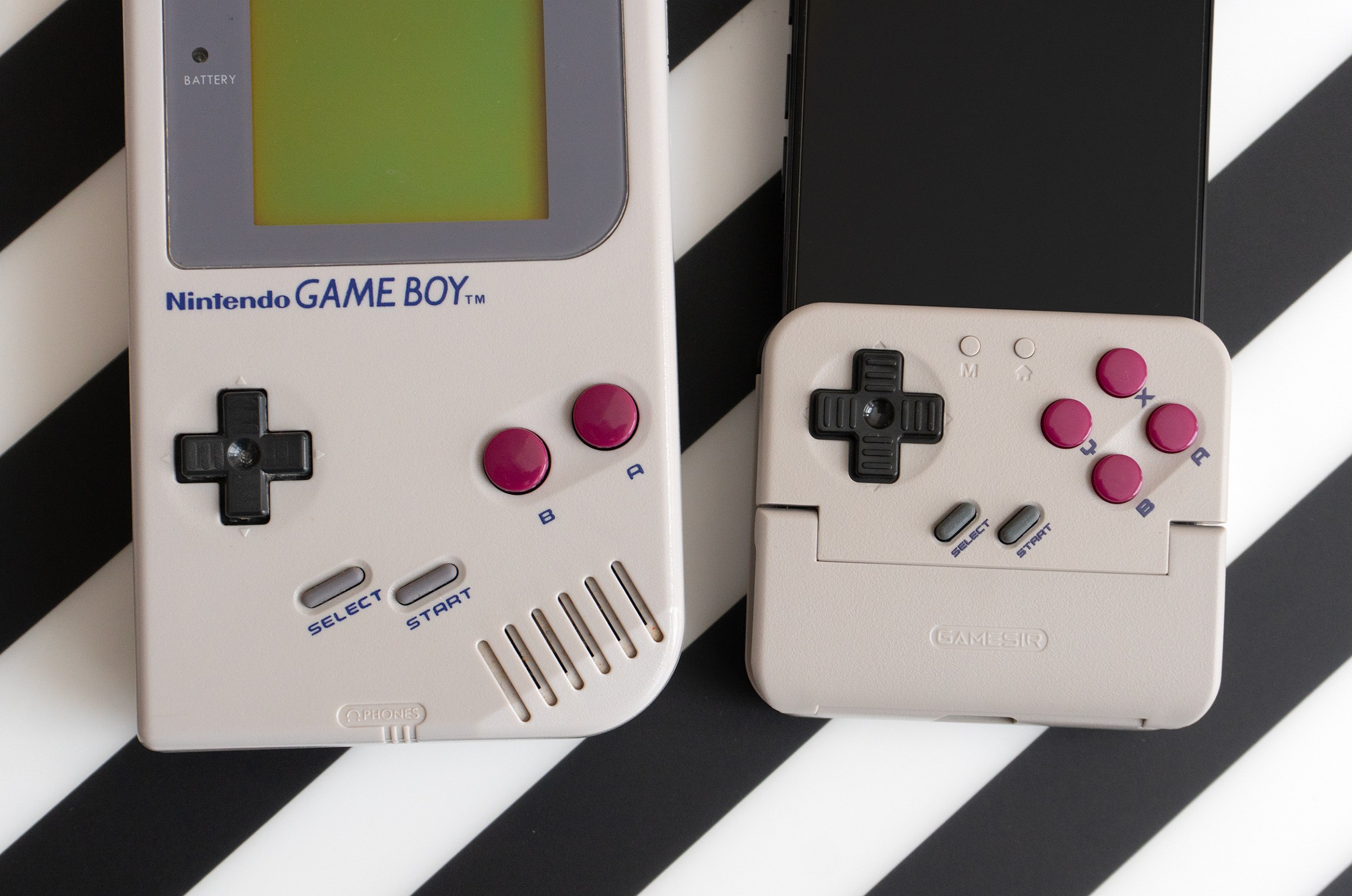
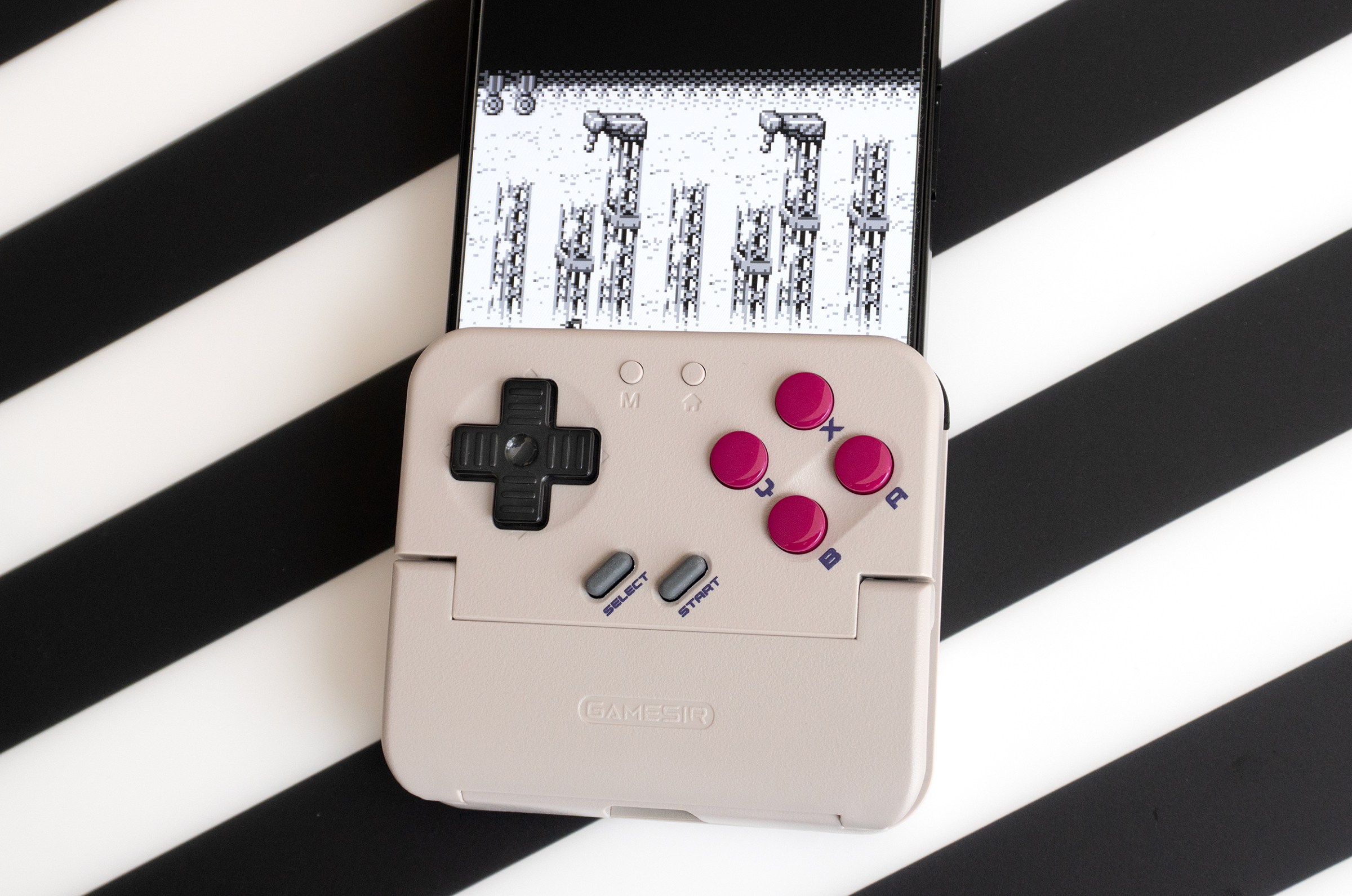
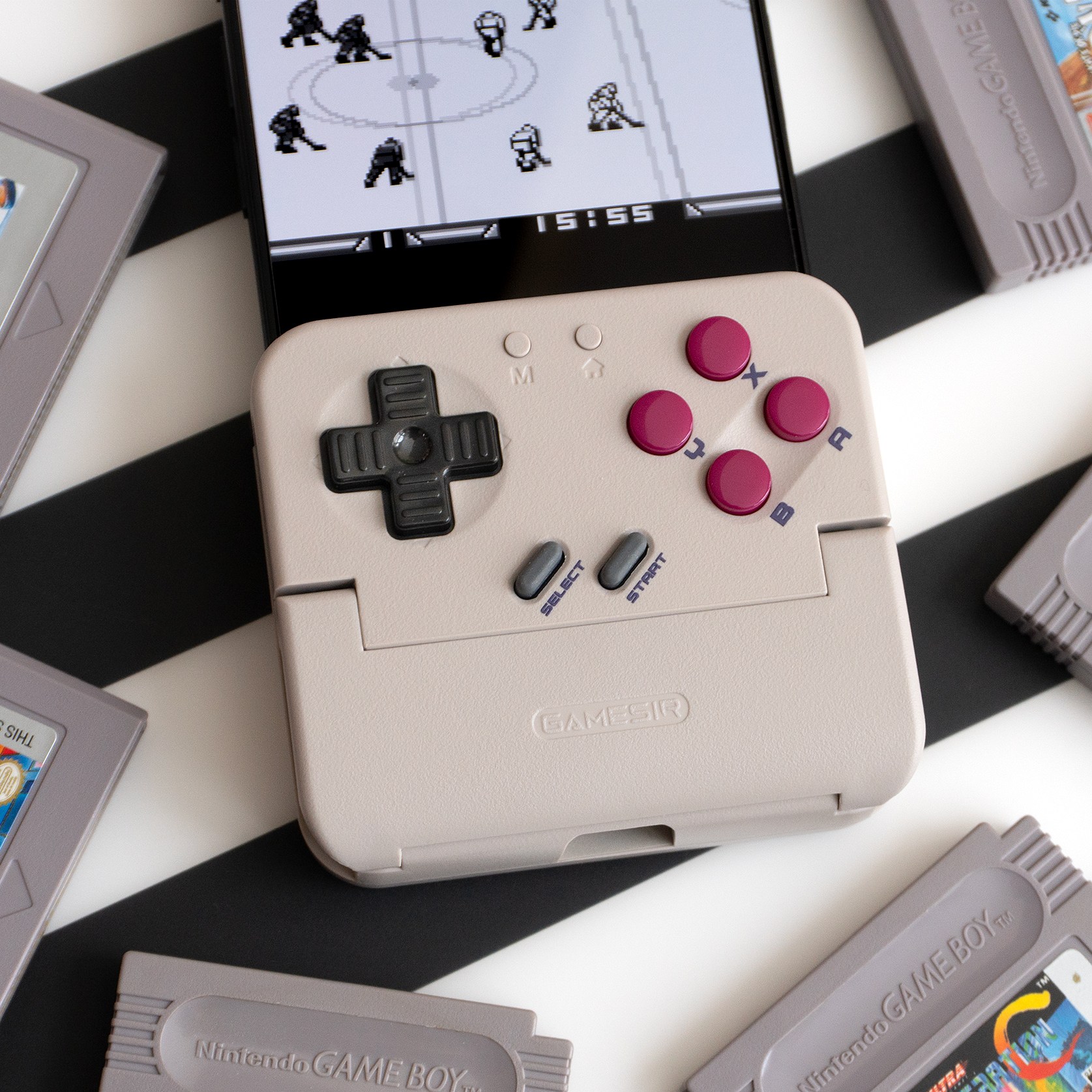
The Pocket Taco’s controls look and feel very similar to the original Game Boy’s, but with a few more buttons.

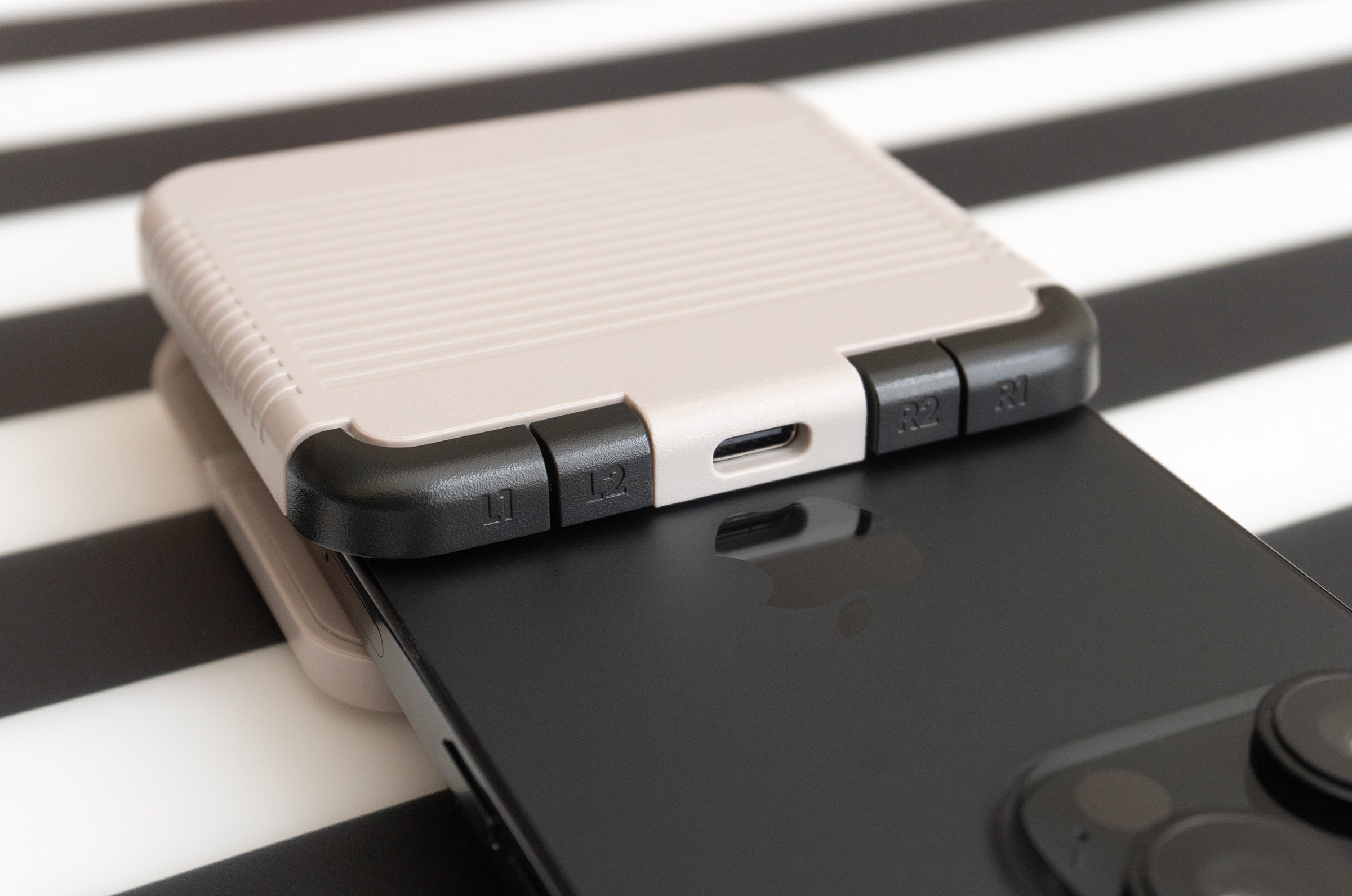
Two sets of shoulder buttons can be found on the back of the Pocket Taco, with a USB-C charging port in between them.

The controller’s four face buttons and D-pad all feel good with a solid click when pressed, and despite it being a little narrower than the original Game Boy, my large hands found the Pocket Taco extremely comfortable to play with. The double pair of shoulder buttons on the back were easy to reach, and the rounded edges on the bottom of the Pocket Taco didn’t dig into the fingers I was using to support the controller and my phone.

There are just a few things you’ll want to keep in mind when choosing what games to play, or how to play them. Unlike the Abxylute M4 or the Backbone controllers, GameSir made no attempt to squeeze thumbsticks or sliding joysticks onto the Pocket Taco. So it’s better suited for playing retro games from the 16-bit era and earlier that don’t have 3D environments with a camera to control.
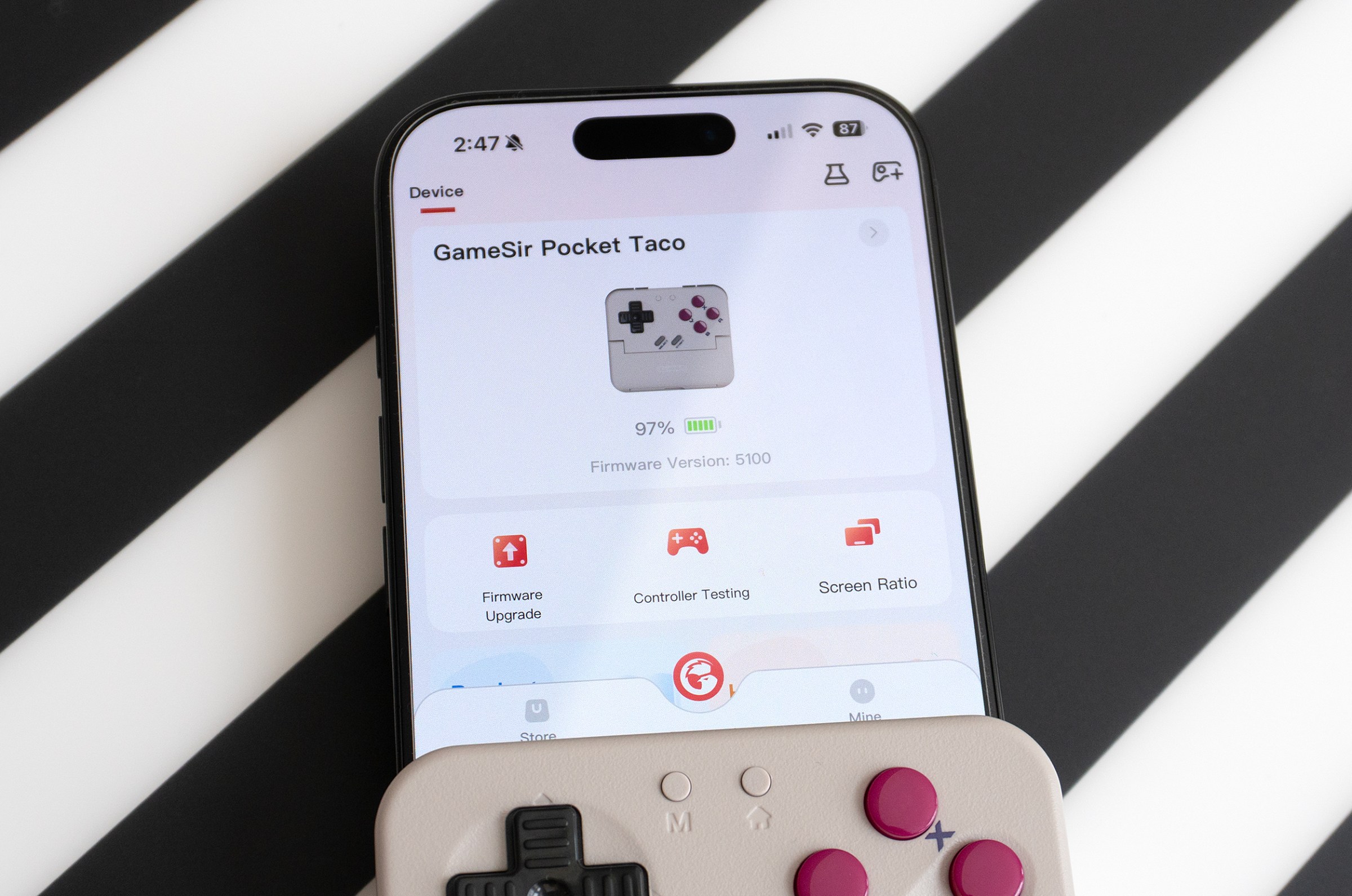
The GameSir mobile app shrinks to half screen with the Pocket Taco attached, and lets you update firmware and remap the controller’s buttons.

You may need to make some adjustments if an app or emulator centers a game vertically onscreen, as it will be partially blocked with the Pocket Taco attached.

I primarily tested the Pocket Taco with Game Boy, Super Nintendo, and GBA games played through the Delta emulator and RetroArch on iOS. The Pocket Taco worked great with both, but you’ll want to make sure you’re using an app with skins or layout options that can position the game closer to the top of your device’s screen. When I first tested the Pocket Taco with Delta, I turned off the emulator’s default skin to remove on-screen controls. That resulted in the game being vertically centered on my iPhone and partially covered by the Pocket Taco. It was easy to fix, but note that the controller can only be used in a vertical orientation.
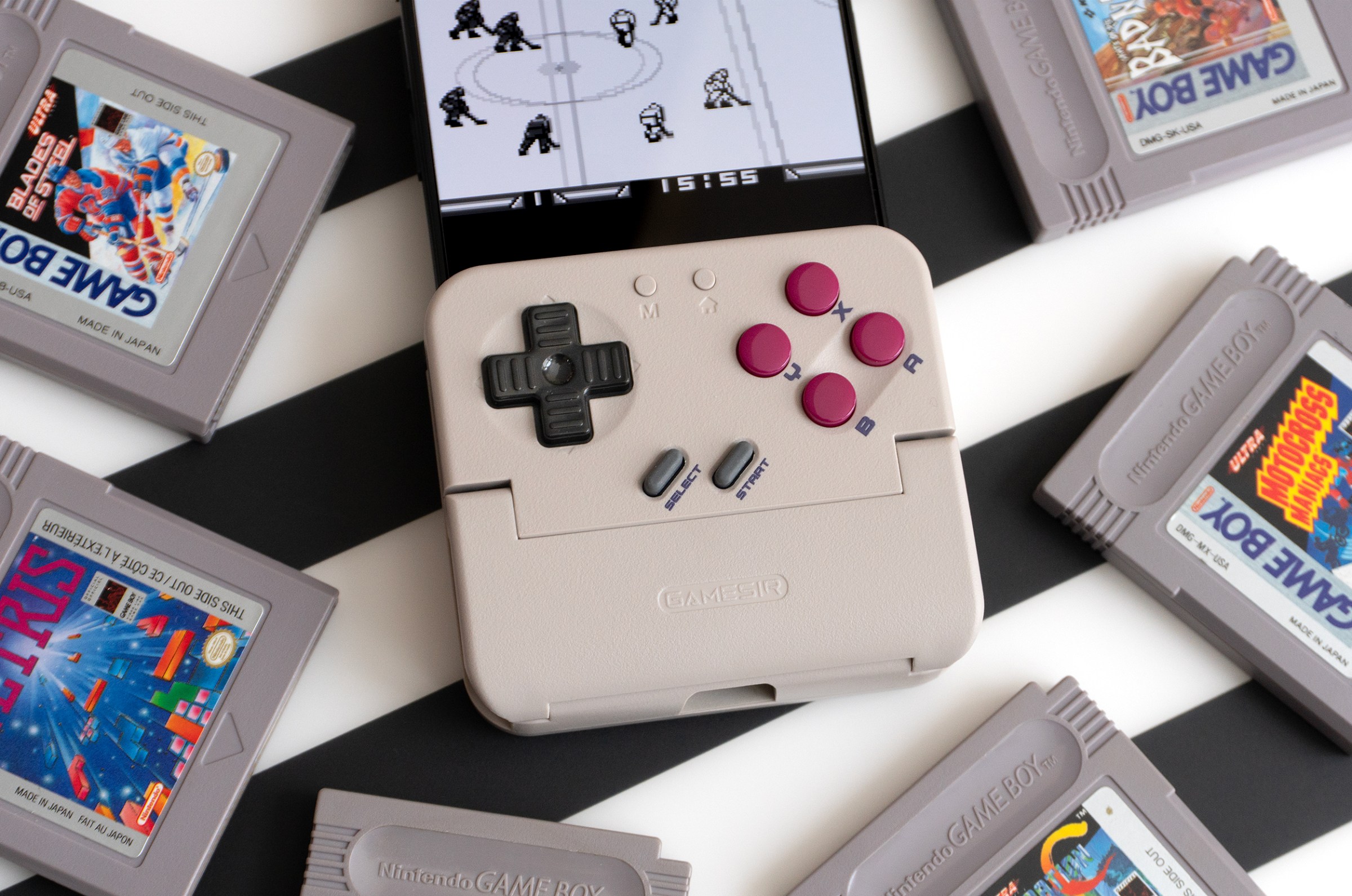
8BitDo hasn’t announced pricing or a release date for its FlipPad yet, so I’m still curious how effective that smaller accessory will be at turning my smartphone into a handheld console, given its limitations. The Pocket Taco isn’t expected to ship until March 2026, but for $35, you get excellent controls, solid ergonomics, reliable Bluetooth connectivity, nearly universal smartphone compatibility, and the ability to use it as a standalone wireless gamepad.

Photography by Andrew Liszewski / The Verge

Follow topics and authors from this story to see more like this in your personalized homepage feed and to receive email updates.

  • Andrew Liszewski

    Andrew Liszewski

    Andrew Liszewski

    Posts from this author will be added to your daily email digest and your homepage feed.

    See All by Andrew Liszewski

  • Gadgets

    Posts from this topic will be added to your daily email digest and your homepage feed.

    See All Gadgets

  • Gaming

    Posts from this topic will be added to your daily email digest and your homepage feed.

    See All Gaming

  • Hands-on

    Posts from this topic will be added to your daily email digest and your homepage feed.

    See All Hands-on

  • Reviews

    Posts from this topic will be added to your daily email digest and your homepage feed.

    See All Reviews

  • Tech

    Posts from this topic will be added to your daily email digest and your homepage feed.

    See All Tech

Read the full article here

Follow on Google News Follow on Flipboard
Share. Facebook Twitter Pinterest LinkedIn Tumblr Email Copy Link
News Room
  • Website

Related Posts

DJI’s first robovac is an autonomous cleaning drone you can’t trust

February 14, 2026

Epson Lifestudio Projector EF-72 review: could this replace your TV?

February 13, 2026

Sony WF-1000XM6 earbuds review: the new noise-canceling king

February 12, 2026
Add A Comment
Leave A Reply Cancel Reply

Top Articles

This is the one thing you must not do with your new Nintendo Switch 2

December 25, 2025

Asus now claims it’s not dropping the RTX 5070 Ti amid memory shortages

January 16, 2026

Nintendo’s new Virtual Boy is more fun to look at than to play

February 5, 2026
Latest Reviews

The Pocket Taco is the best way to turn your phone into a Game Boy

News RoomFebruary 14, 2026

DJI’s first robovac is an autonomous cleaning drone you can’t trust

News RoomFebruary 14, 2026

Epson Lifestudio Projector EF-72 review: could this replace your TV?

News RoomFebruary 13, 2026

Subscribe to Updates

Get the latest tech news and updates directly to your inbox.

Demo
Most Popular

Naya Connect is a modular mechanical keyboard system for the indecisive

January 14, 2026

This is the one thing you must not do with your new Nintendo Switch 2

December 25, 2025

Asus now claims it’s not dropping the RTX 5070 Ti amid memory shortages

January 16, 2026
Our Picks

My uncanny AI valentines | The Verge

February 14, 2026

How to remove Big Tech products from your online life

February 14, 2026

Ring’s Flock breakup doesn’t fix its real problem

February 14, 2026

Subscribe to Updates

Get the latest tech news and updates directly to your inbox.

Facebook X (Twitter) Instagram Pinterest
  • Home
  • Privacy Policy
  • Terms of use
  • For Advertisers
  • Contact
2026 © Prices.com LLC. All Rights Reserved.

Type above and press Enter to search. Press Esc to cancel.