Close Menu
Gadget Guide News
  • Home
  • News
  • Features
  • Reviews
  • Best Stuff
  • Buying Guides
  • Deals
  • More Articles

Subscribe to Updates

Get the latest tech news and updates directly to your inbox.

Trending

True widescreen Galaxy Z Fold coming in 2027 and foldables are now Samsung’s most important phones

August 17, 2026

The Sonos app for iPhone is finally worth using again thanks to this long overdue update

August 17, 2026

Semafor’s Ben Smith on billionaires, news influencers, and ‘anti-scale’ media

August 17, 2026
Facebook X (Twitter) Instagram
Gadget Guide News
Subscribe
  • Home
  • News
  • Features
  • Reviews
  • Best Stuff
  • Buying Guides
  • Deals
  • More Articles
Gadget Guide News
  • Best Stuff
  • Buying Guides
  • Reviews
  • Deals
  • Features
Home»News»The Sonos app for iPhone is finally worth using again thanks to this long overdue update
News

The Sonos app for iPhone is finally worth using again thanks to this long overdue update

News RoomBy News RoomAugust 17, 2026012 Mins Read
Share Facebook Twitter Pinterest Copy Link LinkedIn Tumblr Email Telegram WhatsApp
Follow Us
Google News Flipboard
Share
Facebook Twitter LinkedIn Pinterest Email Copy Link

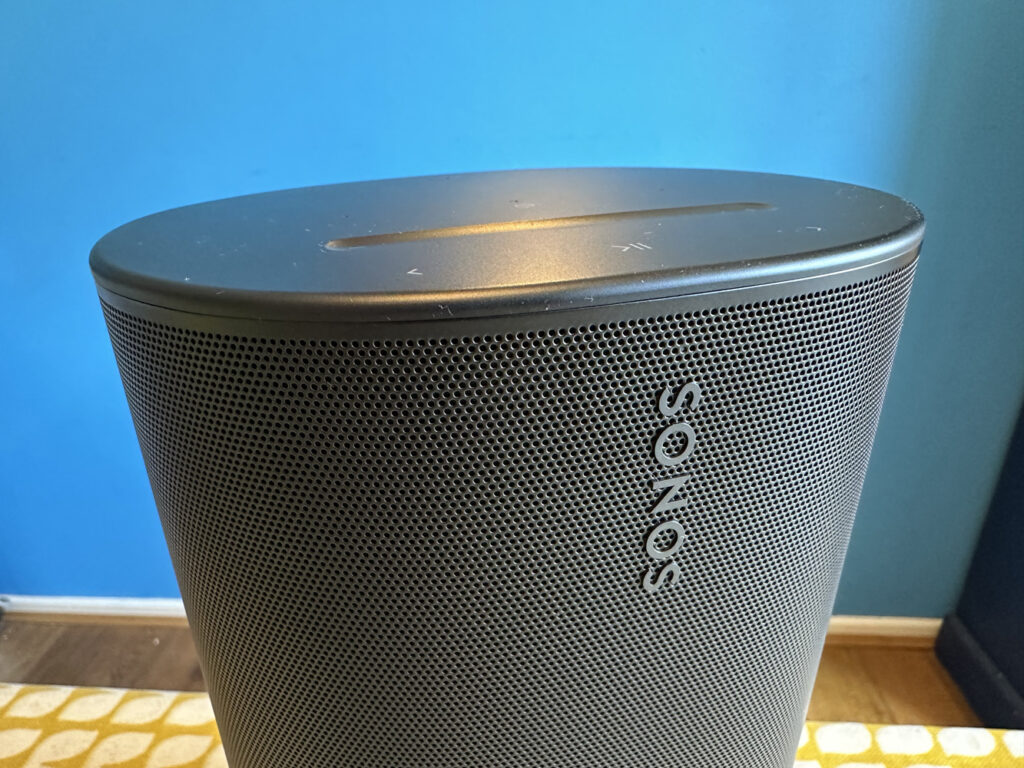
Sonos has updated its app for iPhone, which finally returns lock screen controls via the useful Live Activities tool for iOS.

The update comes after a rough patch for iPhone users with Sonos systems where a disastrous relaunch took away or broke a series of trusted features including the ability to control music from the lock screen.

For the last couple of years, Sonos users have lacked the ability to control music playing on their systems via the Sonos app without manually entering the app itself. If you’re playing via Spotify Connect or AirPlay there have been limited controls, but this finally makes the Sonos app worth using again.

The Live Activity shows playback controls and volume controls as well as the name of the track, artist and speaker the track is playing on. Once the display is unlocked the Live Activity drops into the Dynamic Island and can be expanded to show the same options.

“Once enabled the activity will appear after you initiate playback and then close the app. It will show the current room or group you were last playing audio from. When playback stops, the live activity will disappear after 15 minutes,” Sonos explains on the subreddit.

“While the iOS Live Activity can be viewed from your Lock Screen, you must first unlock your iPhone with Face ID or a Passcode before being able to make playback changes.”

System owners will need to enable the feature via the Account > App Preferences screen. This doesn’t feel like the end for iOS updates with Sonos promising more to come during the iOS 27 lifecycle. It’s possible that could include Siri AI access, but the company is staying mum for now. Sonos also says he’s planning to support album art in Live Activities which doesn’t currently work.

Sonos added: “iOS 27 is coming later this year from Apple and the teams have been exploring the new capabilities it has in Beta. No news to share right now but keep your eyes peeled and ears open!”

google preferred source

Apple News

Read the full article here

Follow on Google News Follow on Flipboard
Share. Facebook Twitter Pinterest LinkedIn Tumblr Email Copy Link
News Room
  • Website

Related Posts

True widescreen Galaxy Z Fold coming in 2027 and foldables are now Samsung’s most important phones

August 17, 2026

Semafor’s Ben Smith on billionaires, news influencers, and ‘anti-scale’ media

August 17, 2026

Trump’s border wall push is back — and it’s destroying national parks and 200-year-old trees

August 17, 2026
Add A Comment
Leave A Reply Cancel Reply

Top Articles

What to expect from Apple’s September event: iPhone Fold, iPhone 18 Pro, Apple Watch Ultra 4 and more

July 4, 2026

I asked Apple’s new Siri AI and Google Gemini the same 10 questions – here’s how they responded

June 19, 2026

Swatch posts the correct answers to the MoonSwatch Mission to Moon 1969 ESTA quiz – did you pass?

July 23, 2026
Latest Reviews

I’m hooked on Peak Design’s new City bags

News RoomAugust 17, 2026

I finally found a magnetic phone grip I never want to remove

News RoomAugust 15, 2026

Xteink’s tiny e-readers are getting access to free books through Libby

News RoomAugust 15, 2026

Subscribe to Updates

Get the latest tech news and updates directly to your inbox.

Demo
Most Popular

You can now try Apple’s all-new Siri AI yourself on your iPhone, iPad or Mac – here’s how

July 13, 2026

What to expect from Apple’s September event: iPhone Fold, iPhone 18 Pro, Apple Watch Ultra 4 and more

July 4, 2026

I asked Apple’s new Siri AI and Google Gemini the same 10 questions – here’s how they responded

June 19, 2026
Our Picks

5 travel gadgets I refuse to leave home without – they make every trip so much easier

August 17, 2026

Trump’s border wall push is back — and it’s destroying national parks and 200-year-old trees

August 17, 2026

The unwritten rules of public EV charging, and the mistakes that annoy every other driver

August 17, 2026

Subscribe to Updates

Get the latest tech news and updates directly to your inbox.

Facebook X (Twitter) Instagram Pinterest
  • Home
  • Privacy Policy
  • Terms of use
  • For Advertisers
  • Contact
2026 © Prices.com LLC. All Rights Reserved.

Type above and press Enter to search. Press Esc to cancel.