
Close Menu
Gadget Guide News
  • Home
  • News
  • Features
  • Reviews
  • Best Stuff
  • Buying Guides
  • Deals

Subscribe to Updates

Get the latest tech news and updates directly to your inbox.

Trending

Apple is reportedly planning to launch AI-powered glasses, a pendant, and AirPods

February 17, 2026

Apple’s new MacBook feature stops your battery hitting 100%. Here’s why that could help

February 17, 2026

Google announces dates for I/O 2026

February 17, 2026
Facebook X (Twitter) Instagram
Gadget Guide News
Subscribe
  • Home
  • News
  • Features
  • Reviews
  • Best Stuff
  • Buying Guides
  • Deals
Gadget Guide News
  • Best Stuff
  • Buying Guides
  • Reviews
  • Deals
  • Features
Home»News»This new iPhone update adds extra protection if your phone is stolen
News

This new iPhone update adds extra protection if your phone is stolen

News RoomBy News RoomFebruary 17, 2026013 Mins Read
Share Facebook Twitter Pinterest Copy Link LinkedIn Tumblr Email Telegram WhatsApp
Follow Us
Google News Flipboard
Share
Facebook Twitter LinkedIn Pinterest Email Copy Link

If your iPhone was stolen and a thief knew your passcode, they could potentially change your Apple ID password, wipe your device, and lock you out.

That’s exactly the scenario Apple designed Stolen Device Protection to prevent – and from iOS 26.4 onwards (aka the next iPhone update), it’ll be automatically switched on for everyone.

Spotted in the developer beta by MacRumors, Apple is enabling Stolen Device Protection by default, rather than requiring users to turn it on manually in the settings. It’s a small change on paper, but it could be a meaningful one if your trusty iPhone is ever lost or stolen.

Apple originally introduced the feature in 2023 after reports of a new theft method where criminals would watch someone enter their passcode before stealing the device. With both the phone and the code in hand, thieves could access saved passwords, interfere with banking apps, reset Apple ID credentials, and even disable Find My. In other words, the damage went beyond the cost of the handset, adding extra insult to injury.

What does Apple’s Stolen Device Protection do?
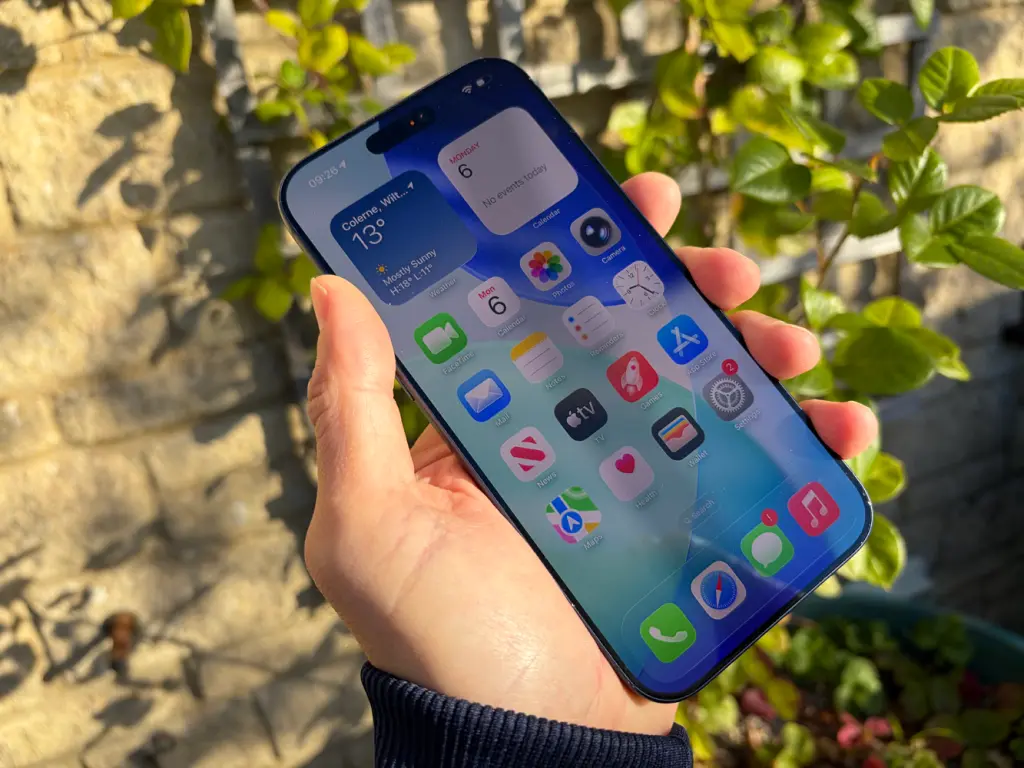
Stolen Device Protection adds an extra biometric layer on top of your passcode for sensitive actions. Even if someone knows your code, they’d still need to use Face ID or Touch ID to access saved passwords, view or use iCloud Keychain entries, turn off Lost Mode, and erase all content and settings. They’d also need it to apply for a new Apple Card, view a virtual Apple Card number, use saved payment methods in Safari, or use your iPhone to set up a new device.

For certain high-risk changes – like altering your Apple ID password, updating trusted devices or recovery contacts, changing your passcode, removing Face ID or Touch ID, or disabling Find My – the system introduces a one-hour security delay and requires biometric authentication twice.

The idea is simple but effective – even if someone peeks your passcode in a coffee shop or on a train, they can’t immediately take over your digital life.

Until now, Stolen Device Protection had to be manually enabled in the Face ID and Passcode section of the settings, and many users never switched it on. With iOS 26.4, Apple is making that protection the default, rather than the exception.

For now, iOS 26.4 is currently available only in the developer beta, with a public beta expected soon and a wider iPhone update release planned for the spring. When it does land, this won’t be the flashiest feature – but it’s one you’ll definitely be thankful for should the worst happen.

Read the full article here

Follow on Google News Follow on Flipboard
Share. Facebook Twitter Pinterest LinkedIn Tumblr Email Copy Link
News Room
  • Website

Related Posts

Apple is reportedly planning to launch AI-powered glasses, a pendant, and AirPods

February 17, 2026

Apple’s new MacBook feature stops your battery hitting 100%. Here’s why that could help

February 17, 2026

Google announces dates for I/O 2026

February 17, 2026
Add A Comment
Leave A Reply Cancel Reply

Top Articles

This is the one thing you must not do with your new Nintendo Switch 2

December 25, 2025

Asus now claims it’s not dropping the RTX 5070 Ti amid memory shortages

January 16, 2026

Nintendo’s new Virtual Boy is more fun to look at than to play

February 5, 2026
Latest Reviews

Motorola Signature review: ultra-thin, ultra-fast, but not quite ultra-premium

News RoomFebruary 17, 2026

Who needs a laptop when you have a folding phone?

News RoomFebruary 17, 2026

Logitech’s new Superstrike is a faster, more customizable gaming mouse

News RoomFebruary 15, 2026

Subscribe to Updates

Get the latest tech news and updates directly to your inbox.

Demo
Most Popular

Naya Connect is a modular mechanical keyboard system for the indecisive

January 14, 2026

This is the one thing you must not do with your new Nintendo Switch 2

December 25, 2025

Asus now claims it’s not dropping the RTX 5070 Ti amid memory shortages

January 16, 2026
Our Picks

Apple’s AI pendant could be the ‘eyes and ears’ of the iPhone

February 17, 2026

Now Pixel 9 phones can transfer files with AirDrop, too

February 17, 2026

Apple smart glasses sounding ready to go head-to-head with Meta

February 17, 2026

Subscribe to Updates

Get the latest tech news and updates directly to your inbox.

Facebook X (Twitter) Instagram Pinterest
  • Home
  • Privacy Policy
  • Terms of use
  • For Advertisers
  • Contact
2026 © Prices.com LLC. All Rights Reserved.

Type above and press Enter to search. Press Esc to cancel.