

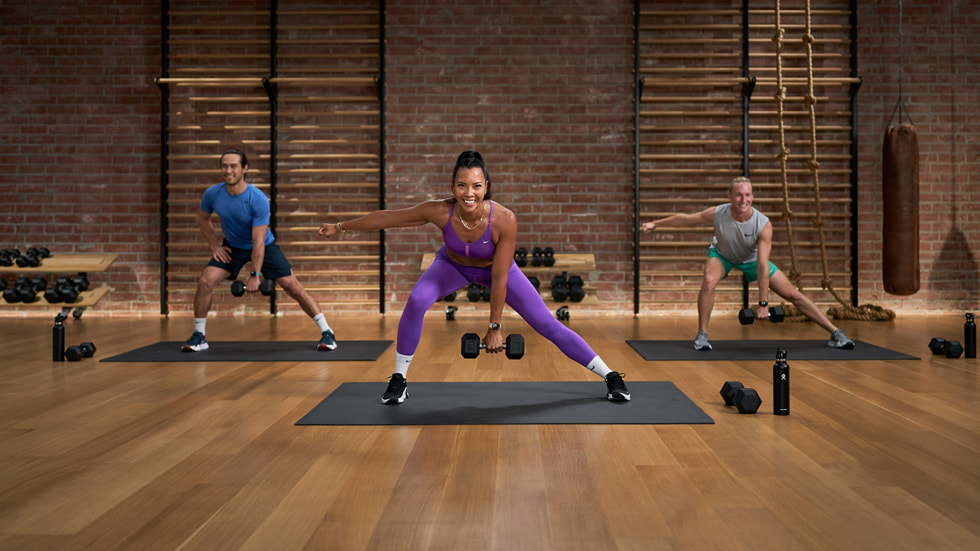
Remember the saying “An apple a day keeps the doctor away”? Well, Apple Fitness+ is just like that in absolutely no way whatsoever. But, it is a fitness subscription designed to whip you into shape alongside your smartwatch, so that’ll help keep the doctors away. A far cry from the iPhone, Apple Fitness+ aims to get you sweating.
Whether you’re a fitness fanatic or don’t know your dumbbells from your barbells, Fitness+ has a workout for you to get involved in. But what exactly is the feature, and how does it work?
What is Apple Fitness+?
Fitness+ is Apple’s workout subscription that lets you get your sweat on wherever you may be. It boasts a range of workout classes you can perform either indoors or outdoors – all using the Apple gadgets you’ve already got. Recorded in a rather swish-looking studio, three expert trainers will guide you along, with different variations for different abilities. There are options for workouts using equipment, or for no equipment at all.
Most commonly, you’ll need an Apple Watch to subscribe to Fitness+ and an accompanying Apple device for the visuals. But having an Apple Watch isn’t a must anymore – you can watch the workout classes on an iPhone, iPad, Apple TV, or any other AirPlay-enabled device (such as Macs and tellies). However, you won’t receive any personalised metric tracking if you opt to go watch-less.
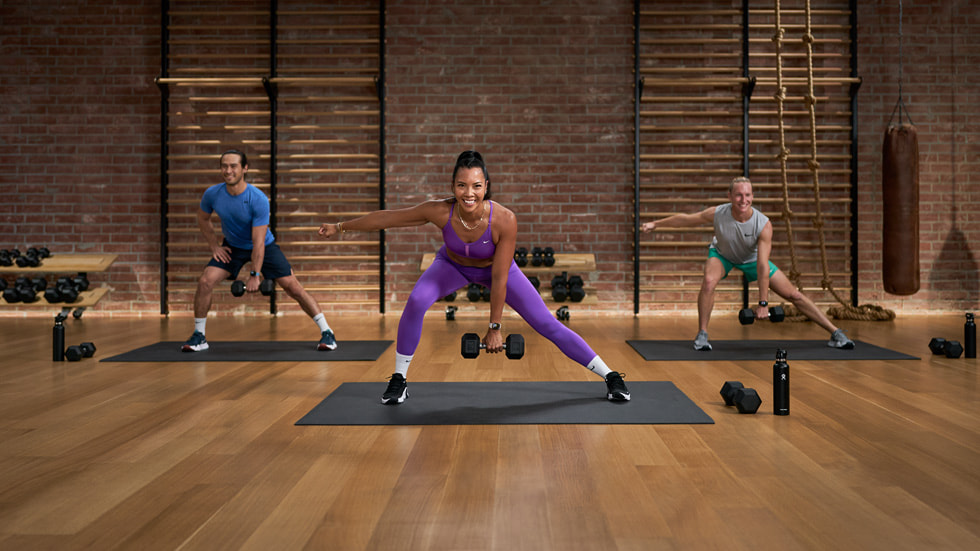
Once subscribed, you can access the thousands of video and audio workouts on offer — everything from HIIT to Yoga (more on this later). While you workout, your Apple Watch will count every calorie burnt. You can even view a burn bar to compare your calorie burning to other users if you want some extra motivation. And, as Apple’s trainers love to remind you, all the time you spend working out helps to close those rings.
Apple Fitness+ is available for £9.99/$9.99 per month, or £79.99/$79.99 per year. New subscribers get one month for free, and those who’ve just splashed out on a new iPhone, Apple Watch, iPad, or Apple TV get three months on the house. It’s also available under the Apple One bundle, so things are pretty flexible.
Master of all
If you can dream it, you can probably track it with Fitness+. Fitness+ is easily one of the most detailed and expansive fitness apps out there, with a huge range of sports, exercises and activities in its library. There are classes for kickboxing, meditation, HIIT, yoga, core, strength, pilates, dance, rowing, indoor cycling, treadmill running, and cooling down. Pretty extensive, right?
Prefer to pound the pavement? The Time to Walk and Time to Run sessions will guide you through strolls or runs with a range of celebrities talking, alongside their favourite tracks. You’ll also find curated collections that feature a selection of workouts to meet an end goal. Let your fitness slip a little? The six week ‘Restart Your Fitness’ will have you back to normal in no time through a series of HIIT, yoga and core sessions.
Oh, and did we mention that Apple releases new classes for each category every week? You’ll never run out of workouts to use, as there are always more to explore. And if you’ve finished all the workouts for one sport, why not try something new? Classes are designed for beginners as much as they are for pros, so you’re free to experiment with whatever gets you sweating.
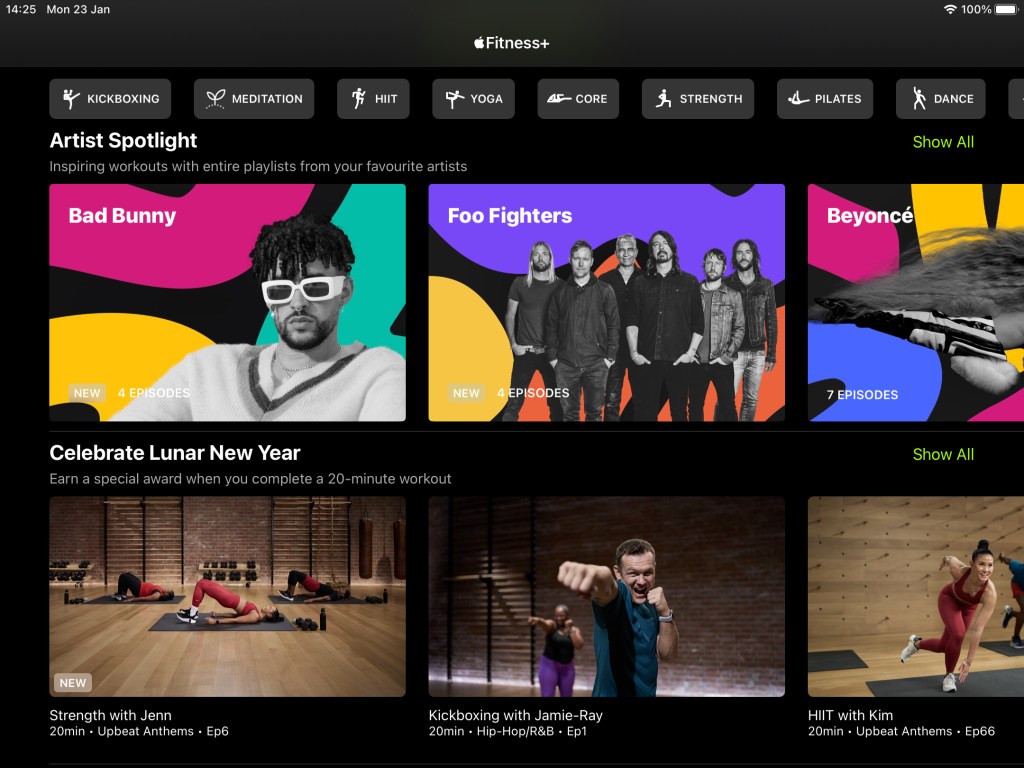
Fitness+ classes last between 5 and 45 minutes. You can filter classes by length, so you can bosh out some exercise even when you’re in a hurry. Each class plays music, so you can filter workouts by the genre of audio as well. Plus, Apple uses the same trainers across sports, so you can keep up with your favourite lycra-clad expert.
In the sessions, Apple’s trainers will guide you through a series of exercises. They’ll show you how to do them, and then perform the class with you. There’s no slacking from these guys, they’re sweating as much as you. And they don’t shout at you, either. Before starting a workout, you’ll be able to view a promo clip and read the description, so you know just what to expect.
The Artist Spotlight series dedicates an entire workout playlist to a single artist. The latest of these features Madonna. There are various workout types available using her music including HIIT, Rowing, Cycling, Core, Treadmill, Strength, Dance, and Yoga.
Currently, Fitness+ is celebrating Pride month by introducing seven new workouts and meditations. Each workout will feature music playlists of LGBTQ+ artists and allies, says Apple.
Get some sleep
Apple Fitness+ is not only designed for raising your pulse; it works when you’re resting, too. There are collections that help you catch some Zs, such as ‘Wind Down for a Better Bedtime‘ – a two week, pre-bed time meditation course. And, in time for those 2023 resolutions, Apple recently added a ‘Introduction to Meditations for Sleep’ programme.
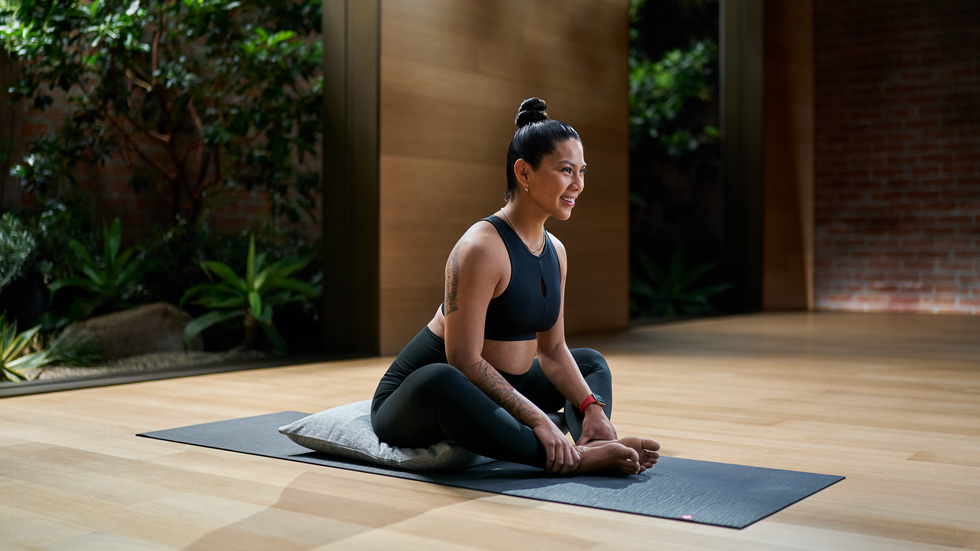
On top of these courses, you can take things into your own hands. There are individual meditation sessions through Fitness+, where you’ll be guided through a mindfulness masterclass to reflect and relax. Meditation not your thing? You could try yoga, pilates, or a mindful cooldown where you have time to focus on your breathing while getting a stretch on. That relaxed state will do wonders for your sleep.
Plus, you can take advantage of the Mindfulness app on the Apple Watch for some mini-breathing sessions to help you focus or wind down. And when you’re ready to drift off into the land of nod, the smartwatch’ll track your sleep automatically. Thanks to watchOS 9, sleep tracking now includes deeper insights, such as your sleep stages.
Apple Fitness+: where techy training gets personal
Fitness+ is a pretty solid all-rounder for getting a handle on your fitness. For a tenner a month, you’ve got untapped access to a library of thousands of workout classes in all manner of sports. The in-studio trainers guiding you through everything make things a lot more personal, too, especially with quick welcome messages at the start.
Compared to the likes of Peloton’s app subscription, Fitness+ even clocks in at slightly less per month. And there’s a wider range of activities you can jump in to. Don’t forget, Apple’s benefits come in it being much, much cheaper than a traditional personal trainer. It’s a no-brainer really, especially if you’re already plugged into the Apple ecosystem. So, what are you waiting for? Sweat it up, Silicon Valley style.
- Read more: The best apps and gadgets to help you achieve your New Year fitness goals
Read the full article here
