Close Menu
Gadget Guide News
  • Home
  • News
  • Features
  • Reviews
  • Best Stuff
  • Buying Guides
  • Deals
  • More Articles

Subscribe to Updates

Get the latest tech news and updates directly to your inbox.

Trending

Right idea, wrong time: 10 brilliant tech ideas that just turned up too early

August 31, 2026

13 unmissable watches launched in August, from a smaller Omega Speedmaster to a fitness tracking Casio

August 31, 2026

China’s robots race ahead | The Verge

August 30, 2026
Facebook X (Twitter) Instagram
Gadget Guide News
Subscribe
  • Home
  • News
  • Features
  • Reviews
  • Best Stuff
  • Buying Guides
  • Deals
  • More Articles
Gadget Guide News
  • Best Stuff
  • Buying Guides
  • Reviews
  • Deals
  • Features
Home»Features»How to customize the iPhone Action Button and make it work better for you
Features

How to customize the iPhone Action Button and make it work better for you

News RoomBy News RoomJuly 3, 20260103 Mins Read
Share Facebook Twitter Pinterest Copy Link LinkedIn Tumblr Email Telegram WhatsApp
Follow Us
Google News Flipboard
Share
Facebook Twitter LinkedIn Pinterest Email Copy Link

Apple replaced the traditional ring/silent switch with the Action Button on the iPhone 15 Pro/Pro Max flagship phones and has featured it on each model since, rolling it out across all new iPhones starting with the iPhone 16 range which also featured the Camera Control button for the first time.

But what does the Action Button do – and how can you customize what it does?

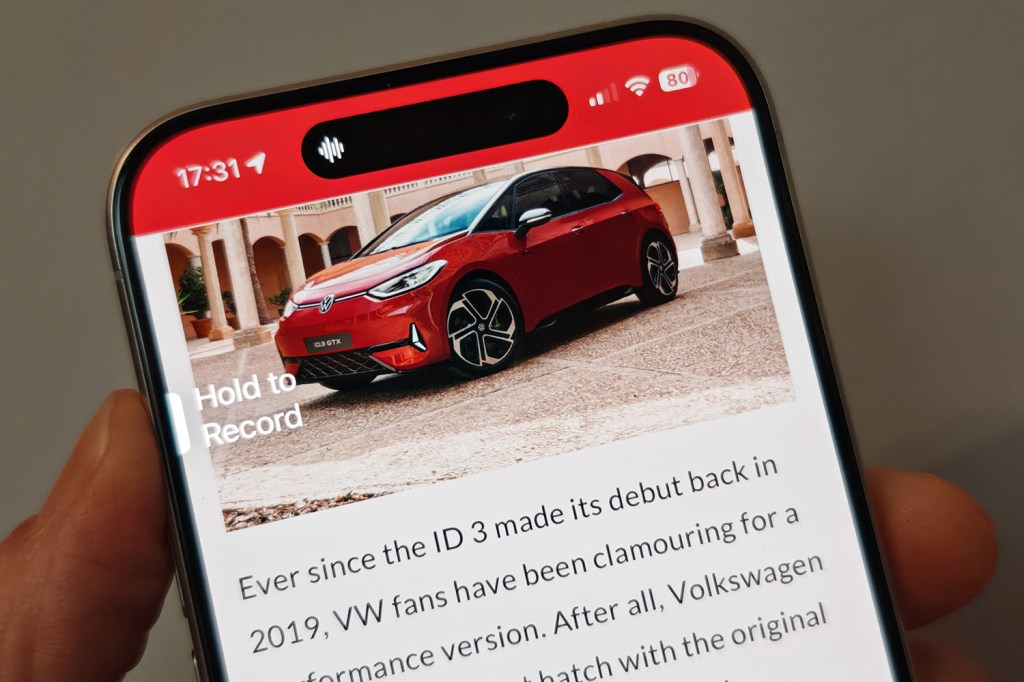
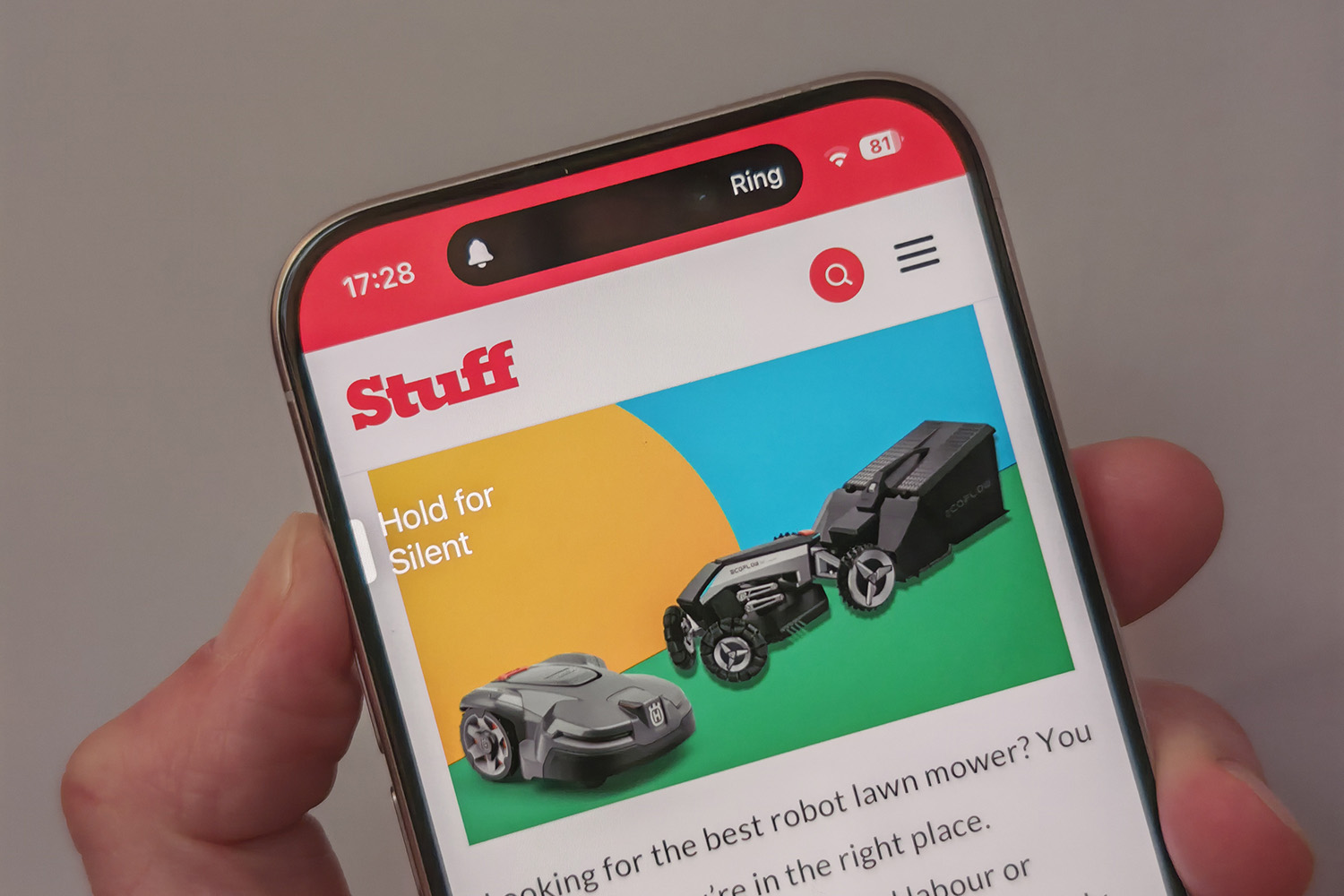
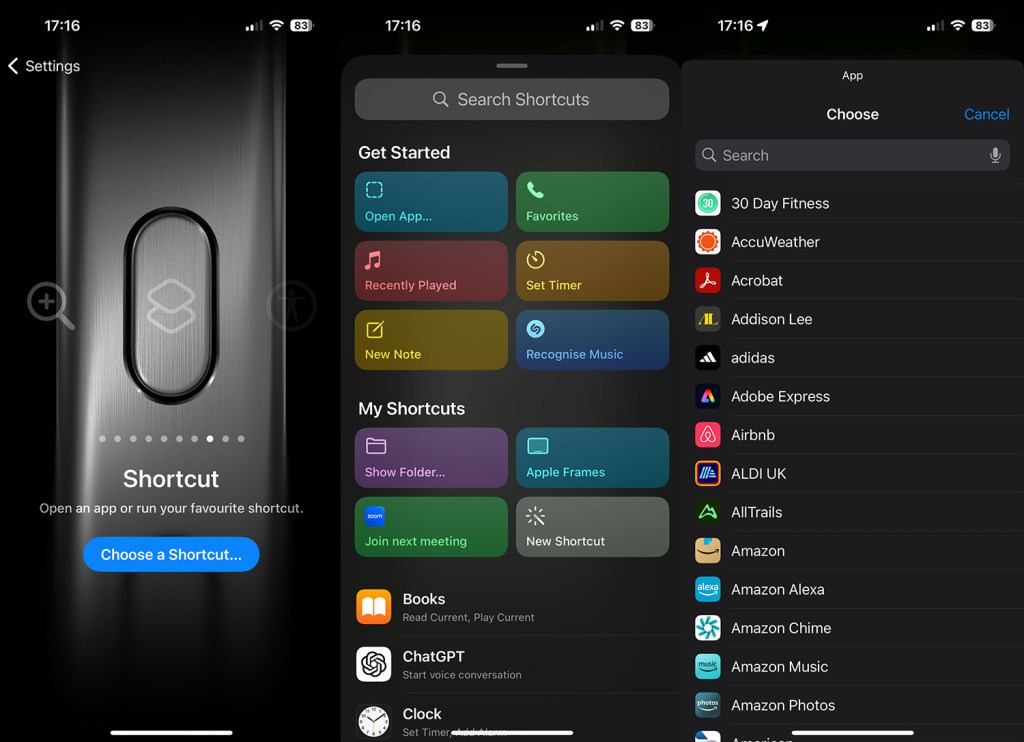
Instead of flicking a switch to set your phone to silent, you now press and hold the button for a haptic feedback response. This is all done via a bespoke interface that’s part of the Settings app. As you can see below, it’s an unusual and quite different design to other settings on the iPhone (it’s the same in iOS 17, iOS 18 and the latest iOS 26).

By default, the iPhone Action button sets your phone to silent (or ring) but you can customise what it does really easily, using pre-determined actions such as opening the camera or the Shortcuts app. Or you can specify your own should you wish.
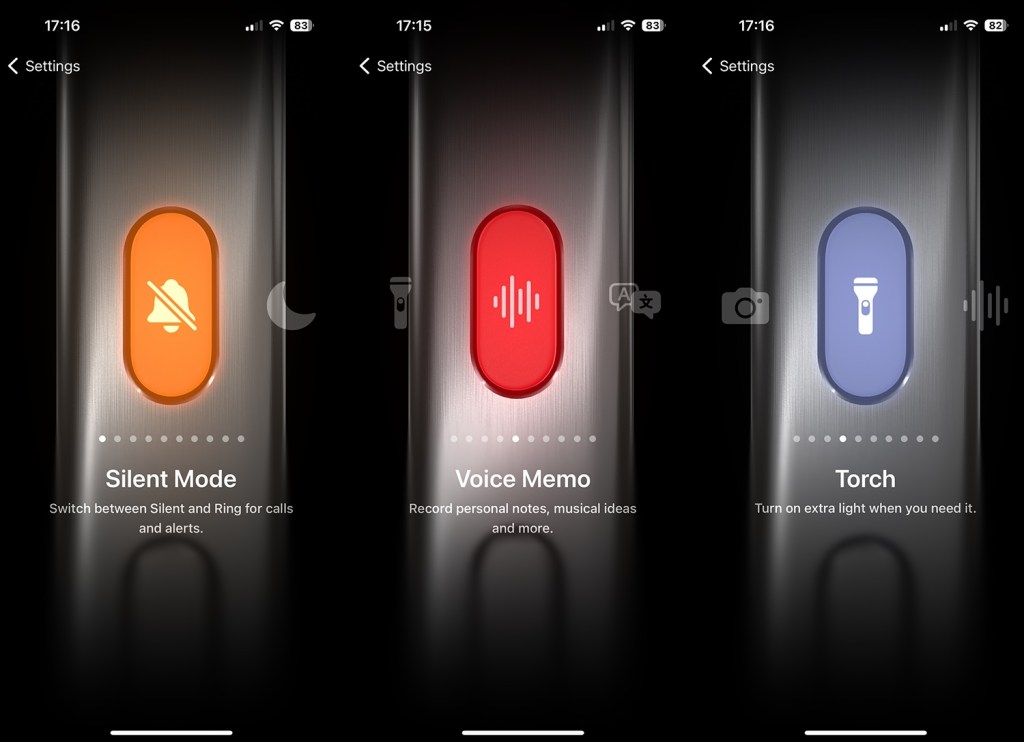
The button is designed to either enable the Action in question or disable it – there’s no other way to press it for different capabilities. You’ll see an on-screen indication that the Action has taken place around the Dynamic Island as well as getting the haptic feedback.

How to customise the iPhone Action Button

  1. Go to the Settings app
  2. Select Action Button (you can also search for it anywhere on your phone of course).
  3. Swipe across to the Action you want to choose. The pre-determined ones are listed at the bottom of this article.
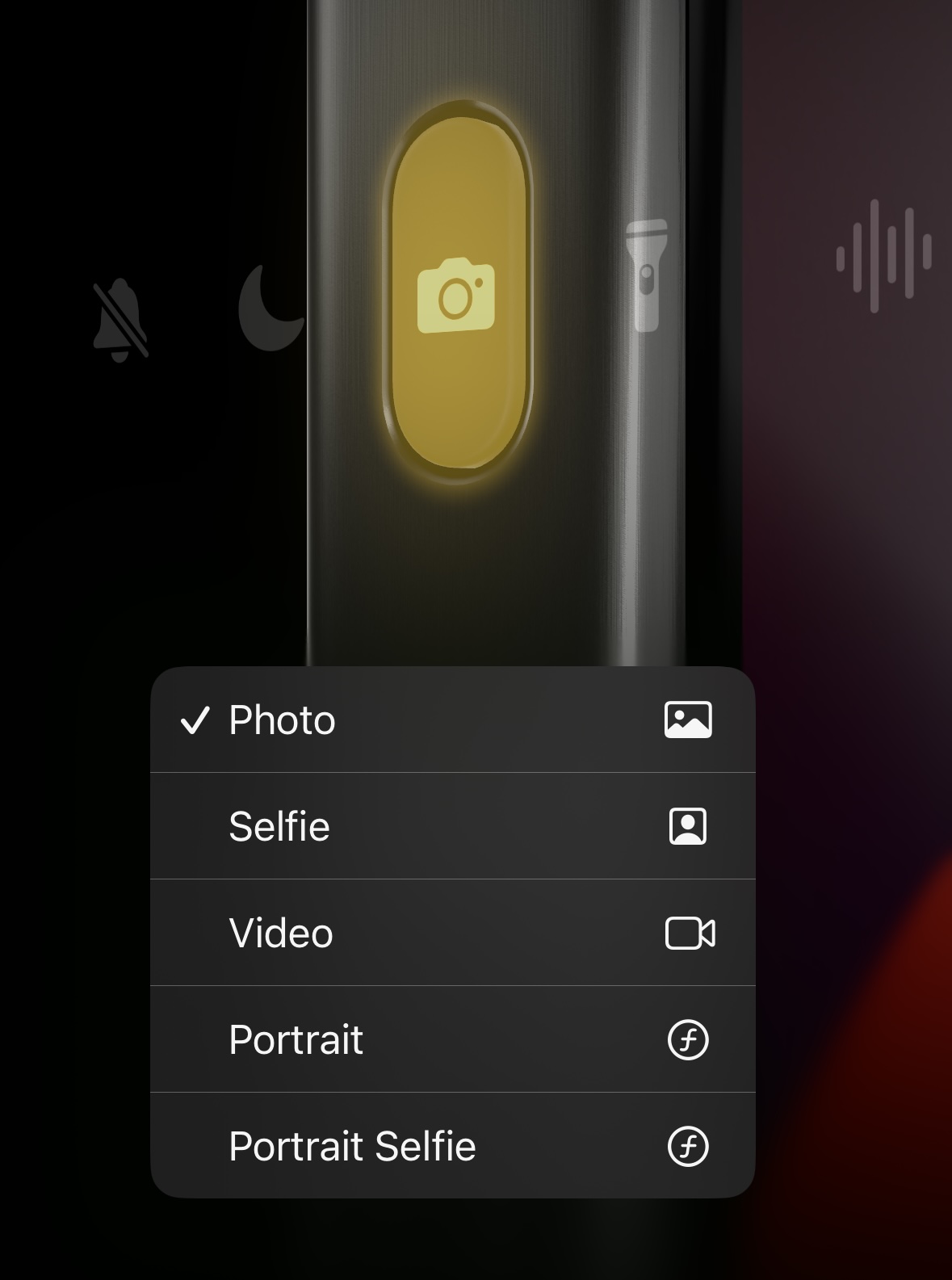
  4. Some Actions like the Camera button have more specific settings that you can select at the bottom of the screen using the arrows. So, for example, under Camera you can choose what option you want such as a selfie or a video.
    iPhone Action Button
  5. There are two options – Shortcuts and Accessibility – where you need to tap the blue button below the action to select a more specific option (otherwise pressing the Action button won’t do anything). Shortcuts is how you get the Action Button to open a specific app – so you could pop open WhatsApp for example.
iPhone Action Button

What Action Button options are available?

Action State 1 State 2
Silent Mode Turn silent mode on. Turn silent mode off.
Focus Turn a specified (by you) Focus on. Turn the specific Focus off.
Camera Open the Camera app to take a photo, selfie, video, portrait, or portrait selfie. You can set this yourself. N/A
Flashlight Turn the flashlight on. Turn the flashlight off.
Voice memo Start recording a voice memo. Stop recording a voice memo.
Magnifier Open the Magnifier app. N/A
Translate Start translating speech (you can’t currently specify which language, it uses the last one in the Translate app) Stop translating.
Shortcuts Open an app or run your favourite shortcut. N/A
Accessibility Access a specified accessibility feature. N/A
No action Do nothing. N/A
iPhone Action Button

google preferred source

Apple News

Read the full article here

Follow on Google News Follow on Flipboard
Share. Facebook Twitter Pinterest LinkedIn Tumblr Email Copy Link
News Room
  • Website

Related Posts

Right idea, wrong time: 10 brilliant tech ideas that just turned up too early

August 31, 2026

13 unmissable watches launched in August, from a smaller Omega Speedmaster to a fitness tracking Casio

August 31, 2026

What to expect from Apple’s ‘Surprise and shine’ September event: iPhone Fold, iPhone 18 Pro, Apple Watch Ultra 4 and more

August 30, 2026
Add A Comment
Leave A Reply Cancel Reply

Top Articles

What to expect from Apple’s September event: iPhone Fold, iPhone 18 Pro, Apple Watch Ultra 4 and more

July 4, 2026

We’ve reviewed the best tablets in 2026 – including iPad and Android picks for every budget

July 6, 2026

Swatch posts the correct answers to the MoonSwatch Mission to Moon 1969 ESTA quiz – did you pass?

July 23, 2026
Latest Reviews

Even with some limitations, I’m convinced the Dell XPS 13 (2026) has rewritten the rules for affordable Windows laptops

News RoomAugust 28, 2026

The second-generation Bose QuietComfort Headphones are good, but don’t stand out

News RoomAugust 26, 2026

GuliKit’s Switch 2 TV dock gives me one feature I’ve missed when traveling

News RoomAugust 25, 2026

Subscribe to Updates

Get the latest tech news and updates directly to your inbox.

Demo
Most Popular

You can now try Apple’s all-new Siri AI yourself on your iPhone, iPad or Mac – here’s how

July 13, 2026

What to expect from Apple’s September event: iPhone Fold, iPhone 18 Pro, Apple Watch Ultra 4 and more

July 4, 2026

We’ve reviewed the best tablets in 2026 – including iPad and Android picks for every budget

July 6, 2026
Our Picks

Chess.com launched a poker site and is planning even more classic games

August 30, 2026

Two new small, powerful Macs

August 30, 2026

What to expect from Apple’s ‘Surprise and shine’ September event: iPhone Fold, iPhone 18 Pro, Apple Watch Ultra 4 and more

August 30, 2026

Subscribe to Updates

Get the latest tech news and updates directly to your inbox.

Facebook X (Twitter) Instagram Pinterest
  • Home
  • Privacy Policy
  • Terms of use
  • For Advertisers
  • Contact
2026 © Prices.com LLC. All Rights Reserved.

Type above and press Enter to search. Press Esc to cancel.