

Introduction
Given we called its predecessor “the most complete smartwatch you can buy if you own an Android phone”, the Pixel Watch 5 has a mighty bar to clear. Google’s next-gen wearable isn’t a ground-up rework, though: the firm has largely focused on software, adding more smarts to Gemini and giving health-conscious customers more data than ever. It’ll even call an ambulance for you if you stop breathing while wearing it.
While the design and screen are largely unchanged from the Pixel Watch 4, the under-the-surface hardware has received a round of upgrades. A new chipset, more storage and (marginally) bigger batteries should help keep it competitive with rivals. There’s still a choice of 41mm and 45mm sizes too; the latter has a larger battery but otherwise the two share identical specs.
Pricing has inevitably gone up compared to last year, like pretty much all new consumer tech. At $399/£369 for the 41mm and $429/£429 for the 45mm, there’s zero breathing room between the Pixel Watch 5 and Samsung’s Galaxy Watch9. Is Google’s effort still the best best for the Android majority? Time to find out…
Is the Pixel Watch 5’s design any different from last year?
Have you committed the Pixel Watch 4’s entire matrix of case and band colours to memory? That’s the only way you’re going to know whether you’re looking at the new one or not – and only then if you’re staring at the Satin Pyrite Aluminium case, which replaces Moonstone in the line-up. Matte Black Aluminium, Polished Silver Aluminium and Champagne Gold Aluminium all return unchanged.
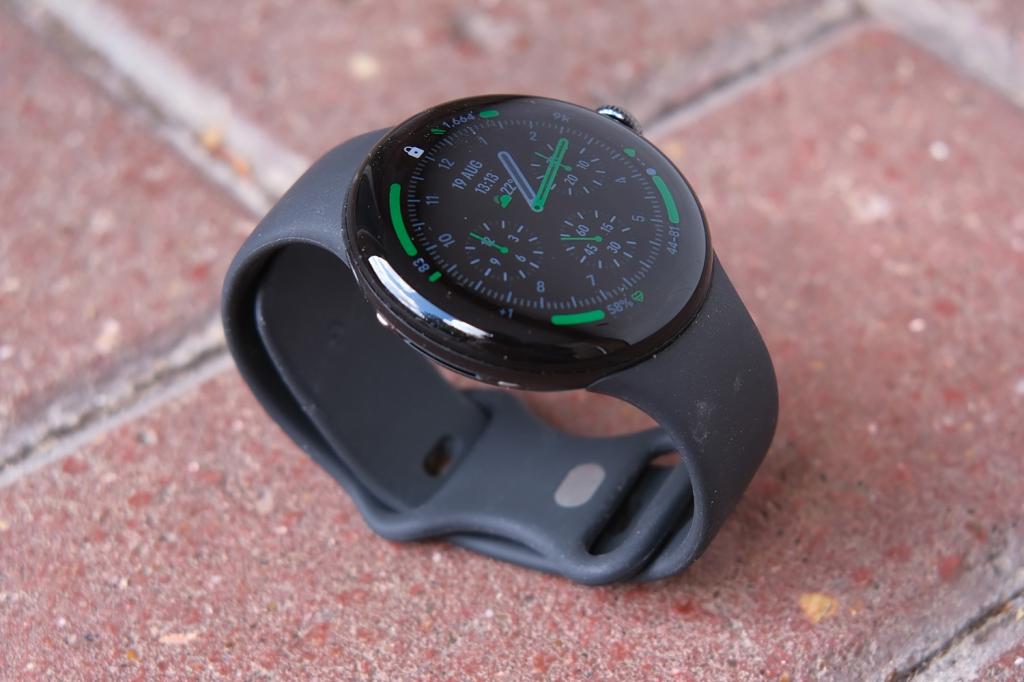
At least the familiar silicone Active Band now comes in Fog, Canyon and Olive colours to mix things up, though I was sent the rather drab Obsidian (ie black) for testing. Paired with the matte black aluminium case, you’ll really need to pick a colourful watch face if you want it to stand out on your wrist.
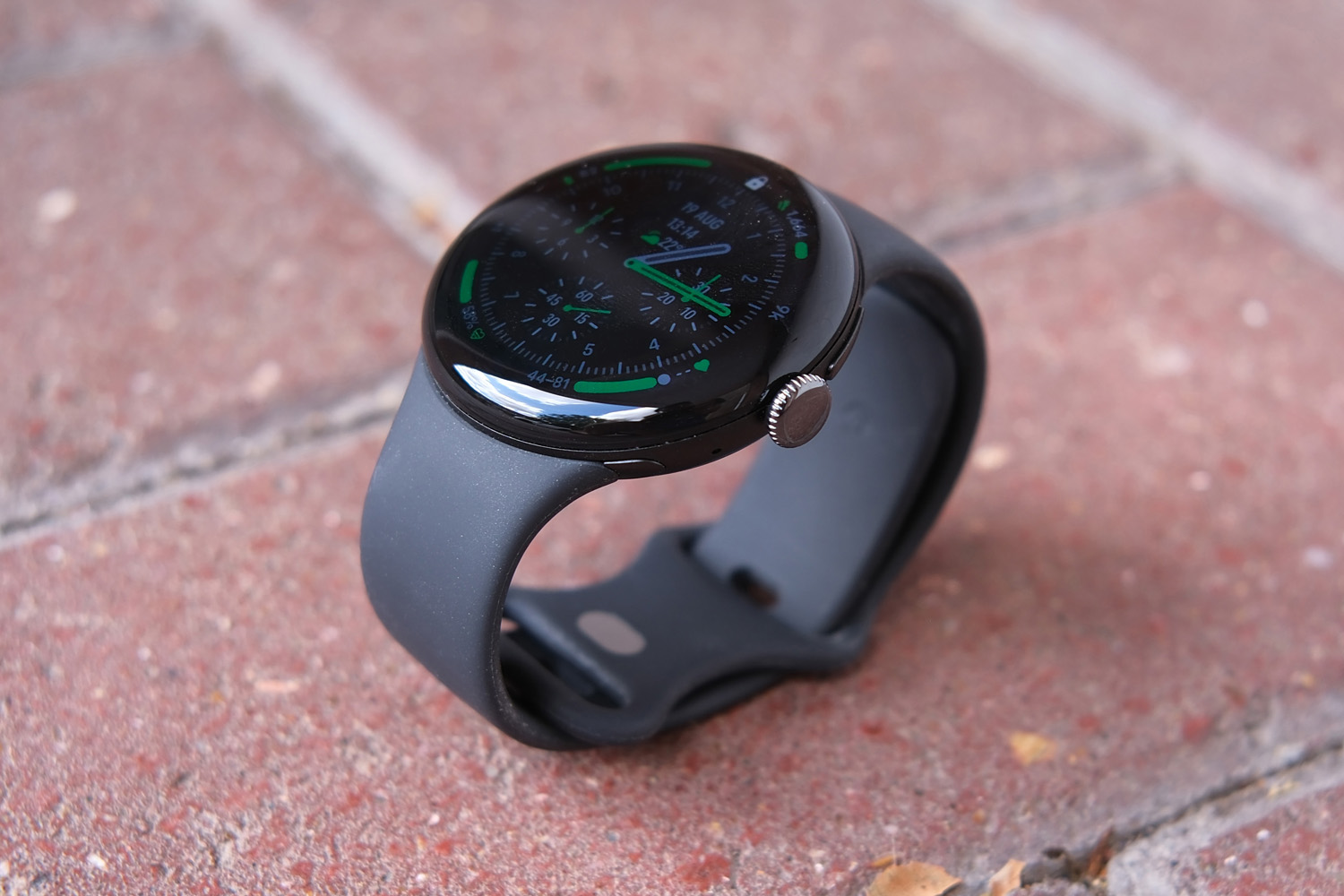
The ultra-minimal, all-glass bubble design does admittedly make it unlike any smartwatch rival. After a week with it on my wrist, I’m convinced the looks alone may be enough to sell some people the Pixel Watch 5. I personally prefer a larger watchface so would’ve picked the 45mm version myself, but the 41mm model doesn’t look ridiculously undersized.
Google still includes both small and large band sizes in the box, so all wrist shapes are covered. The proprietary mounting mechanism looks unchanged too, so existing third-party bands should be compatible with the new Watch. I found the strap easy to tighten and just as comfortable to wear as the previous generation; it stayed firmly in place while exercising too. The silicone material doesn’t get uncomfortable once you’re all sweaty, and it’ll survive showers, swimming pools and even the open ocean – as will the watch itself, with both 5ATM and IP68 resistance.
The digital crown and single physical button above it are unchanged, letting you scroll through menus (with very satisfying haptic feedback that’s easily on par with the latest Apple Watch), wake up Gemini, activate contactless payments and see your most recently used apps. I’d have liked an extra button beneath the crown that could jump straight to a favourite workout routine, as there’s no way to reconfigure the others.
The outgoing Watch 4 was, according to iFixit, the most repairable of the mainstream smartwatch crop, so I’m expecting the Watch 5 to be on the same level. Still tricky, should you need to swap a battery or screen, but doable without specialist tools or worrying about glue.
Has the Pixel Watch 5’s display changed between generations?
Anyone currently rocking an older Pixel watch that’s looking a little worse for wear will be disappointed to hear this new model hasn’t made any great gains on the materials front. Google has stuck with domed Gorilla Glass 5, which looks lovely when it’s fresh out of the box but can’t match rivals with sapphire crystal glass when it comes to scratch protection. I’ve not accrued any scrapes in my week of use, but would seriously consider some sort of screen protector before wearing one long-term.
The way the 3D glass wraps around the sides of the watch looks as stunning as ever, as is how the mostly back UI makes the bezel seem practically invisible. It’s not quite edge-to-edge, but it gets impressively close.
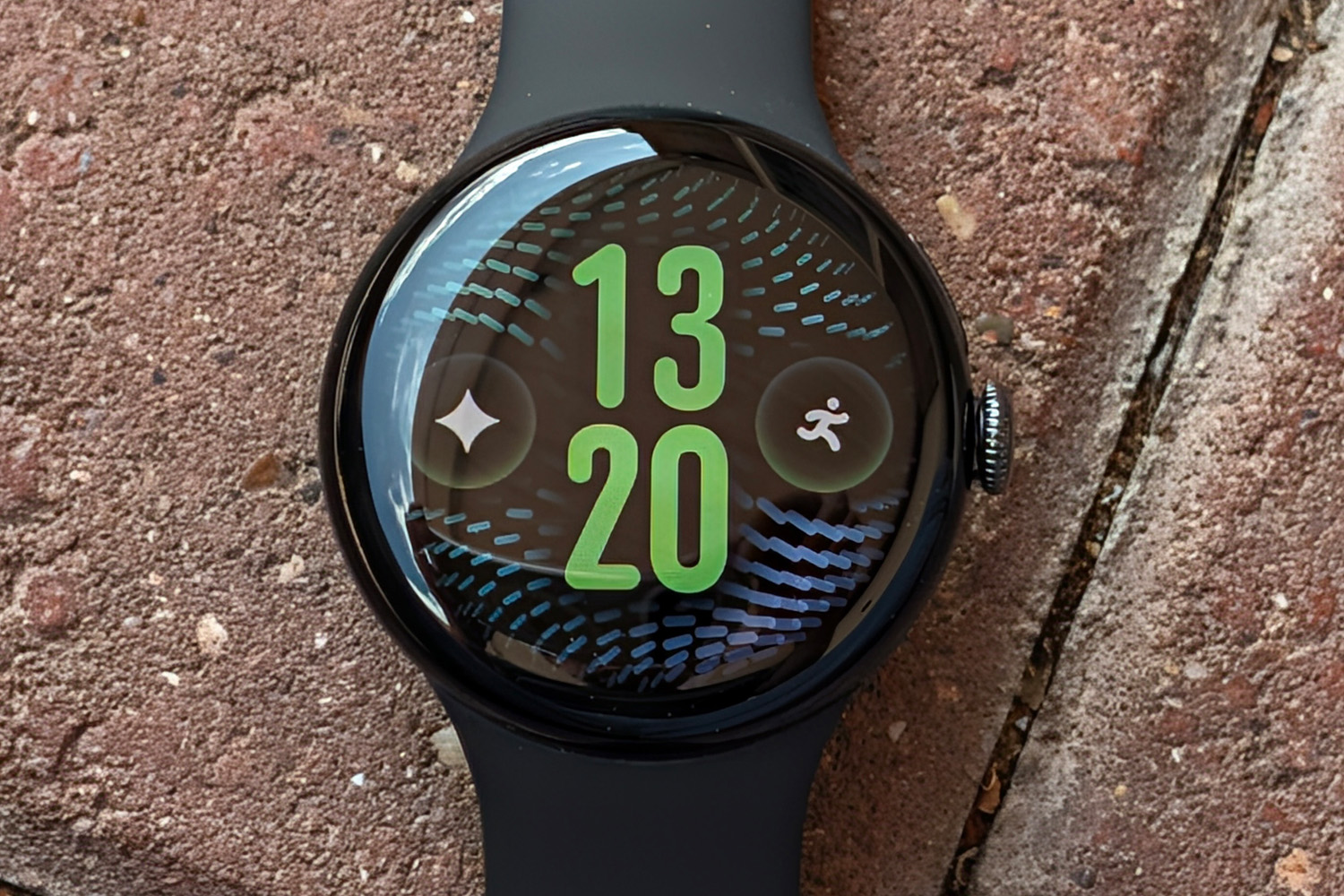
Colours are as punchy as ever, with some of the inkiest blacks you’ll see on a smartwatch. The 60Hz panel can also dip as low as 1Hz for maximum power savings.
I initially found the 1.2in screen on the small side, having come from the sizeable Samsung Galaxy Watch Ultra2. While it did eventually grow on me – and has a high enough resolution that even small text was perfectly legible at arms’ length – fans of larger watches should definitely consider spending the extra on the 45mm model.
You’re getting the same 3000nit brightness either way, which is more than enough for clear visibility while outdoors on sunny days. Being able to dip as low as 1 nit for the always-on display stops it from being a distraction at night too.
What new Gemini features set the Pixel Watch 5 apart?
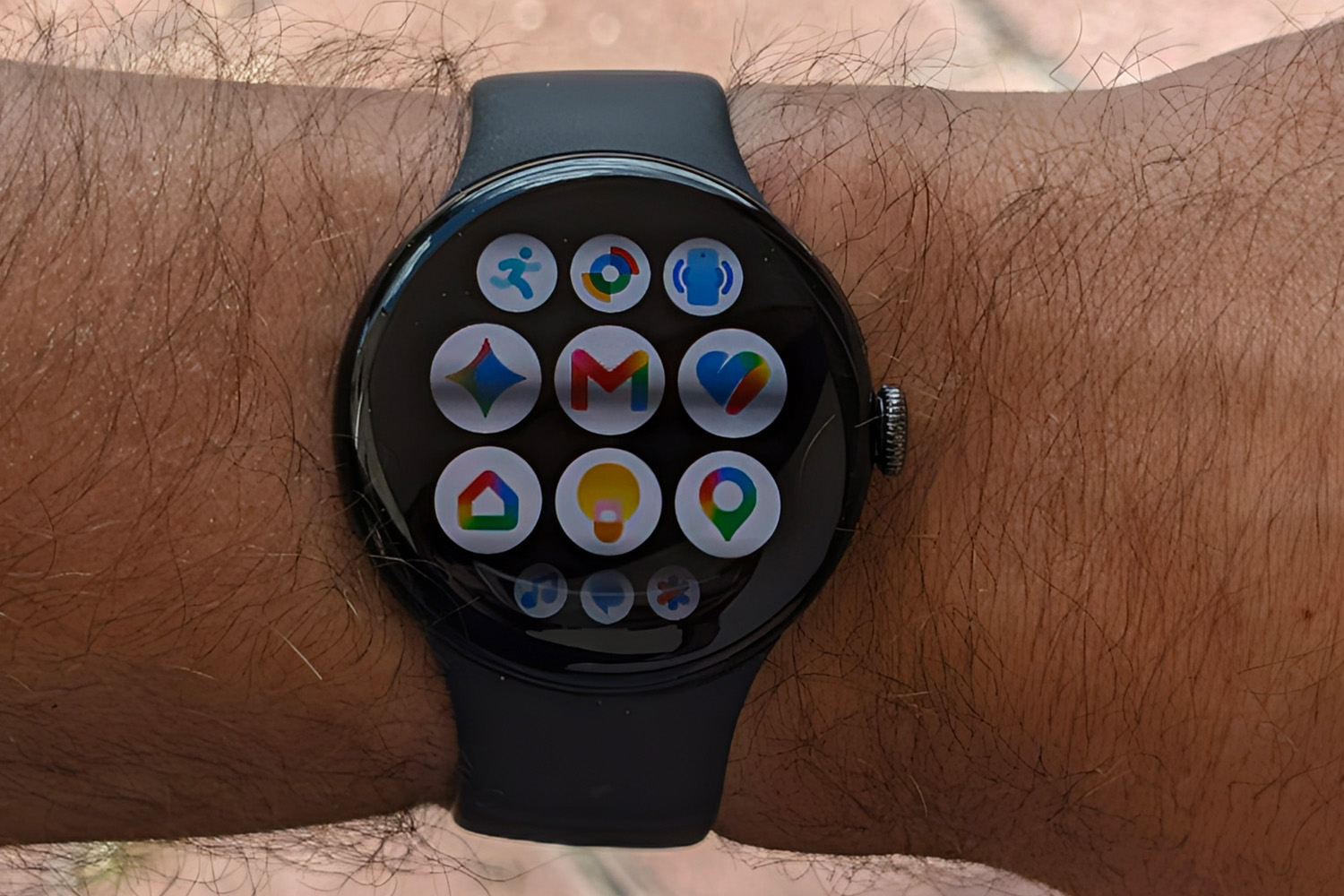
This wasn’t my first experience with Wear OS 7; the Galaxy Watch Ultra 2 landed a month prior, albeit with Samsung’s OneUI skin sat on top. The Pixel Watch 5 is Google’s undiluted wearable vision, with every icon, font and menu having been given the Material design treatment. Every screen flows seamlessly into the next, with plenty of colour to make UI elements pop.
The layout felt instantly familiar, with Tiles, notifications and quick settings all just a swipe away from the main watch face. They’re not as information-dense as some wearables I’ve used, but all the essentials are there. I didn’t feel the old watch was at all sluggish but all my taps and scrolls felt instant here. The new Snapdragon W5 Gen 2 chipset and 3GB of memory (up from 2GB on the old Watch) really help on that front.
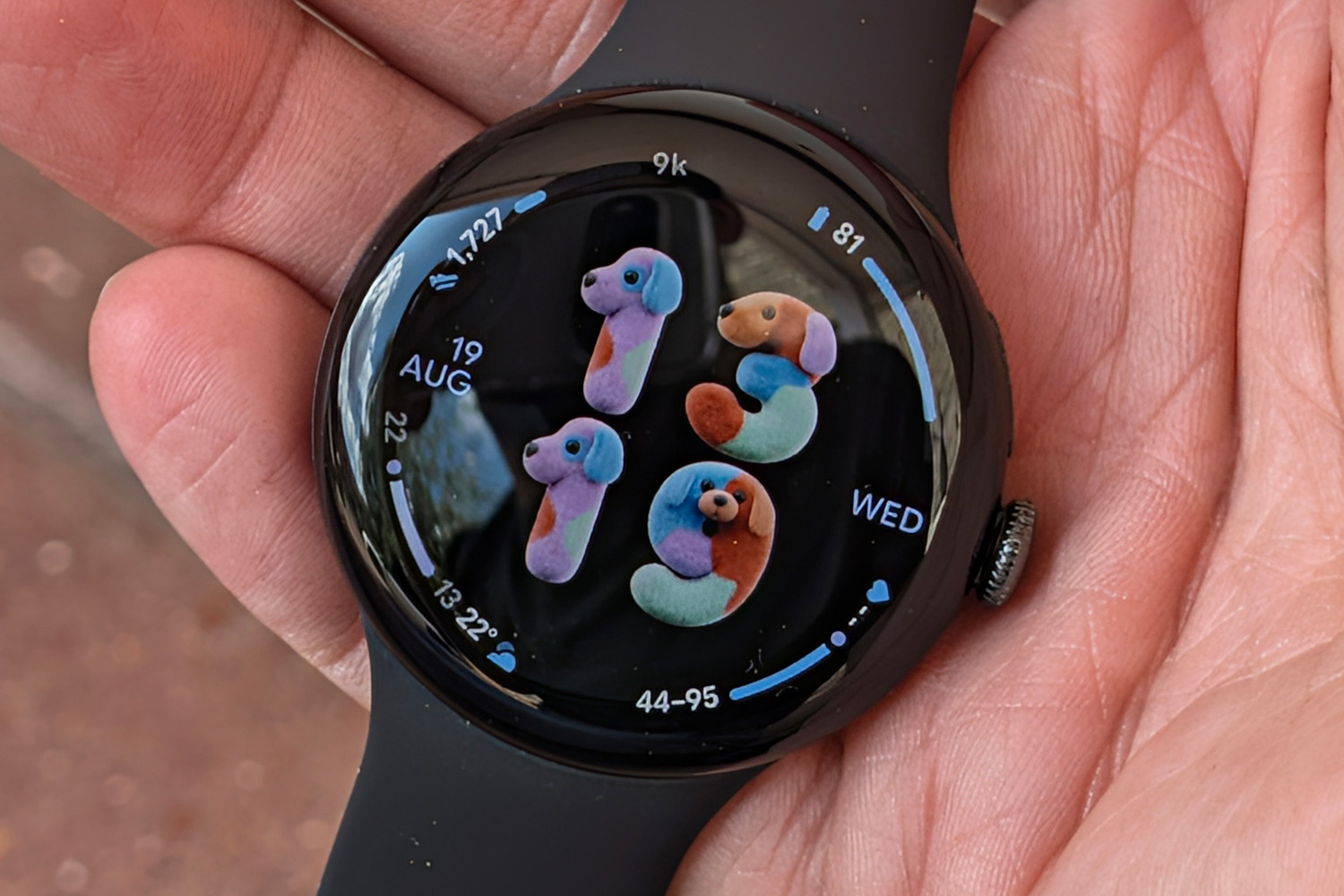
I’m a big fan of data-heavy watch faces, so was happy to see a bunch to pick from here. Chronograph became my go-to, but every official face absolutely pops with colour. Generative faces are new: give Gemini a prompt and it’ll knock up a custom number font, with a trio of different layout options. “Colourful cartoon dogs” was a fun one, though it can’t create analogue-inspired chronographs or add complications. There are 11 new ones in the mix for ’26, mostly focusing on health.
Naturally Gemini has been liberally sprinkled throughout the OS. Raise-to-wake is a convenient way to issue voice commands, which then get replies quickly and with great accuracy. Some device-related requests are handled on-device now, so setting timers and starting workouts is that bit faster – so much so it’ll beat Siri on an Apple Watch in a drag race.
I found the proactive Suggestions – chips that appear at the bottom of the watchface and you jump directly into timely notifications – quite helpful; the morning brief would appear once I’d gotten up for the day, putting a breakdown of my sleep stages a tap away rather than making me swipe to the relevant tile. It’ll apparently show flight details and boarding passes while you’re at the airport, or how many stops are left on your bus ride, though I’ve yet to see either in action.
Any irks, then? I found a few. Onboard storage may have been doubled from 32GB to 64GB, but even with a bunch of Play Store apps, offline maps and locally saved music playlists I’ve not come close to filling it. Given the cost of flash memory has gone stratospheric thanks to the industry’s ongoing AI obsession, this feels like an odd upgrade.
The Pixel Watch 5 also remains Android-only, with no ability to pair with an iPhone – though the Apple Watch is similarly exclusive to Apple’s phones, so it’s hard to grumble too much.
What improvements has Google made to health and fitness tracking?
The underlying sensor suite and dual-band GPS hardware haven’t changed from the Pixel Watch 4, but Google has spent the last twelve months crunching numbers to make the data they gather work that little bit harder. Officially you can expect 15% greater accuracy at recognising sleep stages and route mapping that’s twice as nice in tricky spots like dense cities and covered trails. The firm reckons it now outranks the pricier Apple Watch ultra 3 and Garmin Fenix 8 for location accuracy.
I can’t fault its performance during rides or runs, with the latter matching the side of the road I was on even while on heavily wooded trails. Heart rate data was also a close match to rival wearables, and within a few beats of a chest strap. Satellite SOS also makes a comeback, letting you send your location and key details to first responders if you get into trouble while off-grid.
A verdict on Google’s lauded blood pressure trends and insulin resistance tracker will have to wait, as they need a longer baseline before providing monthly breakdowns. It could be another month from the time of writing before I get my first results. Both rely on interpreting data trends rather than measuring exactly, so won’t be as immediately useful as the ECG, which can look for irregular rhythm, abnormally high and abnormally low heart rates.
Everything gets fed into Google Health, which has replaced the Fitbit app. The minimal, Material-themed UI is deceptively simple, with basic homescreen widgets showing your sleep score, readiness rating and weekly cardio load; a swipe reveals more detailed stats like steps and distance walked, floors climbed, hours of activity, calories burned and number of days exercised that week. Swipe again and you get nutrition data, including calories consumed, fat, protein and carbohydrate macros, and hydration.
You can re-order everything to put the ones you care about most front-and-centre, while tapping one takes you to a more detailed page with graphs and performance breakdowns. It does a great job of not overwhelming you with numbers, so more occasional exercisers will feel right at home, but there’s depth too if you go looking for it.
Google would rather you use Health Coach, an AI-powered trainer exclusive to Google Health Premium subscribers, to turn all that data into easily digestible chunks. It can create fitness plans through a chatbot interface, based on weight or performance goals: I told it I wanted to lose 6kg in weight through a mix of running during weekday lunchtimes, indoor Zwift sessions in the evenings and outdoor bike rides at weekends. It then factored in my sleep and readiness scores in the morning brief to determine which activity should be tackled that day (if at all), and tied in suggested bedtimes with workout summaries.
Some people will love this more personalised approach, while others would prefer to just have the raw data and make their own plans. I found it a little too keen to praise my efforts (as Gemini is generally) but found it easier to tailor a plan around my lifestyle – the first draft workout plan didn’t account for my young son’s nap routine, but a quick message adjusted it to better align with my free time. I also liked being able to snap photos of my meals and have Health Coach estimate the calories, rather than plug in every ingredient into the food diary (which leans heavily on packaged and fast food chain menus) by hand. It’s not perfectly accurate, but helped keep me accountable – if my weight stays in check it would go a long way to justifying the £10/£8 per month subscription.
How good is the Pixel Watch 5’s battery life?
Google has squeezed higher capacity batteries into both sizes of Pixel Watch 5 – but the 41mm model’s 332mAh cell is only a few milliamps more than you got from its predecessor. The 45mm version’s 465mAh unit is a modest 10mAh more than last year. That effectively means lifespan is unchanged, with Google estimating 30 hours and 40 hours respectively with the always-on display enabled.
In my testing, that translated to a full day of wear from the 41mm model. I would either wait until the following morning to charge when I hadn’t exercised, or top up in the evening before bed on days where I’d used GPS to record a workout (which usually also meant streaming a downloaded Spotify playlist over Bluetooth).
While I could squeeze a little more per charge by putting the screen in raise-to-wake mode, it was never enough to make it to a second morning before needing to top up, so I didn’t see the point. The Battery Saver goes even further, but then you lose a lot of functionality. So basically the same as the Pixel Watch 4.
It’s a long way from the week-long stamina I usually get from my Garmin sports watch, but Google’s simple yet clever charging stand makes topping up about as painless as it gets. You place the watch vertically onto the tiny puck, which sends power through two subtle pins at the side of the watch case. No aligning ports here, or having to fish a loose cable from the back of your nightstand.
It needed just 45 minutes to go from empty to full (the 45mm model is apparently closer to one hour) but a 15 minute splash-and-dash is enough for over 50%. In the time between getting out of bed and finishing my morning shower routine, I’d always have at least enough juice to get me to the end of that day.
Should you buy a Google Pixel Watch 5 in 2026?
If you liked the old Pixel Watch then you’ll love this one just as much; Google has kept the distinctive design, eye-catching display and fantastically fluid operating system, while making on-device Gemini more useful and expanding its health remit. Occasional exercisers will also find the fitness features more approachable than the ones on many rival wearables.
The faster chipset hardly transforms the user experience compared to last year’s model, though, and battery life has merely treaded water between generations. Few buyers will see a real-world benefit to having twice as much storage as before and most of the new health features will eventually filter down to previous Pixel Watches. I’d hardly call any of the (mostly Gemini-related) additions that are set to stay exclusive game-changers and the higher retail price stings a bit.
Bargain hunters may want to hunt around for discounts and deals on the outgoing Watch 4, but Pixel phone owners that want the latest and greatest will still feel right at home with one of these on their wrist.
Google Pixel Watch 5 technical specifications
Scroll to see more →
| Specifications | Google Pixel Watch 5 |
|---|---|
| Screen | 1.2in / 1.4in AMOLED (41mm/45mm) |
| Sensors | Compass, Altimeter, SpO2, ECG, optical heart rate sensor, 3-axis accelerometer, gyroscope, cEDA, skin temperature sensor, barometer, magnetometer |
| Connectivity | Bluetooth 6.0, Wi-Fi, NFC, Satellite SOS, 4G LTE (optional) |
| Storage | 64GB |
| Operating system | Wear OS 7.0 |
| Battery | 332mAh/465mAh (41mm/45mm) |
| Dimensions | 41×12.3mm, 31g (41mm) / 45×12.3mm, 36.7g (45mm) |


Read the full article here
