







Introduction
Multi-room music systems can sometimes feel a bit… tribal. If the big names aren’t locking you into their own ecosystems, they’re dictating your choice of streaming services. God forbid you want to mix and match hardware. The HomePod 2’s insistence on AirPlay effectively blacklisting Android phone owners is just one example.
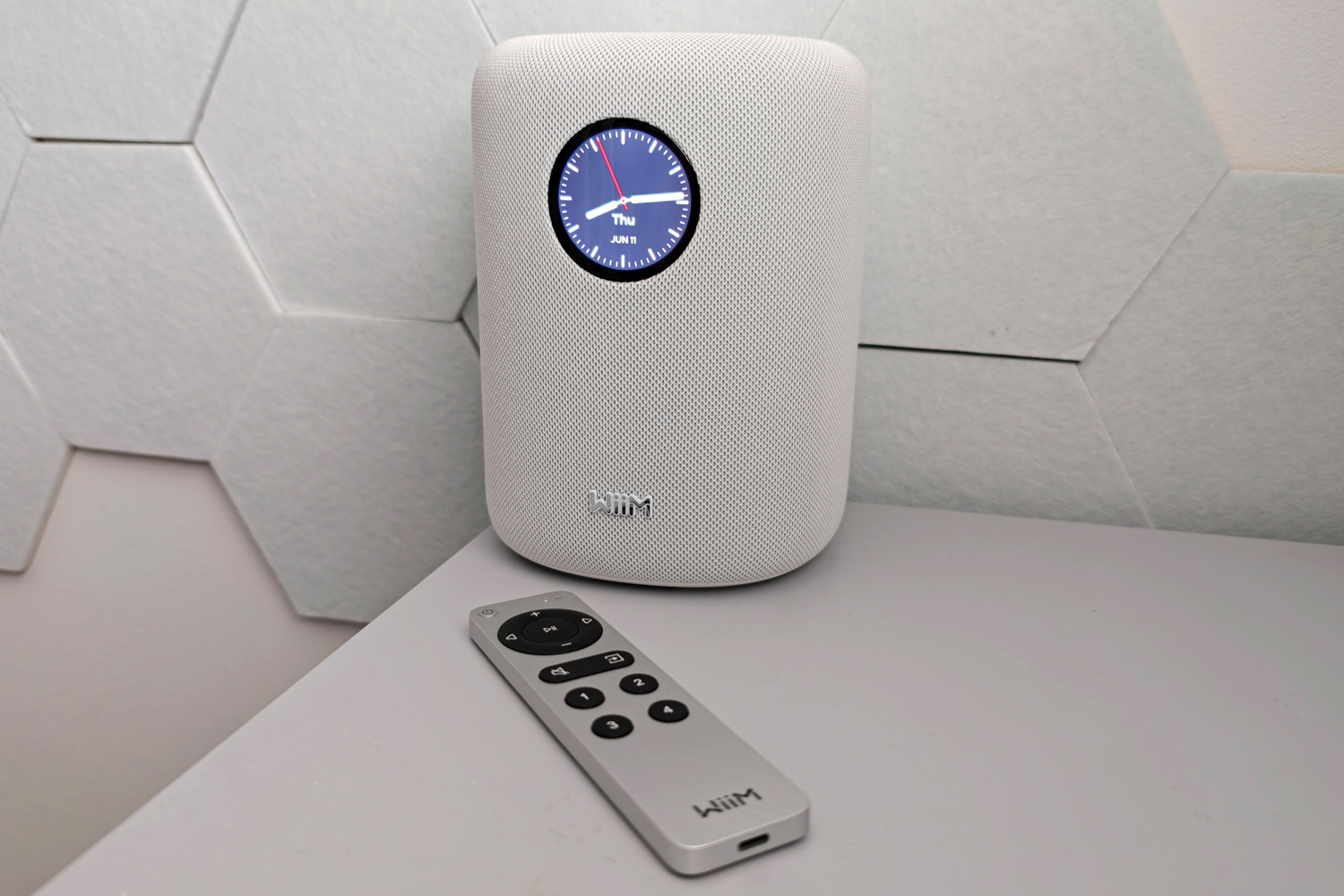
The WiiM Sound does things a little differently. The firm’s first all-in-one wireless speaker naturally plays nicely with its siblings, but is surprisingly open to collabs with other brands. It also sports a look that wouldn’t seem out of place in an Apple store and even beats the rumoured next-gen HomePod to the punch with a clever built-in touchscreen.
Launching at $299/£299, WiiM plainly has Apple’s speaker in its sights. That price also sandwiches the Sound between the Sonos Era 100 and Era 300, and butts heads with the Bose Lifestyle Ultra Speaker – which has also taken a more inclusive approach to multiroom. It’s an about-turn for WiiM, which has established itself as more of a value alternative to legacy Hi-Fi brands. Does it deliver the sound quality to truly compete?
WiiM Sound design
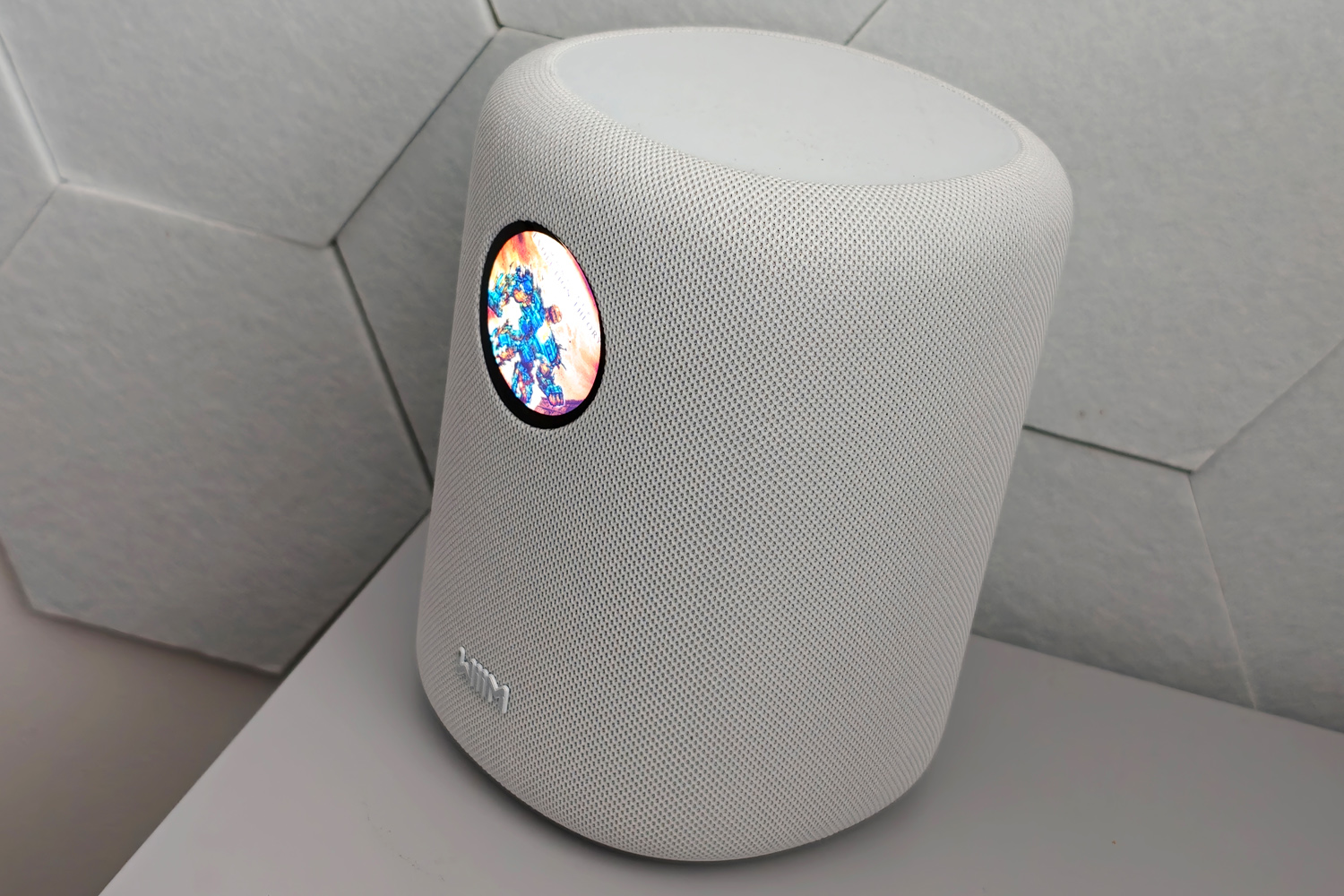
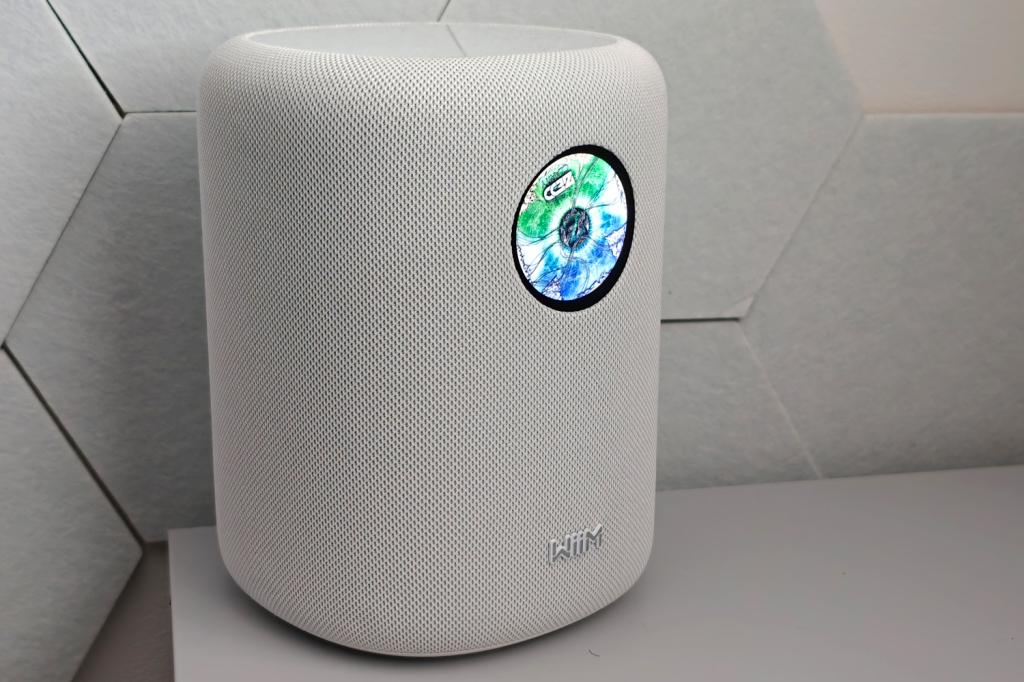
As fabric-wrapped rounded rectangles go, the WiiM Sound is quite the looker. You can get one in black, but I was sent the white version for testing; personally I think the lighter, more neutral colour is the one to go for, as it blends in with a wider mix of home decor. The material has so far held up well to my young son’s inquisitive – and often sticky – fingers.
It’s bigger than both the Sonos Era 100 and HomePod 2, but still has a modest footprint, so I was able to fit it comfortably on shelves and out of the way on the kitchen counter. With no up-firing drivers to think about I found more potential homes for it than I did the Bose Lifestyle Ultra Speaker I’d tested a few weeks prior.
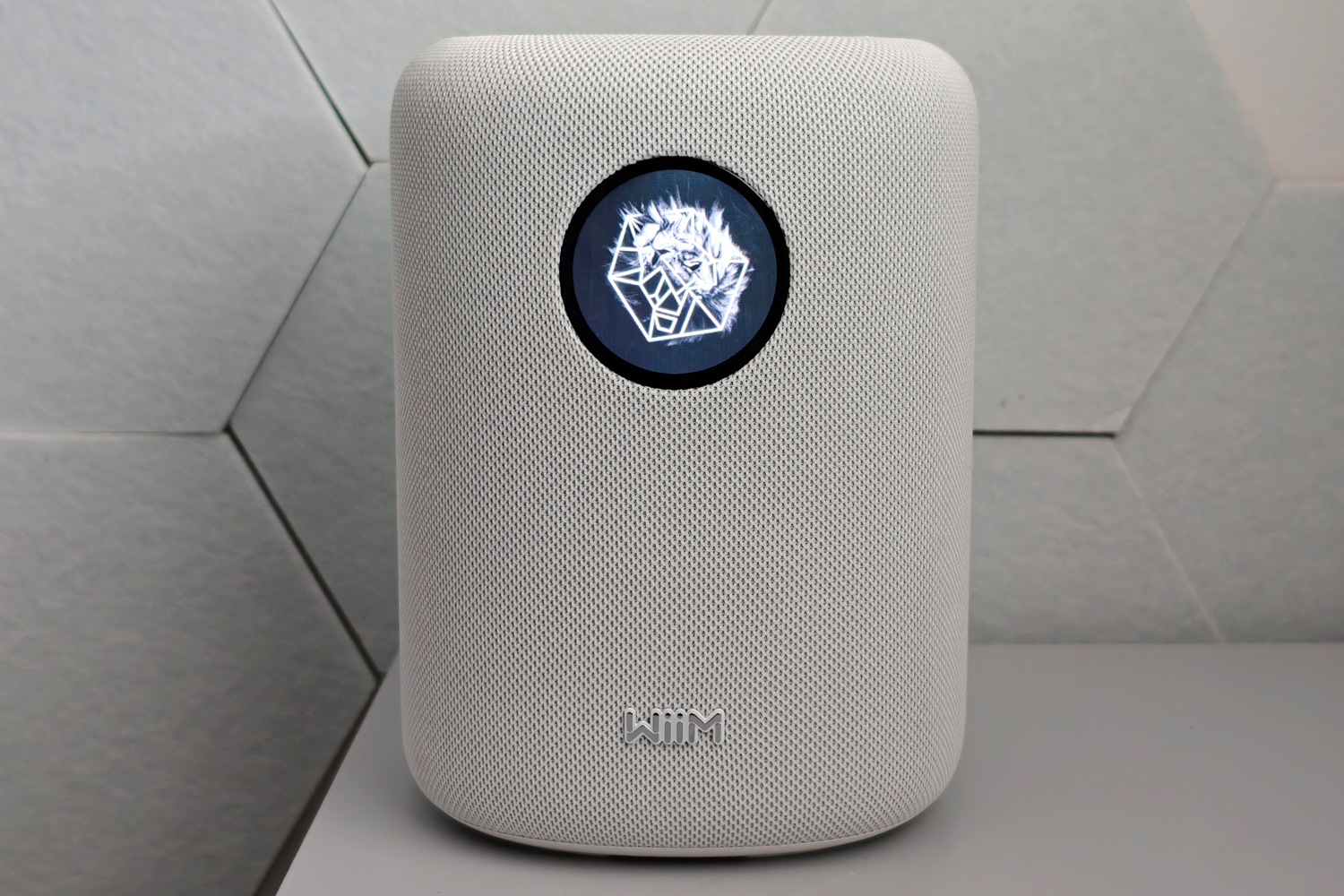
The glossy top surface hides a set of basic touch controls that softly illuminate as your hand gets near, but really the 1.8in circular touchscreen is the star of the show. It sits at the front of the unit, which with all the speaker drivers also facing forwards, means you’ll almost certainly have it pointed exactly at where you’ll be listening from.
It’s bright, of a high enough resolution that the finer details of album artwork aren’t lost, and perfectly responsive to touch inputs. The circular shape does trim off a bit of album art – or a lot of it if you also want to see the track information, which is in text small enough you’ll struggle to read it from more than a few feet away – but it’s undeniably eye-catching.
How does the WiiM Sound connect?
Given WiiM’s track record with standalone streamers and amplifiers, it’ll come as no surprise that the Sound has a multitude of wireless connectivity options. Spotify Connect, Tidal Connect and Qobuz Connect are all on board; it’s Roon Ready; there’s DLNA support for up to 24-bit/192kHz playback from a local source; and Google Cast is here too.
About the only thing missing is AirPlay, meaning Apple device owners that want to stream Apple Music will have to rely on Bluetooth. That’s a bit of a black mark, given you’ll find AirPlay on most of the WiiM’s rivals, albeit only if you’re an Apple household.
The Sound stomps all over the HomePod for wired connectivity, though, in the sense that it actually has some. The 3.5mm aux connection is tucked away on the underside of the unit alongside the power and Ethernet ports. WiiM even puts a 3.5mm to RCA cable in the box so you can hook up a turntable, plus the option to set pre-amplification volume in the companion app so you don’t have to fiddle with the levels every time you switch sources.
Like most multi-room speakers you can run two WiiM Sounds in a stereo pair; it worked flawlessly during my testing, even if the app does make you jump through the same hoops for each speaker during setup rather than settings being system-wide. There’s also the WiiM Sub for adding extra bass, and the upcoming WiiM Bar if you want a full home cinema setup, though I’ve yet to try either.
The app handles device grouping if you’re all-in on WiiM kit, but Google Home integration means you can simultaneously stream to the Sound and compatible speakers from rival brands. Playing Spotify through the Sound and a Bose Lifestyle Ultra Speaker was seamless.
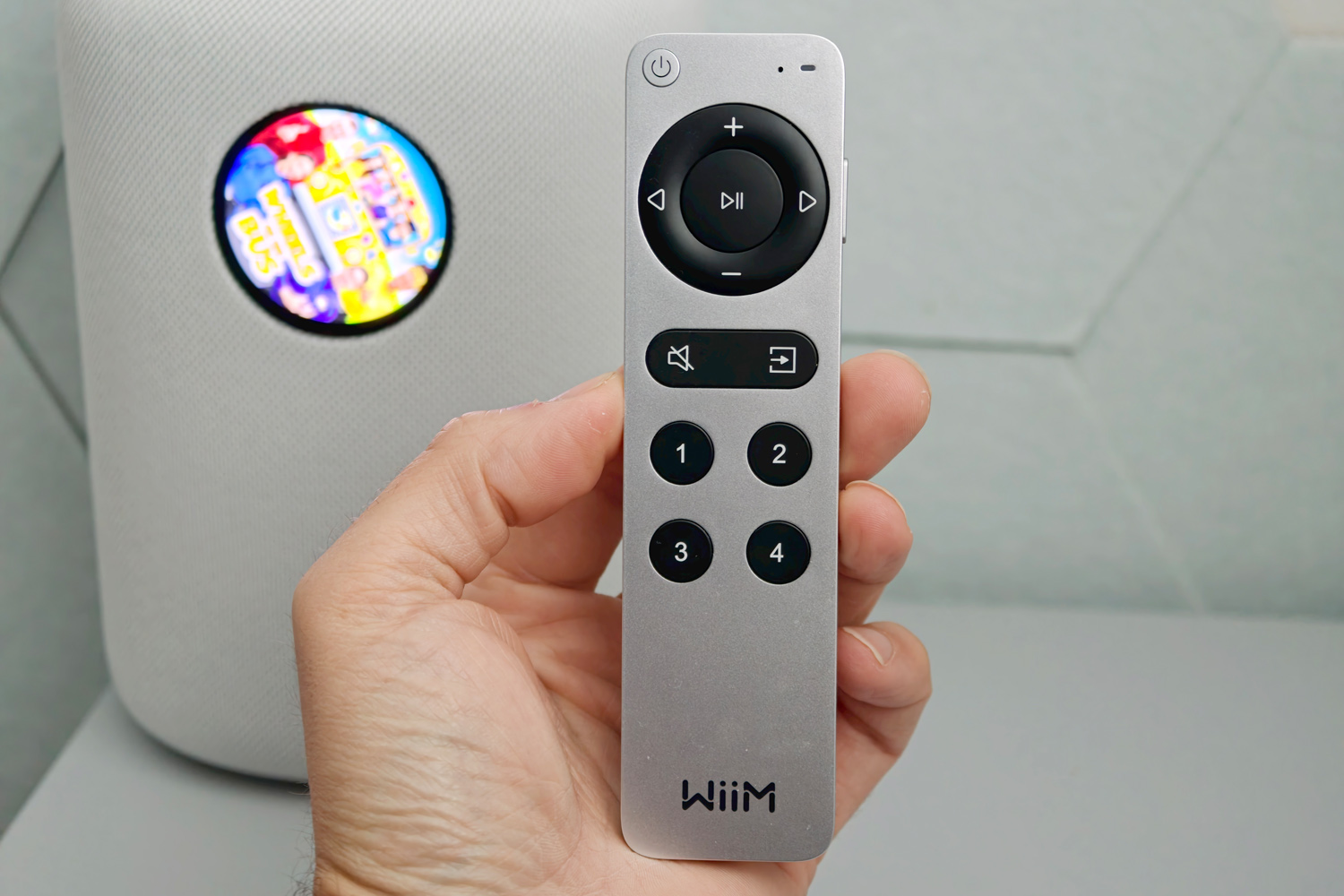
Alexa is also onboard, but the Sound doesn’t behave like one of Amazon’s own smart speakers. You’ve got to hold down a button on the included remote control and speak into its microphone, rather than say a trigger word and have the speaker start listening for a voice command. It felt like a backwards step to me, having come from the Bose Lifestyle Ultra Speaker and its always-on Alexa+ smarts, but for some this will be a privacy benefit rather than a convenience stumble.
The remote itself undeniably looks like an Apple TV remote, with black buttons set into a silver case, but it’s functionally fantastic. All the major functions are covered, plus you get four customisable shortcuts that can launch playlists, tune to particular internet radio stations or swap the active source.
How do you use the WiiM sound?
Between the display, remote control and companion app, the WiiM Sound really spoils you for ways to get the party started.
The screen covers more than the basics, but can’t be used to find new music – just surface what was recently played – and needing to keep it within arms’ reach ruled out a few potential places to put the speaker, so I tended to just use it to show album art. There are a bunch of different styles to pick from, with some that spin like a vinyl record and others that are more minimal. The dynamic volt meter display is a nice analog throwback. It also doubles as a clock or tiny digital photo frame when powered off. Is it necessary? No, but it is fun.
Setup through the app was a breeze, taking just a couple of minutes to connect the speaker to my Wi-Fi network, activate Alexa, and join my Google Home device groups. Playback controls are intuitive and the EQ presets comprehensive, with both 10-band and full parametric equalisers that can be applied to each source individually.
There’s also automatic RoomFit tuning, which uses your smartphone’s microphone to optimise the sound to suit the space. It’s quick and needs no technical knowhow, but results can be mixed. On first try it dialled the bass down a lot more than the second attempt a day later.
Fans of Sonos’ agnostic approach to playlists might find the companion app a little restrictive; you can’t mix and match from different sources here. You’re not short on choice though, with Amazon Music, Deezer, YouTube Music, TuneIn and Plex some of the biggest names built in. WiiM’s universal search saves you from too much bouncing between apps, although Spotify still insists on doing its own thing.
How does the WiiM Sound perform?
Each WiiM Sound contains a 4in paper cone woofer and two full-range silk dome tweeters, with a total 100W of amplification. It’s a combination that confidently filled my modest home office, and one that didn’t struggle when moved to a larger bedroom or kitchen. Those with big open plan spaces to fill should think about a stereo pair as a starting point.
Even solo, I got a wider sense of horizontal space here than I did from the Bose Lifestyle Ultra Speaker, but one with much less verticality on account of the WiiM not having an up-firing driver. A stereo pair expands things greatly. It’s on level pegging with the Sonos Era 100 in this regard.
This speaker delivers a largely enjoyable listen with plenty of energy, albeit one that couldn’t quite capture the subtleties of some of my test tracks. The scratches and whispers on Burial’s Phoneglow don’t have the bite or crispness that a HomePod 2 projects. It still kept up with the hectic pace of Enter Shikari’s Find Out The Hard Way, and doesn’t complain when fed a low bitrate source.
Mid-range presence is where the Sound excels, with plenty of warmth and strong vocal performances. James Blake’s voice cuts through Death of Love cleanly, while leaving room for the rest of the mix.
Bass isn’t the most defined from a speaker of this size. I thought there was a good amount of it, even with the bass booster mode turned off, but that everything was just a little vague. The sub-bass on Macky Gee’s Suffocate gets swallowed up by the squelchy bassline, although there’s still a good amount of energy from elsewhere in the frequency range.
For outright precision and clarity it’s not quite the class best, then – but it doesn’t fall far short, with only a side-by-side listen highlighting those small shortcomings.
Should you buy the WiiM Sound in 2026?

As a Sonos or HomePod alternative, I think the WiiM Sound hits all the right notes. While sound quality might not quite reach the same highs, streaming support and connectivity options are much more inclusive. Ease of use is also top tier, whether you’re reaching for the remote, tapping the touch controls or swiping the screen – which is a bit of a gimmick, but one I enjoyed all the same.
The lack of fully hands-free voice commands is a bit of a downer and Apple users will be turned off by the absence of AirPlay, but Android users are very well served here.
Anyone with existing multi-room gear from another brand probably won’t be tempted to make the switch, but it’s a great starting point for everyone else which won’t then lock you in to a single brand for years to come.
What are the WiM Sound’s technical specifications?
Scroll to see more →
| Specifications | WiiM Sound |
|---|---|
| Drivers | 2x 25W full-range tweeters, 1x 50W, 4in woofer |
| Frequency response | 50Hz – 20,000Hz |
| Wired connectivity | 3.5mm |
| Wireless connectivity | Wi-Fi 6E, Google Cast, Spotify Connect, Tidal Connect, Roon Ready, DLNA, Bluetooth 5.3 |
| Codecs supported | SBC, AAC, LC3 |
| Dimensions | 146x146x194mm / 5.8×5.8×7.6in |
| Weight | 2.5 kg / 5.5lbs |




Read the full article here


