

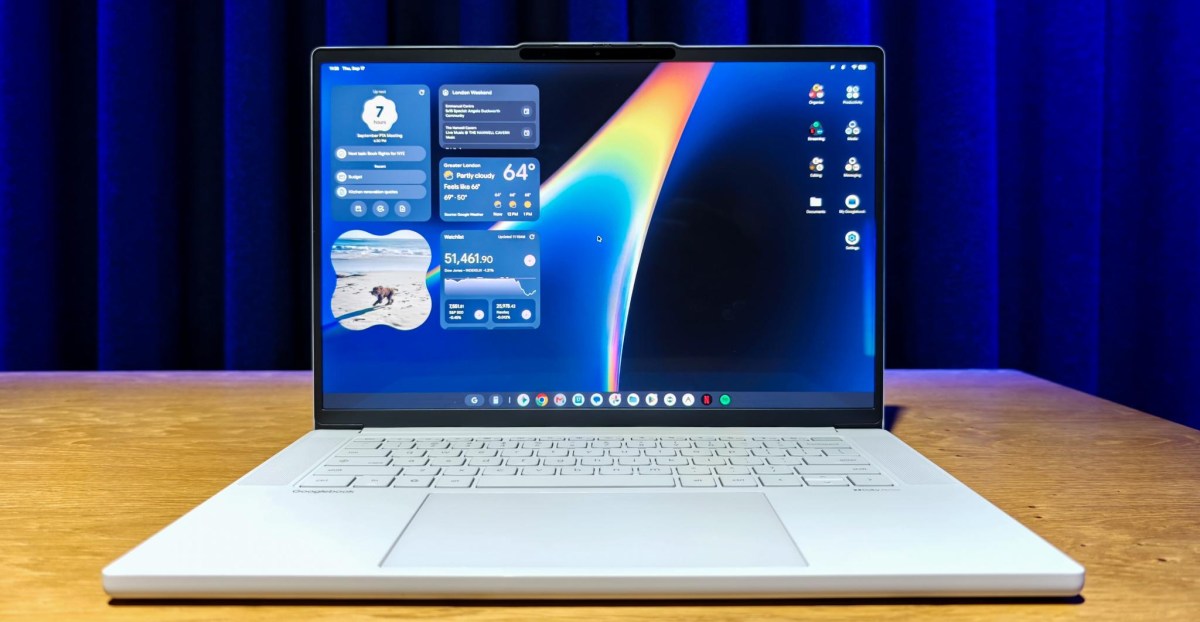
There’s a good chance that my next laptop will be a Googlebook. If you’re an Android user like me, then yours might be too, because Google is making a compelling pitch: The Googlebook does for the Android phone what the MacBook does for the iPhone (and then some).
John Maletis, Google’s head of laptops and tablets, said at my press briefing that the Googlebooks were designed to “work seamlessly with your Android phone.” You can start using an app on your phone then pick it up on the laptop, navigate your phone’s files from the laptop, run any phone app from the computer, and manage all your notifications in one place.
It’s a good pitch. And after spending a couple of hours playing with the first five Googlebooks — from Lenovo, Dell, HP, Acer, and Asus — I really hope Google delivers on it.
The enhanced integration begins at setup, which lets you link your Google account and Android device so that the laptop syncs your contacts, passwords, preferred settings, payment details, and more, just like it would when you switch from one Android phone to another.
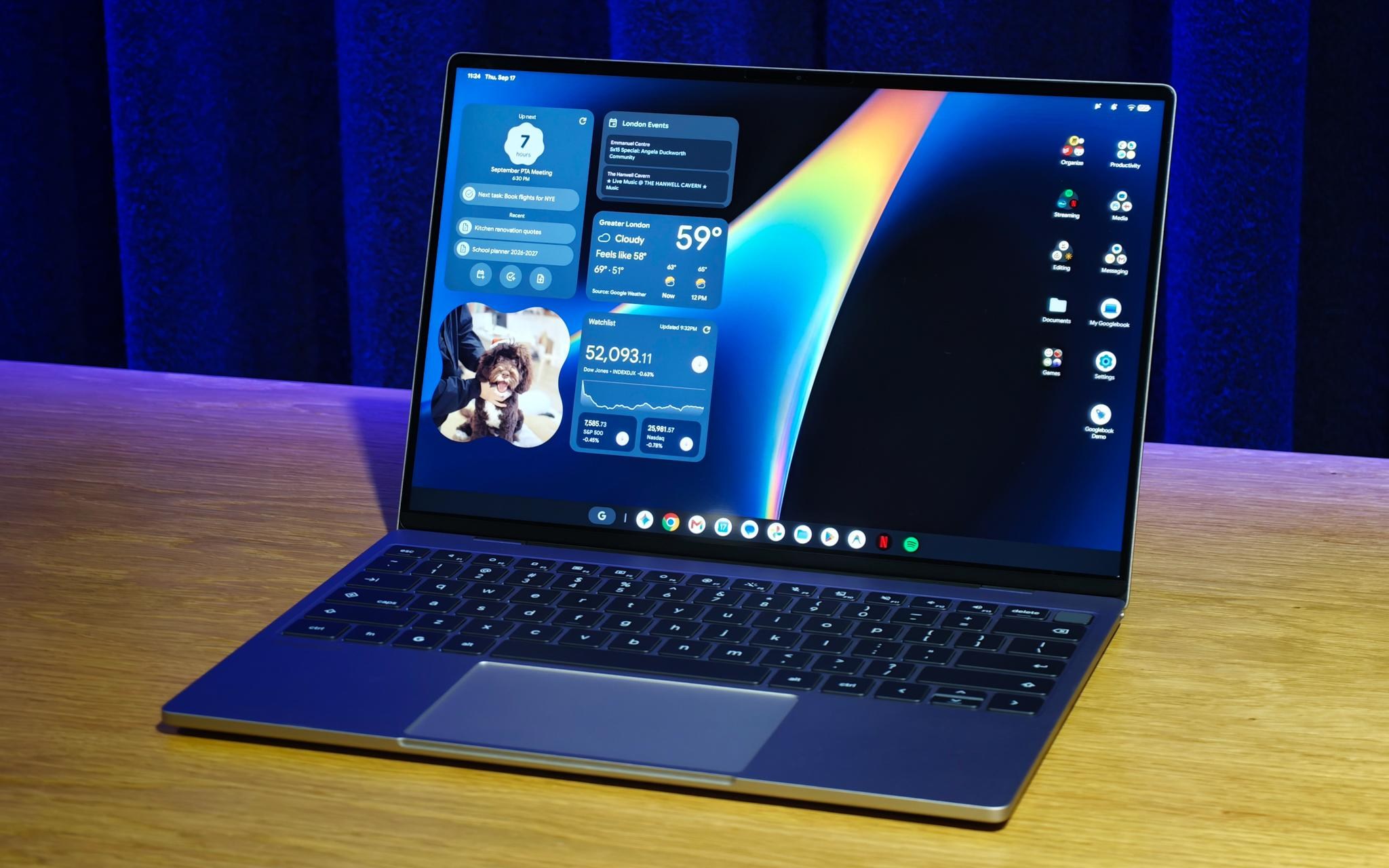
Googlebook OS is built on Android’s codebase, but its interface is a blend of Android and ChromeOS. The layout mostly feels like a Chromebook, but the details of the UI are drawn from Android, specifically the Material 3 Expressive design language found primarily across Google’s own Pixel phones. Everything from widget design to the notification tray looks and feels like Android, only blown up a little to fill the space.
Connect a Googlebook to your phone and each is supposed to feel like an extension of the other. Notifications are shared, and dismissing or reading them on one device will carry through to the other. You can also use the laptop to send in-line replies to messages sent to your phone.
File sharing is intended to be just as simple. The Googlebook file browser lists a paired phone among the hard drives, letting you go straight in to browse, open, edit, and copy files. No more uploading and downloading files with Google Drive or sending them as email attachments just to move them to the laptop.
There’s a version of Continue On, an Android 17 feature first introduced for tablets this year. It allows you to start using an app on your phone and pick it up on your laptop, though only certain apps are compatible. You can also open any phone app directly from the laptop via a dedicated app drawer. Apps are run on the phone itself, and simply cast to the laptop, where they’re displayed in a floating portrait window — though you can’t mirror the full phone itself, only individual apps. It’s less flexible, but also less fiddly.
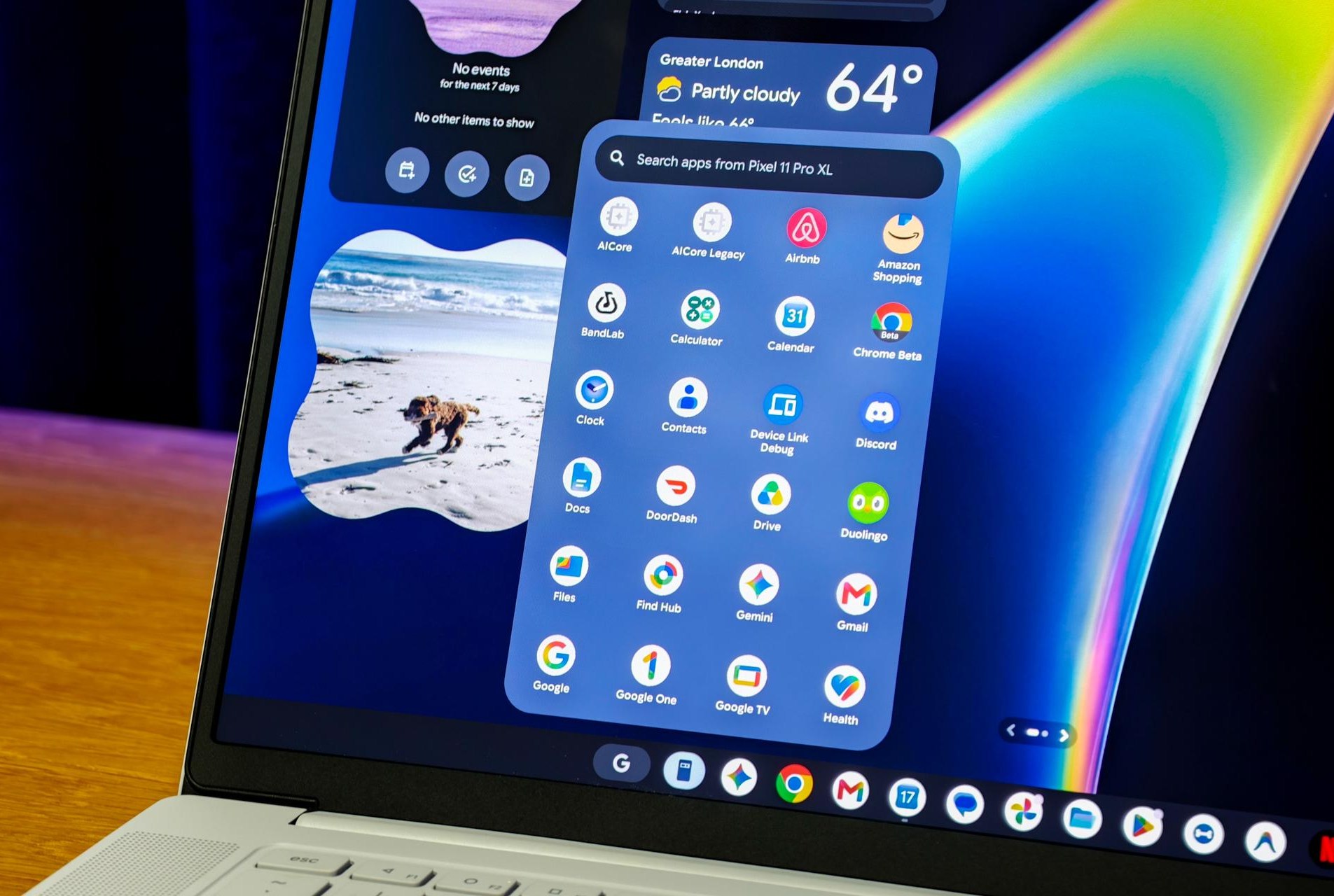
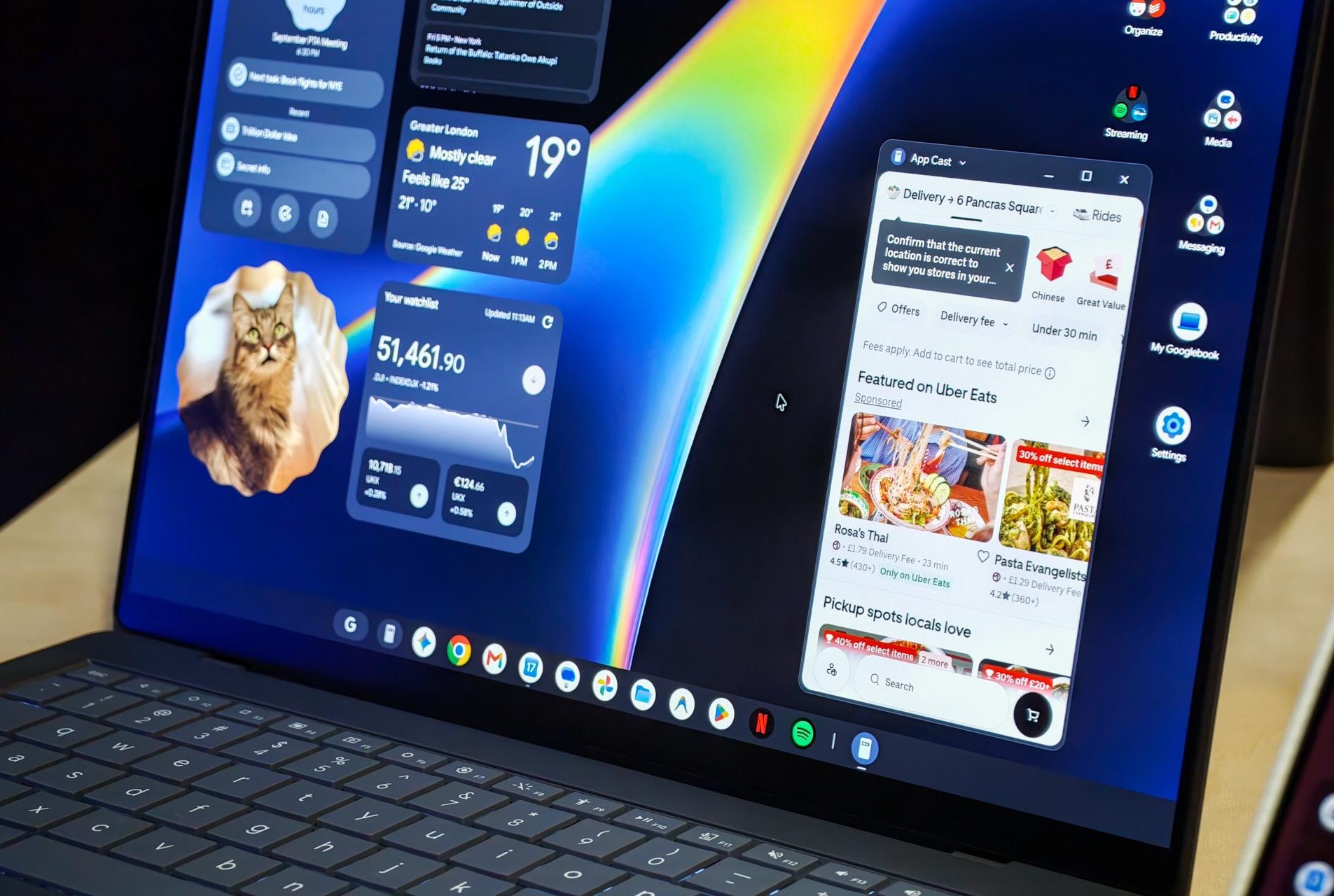
The most exciting features here — Continue On, app casting, file browsing — all require a phone running Android 17. For the moment that’s most Pixels and a handful of flagships from Samsung and other manufacturers, so Android’s fragmented updates will throttle immediate demand for Googlebooks. Future features may require more advanced Android versions of course, but Google says this core set should keep working even if your phone software gets a little behind. That’s reassuring, since the laptops will likely outlast your phone, with Google promising 10 years of software support.
Much of this isn’t new to Googlebooks. ChromeOS has been steadily adding integrations with Android over the years, and these new laptops build on that work. Chromebooks have been able to sync notifications, share passwords and payment cards, and even stream or emulate Android apps. Even Windows delivers its own version of these features via Phone Link, with notification syncing, screen mirroring, and a basic version of handoff. Googlebooks make these features quicker and simpler to access, and make sure that they work across every Android 17 phone, rather than Pixels and a handful more. Making an Android phone work with a Chromebook or Windows laptop has always taken a little effort; making it work with a Googlebook should require almost none.
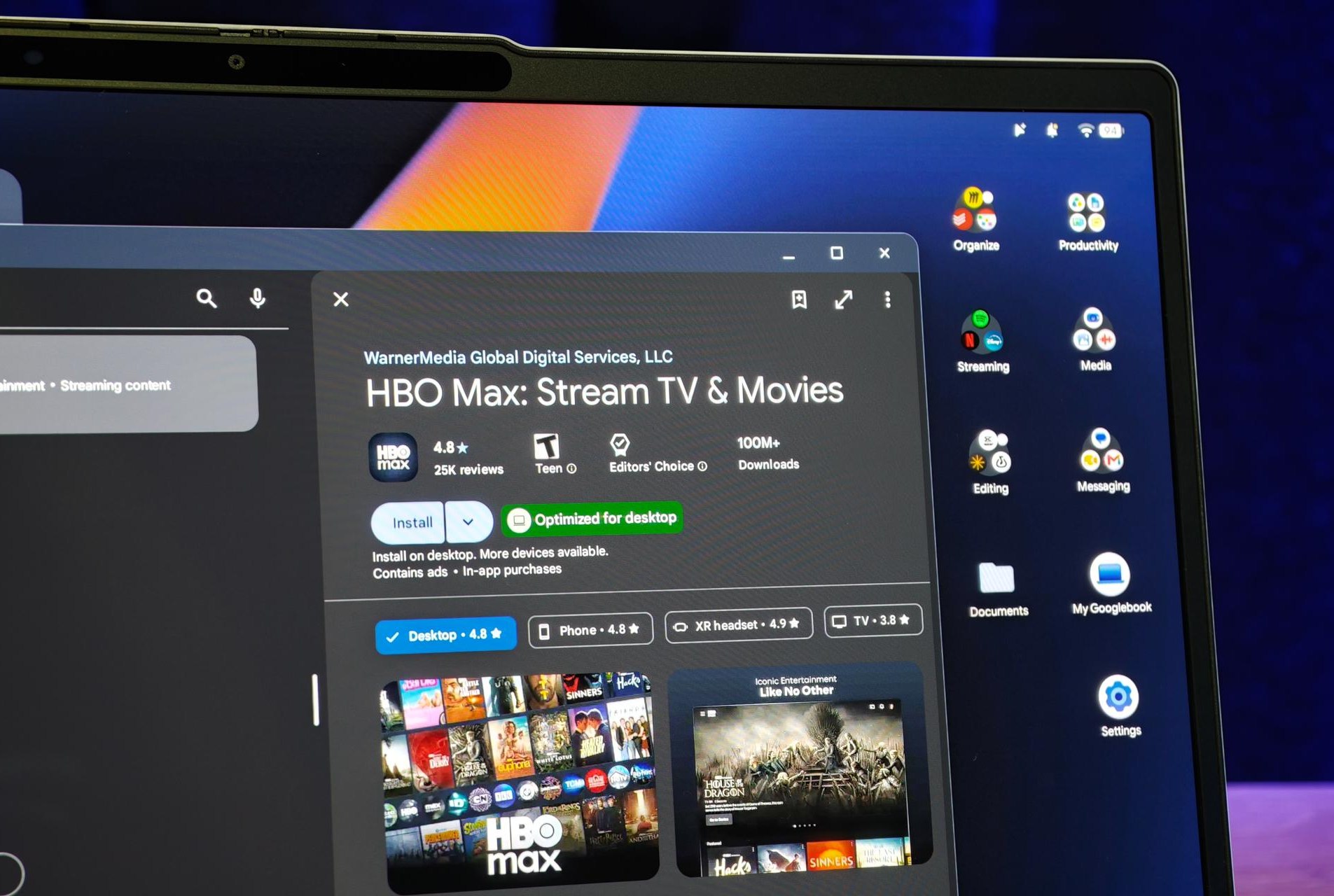
Shifting Googlebook OS to Android’s tech stack means it can run Android apps without any emulation, and gets full access to the Play Store. If you can run an app on your phone, you can run it on your Googlebook. Google has worked with major players to ensure support already, including streamers Netflix, Disney Plus, and HBO Max — and because these are technically still mobile apps, you can download series and films to watch offline, unlike on most other laptops.
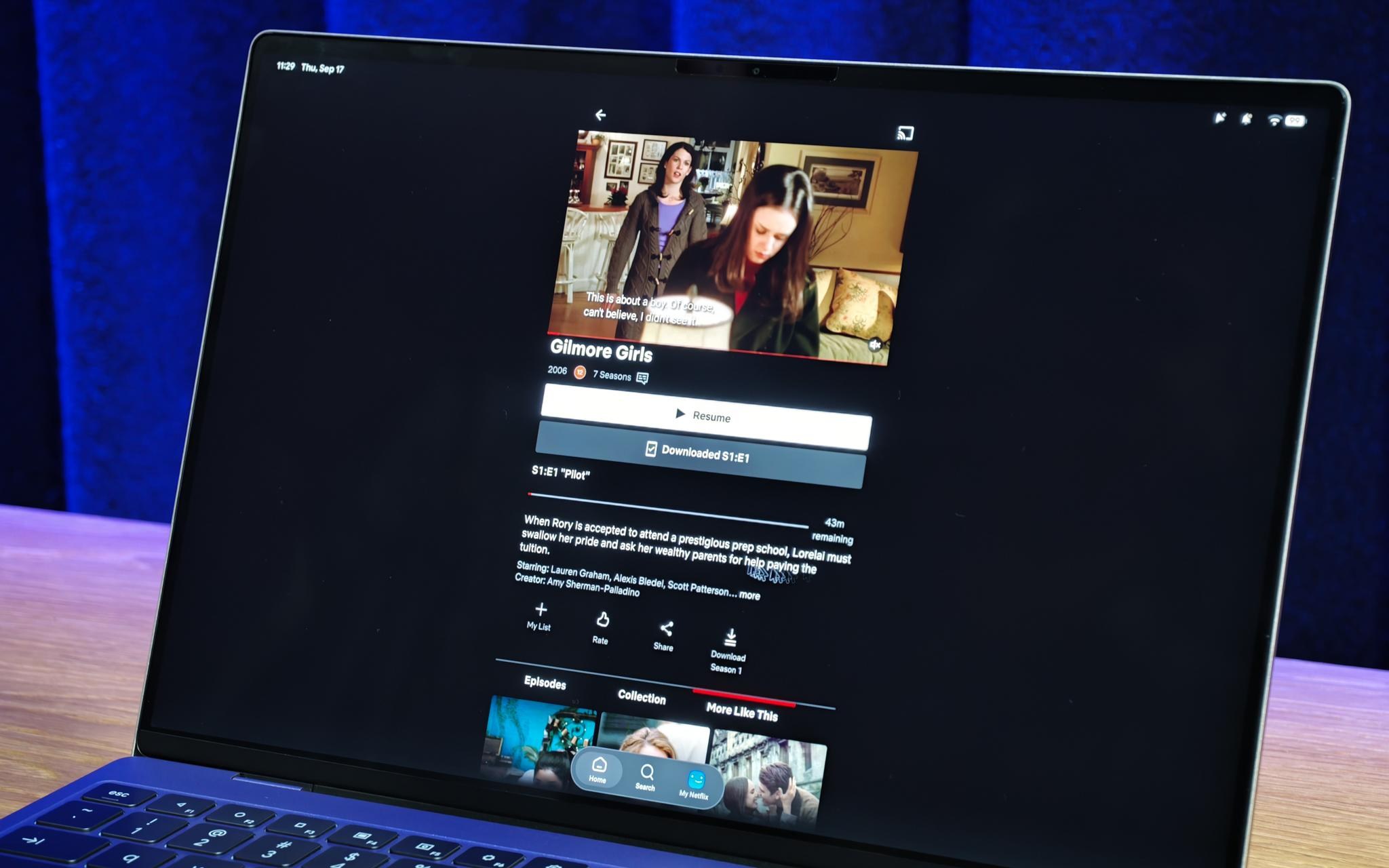
One worry is that all of this might get a little confusing. Some apps will run in small, phone-shaped windows with a vertical UI, some will scale dynamically for the big screen, and others will have dedicated desktop versions optimized for a laptop layout. Some of those desktop-optimized apps can be shrunk down to a phone UI if you prefer, some can’t. Sometimes apps will run natively on the laptop hardware, other times you’ll cast them from your phone. Some apps will support Continue On’s handoff between devices, most (at least at launch) won’t — though a Google rep told me it’s “a couple lines” of code to add support, and so they’re optimistic about uptake.
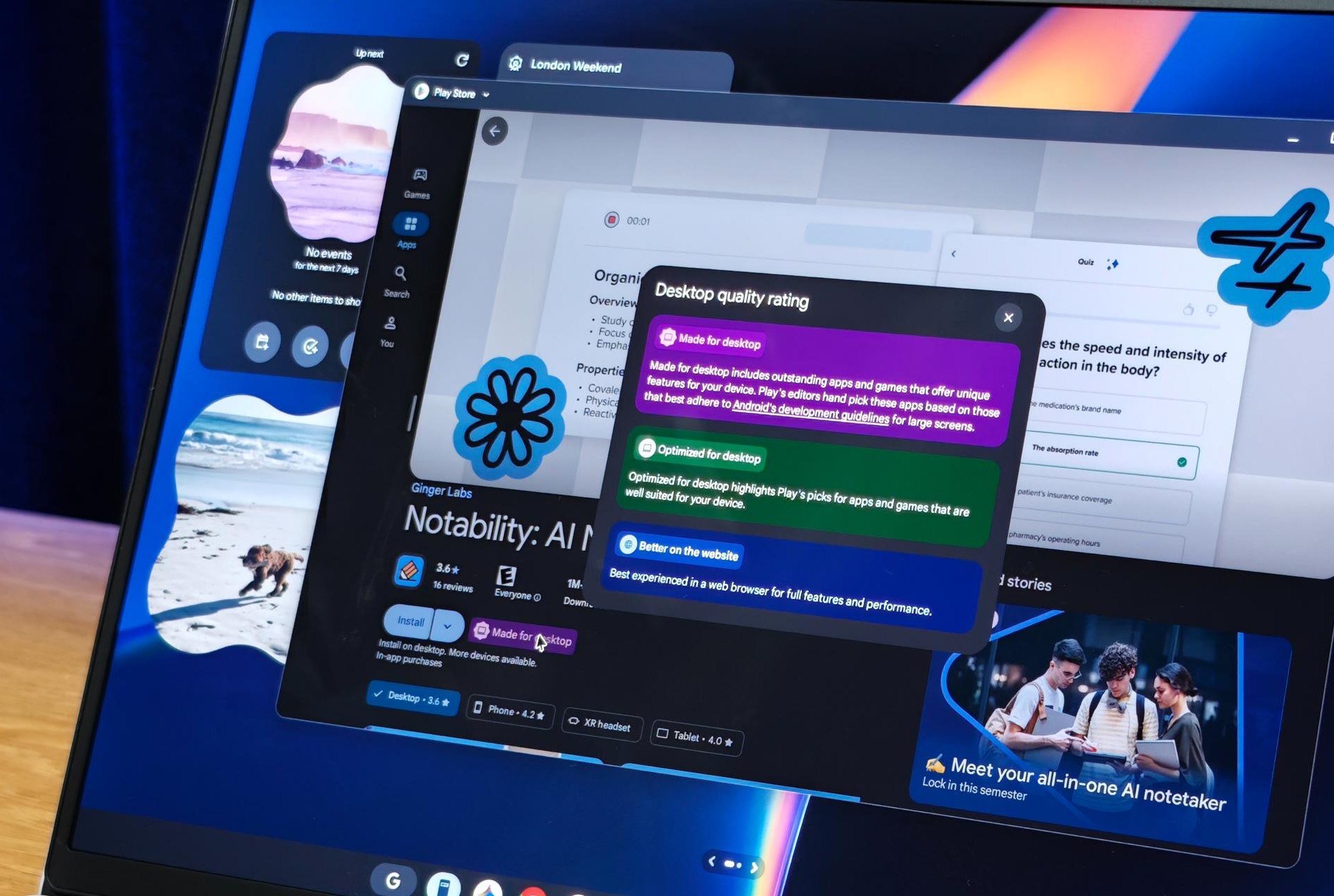
Google is trying to manage the possible confusion with new Play Store tags that let you know if an app is designed or optimized for desktop, or whether you’re better off using the web version instead. The app store homepage will also default to promoting apps that should run well on a laptop, so phone-first apps will only show up when you search for them.
My bigger concern is that as many Android apps as there are, they’re still only Android apps. Google has secured new desktop versions of CapCut and Fantastical, but much of the software available on Windows or Macs still doesn’t exist for Googlebooks. The Adobe apps are an obvious example — missing the full, desktop versions of Photoshop and Lightroom is a dealbreaker for me. For you, it might be something different: a crucial productivity app, an enterprise app or creative tool, or simply a favorite game. Googlebooks launch with access to over 20,000 games through the Play Store, but the vast majority are still basic mobile games; as my colleague Antonio Di Benedetto points out, it’s jarring to see a $1,000 laptop running Asphalt Legends with post-race ads.
A lack of “proper” apps has been the chief downside to Chromebooks for years. It’s been forgivable given the price point: Many Chromebooks cost well below $500. So far, Googlebooks are different, with the cheapest at $899, and even that price is “available for a limited time.” More expensive models start at $1,299. At that price you’re competing with the MacBook Air. Google’s launch partners have delivered competitive hardware, but it’s up to app developers to complete the equation.
I’ll be waiting. I went into Google’s briefing curious and left almost convinced. I’ve spent over a decade waiting for a laptop that can make the most of my Android phone, and a Googlebook might just be it. But right now these look like laptops built on Android just as much as laptops built for it. It’ll take a serious rollout of desktop-class software to change that, and I really hope Google delivers it.
Photography by Dominic Preston / The Verge
Read the full article here
