





Introduction
It’s been a long time coming, but Android XR has finally landed. Google’s virtual reality headset software might be a distant third place to Meta’s Quest and Apple’s Vision Pro right now, but that could change quickly with hardware partner Samsung at the wheel – especially when its first effort, the Galaxy XR, feels so feature-complete at the first time of asking.
The standalone VR headset sits somewhere between the Meta Quest 3S and mad money Apple Vision Pro. Comparisons with Apple’s spatial computing headset are inevitable, but Samsung shouldn’t mind: the Galaxy XR is lighter than a Vision Pro. It’s almost half the price. And it’s got the full might of Google’s software division behind it, including Gemini Live conversational AI and the Play Store.
The Galaxy XR has been on sale in the US and South Korea for a while now, but touched down in the UK just as Apple bumped the price of its rival Vision Pro headset to a wince-inducing $3699/£3499. That makes the $1800/£1699 Samsung seem almost a bargain, especially if you get the Explorer Pack bundle. It’s still mighty pricey for a tech category with little provenance though – is this the headset that finally makes VR go mainstream?
The Galaxy XR feels every bit the high-end headset
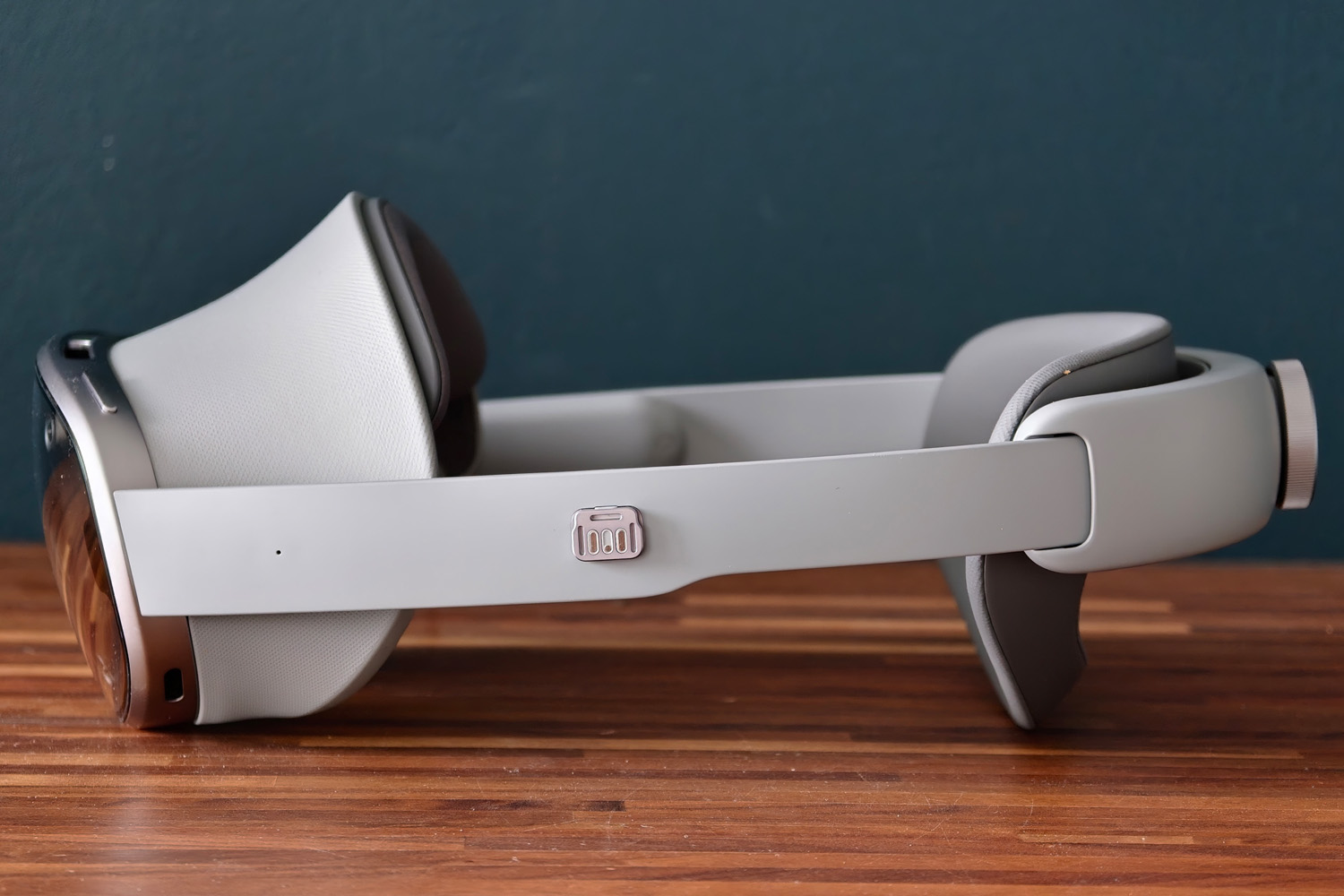
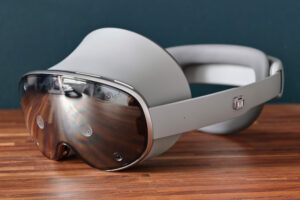
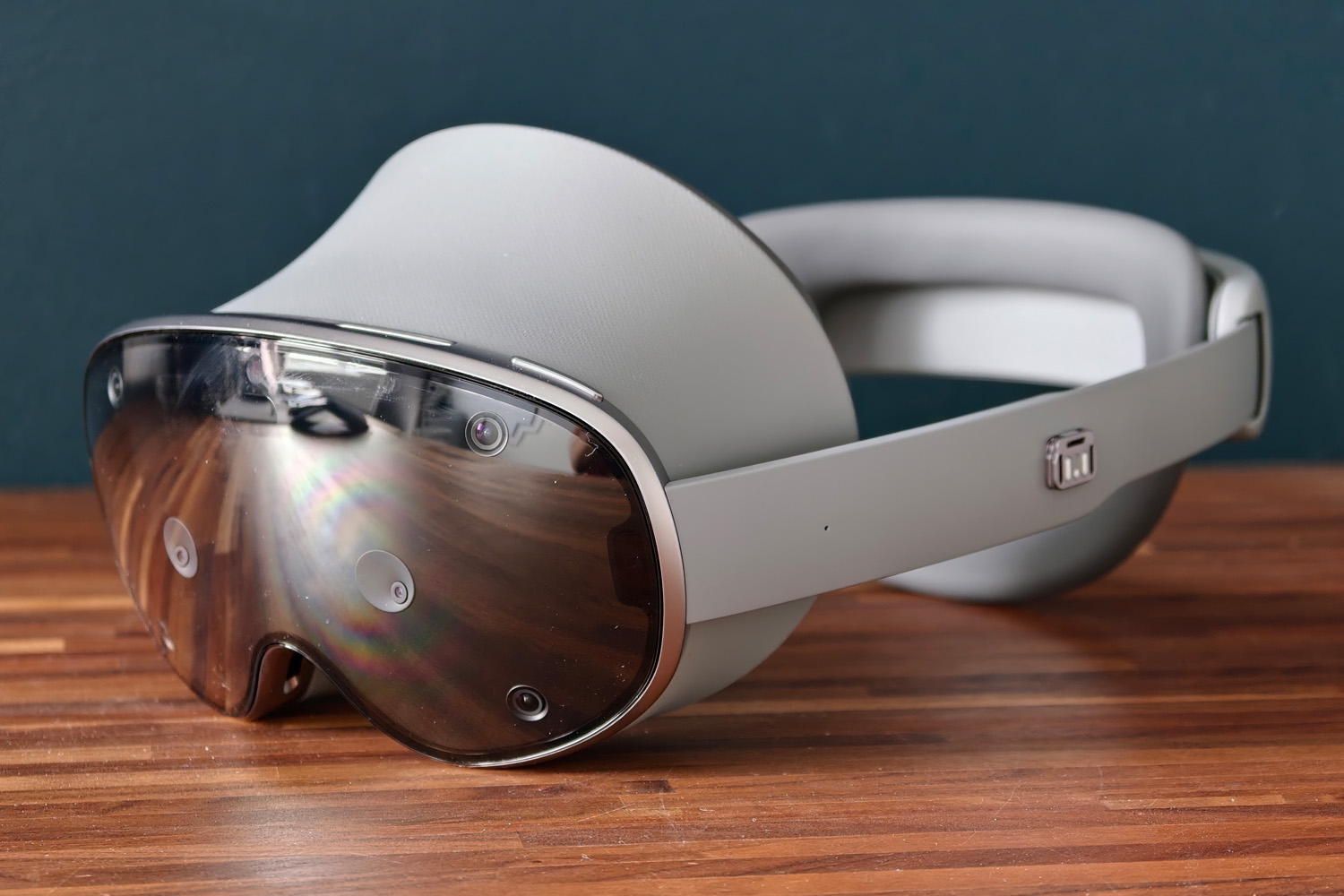
With a mix of aluminium, faux leather and soft-touch materials, the Galaxy XR looks and feels effortlessly premium. With just power and volume keys at the top, the rest of the metal frame and black glass front is dedicated to sensors and cameras – some for head tracking, others for full colour pass-through – and ventilation for the actively cooled Qualcomm chipset. It’s as Sci-Fi as any standalone VR headset, even with the cable trailing off to the pocketable battery pack.
Splitting off the battery into something the size and weight of a portable power bank has helped Samsung keep both dimensions and weight in check. The headband design then evenly distributes the pressure around your head, with a choice of forehead cushions to leave plenty of room for glasses-wearers. Whichever you choose, the lenses are effectively suspended in front of your face, rather than wedged right against it as per the Vision Pro. That does leave a gap where you can see the outside world – handy for augmented reality working – but Samsung includes a pair of magnetic light blockers in the box if you find it distracting.
An adjustment dial at the rear effortlessly tightens or loosens the band and there’s plenty of padding where the headset makes contact with your head. It’s impressively cosseting and not at all torturous to test during a recent heatwave, though the protruding dial means you can’t lie back or against a tall seat headrest in absolute comfort. It does stay firmly in place though, so you aren’t constantly having to adjust the positioning for accurate eye tracking.
The battery pack has a USB-C port for passthrough power, but this can’t be used for connectivity; instead there’s a hidden port in the right arm for plugging in external storage or other accessories. There’s no 3.5mm headphone port, meaning you’ll either need an adapter, Bluetooth earphones, or rely purely on the integrated audio. The latter doesn’t leak too much, but at high volumes anyone in the same room can definitely still make out what you’re listening to. The spatial effects are quite convincing though.
I found the braided cable linking battery and headset wasn’t so long that I was getting it caught on things, but long enough that it could easily reach my trouser pocket. The battery never got toasty in use either – handy for something that lives in such proximity to your skin.
What you don’t get in the box is any sort of carry case for taking the headset with you on the move – just a rubber cover to protect the front glass. Samsung’s official carry case costs a ridiculous $250/£249.
The displays are the Galaxy XR’s best feature
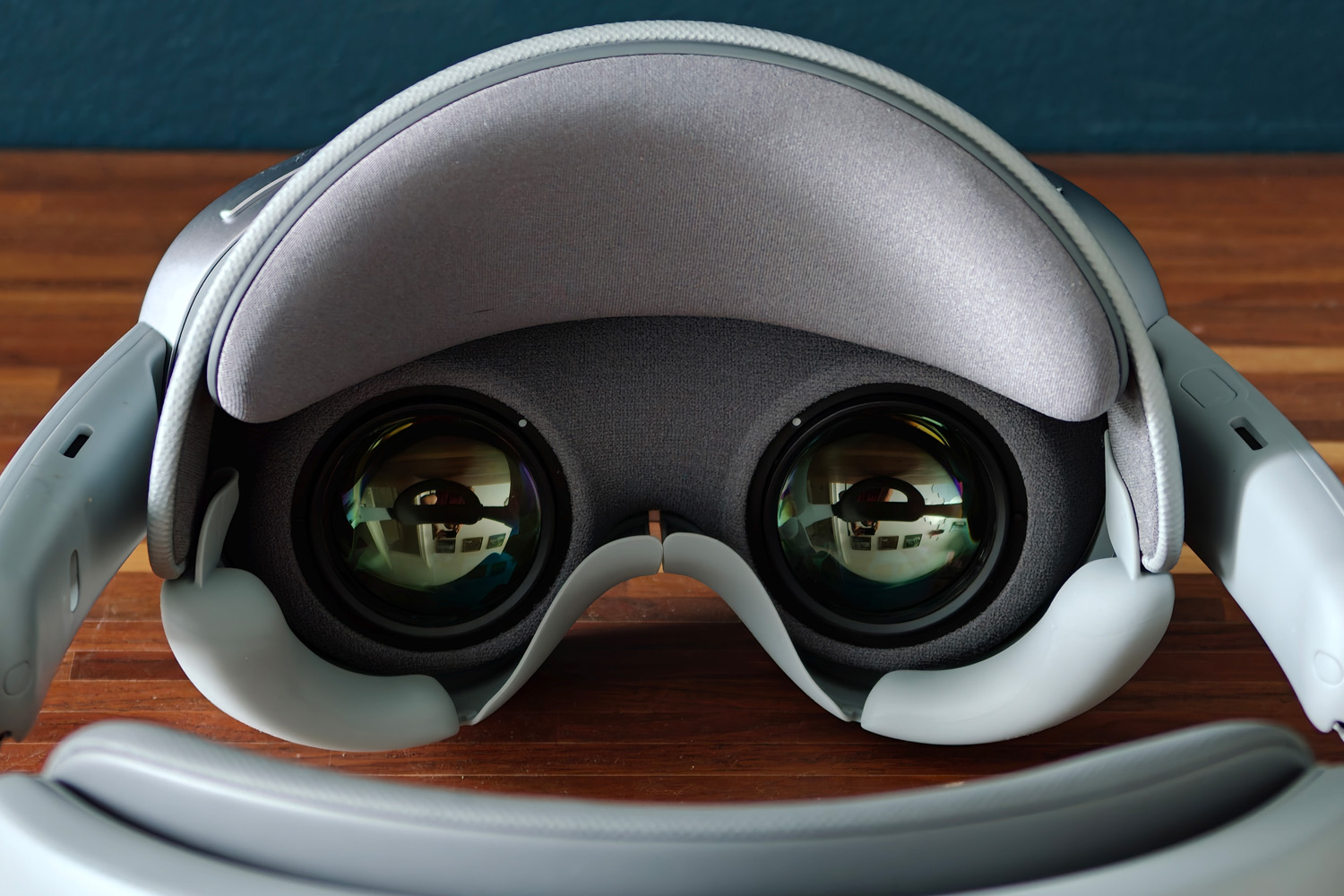
Using pancake lenses has helped Samsung keep the Galaxy XR’s bulk down, but it’s the firm’s expertise in OLED tech that has really paid off on the visual front. With a 3552×3840 resolution micro-OLED for each eye, it has Valve’s upcoming Steam Frame beat for resolution and gets very close to the Apple Vision Pro. VR graphics look brilliantly sharp and defined.
Each OLED maxes out at 90Hz, which may not be class leading but helps to cut down on motion sickness. I had no issues with nausea at any point during testing. The 109° horizontal / 100° vertical field of view is also generous, if not quite as vision-filling as the Steam Frame will be.
I’ve yet to try Valve’s headset, but I’m betting Samsung will win out for contrast and colour. The micro-OLEDs deliver perfect blacks, so dark movie scenes are properly dark, and colours have real zing. Dynamic range is excellent too. The effect is like strapping a giant OLED TV to your noggin for movie night – it fills your vision and looks spectacular in the process.
Things aren’t quite so crisp when activating the passthrough cameras, making it a struggle to read text on my phone or computer monitor while I used the headset with augmented reality apps.
Hand and eye tracking are great, but there’s still a need for physical controls
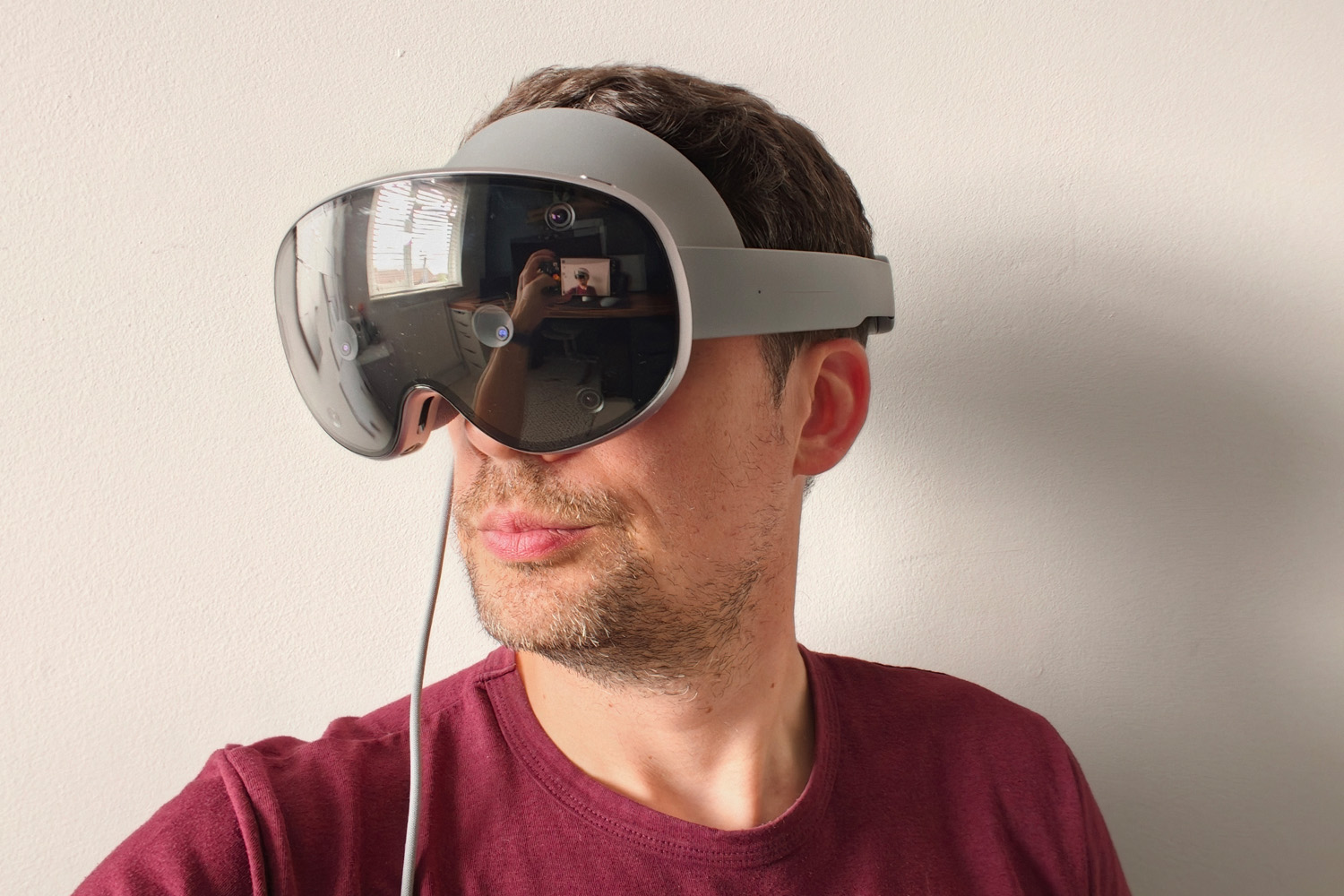
Don’t panic if you open your Galaxy XR box and can’t find any controllers; this headset uses a combination of hand and eye tracking to navigate its virtual interface. The former works brilliantly, thanks to a combination of 12 positioning cameras dotted around the headset and the Snapdragon chipset doing some heavy lifting with object detection.
Holding your palm in front of your face reveals a menu button; tapping thumb and forefinger ‘presses’ it, opening an app drawer that’ll feel very familiar to Samsung smartphone owners. You can also pinch and grab to move windows around in virtual space. It’s all very intuitive.
Eye tracking should be even easier, aiming the virtual cursor based on where you’re looking. You still make selections with a finger and thumb tap, but can keep your hand down at your side rather than hold it up in front of the headset. This works great for larger UI elements, but I’d frequently struggle to close windows because the X icon was too close to the one that minimises the running app.
If you’re thinking that one gesture isn’t going to get you very far in more complex VR games, Samsung will happily sell you a pair of physical controllers – for $250/£249, and you’re still on the hook for AA batteries. That’s tough to swallow when a Meta Quest 3S comes with a pair of controllers in the box and replacements only cost $75/£75 each. I tried them briefly during my initial Galaxy XR hands-on and found them perfectly comfortable, with a familiar layout to other VR controllers I’ve used and clear haptic vibrations.
Android XR isn’t a big design departure from Android on phones
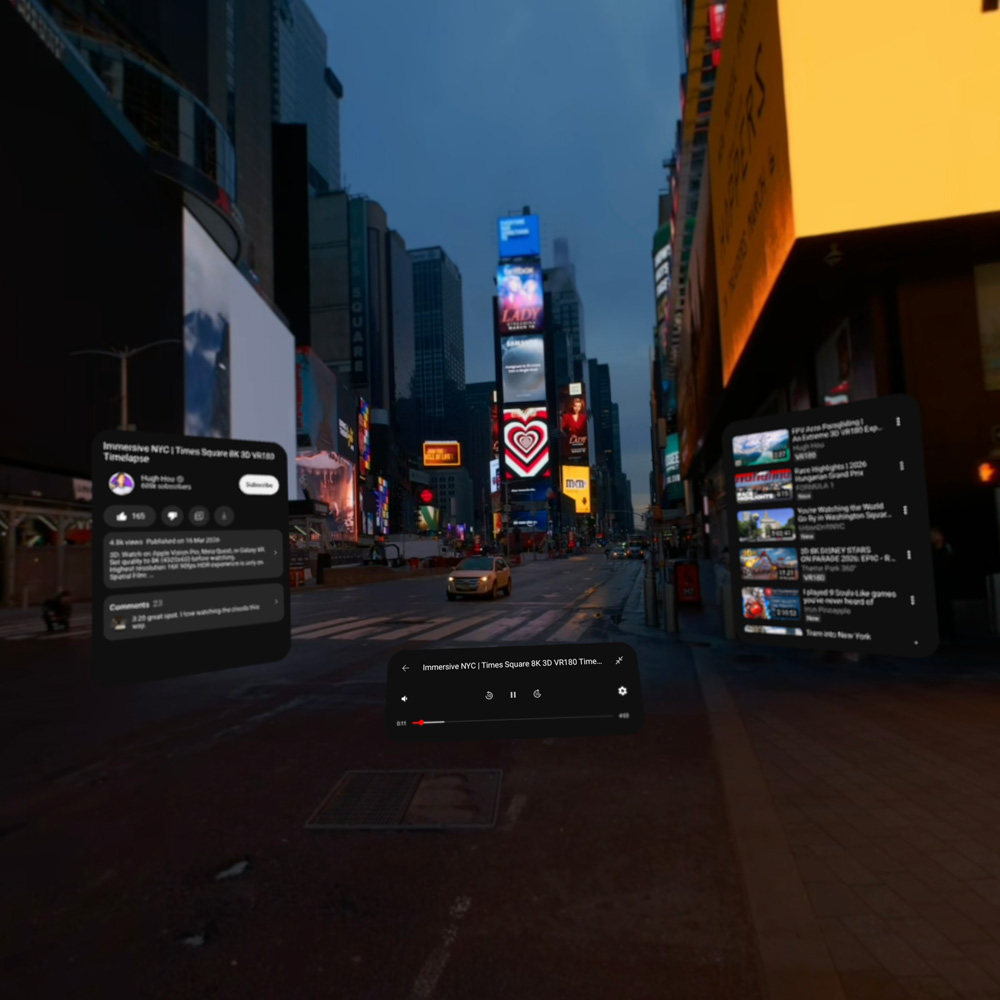
With rows of familiar icons that float in virtual space, shortcuts to Gemini and Google Search, a Recent apps list and quick settings menu, Android XR feels like an almost one to one recreation of Google’s smartphone OS for mixed reality. You can circle to search and have conversations with Gemini Live. Notifications ping up just like they would on a phone, and you have full access to the Google Play store.
That’s not to say everything you download natively supports XR, of course. For the most part these are just Android apps, presented in a 2D format that you can drag around you. They’re location-sensitive, too: want one corner of your room to have all your browser windows and another just for YouTube? No problem, just drag them where you want and walk around the space. It’s a downer that these arrangements can’t be saved for later though.
Google has given some apps a native XR update, namely Google Photos, YouTube and Google Maps. The former lets you view immersive 3D images, ‘upscale’ regular snaps with extra depth (but not always convincingly) and swipe through your photo gallery as if they were giant pieces of wall art hanging in front of you.
YouTube, meanwhile, adds a dedicated ‘Immersive’ section for 180-degree and 360-degree video content. Regular videos benefit from the UI elements being moved to floating panels around the playback window, so user comments and suggested videos are just a glance away. The mixed reality passthrough proved useful while I was fitting a reversing camera to my car; I could play the instructional video while following along in real time.
Google Maps also gets an immersive view, which combines aspects of Google Earth and Street View so you can take in the planet from above, then zoom right in for an eye-level view from the street. Some restaurants and tourist attractions have even mapped their interiors, which is neat; it’s a shame you can’t walk around them in virtual space though, just bounce between viewpoints using the onscreen icons.
With a Qualcomm Snapdragon XR2+ Gen 2 – an upgraded version of the XR2 Gen 2 found in the Meta Quest 3 – and 16GB of RAM running the show, it all feels as quick and responsive as any flagship Android smartphone. Even with multiple apps and windows open, it was never sluggish. I could hear the internal fan ramping up in the more demanding experiences and apps, but not to offensive levels.
Third party games and apps could make this a must-have – eventually
While I could work at my home office desk while wearing the Galaxy XR, I can’t say I found it quicker or more convenient to look up web pages or have documents open in virtual space than simply doing the same on my monitor. That leaves dedicated VR and AR apps to pick up the slack. However, the fact Samsung’s product expert was most excited about showing Google Maps’ Immersive view during my demo pretty much tells you everything you need to know about the state of Android XR’s software offering. There’s simply not enough of it, despite the Galaxy XR having been publicly available in the US since October 2025.
Samsung and Google have tried to fill the gap with the Explorer pack, which I have to admit is excellent value if you were planning on paying for any of its component parts separately. It includes one-year subscriptions to Google’s AI Pro plan (which includes 5TB of cloud storage as well as access to more advanced Gemini models), YouTube Premium (removing all ads from the platform) and Google Play Pass (for free use of over 1000 games and apps that are usually paid-for). Adobe’s Project Pulsar, a spatial video editing tool, premium membership to guided meditation app Calm and the StatusPro NFL PRO ERA game also make the cut. That’s over £600 of freebies.
The NFL app and Inside [JOB] are the only games included with the headset. The former has nicer graphics but is still running on mobile hardware. It’s visually not all that impressive. Gamers will need to hook the Galaxy XR to their computer using Samsung’s Game Link Windows app to get experiences on the level of Half Life Alyx. Meta’s Quest platform still very much leads the way here.
Galaxy XR isn’t a gaming platform first and foremost, but the Play Store could still do a better job of surfacing compatible apps beyond the “made for XR” tag. An Immersive section, like the one found on YouTube, would be a big help. I only found a few I returned to after a first exploratory use, and given the price that’s just not good enough.
There’s real potential here, but until more developers get on board – either with new releases, updating Android apps to XR ones or porting their Quest releases – it still feels like a platform for early adopters.
How long does the Galaxy XR’s battery last?
Officially the battery pack should have enough oomph for between two and four hours of mixed reality use, depending on how demanding your apps and games are. In practice, I was getting much closer to two hours, with some gains draining it in even less time.
You’re unlikely to last the length of a Christopher Nolan movie before needing to top up, and won’t get close to all-day augmented reality without tethering yourself to a power outlet – which does somewhat defeat the point of a standalone headset.
In my experience standby battery life hasn’t been all that great either. When I came to use the headset after a few days of work travel, it was entirely flat, despite me having powered it off completely and there being well over 60% charge remaining after my last use.
Should you buy the Samsung Galaxy XR in 2026?

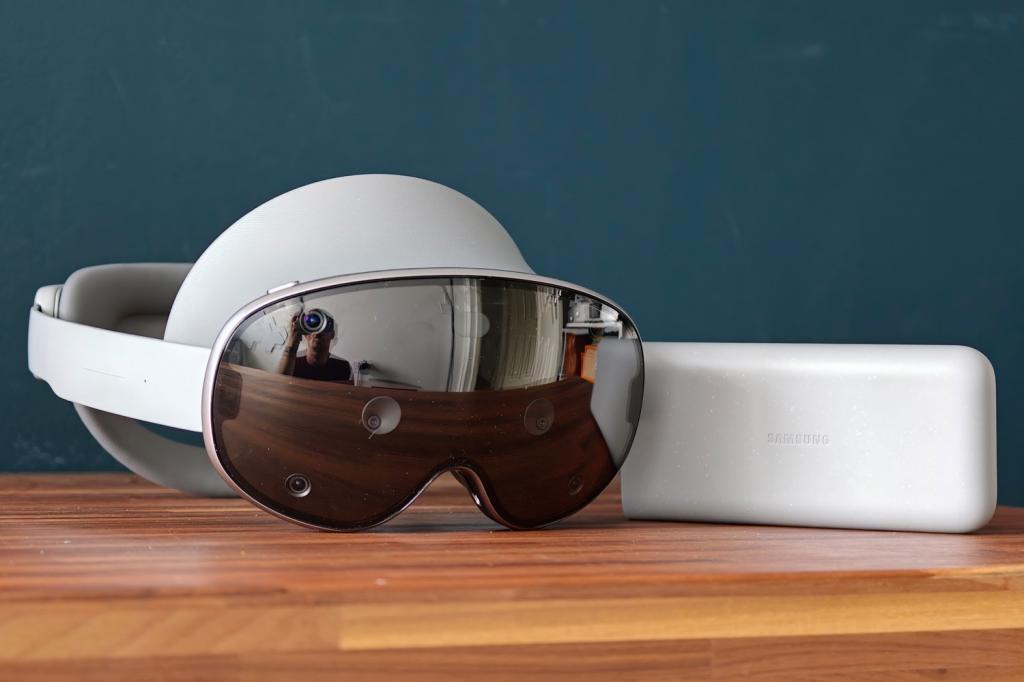
Was a few weeks with the Galaxy XR enough to convince me we’re another step closer to spatial computing entering the mainstream? Sadly not. The hardware is very strong for a first effort – comfortable, with great optics and decent performance – plus the price is more attainable than Apple’s Vision Pro. But it’s still nowhere near low enough to appeal to anyone but early adopters. The ongoing electronics component price crisis, which has forced many to reign in their tech buying to just the essentials, doesn’t help.
Android XR as a platform has real potential, but it’s going to take Google opening its wallet and convincing VR developers to get on board (or port their apps and games from the PC and Meta’s Quest ecosystem) before there’s enough here to be more than a novelty. Even then I wouldn’t wear one in public. I’m also simply more productive on a laptop or tablet, so it makes little sense as a work machine.
Mixed reality fans that are willing to pay big money for a lightweight headset with gorgeous displays will be pleased with what’s on offer; everyone else should either stick to the cheaper Meta Quest 3, or wait for a cheaper second generation model.
What are the Samsung Galaxy XR’s technical specifications?
Scroll to see more →
| Specifications | Samsung Galaxy XR |
|---|---|
| Resolution | 3552×3840 per eye |
| Optics | Pancake lenses w/ 54-70mm inter-pupilary distance (IPD) |
| Field of view | 109° horizontal, 100° vertical |
| CPU | Qualcomm Snapdragon XR2+ Gen 2 |
| Memory | 16GB |
| Storage | 256GB |
| Cameras | 4x eye-tracking, 6x head-tracking, 6.5MP passthrough camera |
| Operating system | Android XR w/ OneUI |
| Connectivity | Wi-Fi, Bluetooth |
| Battery life | 2 hours (general use) |
| Weight | 545g (headset) 302g (battery) |




Read the full article here


