
Close Menu
Gadget Guide News
  • Home
  • News
  • Features
  • Reviews
  • Best Stuff
  • Buying Guides
  • Deals
  • More Articles

Subscribe to Updates

Get the latest tech news and updates directly to your inbox.

Trending

Logitech’s new Mobi Fold squeezes a lot of functionality into a tiny folding mouse

June 10, 2026

I tried Siri AI, and so far it actually works

June 10, 2026

Your Apple TV box may miss tvOS 27 – only two generations supported

June 9, 2026
Facebook X (Twitter) Instagram
Gadget Guide News
Subscribe
  • Home
  • News
  • Features
  • Reviews
  • Best Stuff
  • Buying Guides
  • Deals
  • More Articles
Gadget Guide News
  • Best Stuff
  • Buying Guides
  • Reviews
  • Deals
  • Features
Home»News»Logitech’s new Mobi Fold squeezes a lot of functionality into a tiny folding mouse
News

Logitech’s new Mobi Fold squeezes a lot of functionality into a tiny folding mouse

News RoomBy News RoomJune 10, 2026026 Mins Read
Share Facebook Twitter Pinterest Copy Link LinkedIn Tumblr Email Telegram WhatsApp
Follow Us
Google News Flipboard
Share
Facebook Twitter LinkedIn Pinterest Email Copy Link

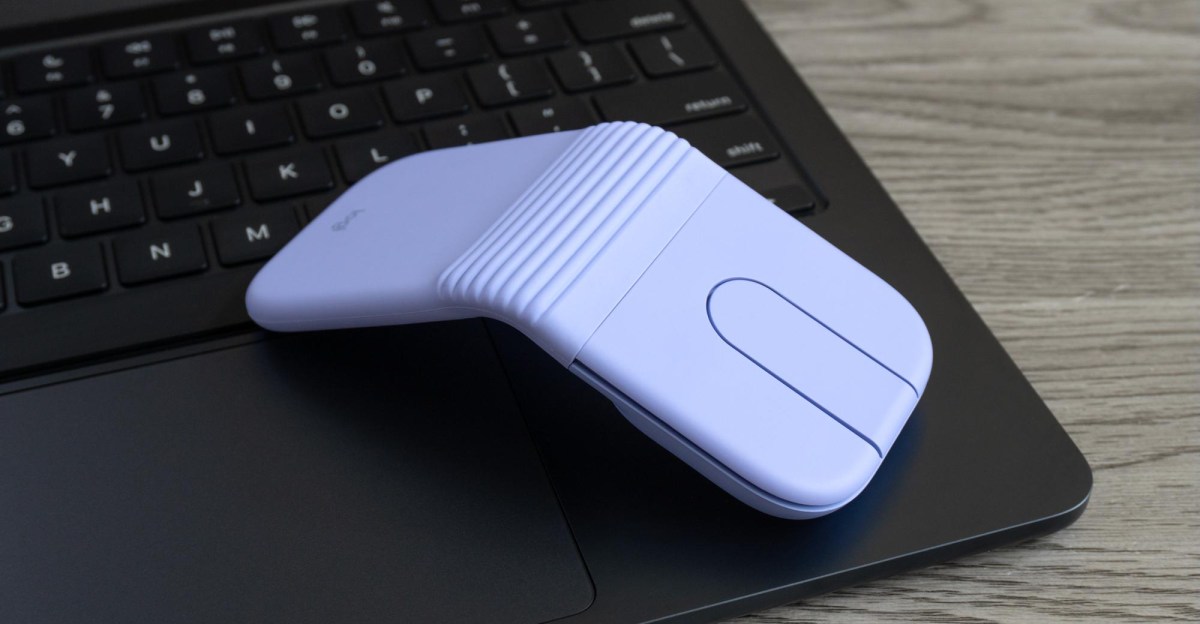
Logitech finally announced its new ultraportable travel mouse following leaked marketing images that spoiled the surprise last month. As the name implies, the Mobi Fold is a compact mouse that can fold in half using a hinge that can pivot about 130 degrees. At $79.99 in graphite, off-white, lilac, and sand color options, the Mobi Fold isn’t Logitech’s lightest or cheapest mouse, but it’s definitely one of its smallest and a well-featured alternative to your laptop’s trackpad if you can get used to some unconventional ergonomics.

The arch-shaped Mobi Fold looks similar to other folding devices, like the Surface Arc mouse. But while Microsoft’s design folds flat, making it thinner and easier to slip into a pocket or bag, the Mobi Fold is more like a clamshell cellphone. And even though it doesn’t snap shut with a satisfying clunk, it feels durable. Logitech says the hinge was “tested to withstand 15 years of daily use.”
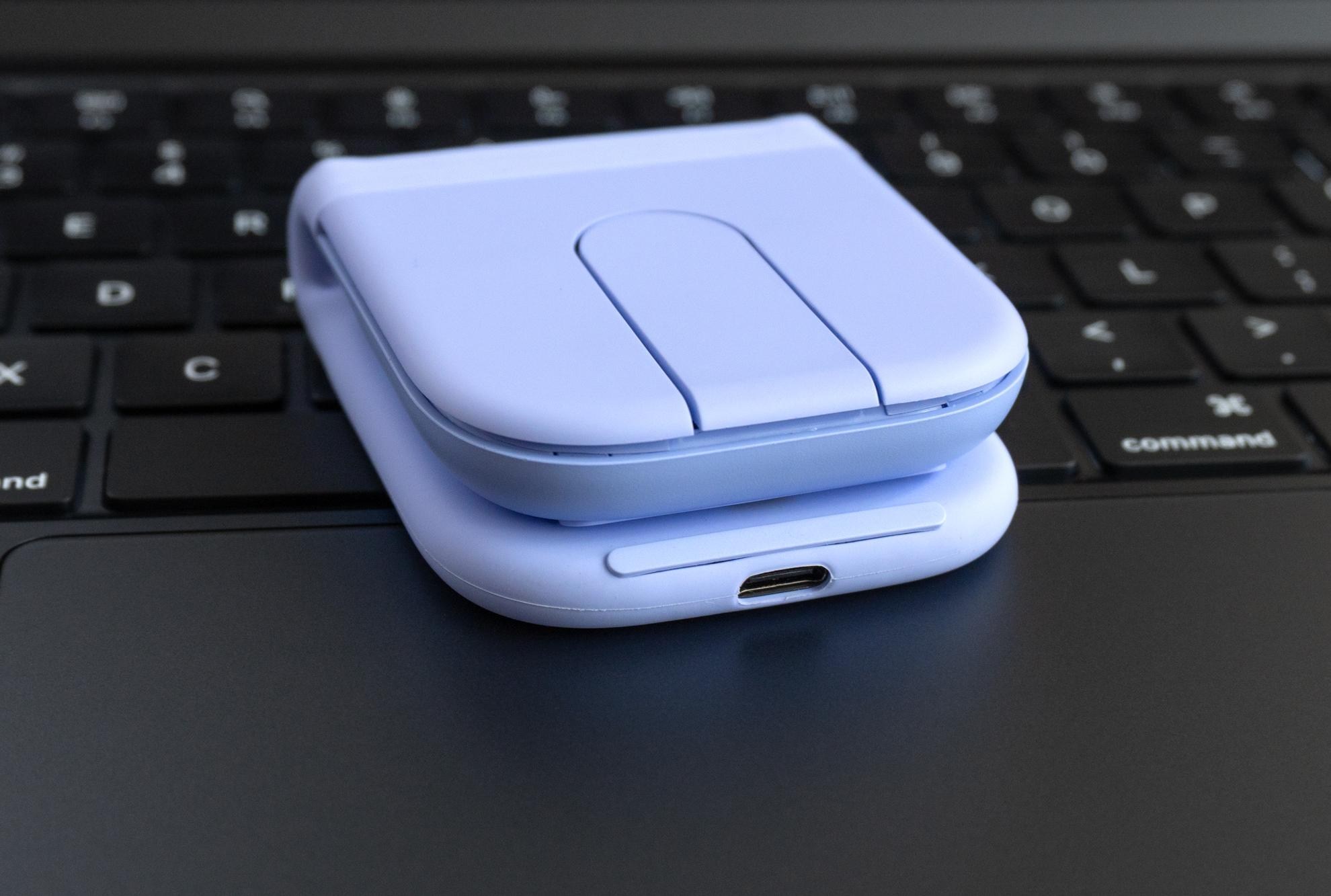
Nearly half of the mouse is wrapped in a grippy silicone skin that covers its hinge mechanism.

A USB-C port is used to charge the mouse, and a 1-minute top-up will power it for up to 22 hours.

That hinge, along with more than half the mouse, is wrapped in a silicone skin that improves grip while semi-protecting it from drops. Where it covers the hinge you’ll find a pleated design that expands and stretches when the mouse is folded in half, so there’s no risk of pinching.

At 79 grams the Mobi Fold is a few grams heavier than Logitech’s Pebble Mouse 2 and the bare-bones M196 that I’ve been recently traveling with. When folded, the mouse is a little over three-quarters of an inch tall and about 2.6×2.5 inches in size, making it feel seriously compact. It reminds me of some wireless earbud cases, but a bit thinner.
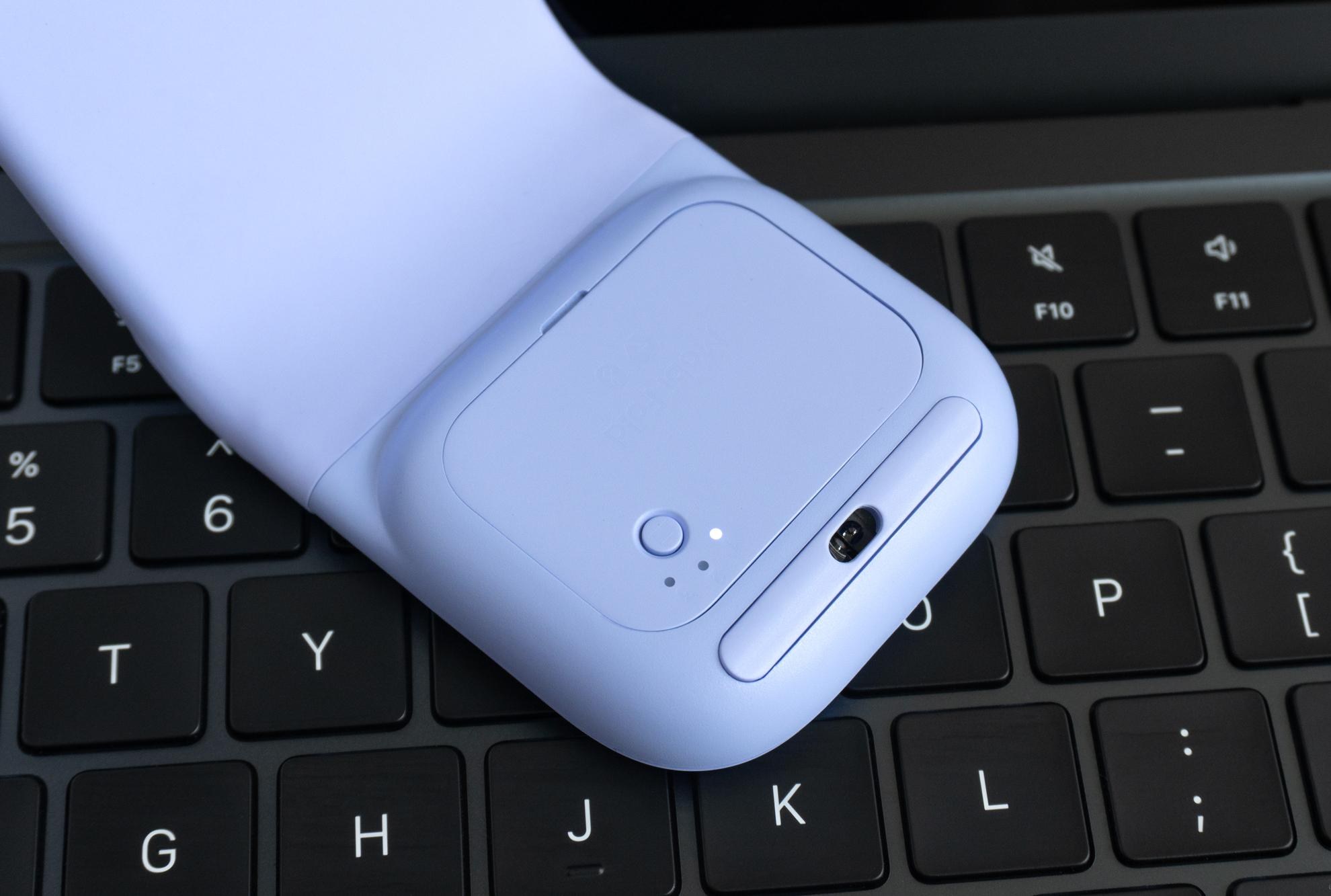
On the underside of the Mobi Fold is its optical sensor and a button you can use to cycle between three connected devices.

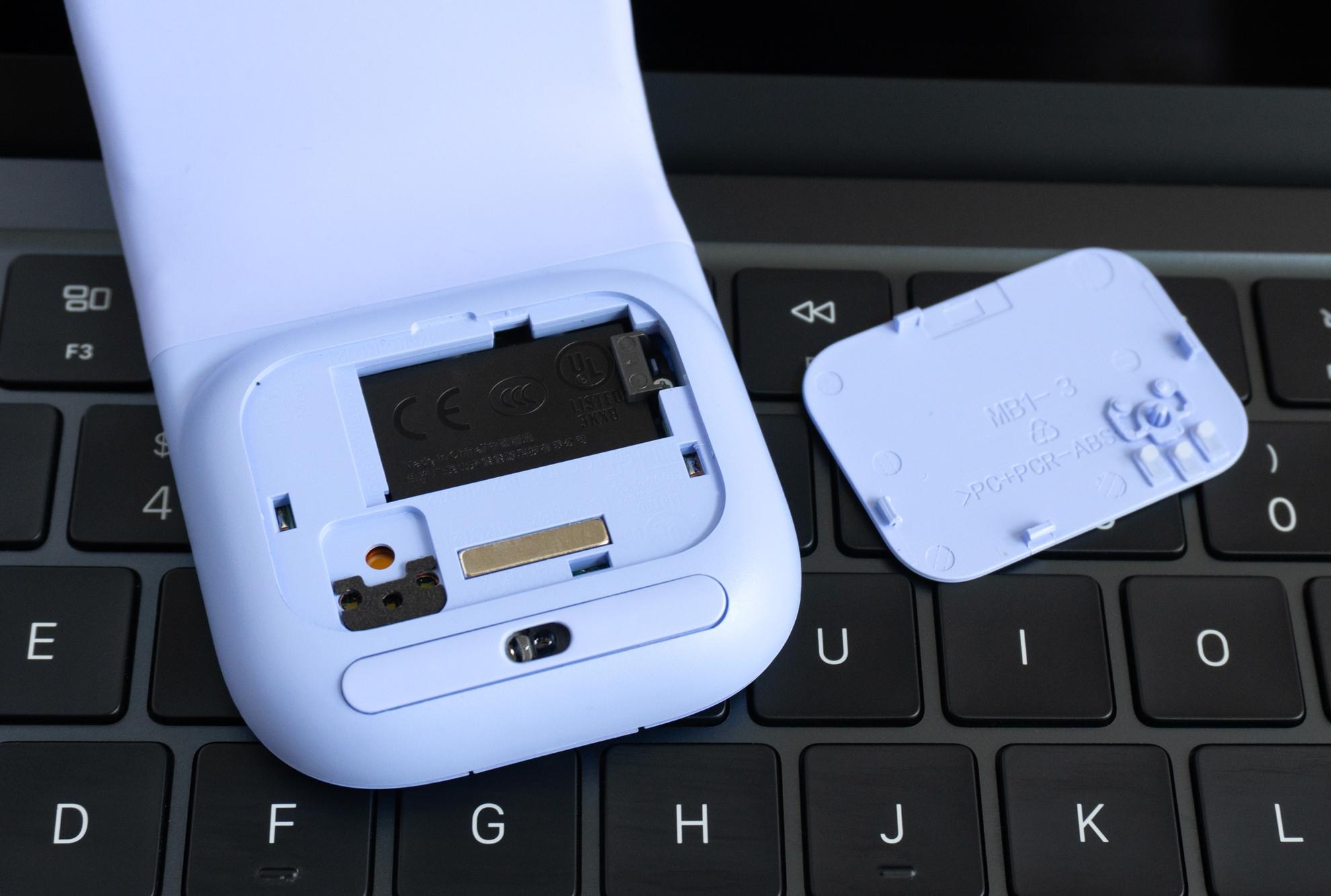
The mouse’s rechargeable battery is easily accessible through a removable panel, potentially extending its lifespan.

Logitech claims the Mobi Fold’s rechargeable battery will power the mouse for up to one month on a full charge, while a 1-minute quick charge will keep it going for up to 22 hours. It’s getting a global release. which means we can probably thank recent EU regulations for a removable cover on the underside allowing that rechargeable battery to be replaced in the future.

The Mobi Fold isn’t designed to entirely replace a full-featured desktop mouse, but it offers enough functionality and customizability to be a solid trackpad alternative. There’s a 4K DPI optical sensor on the bottom and a pair of left and right mouse buttons on top with a multifunction touch panel between them. That panel’s behavior can be changed using the optional Logi Options Plus software, so swiping your finger up and down either causes websites and documents to zip by or a more leisurely line by line scroll. The top and bottom of the touch panel also function as two additional clicky buttons. You can customize their functionality using Logitech’s app, but by default they function as forward and back buttons while browsing.
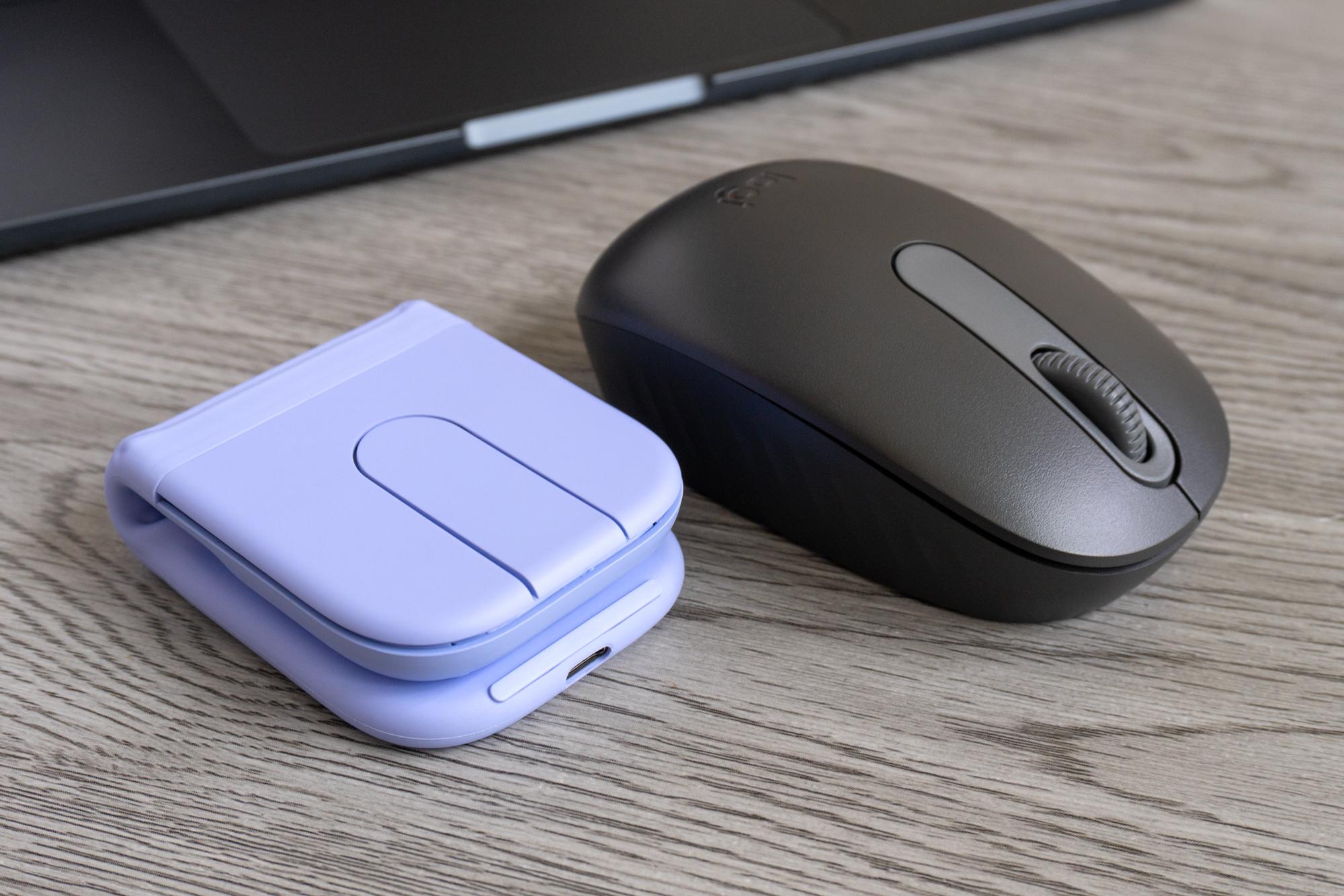
The Logitech Mobi Fold mouse next to another compact Logitech mouse featuring a scroll wheel.

When folded in half, the Mobi Fold is much smaller than the Logitech M196 mouse I frequently travel with, but it trades a scroll wheel for a touch panel.

A single button on the underside of the Mobi Fold is used to connect and cycle the mouse between up to three different devices, and I had no difficulty connecting it to a couple of laptops and an iPad. Instead of a dedicated power button, you turn the mouse off by folding it in half. I found that while scrolling with the touch panel remains active when you’ve picked up the mouse to fold it, all of the buttons are disabled. That should prevent accidental presses and clicks because you’ll absolutely be pressing them as you fold it.

If portability is your ultimate priority, the Mobi Fold is an excellent way to keep a mouse on hand. You’ll just want to take some extra time to get comfortable using it.
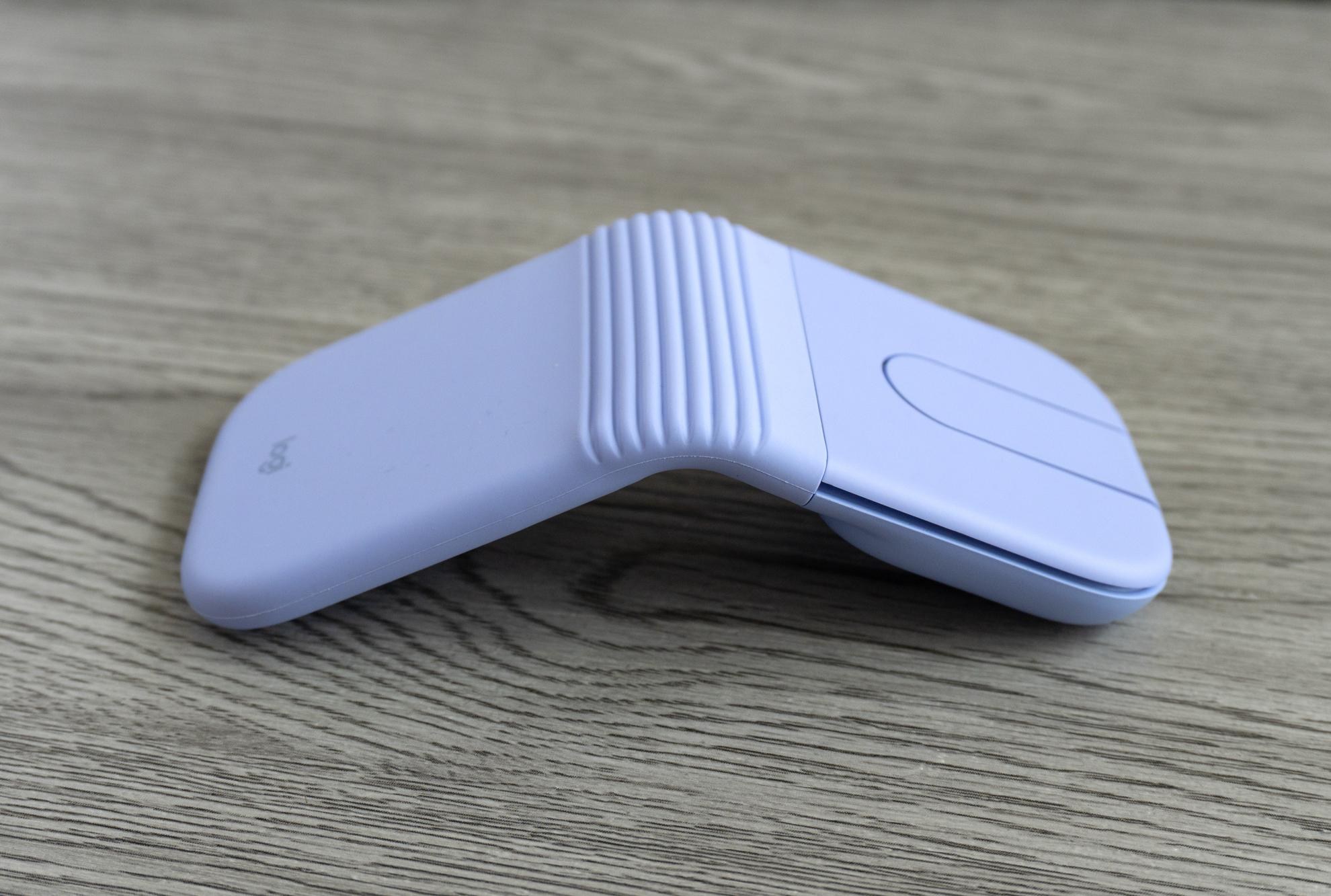
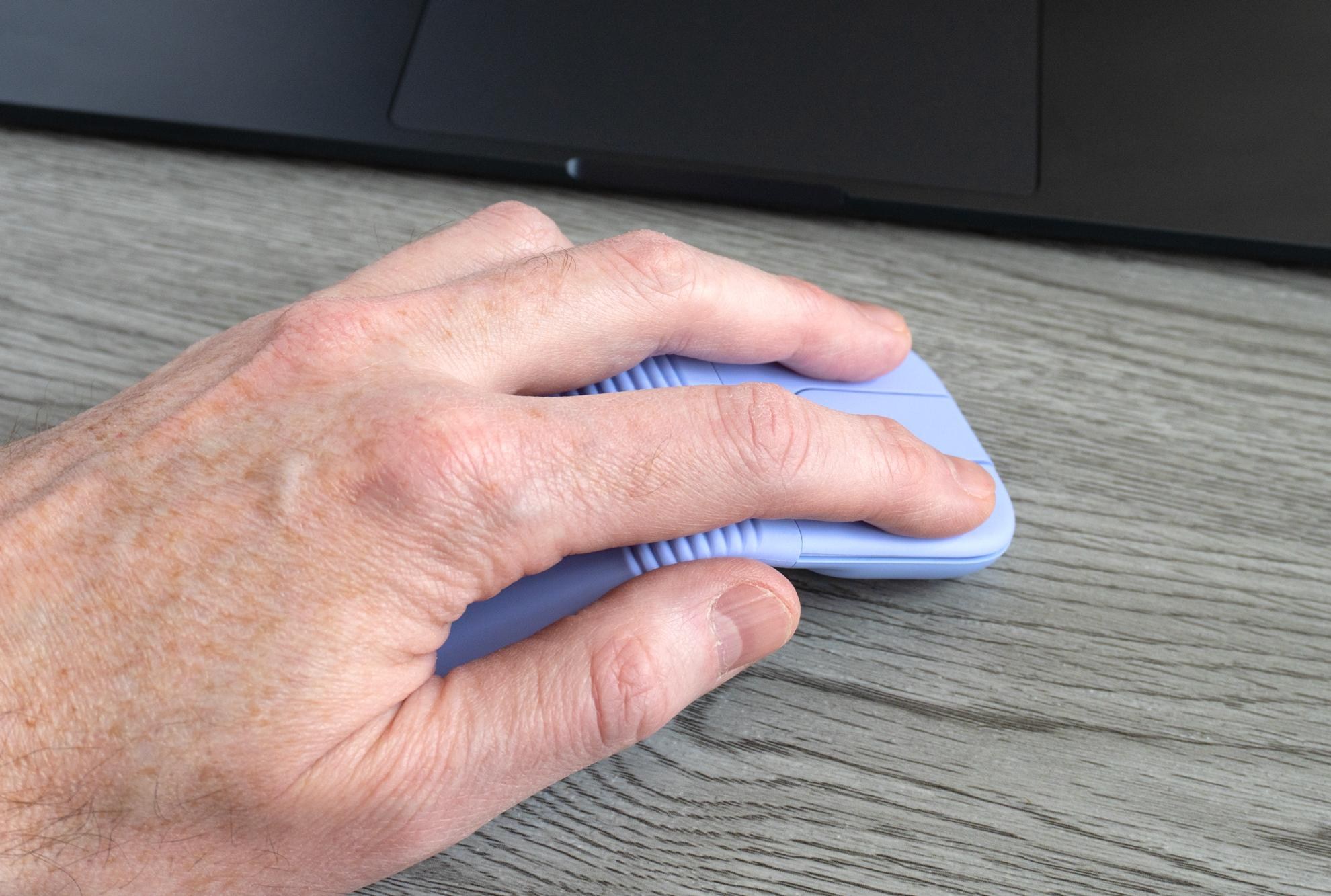
The surfaces of the Mobi Fold where you rest your hands are completely flat so it may not be the most comfortable mouse you’ve ever held.

The mouse isn’t uncomfortable to use, but it will make you appreciate the ergonomics of your desktop mouse even more.

While Microsoft’s aptly named Arc mouse features a gracefully curved arch that contours to your hand, the Mobi Fold feels more like you’re resting your hands on two sides of a piece of cardboard that’s been folded in half. Its buttons and touch panel are also completely flat, and I’ve come to realize I’m a mouse user who prefers to frequently lift and reposition a mouse instead of moving my entire arm to push it around. The Mobi Fold’s thin design made it hard to do that as I struggled to find a sturdy place to grip it on either side.
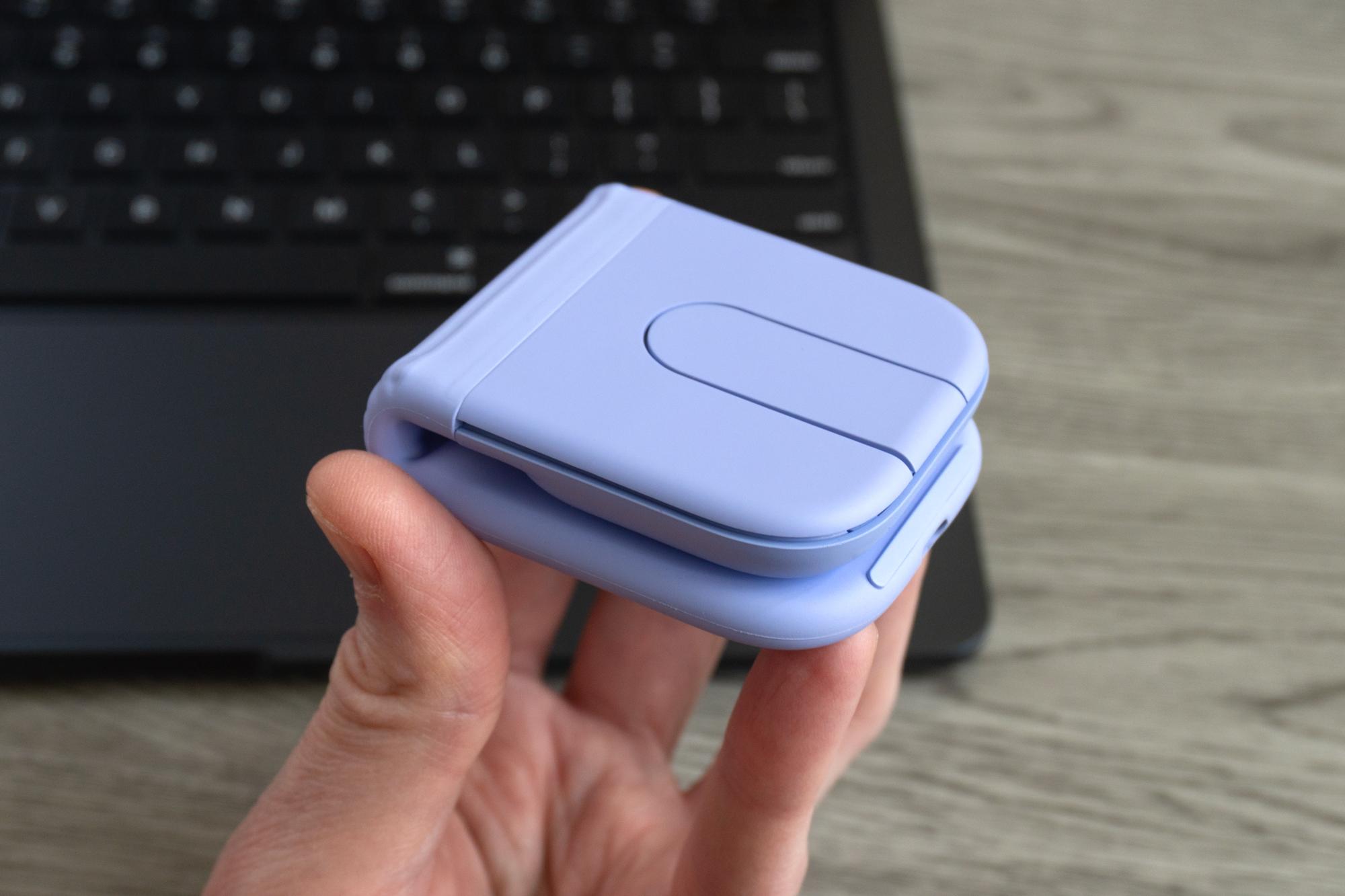
A person holds the Logitech Mobi Fold mouse in one handed while it’s folded in half.

If you like to pack light when traveling but want an alternative to your laptop’s trackpad, the Mobi Fold is impressively small but well featured.

For $80, the Mobi Fold delivers an impressively portable mouse that also offers more than just basic functionality. I will always choose a physical wheel over a touch pad for scrolling, but I’d happily endure finger swipes given how small this mouse folds up. While I’d still opt for my laptop’s touchpad, the Mobi Fold is an excellent accessory for taking advantage of the iPad’s recent multitasking upgrades.

Photography by Andrew Liszewski / The Verge

Follow topics and authors from this story to see more like this in your personalized homepage feed and to receive email updates.

  • Andrew Liszewski

    Andrew Liszewski

    Andrew Liszewski

    Posts from this author will be added to your daily email digest and your homepage feed.

    See All by Andrew Liszewski

  • Deals

    Posts from this topic will be added to your daily email digest and your homepage feed.

    See All Deals

  • Gadgets

    Posts from this topic will be added to your daily email digest and your homepage feed.

    See All Gadgets

  • Hands-on

    Posts from this topic will be added to your daily email digest and your homepage feed.

    See All Hands-on

  • Logitech

    Posts from this topic will be added to your daily email digest and your homepage feed.

    See All Logitech

  • News

    Posts from this topic will be added to your daily email digest and your homepage feed.

    See All News

  • Reviews

    Posts from this topic will be added to your daily email digest and your homepage feed.

    See All Reviews

  • Tech

    Posts from this topic will be added to your daily email digest and your homepage feed.

    See All Tech

  • Verge Shopping

    Posts from this topic will be added to your daily email digest and your homepage feed.

    See All Verge Shopping

Read the full article here

Follow on Google News Follow on Flipboard
Share. Facebook Twitter Pinterest LinkedIn Tumblr Email Copy Link
News Room
  • Website

Related Posts

I tried Siri AI, and so far it actually works

June 10, 2026

Your Apple TV box may miss tvOS 27 – only two generations supported

June 9, 2026

The App Store is going to add subscription bundles soon

June 9, 2026
Add A Comment
Leave A Reply Cancel Reply

Top Articles

Best Apple Watch in 2026: all current models reviewed and rated

May 6, 2026

Best Royal Pop models ranked: these are the Swatch x Audemars Piguet collab watches I’d recommend

May 19, 2026

Every new Rolex in 2026 ranked and reviewed – which are the watches worthy of your wrist?

April 16, 2026
Latest Reviews

The Rivian R2 is too much fun to let drive itself

News RoomJune 9, 2026

Apple dials down Liquid Glass, and the Mac looks way better for it

News RoomJune 9, 2026

Dell’s new XPS 14 is better in almost every way

News RoomJune 7, 2026

Subscribe to Updates

Get the latest tech news and updates directly to your inbox.

Demo
Most Popular

Best phones to buy in 2026: top smartphones tested, reviewed, and ranked by our experts

April 16, 2026

Best Apple Watch in 2026: all current models reviewed and rated

May 6, 2026

Best Royal Pop models ranked: these are the Swatch x Audemars Piguet collab watches I’d recommend

May 19, 2026
Our Picks

The App Store is going to add subscription bundles soon

June 9, 2026

Apple is finally giving AirPods users EQ control and it’s coming soon

June 9, 2026

Microsoft AI head calls out Anthropic for acting like Claude is conscious

June 9, 2026

Subscribe to Updates

Get the latest tech news and updates directly to your inbox.

Facebook X (Twitter) Instagram Pinterest
  • Home
  • Privacy Policy
  • Terms of use
  • For Advertisers
  • Contact
2026 © Prices.com LLC. All Rights Reserved.

Type above and press Enter to search. Press Esc to cancel.