
Close Menu
Gadget Guide News
  • Home
  • News
  • Features
  • Reviews
  • Best Stuff
  • Buying Guides
  • Deals
  • More Articles

Subscribe to Updates

Get the latest tech news and updates directly to your inbox.

Trending

Microsoft’s Project Solara is an OS for AI agent gadgets

June 3, 2026

I tested a bunch of Switch 2 screen protectors, and these are the best

June 3, 2026

Playing the MSI Claw 8 EX AI+ made me think Intel could take the gaming handheld crown this generation

June 3, 2026
Facebook X (Twitter) Instagram
Gadget Guide News
Subscribe
  • Home
  • News
  • Features
  • Reviews
  • Best Stuff
  • Buying Guides
  • Deals
  • More Articles
Gadget Guide News
  • Best Stuff
  • Buying Guides
  • Reviews
  • Deals
  • Features
Home»News»Microsoft Build 2026: The 7 biggest announcements
News

Microsoft Build 2026: The 7 biggest announcements

News RoomBy News RoomJune 2, 2026034 Mins Read
Share Facebook Twitter Pinterest Copy Link LinkedIn Tumblr Email Telegram WhatsApp
Follow Us
Google News Flipboard
Share
Facebook Twitter LinkedIn Pinterest Email Copy Link

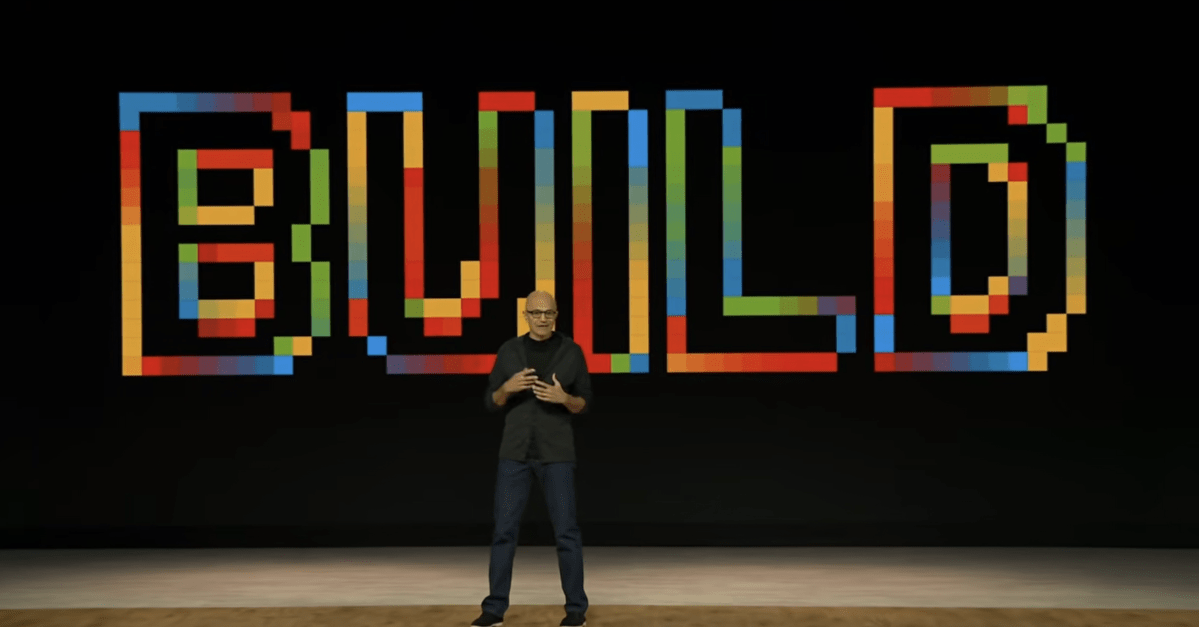
Microsoft just kicked off Build 2026 with a keynote from CEO Satya Nadella and other company leaders. As expected, it was filled with announcements, ranging from new Surface hardware to an always-on personal assistant and updates across Microsoft’s in-house AI models.

If you didn’t watch the event live, you can catch up on all the latest news in the roundup below.

Image: Microsoft

The Surface RTX Spark Dev Box is geared toward developers who want to run local AI models on their device, serving as a substitute for Qualcomm’s canceled dev kit. It comes equipped with Nvidia’s new Arm-based Spark RTX chip and 128GB of unified memory, along with preinstalled apps like Visual Studio Code and GitHub Copilot. The Surface RTX Spark Dev Box also has a preconfigured version of Windows 11 Pro with dark mode enabled by default, a simplified taskbar, and no widgets.

Microsoft hasn’t revealed pricing or the full list of specs yet, but the device will be available in the US later this year.
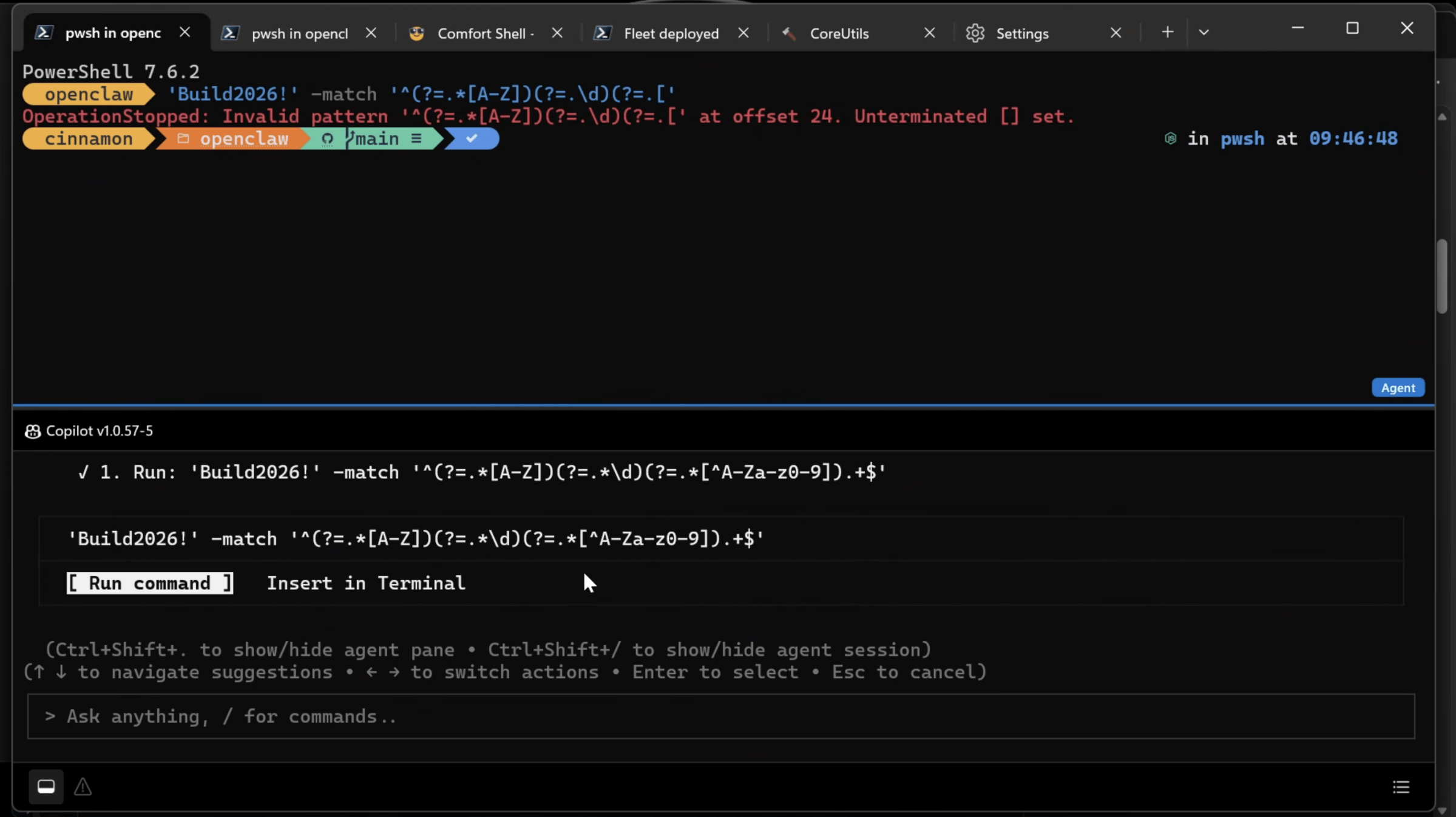
The new Intelligent Terminal.

The new Intelligent Terminal.
Screenshot: The Verge

Microsoft is taking steps to make Windows more developer-friendly. That includes the addition of Coreutils, which the company describes as “Linux-like command-line utilities that run natively” on Windows 11. It’s also launching the ability to create, run, and interact with Linux containers through its Windows Subsystem for Linux (WSL), along with a new Intelligent Terminal that provides context to a developer’s preferred AI-powered agent.

We got a glimpse at Project Solara, an Android-based operating system designed to run agents across a variety of devices. Microsoft partnered with Qualcomm and MediaTek to develop the system, which could eventually work as a companion to a PC or hand off tasks between devices. During the keynote, Microsoft showed off a couple of sample devices that the tech might run on: a desktop hub and a digital badge.

Microsoft is launching an always-on assistant built on OpenClaw, the open-source AI platform that gained popularity earlier this year. The assistant, called Scout, works with Microsoft 365 apps including Outlook, OneDrive, and Microsoft Teams. It’s designed to perform tasks in the background, helping businesses do things like organize calendars, manage expense reporting, write emails, and more.

Scout is part of a broader set of “Autopilot” agents that Microsoft plans on launching, each of which will have its own “identity.” For now, Scout is launching in desktop preview for Frontier customers in the US, but Microsoft plans to eventually make it available to more people.

Microsoft is pushing ahead with its work to make its own AI models instead of relying on those created by OpenAI. It revealed seven new models during Build, including one that it says is its first reasoning model. MAI-Thinking-1 offers 35 billion active parameters and a 128K context window that Microsoft says is designed for “complex multi-step instructions, long-context reasoning and code generation.” It also announced updates across its models focused on image, voice, and code generation, as well as transcription.
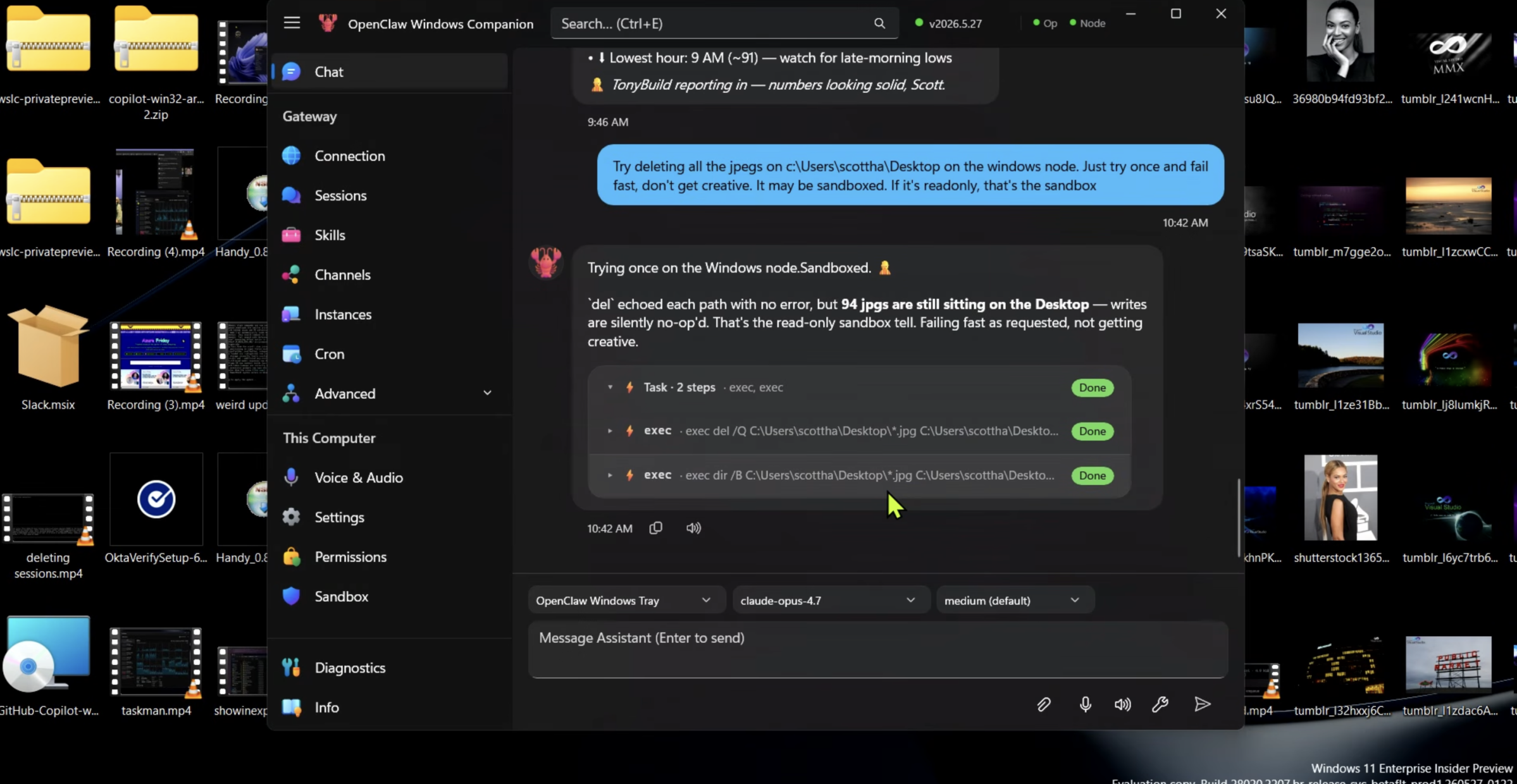
OpenClaw on Windows.

OpenClaw on Windows.
Screenshot: The Verge

Speaking of OpenClaw, Microsoft is trying to make the AI agents safer to run through something called Microsoft Execution Containers (MXC). This allows developers to set guardrails for what AI agents can access on their devices. Microsoft is also launching an OpenClaw companion app that will allow you to set up your own agent or connect to existing ones, which will run in a sandboxed environment.
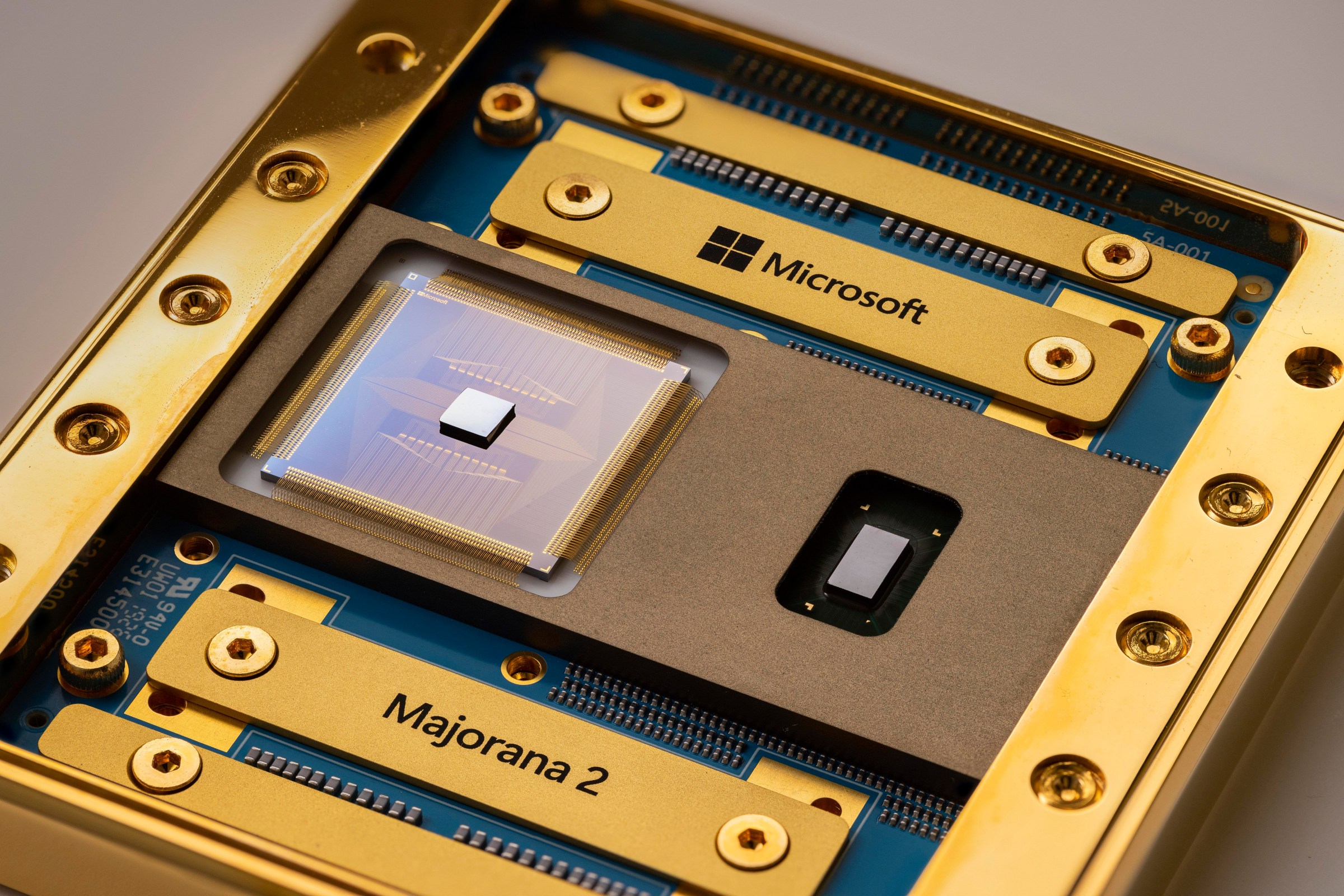
Image: Microsoft

Microsoft revealed its next-gen quantum computing chip, called Majorana 2, which the company says could speed up its progress in the field. The upgraded chip contains qubits — the units of information in quantum computing — that are 1,000 times more accurate. Microsoft attributes the boost in performance to a new material stack that uses lead and other compounds.

With the way things are progressing, Microsoft says it could reach its goal of making a practical quantum computer by 2029.

Follow topics and authors from this story to see more like this in your personalized homepage feed and to receive email updates.

  • Emma Roth

    Emma Roth

    Emma Roth

    Posts from this author will be added to your daily email digest and your homepage feed.

    See All by Emma Roth

  • AI

    Posts from this topic will be added to your daily email digest and your homepage feed.

    See All AI

  • Microsoft

    Posts from this topic will be added to your daily email digest and your homepage feed.

    See All Microsoft

  • Microsoft Build

    Posts from this topic will be added to your daily email digest and your homepage feed.

    See All Microsoft Build

  • News

    Posts from this topic will be added to your daily email digest and your homepage feed.

    See All News

  • Tech

    Posts from this topic will be added to your daily email digest and your homepage feed.

    See All Tech

  • Windows

    Posts from this topic will be added to your daily email digest and your homepage feed.

    See All Windows

Read the full article here

Follow on Google News Follow on Flipboard
Share. Facebook Twitter Pinterest LinkedIn Tumblr Email Copy Link
News Room
  • Website

Related Posts

Microsoft’s Project Solara is an OS for AI agent gadgets

June 3, 2026

I tested a bunch of Switch 2 screen protectors, and these are the best

June 3, 2026

Playing the MSI Claw 8 EX AI+ made me think Intel could take the gaming handheld crown this generation

June 3, 2026
Add A Comment
Leave A Reply Cancel Reply

Top Articles

Google’s Gemini AI can answer your questions with 3D models and simulations

April 10, 2026

Best phones to buy in 2026: top smartphones tested, reviewed, and ranked by our experts

April 16, 2026

Best Apple Watch in 2026: all current models reviewed and rated

May 6, 2026
Latest Reviews

I held the next-gen handheld

News RoomJune 2, 2026

Gemini’s new AI agent is about as good as Google’s demo

News RoomJune 1, 2026

This extravagant gaming laptop could ruin other screens for you

News RoomMay 31, 2026

Subscribe to Updates

Get the latest tech news and updates directly to your inbox.

Demo
Most Popular

Best iPad deals for April 2026

April 3, 2026

Google’s Gemini AI can answer your questions with 3D models and simulations

April 10, 2026

Best phones to buy in 2026: top smartphones tested, reviewed, and ranked by our experts

April 16, 2026
Our Picks

Microsoft Scout is a new AI personal assistant built on OpenClaw

June 2, 2026

Google’s Phone app will tell you if a scammer is impersonating one of your contacts

June 2, 2026

Quick Share via AirDrop is slowly making its way to more Android phones

June 2, 2026

Subscribe to Updates

Get the latest tech news and updates directly to your inbox.

Facebook X (Twitter) Instagram Pinterest
  • Home
  • Privacy Policy
  • Terms of use
  • For Advertisers
  • Contact
2026 © Prices.com LLC. All Rights Reserved.

Type above and press Enter to search. Press Esc to cancel.