

I love the Apple Watch. I’ve worn it religiously for the last decade (and that even includes the morning of my wedding day, though I am not sure I should admit that). If you asked me why I wear it day in, day out, there are several reasons.
The first is that I don’t have to keep my iPhone in my hand all the time to see important calls or notifications. The second is silent alarms – I maintain I am a nicer human in the mornings because I don’t wake up to a horrid alarm blaring through my eardrum before 7am. The third is tracking workouts, from my Peloton rides to my dog walks. The fourth is finding my iPhone, which I always misplace multiple times a day. And the fifth, but by no means any less important than the other four above, is being able to use Apple Pay from my wrist when I need to pay for my coffee or the tube and my iPhone is (inevitably) at the bottom of my bag.
I could probably think of a few extra reasons, such as sleep tracking and navigation, but the above would be my top five. The Apple Watch is by no means perfect, though, and for the last few years I have moaned about the same things over and over again. I sound like a broken record. Thankfully, I can now stop whining about two of those things and go back to moaning at my husband for leaving his trainers out.
We finally have a Readiness score
Every Tom, Dick and Harry in the fitness tracker space has some form of daily readiness or energy score. But until 9 September, when Apple announced the Apple Watch Series 12 and Apple Watch Ultra 4 alongside the iPhone 18 Pros and iPhone Duo, the company didn’t play the readiness game. Why? Who knows, but I nearly jumped out of my seat in that Steve Jobs Theatre when Readiness was announced for the latest Apple Watches.
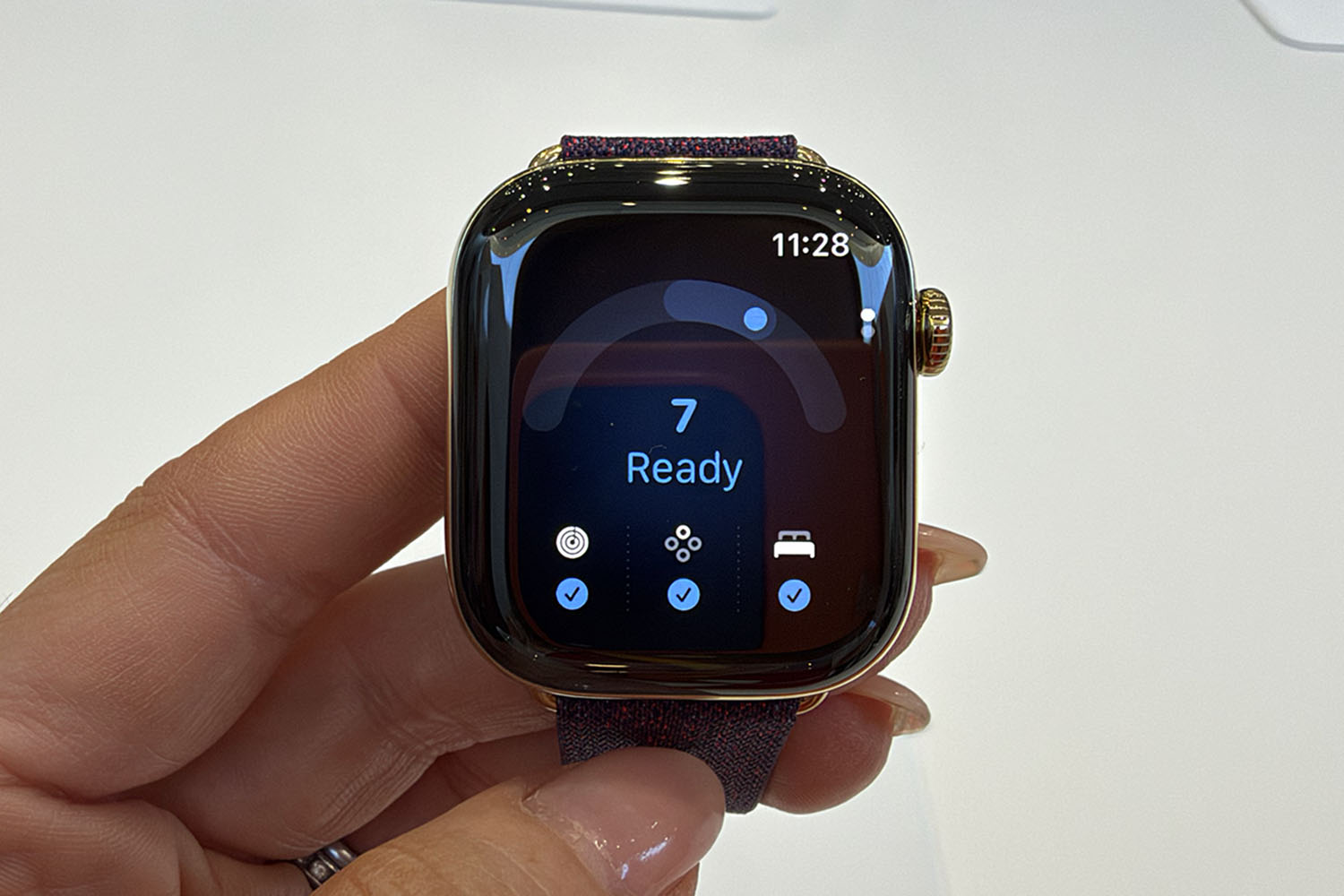
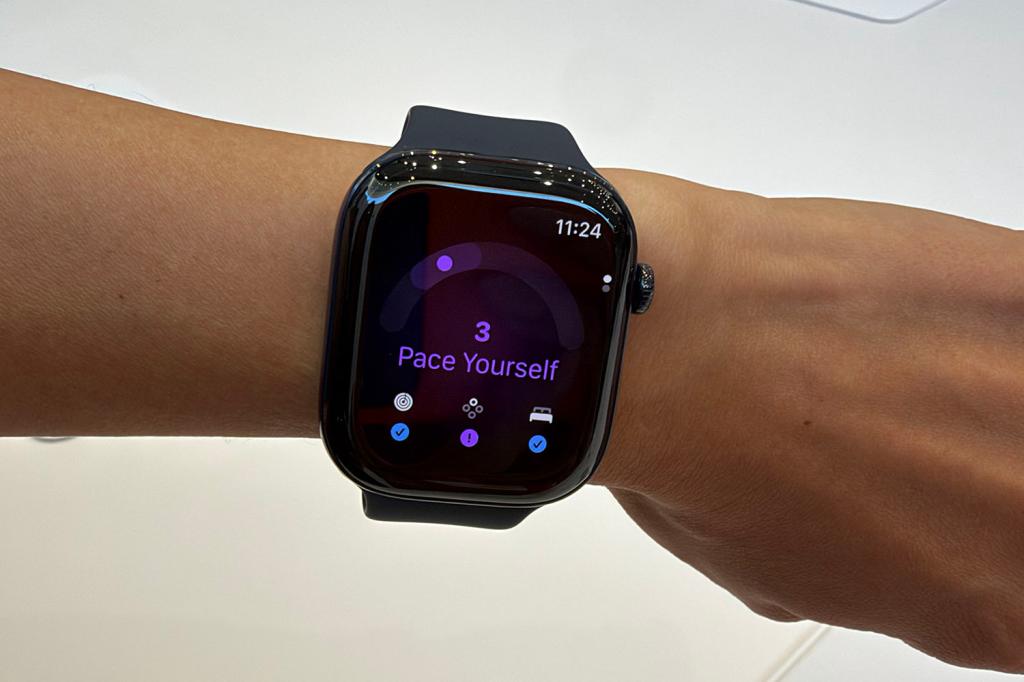
The feature will analyse your recent activity, vitals and sleep score to give you a single score from 0-10, along with a recommendation ranging from Recover (0) and Pace Yourself (3) to Ready (7) and Go For It (10). Most fitness devices offer a score out of 100, but I’ll take whatever I can get on this front from the Apple Watch, so I won’t go back to moaning just yet.
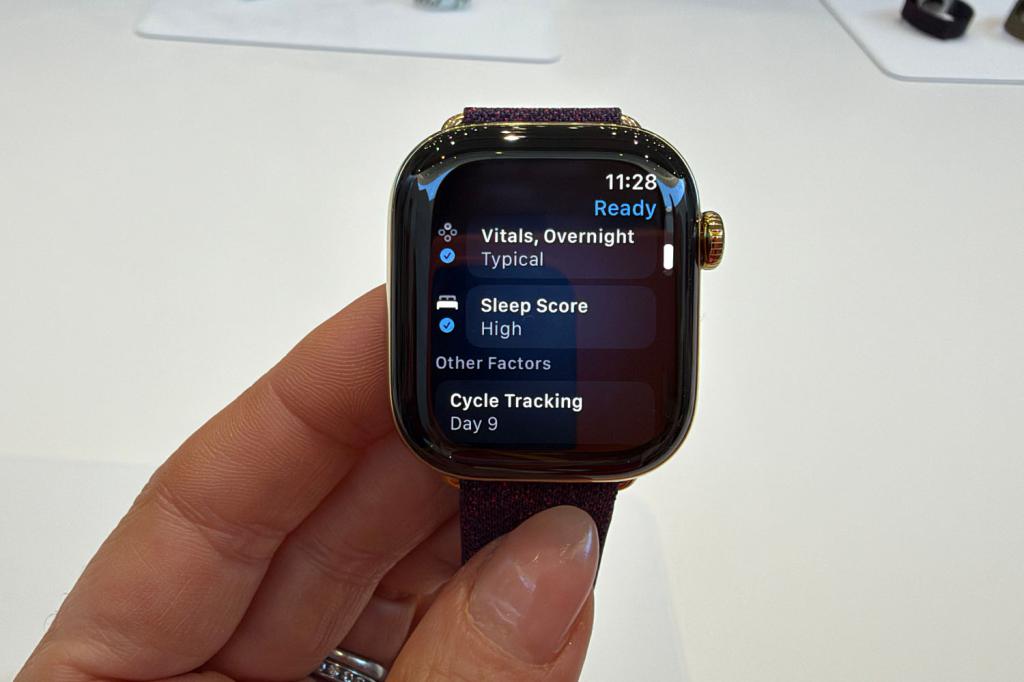
As new data is gathered throughout the day, the Readiness score will update. For example, if you start at 10 but do an intense workout, or your daytime vitals change, your Readiness score will reflect that, likely dropping. Have a nap, though, and it should go back up, which sounds like as good an excuse as any for a little lie down. You will see a breakdown of the factors driving your Readiness score so you can see more details and what you can do to impact it.
And steps as a complication
The second feature isn’t as big a deal as the whole Readiness thing, but for some people, I suspect it will be a key update. According to Apple, the pedometer models in the Watch Series 12 and Watch Ultra 4 have been redesigned with new machine learning algorithms to provide more accurate distance measurements during indoor walk or run workouts, with the S11 processor allowing for more accurate step counts all day.
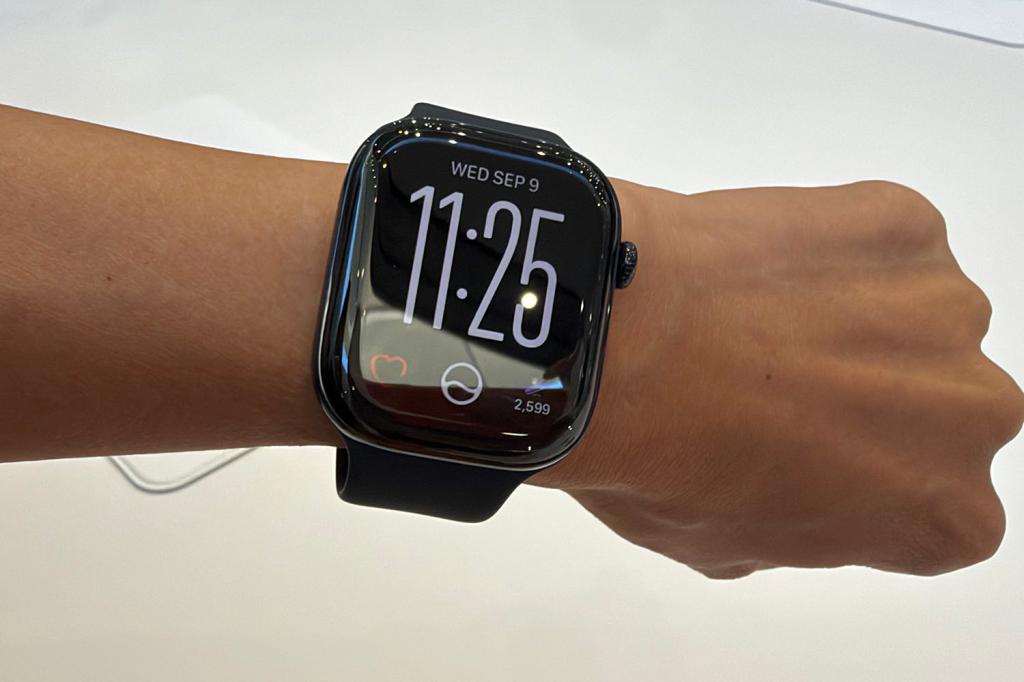
But what I’m jumping up and down about (and not to get extra steps) is that the new chip enables a new Steps complication. Apple Watch has counted steps since the original model launched in 2015, and while the 10,000 figure most fitness trackers use as an arbitrary benchmark has been called into question multiple times since then, it’s still a metric a lot of people I know focus on.
The issue was that to see your steps on Apple Watch, you had to open the Fitness app and scroll down until you eventually found them. You could always add your Rings as a watch complication, but steps? Nope, not a chance. Until now, at least. Pick the Siri Modular face on the Apple Watch Series 12 or Apple Watch Ultra 4, and you’ll see those steps racking up in the corner.
So, what’s the catch?
Unfortunately, there is a catch with both of these new features. I know, I know, I’ve teased you with the best news you’ve had all week, and now I am about to ruin your day. To get a Readiness score or use the steps complication, you need one of the new Apple Watch models.
While older Apple Watch models like the Watch Series 9 and Watch Ultra 2 run watchOS 27, the Readiness feature requires the new Health Sensing System, which features new optical and electrical heart sensors, while the steps complication needs the new S11 processor and pedometer model. So I do apologise for being the bearer of bad news on that front, but hey, at least these features have finally arrived on Apple Watch. We’ll take the baby steps. All 10,000 of them.
Read more: I’m not a folding phone fan, but after using Apple iPhone Duo I think it might change my mind


Read the full article here
