





Introduction
Alienware and affordable, together in the same sentence? It’s not a common occurrence, but the AW3426DW proves it can happen every once in a while. The newest monitor from Dell’s gaming arm lands at $799/£709, which is a bit of a steal for a curved 34in ultrawide – especially when it’s rocking Samsung’s latest-gen Tandem QD-OLED panel.
The price is dramatically lower than the Asus ROG Swift PG34WCDN I awarded five stars to a mere month before the Alienware landed on my desk. Both use the same underlying panel tech, which has a revised Quantum Dot layer for higher brightness, deeper blacks, less reflectivity and sharper-looking text, as well as super vibrant colours. A lower refresh rate, some curtailed connectivity and a more sedate look are all that separates them.
After almost a month living with the AW3426DW for both home working and gaming, I’m convinced Alienware has hit the price/performance bullseye for ultrawide fans.
Design & build
The AW3426DW is the sort of monitor I feel bad for placing up against a wall. Alienware has paid just as much attention to the ultra-minimal rear design as the panel itself, with an RGB-illuminated Alien head logo and some subtle, otherworldly graphics. The slim, one-piece stand looks the part too, with a handy channel for neatly routing cables.
That it doesn’t have a huge external power brick is also a big win – just a three-pin power cord that’s easier to keep out of view.
OK, the navy blue matte plastic didn’t perfectly match the gaming keyboard, mouse and speakers that were also crowding my desk, but the shade is dark enough so as not to look out of place either. The oversized power button at the bottom right of the chassis rotates through different LED hues, but wasn’t at all distracting.
The 1800R curve is shallow enough that it doesn’t swallow up any unnecessary extra desk space, poking out no further than the (admittedly rather large) stand base. Bolting the two together is the work of less than a minute, with no tools required. The stand has a modest amount of tilt and swivel, but plenty of height adjustment. You can swap it out for a VESA-compatible wall mount or monitor arm easily enough.
Connectivity
A quick peruse of the AW3426DW’s back panel gives a clue as to where Alienware has kept costs in check. You’re getting two HDMI 2.1 inputs and a single DisplayPort 1.4 connector, but no USB-C with DP Alt mode for a one-cable laptop hookup. The DisplayPort input also relies on display stream compression (DSC) to handle the high resolution and refresh rate, while more expensive rivals use DisplayPort 2.1 for an uncompressed signal. That said, it’s impossible to tell the difference without laboratory tools, so only true spec nerds will feel hard done by.
There’s also a USB-B upstream port around back to give data passthrough to the USB-A and USB-C ports – one of each – found below the screen’s bottom edge. They’re easy to reach for things like flash drives, but if you want to use them for something more permanent like a webcam the cables will always be on display.
You don’t get any kind of KVM switch for multi-PC setups and you won’t find a 3.5mm headphone port anywhere here. Alienware has also foregone any built-in speakers.
Interface

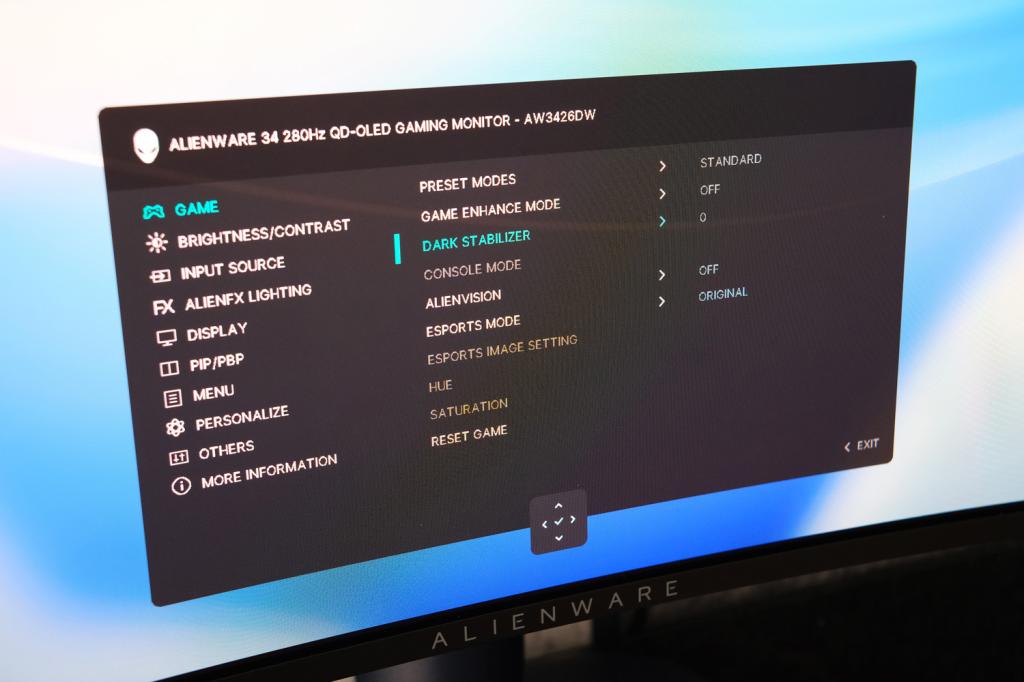
The small joystick at the bottom edge of the screen makes the on-screen display easy enough to navigate. It’s a simple-looking affair that sensibly avoids taking up too much screen space, but is surprisingly stuffed with menu entries across multiple layers. The ‘console mode’ in particular is crucial if you want to hook up an Xbox Series X in 4K HDR – it’s not enabled by default.
About the only thing that wasn’t fully featured was OLED care, with just a single manual option to trigger a pixel refresh cycle. There’s no static UI element dimming, but it will automatically shift pixels every now and then to avoid burn-in. Alienware includes burn-in cover as part of its three-year warranty anyway.
There are a handful of the usual gaming-specific features like an onscreen crosshair, black level booster and an esports mode. The latter mimics the size of a 25in monitor, with 1:1 pixel mapping to give esports pros a more familiar experience, while maintaining the 280Hz maximum refresh rate.
I liked being able to assign handful of my most-used settings to a scrolling shortcuts carousel, or have them launch directly by tilting the joystick in a certain direction. The Picture-in-Picture/Picture-by-picture modes were particularly handy when I had two PCs powered up at once.
Alienware also has a Windows-based Command Center tool that can adjust most settings from the desktop, which could be useful if you’ve wall-mounted the AW3426DW out of easy reach.
Gaming performance
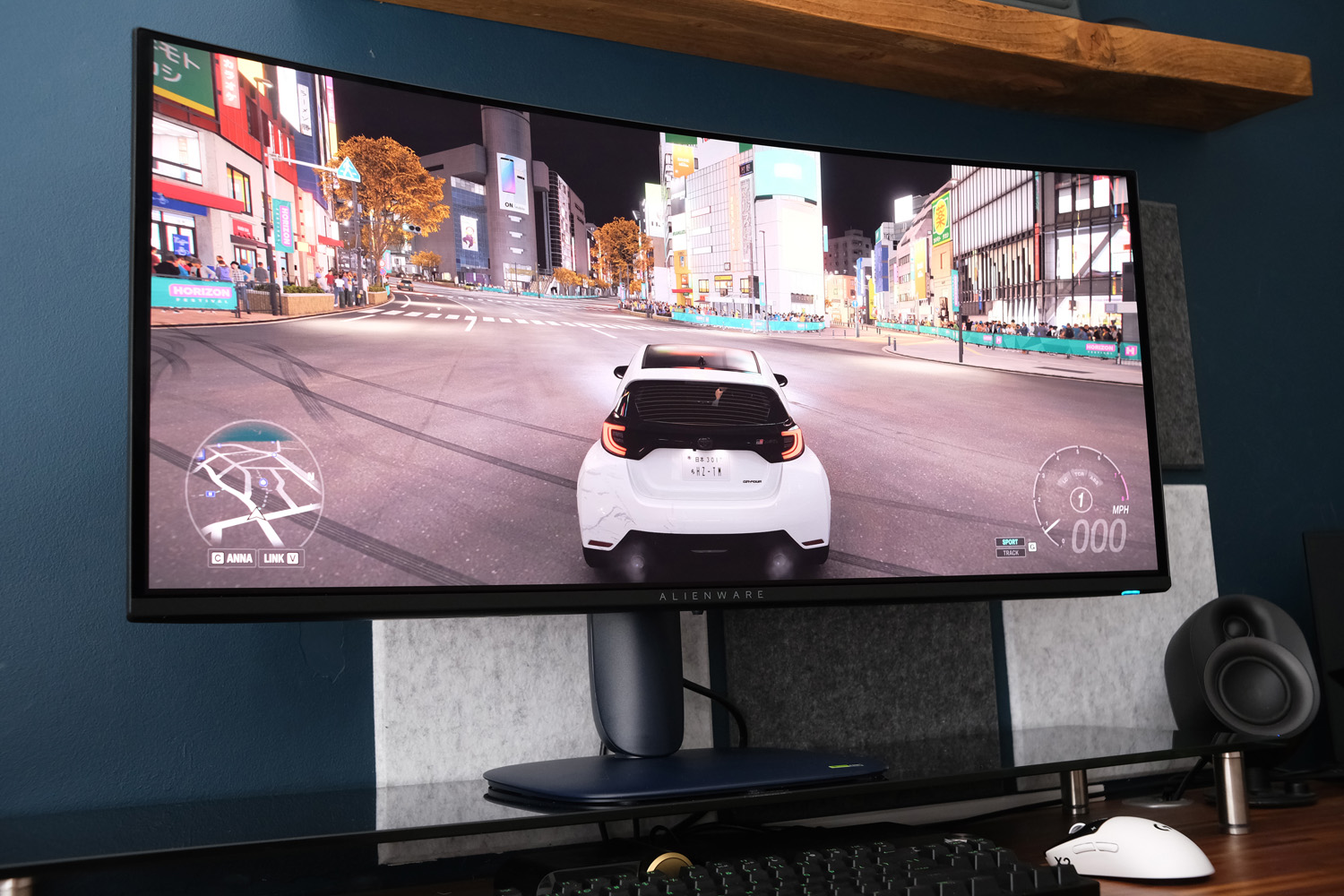
While the 280Hz maximum refresh rate is lower than rival Asus’ 360Hz and short of the class best, the AW3426DW is more than fast enough for all but the most hardcore of gamers. It’s a step up from the last-gen model’s 240Hz cap and supports all the variable refresh rate standards from Nvidia, AMD and VESA. The bigger problem will be asking your PC’s graphics card to keep up: Forza Horizon 6 sped along at a perfectly smooth pace, with no dropped frames or screen tearing.
Response times in the 0.03 millisecond range, so basically instant. Input lag is non-existent. There’s no ghosting, overshoot or ugly pixel transitions, and motion clarity is top notch. Even fast-paced twitch shooters like Doom: The Dark Ages felt perfectly tied to my mouse and keyboard inputs.
Picture quality
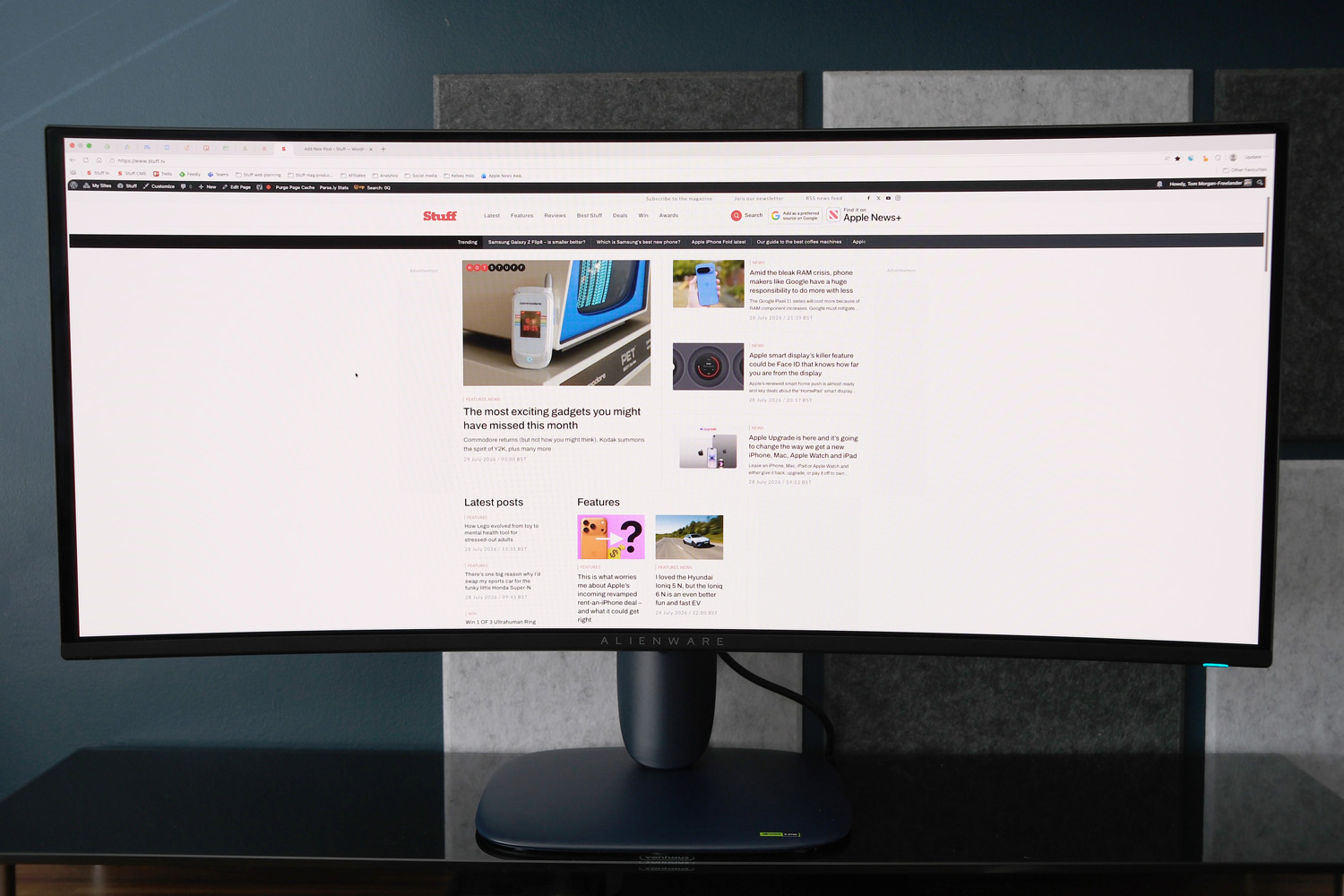
The AW3426DW uses a latest generation QD-OLED panel from Samsung, which has an RGB-stripe sub-pixel layout. That means the red, green and blue OLEDs are rectangular rather than triangular or square, which usefully is the best arrangement for text rendering in Windows. The first thing I noticed was how much better this display is for productivity than older QD-OLEDs, with no fringing or artefacts around text.
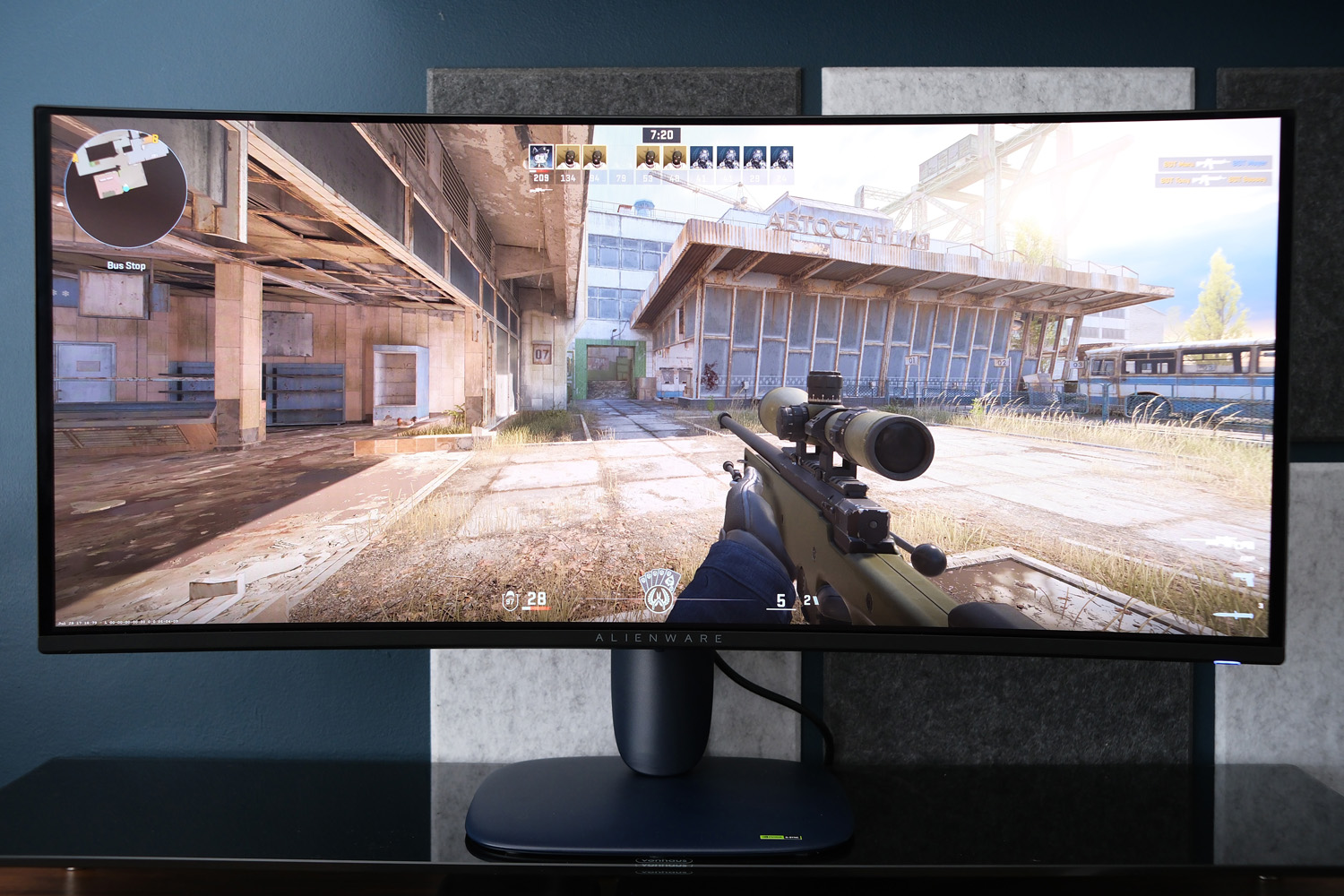
My other instant takeaway? How well the anti-reflective QuantumBlack Film coating retains deep, inky blacks even when my home office had plenty of ambient light. The pinkish-purple tint found on the last-gen panel is gone too. Shadow detail is exceptional as a result, giving real impact to moody movies and dark game levels. It may be glossy, but light flaring is at an all-time low. There’s also zero light bloom or halo effect on account of every pixel being its own light source – something the mini-LED alternatives can’t manage.
It’s also plenty bright enough for a spot of daytime gaming. An average 300 nits for standard dynamic range is marginally less than the best WOLED panels, but there’s very little in it; perceived brightness is also much higher than an equivalent LCD due to OLED’s much higher contrast ratio.
Peak brightness can hit 1300 nits for HDR content, but only in two of the picture modes. Everywhere else it’s closer to 500 nits, but still enough to give compatible games and films a major lift to highlights and bright light sources.
The Standard colour preset is a great starting point, with largely balanced hues that are just a tad warm and red-leaning. It covers the DCI-P3 space very well and has the vibrant, punchy appearance that’ll give your games and movies real presence. The colourful, cel-shaded Hades II really popped without me having to tweak any settings. Creative types may want to calibrate closer to sRGB for any colour-critical working, or make do with the sRGB mode, which is a lot more restrained.
Should you buy the Alienware AW3426DW in 2026?
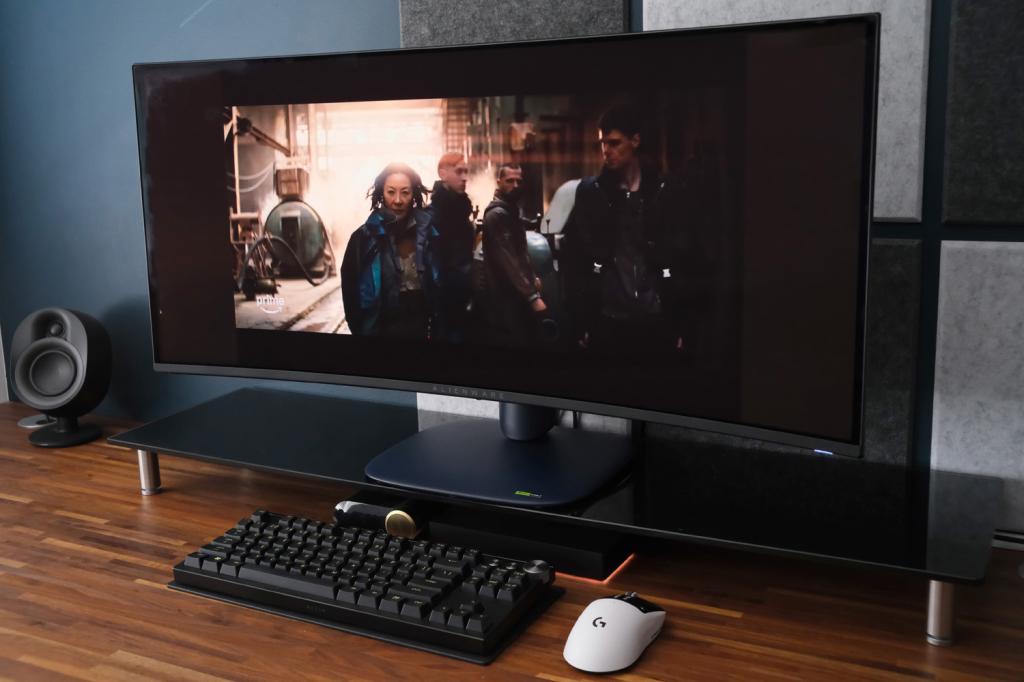
Talk about hitting the sweet spot. Alienware has adopted all-new panel tech that improves brightness, colour and clarity over the previous generation, massively cut down on reflectivity without impacting black levels, and wrapped it all up in a rather spiffy-looking shell. To do all that and still come in considerably cheaper than some QD-OLED rivals is a reach achievement.
Sure, it meant cutting back on connectivity a little, and the refresh rates aren’t quite as high as the class leaders. But you’re still getting a speedy, high resolution display that’s both great for PC gaming and a competent desktop workhorse. There’s not enough here to justify an upgrade from the outgoing model but anyone stepping up from an older 27in screen – be it 1080p or 1440p – will instantly appreciate the simply gorgeous image.
Only players that split their time between computer and console may want to consider sticking with 16:9. For pure PC gamers, it’s a simply fantastic buy in a year where upgrading almost any other part of your gaming rig is a shortcut to insolvency.
What are the Alienware AW3426DW’s technical specifications?
Scroll to see more →
| Specifications | Alienware AW3426DW |
|---|---|
| Screen size | 32in, 21:9 |
| Resolution | 3440×1440 |
| Refresh rate | 280Hz, Nvidia G-Sync |
| Response time | 0.03ms |
| Brightness | 1300 nits (peak, HDR) |
| HDR | HDR10, Dolby Vision |
| Connectivity | 2x HDMI 2.1, DisplayPort 1.4, 1x USB3 Type-B, 1x USB3 Type-A, 1x USB-C |
| Dimensions | 814x555x232mm, 7.91kg (with stand) |




Read the full article here


