






Introduction
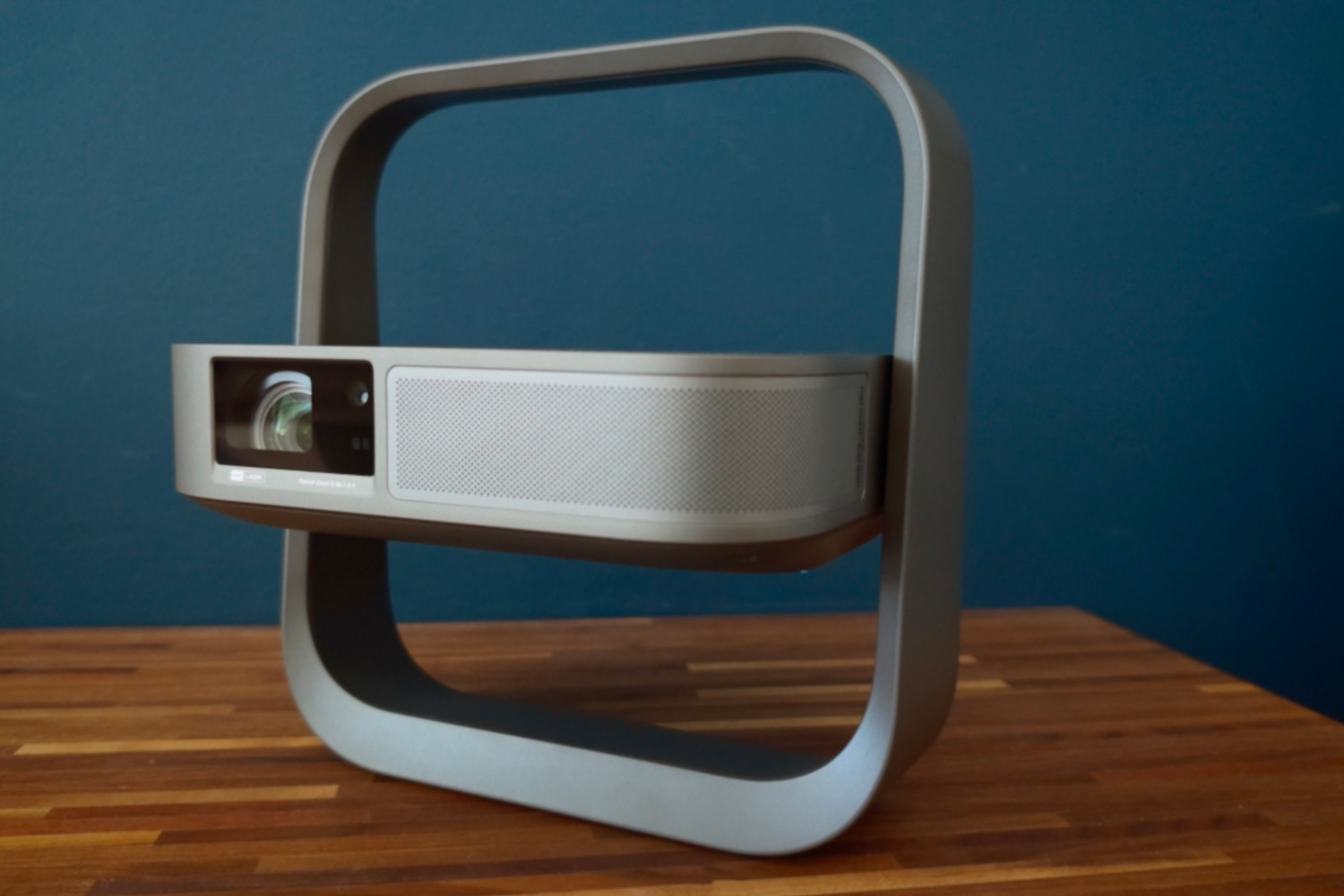
Xgimi has a projector for every eventuality at this point. The Elfin Flip 4K sits somewhere between the firm’s truly go-anywhere models with built-in batteries and the more hardcore home cinema systems, being small and portable enough not to need permanent residence but with picture quality good enough to replace your TV on movie night.
It’s the new hero of the Elfin lineup, bringing 4K resolution for the first time and an impressively bright triple-laser light source. You’ll also find Google TV smarts inside and enough connectivity for your consoles at the back.
Arriving in the US and UK on July 15, the $999/£869 Flip 4K is a fair bit more expensive than the $799/£689 Elfin Flip Laser, which tops out at 1080p. That puts it more in competition with semi-portable rivals from LG and Leica, but undercuts the likes of Dangbei’s DBOX02 Pro and the Epson EF-73. Could this be the new 4K sweet spot? Time to find out…
Is the Elfin Flip 4K’s design unique?
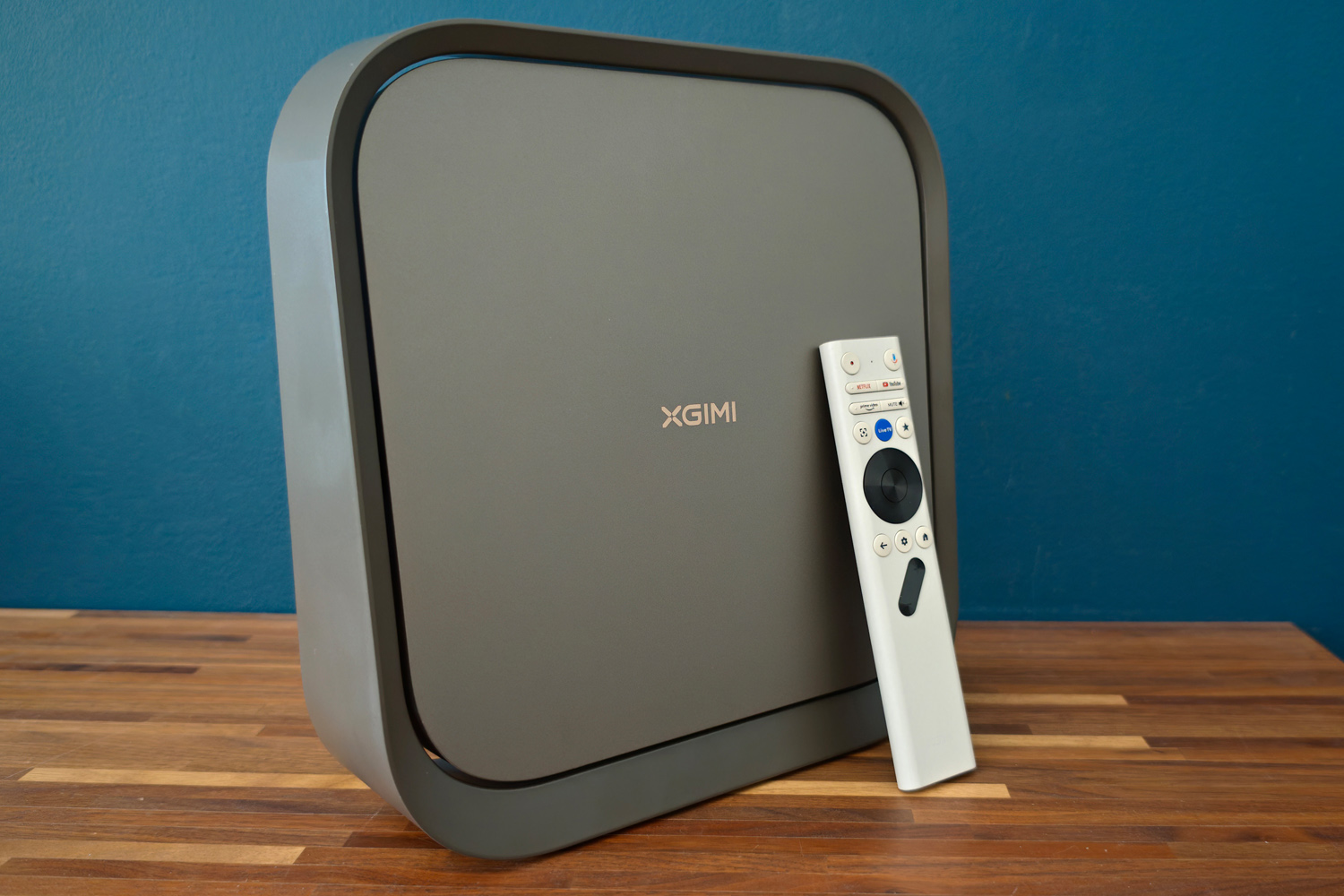
If the flat square slab looks at all familiar, it’s because Xgimi has basically reused the original Elfin Flip’s styling for this new version. I’m not complaining, though: this is an impressively compact 4K projector with an integrated base-slash-carry handle that makes it super-convenient to carry around. The gunmetal grey finish seen here is also a bit slicker the beige used before and you’ll also find a few more ports at the rear. It’s still small enough to slide onto a bookshelf when not in use.
When folded shut for storage or travel the projector is unassuming and small enough to slip into a backpack. The base then protects the lens from scratches and keeps the ports free from dust. At less than 1.6kg it’s light enough to carry one-handed. The included power brick is also no larger than a smartphone AC adapter, so you really can take the Elfin Flip 4K just about anywhere.
There’s 150 degrees of angle adjustment in the base, with a tilt mechanism that holds firmly in place at whichever angle you choose. It’s not the most stable thing once a few cables are trailing out of the back, even on a fully flat surface; if you’ve got kids or pets, securing it with the tripod thread on the underside might be sensible.
Both front and rear projection are supported along with tabletop and ceiling modes, so you shouldn’t struggle to find somewhere to put it. During testing I’ve used coffee tables, footstools, patio furniture and the kitchen counter.
How easy is the Elfin Flip 4K to set up?
I was up and running sooner than I’d managed with the 4K TV that arrived for testing the day prior, thanks in part to not having any legs to screw into place.
The projector takes care of the picture automatically at startup, with both autofocus and auto keystone, a generous amount of optical zoom for something so small, and smart obstacle detection that worked very well. Only more extreme placement angles and walls filled with photo frames proved a challenge.
Initial setup requires pairing the remote control, connecting to your Wi-Fi and logging into your Google account; all pretty standard stuff, made easy by a responsive and clearly laid out UI.
What are the Elfin Flip 4K’s feature highlights?
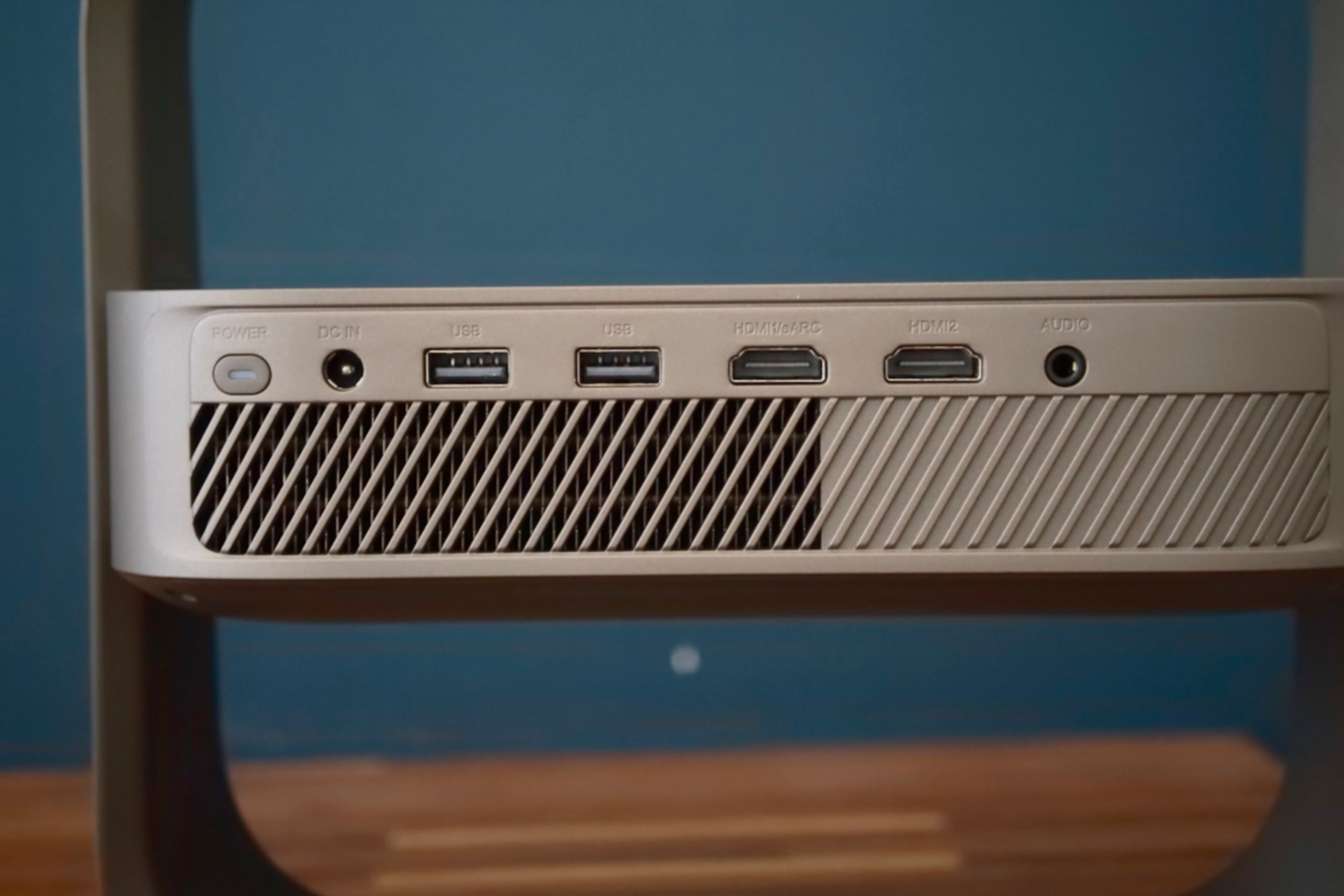
Portable projectors aren’t usually overflowing with places to plug in your other kit, but the Elfin Flip 4K is surprisingly well equipped. There are two HDMI ports at the rear, so you can bounce between a games console and set-top box without having to constantly swap cables. One of ’em even has HDMI eARC, so you can output audio to a home cinema system or soundbar.
Both support Variable Refresh Rate (VRR) and Auto Low Latency Mode (ALLM). Gamers can also drop to Full HD resolution in order to boost the refresh rate to 120Hz; it tops out at 60fps with a 4K signal. Input lag is imperceptible at 1080p but hardly a dealbreaker at 4K. Other gaming goodies include a virtual crosshair and a black level booster.
Two USB-A ports at the rear are handy for playing content from an external disk, but with the smart TV OS having full access to the Google Play Store I largely stuck to network streaming. There’s also a 3.5mm port here for simpler stereo speakers or for personal listening through headphones.
That’s not to say the 7W Harman Kardon-tuned speaker isn’t up to the task though. It comfortably drowns out the internal cooling fans in the normal picture modes, has great vocal clarity and a top-end that doesn’t sound overly shrill. Unsurprisingly there’s not a whole lot of bass, but it doesn’t sound entirely hollow either. For impromptu movie nights it absolutely gets the job done.
The one thing you won’t find here is a battery. It did feel a little counterintuitive having to plug a projector this portable into the mains, and the supplied cable isn’t the longest. Xgimi’s Mogo 4 is still your best bet for true go-anywhere movie nights, though it’s 1080p only and the laser model caps out at 550 lumens.
Is the Elfin Flip 4K’s UI easy to navigate?
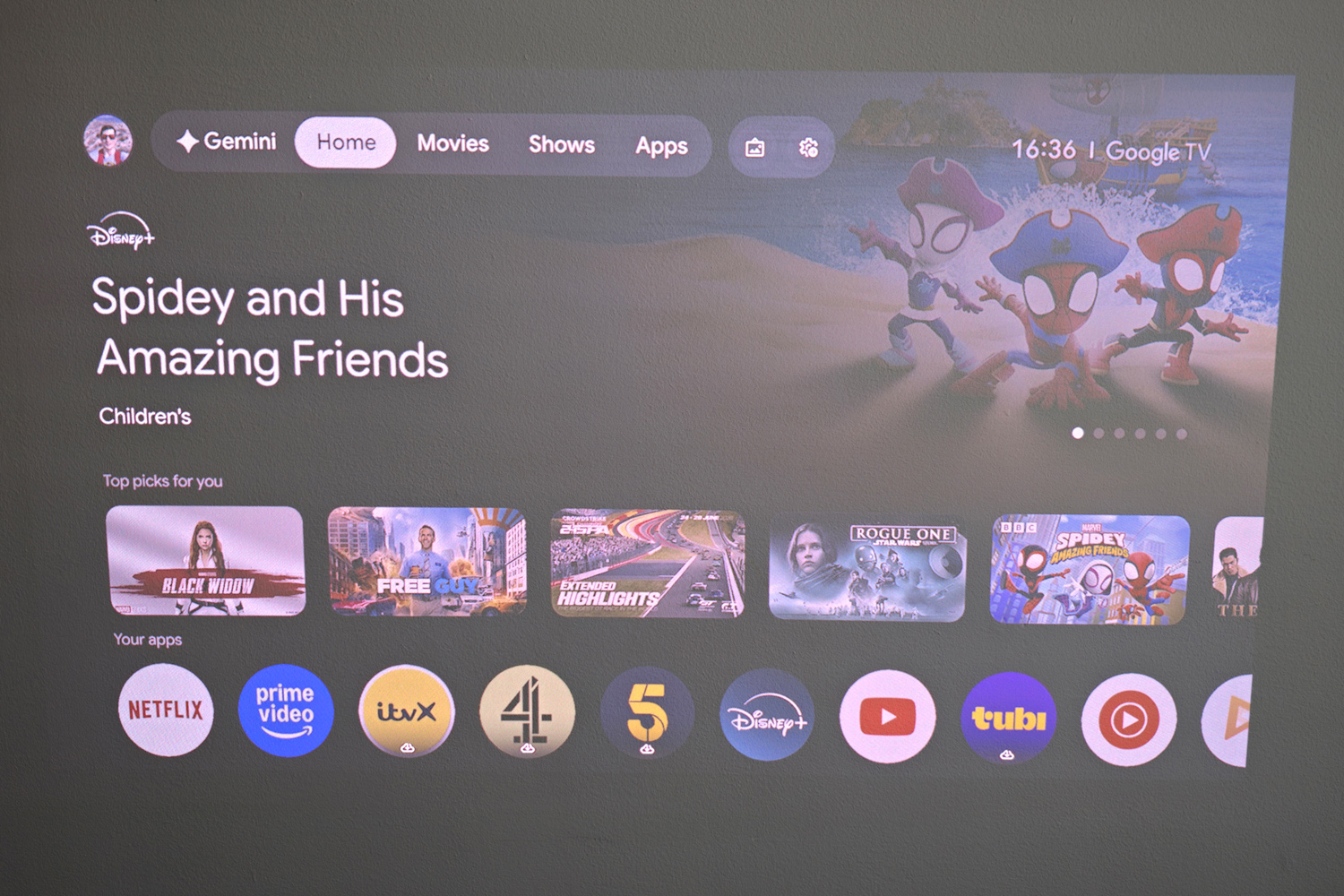
Xgimi regularly uses Google TV for its projectors and the Elfin Flip 4K is no exception. It has the latest version of the OS, preloaded with several of the major streaming services; most of the others are waiting in the Play Store. TV catchup services will vary by region; I found ITVX, Channel 4 and 5 on my UK review unit, but BBC iPlayer was absent.
Of course you can use Google cast to beam content from another device, but there’s no Airplay for Apple owners to do similar.
The card-based UI is very easy to navigate and feels particularly snappy, loading thumbnails quickly and never swallowing any of my inputs. The Settings page takes a little longer to appear at first, but quickly catches up. I can’t say I found the new Gemini tab at the top of the screen particularly helpful, as the remote has a dedicate voice control button that does the same thing without eating up any screen space.
I’m in two minds about the remote. It has enough buttons for the basics and I like that important ones like the home, back, settings and focus buttons all light up. Shortcuts to Netflix, Prime Video and YouTube are welcome too. But it feels a little too like a parts bin job, being a different colour from the projector and with a button labelled LIVE TV that’s actually just a customisable shortcut.
Does the Elfin Flip 4K have picture quality that justifies the price?
With an RGB triple laser light source good for 1600 lumens and a 0.39in DLP chip, the Elfin Flip 4K can throw out a 4K image up to 200in across. That brightness only goes so far, of course, and at that size the amount of ambient light in your room becomes a limiting factor.
That said, I was surprised at how usable it was during the day. In my home office with the blinds partly open, a 45in image from about three feet away looked impressively rich and not at all washed out. Tilted to the ceiling, I got a 115in picture that was still perfectly watchable without needing to plunge the room in darkness first. Tron: Ares didn’t prove to be its undoing.
I could really appreciate the darker parts of streaming shows at night, but the dynamic black level enhancer was able to put in quite a bit of work during the day. There’s not quite the contrast between shadows and highlights when playing HDR content that you’ll get from a pricier home cinema projector, but Top Gun Maverick‘s canyon training scene was suitably spectacular. HDR10 and HLG are supported here but there’s no Dolby Vision.
Colours have nuance in the Standard picture mode, with largely clean gradation between shades. Vivid, Game and Sport all massively ramp up the colour saturation, to the point I actively avoided them. The Movie mode looks a lot more natural, with a slightly warmer tone and motion control that better suits lower frame rates. The rainbow effect, a distraction I notice on plenty of DLP projectors, was minimal.
As for resolution, is it worth paying the extra for 4K here over the similarly compact Elfin Flip Laser? Absolutely. Side-by-side with the Full HD Mogo 4, I could really see the difference in resolved detail and sharpness.
Should you buy the Xgimi Elfin Flip 4K in 2026?

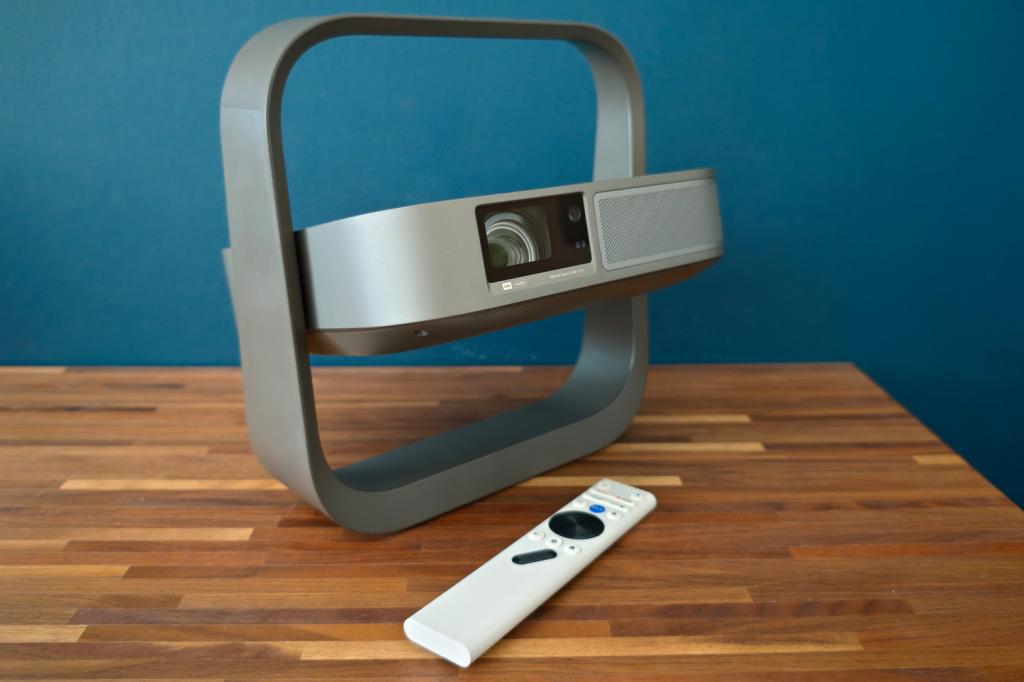
Have you been waiting for a projector that’s easy to move between rooms and light enough to take with you while travelling, yet won’t restrict you to a Full HD picture? The Elfin Flip 4K absolutely fits the bill.
It gets impressively bright, delivers colourful images and really makes the most of its extra resolution. Google TV is a pleasure to use and there’s enough ports at the back for multiple consoles to get your game on. Pricing is competitive too.
Spending more on a larger rivals will get you a more adjustable stand, beefier speakers and an even brighter picture for proper daytime viewing, but as a step up from 1080p the Elfin hard to fault.
What are the Xgimi Elfin Flip 4K’s technical specifications?
Scroll to see more →
| Specifications | Xgimi Elfin Flip 4K |
|---|---|
| Light source | Laser |
| Projection type | DLP |
| Resolution | 3840×2160 |
| Refresh rate | 60Hz (4K), 120Hz (1080p) |
| Brightness | 1600 lumens |
| Connectivity | 2x HDMI, 2x USB |
| Smart TV | Google TV |
| Dimensions | 254x245x78mm, 1.55kg |




Read the full article here


