






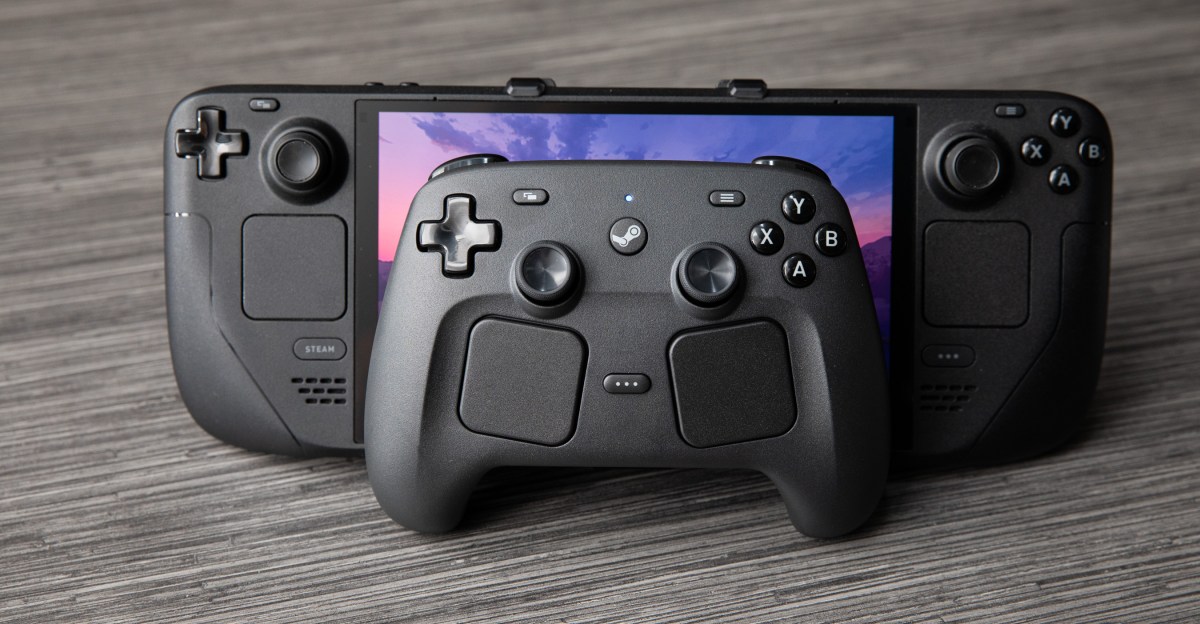
After my brief hands-on last year with Valve’s new Steam Controller, I said it might be my dream controller. I’ve been looking for a controller with the customization and sheer function available on Valve’s Steam Deck while I’m playing games on the TV. You, me, and a lot of other people have been waiting for this.
I’ve had the new controller in my hands for more than two weeks, and it’s already changing how I play at home. I used to make the Steam Deck handheld my go-to couch gaming experience because of how good it feels to hold, but the Controller has me docking my Deck to play on the TV because it feels even better.
I’ve spent hours crafting ridiculous combos in Vampire Crawlers, blowing up bots in Pragmata, and fending off fearsome zombies in Resident Evil 2. For any game I play, I can set any button or input to be whatever I want it to be, letting me make entirely new layouts that automatically load every time I launch a game.
Even better, layouts created for the Steam Deck immediately transfer to the same spots on the Controller and vice versa. They should even work when you bring the gamepad to a friend’s house and play on their machine. Go read my colleague Cameron Faulkner’s story for more on how the customization goes beyond any other controller on the market.
Some things I didn’t like as much, like the position of the trackpads. But my quibbles won’t stop me from dropping $99 on Monday, May 4th to order one for myself.
For me, it all clicked into place when I habitually pressed the R4 back button and the Controller immediately took a screenshot — the same shortcut I’d already set on my Steam Deck. When all my other fine-tuned controls seamlessly carried over too, I realized just how useful a first-party Valve controller could really be.
Normally, when I put the Steam Deck on my dock and pick up a wireless gamepad, I’m settling for lesser controls. But with the Steam Controller and Steam’s extensive controller settings, it’s as if I’m still holding the Deck: every button is exactly where I expect it to be, endlessly and easily customizable, with my muscle memory intact.
I’m glad it’s seamless, because the Controller is nice. Like with the Deck, my fingers settle around the Controller’s grips, and both the joysticks and buttons are comfortable to reach by thumb. Nothing rattles when I shake this gamepad. The D-pad feels more solid, and so do the satisfyingly clicky new Steam and Quick Access buttons. (Quick Access is so handy to have on a gamepad for little things like adjusting volume in a pinch.) The rumble feels crisper than on my 8BitDo Ultimate 2 Wireless, though Sony’s haptics on the DualSense are still far better.

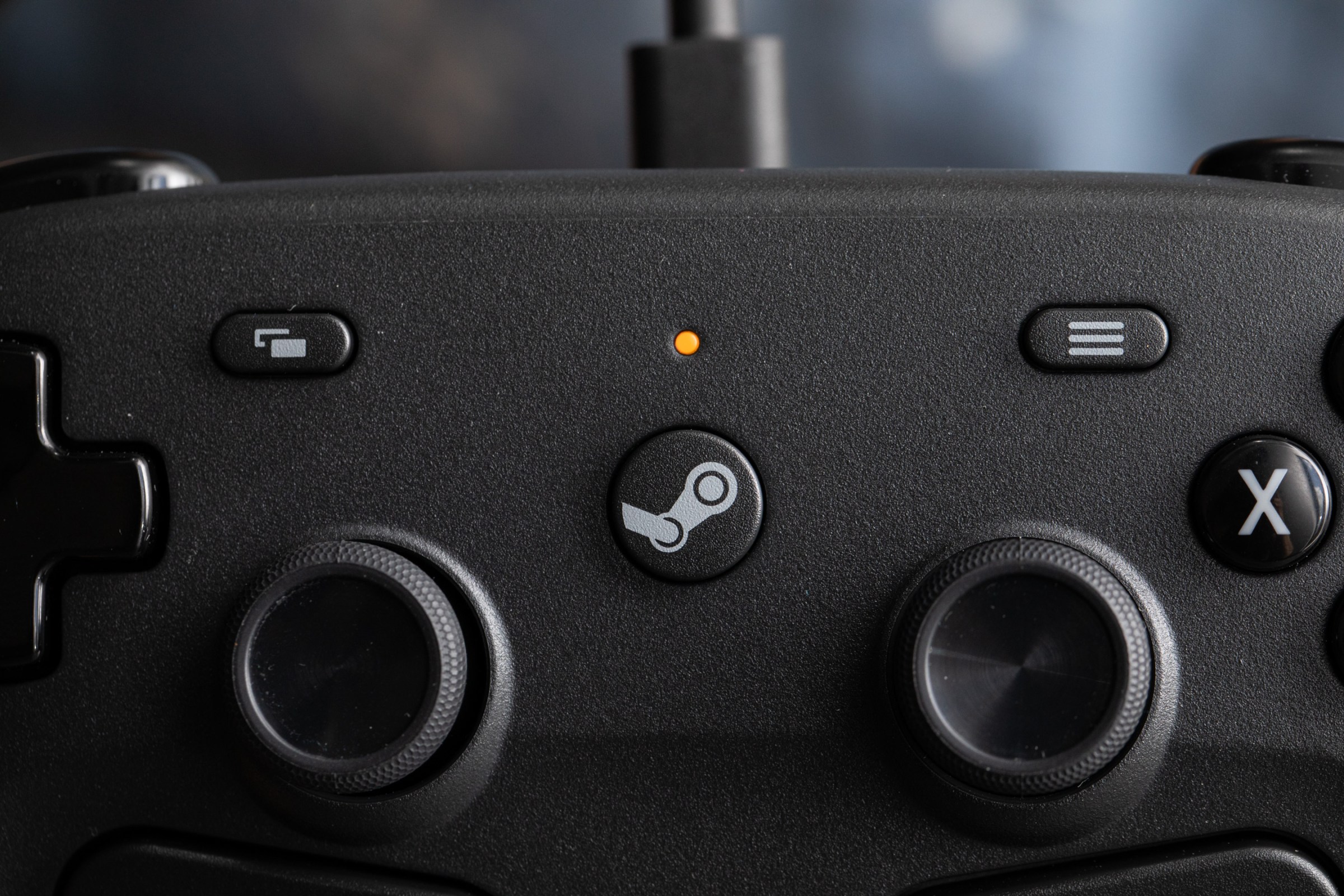
It’s also easy to get the controller working with my Steam Deck. You can plug in a USB-C puck that establishes a low-latency 2.4GHz connection with the controller (and magnetically attaches to the back of the controller for charging with a very satisfying snap). Or you can use Bluetooth or plug a USB-C cable into the pad to play and charge simultaneously.
One of my favorite features is a tiny color-changing LED at the top of the controller to indicate its various modes. White means you’re connected via the 2.4GHz puck, for example, while blue is for Bluetooth. It even flashes red when it’s connected for an update. Another charming touch: the Controller plays a Deck-like chime when it turns on, and one when it turns off.
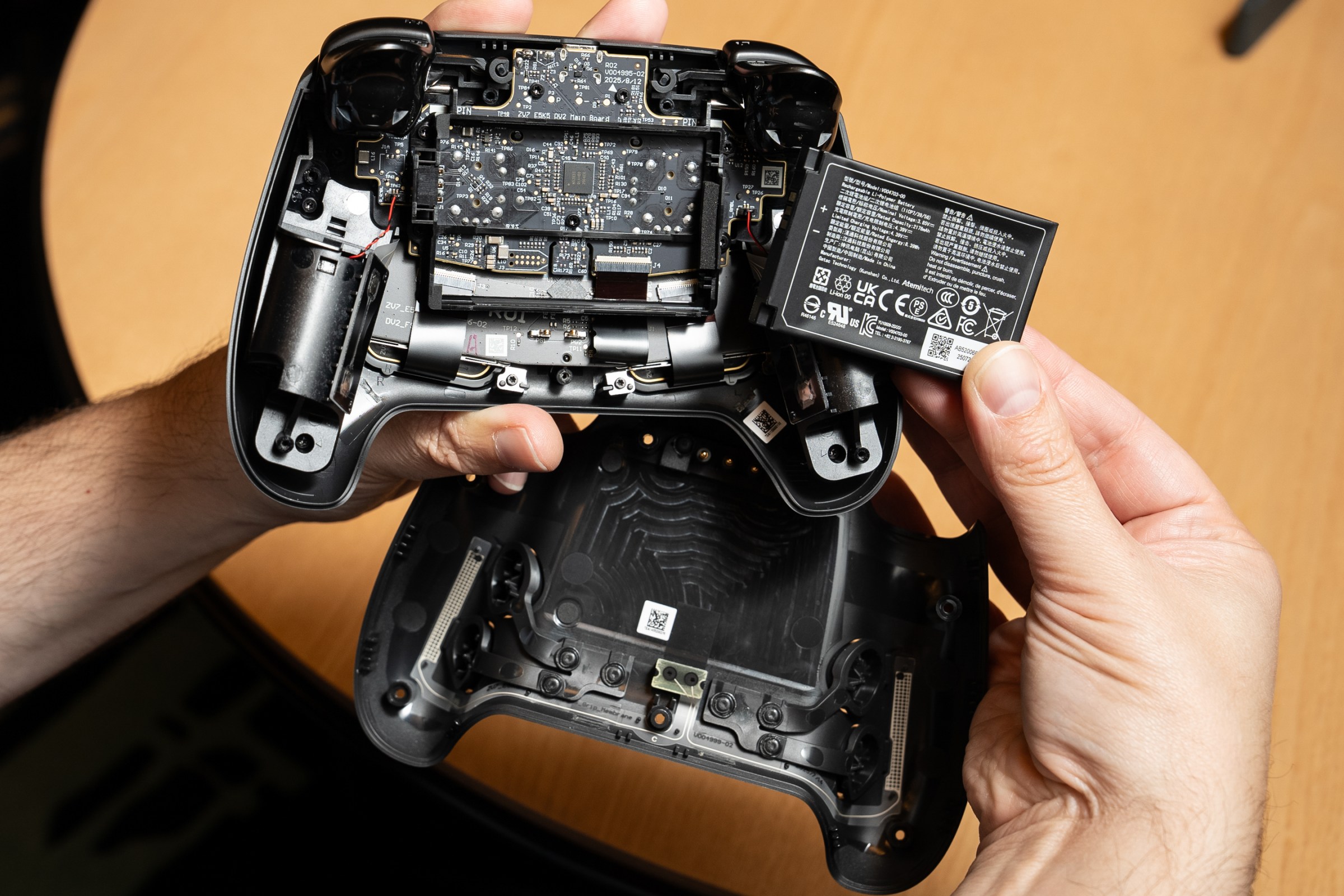
Valve says the battery will give you more than 35 hours of gameplay, but thanks to the convenience of the puck, I haven’t stressed about battery at all. I know some would prefer AA batteries since rechargeables degrade over time, but the convenience is a plus for me, the battery is easily removed, and Valve says it’s working with companies like iFixit to eventually sell replacements.
Sitting on my couch — which, at most, is about 12 feet away from the puck under my TV — I haven’t observed any discernible difference in latency between the 2.4GHz connection or Bluetooth. Even when switching between modes while playing games where timing matters, like Hollow Knight: Silksong, any errors I made were a skill issue, not Controller ones. I had to walk into faraway rooms to run into any notable latency in either wireless mode.
For most people playing games at their desk next to their computer or solo on the couch, either connection should be fine. Valve’s Pierre-Loup Griffais tells The Verge you’ll probably only notice Bluetooth’s weaknesses if you’re trying to use multiple Bluetooth controllers simultaneously, or download games on PCs where the Bluetooth antenna doubles as an antenna for Wi-Fi.
One feature new to the Steam Controller feature is Grip Sense. Thanks to capacitive sensors, each of the Controller’s grips functions as a button. Like everything else with the Steam Controller, either grip can be mapped to anything else you want. In my experience, Grip Sense generally activates when the top part of my palm starts to curl around the grip, so you do have to be mostly gripping the controller for it to work, making it great for gyro controls. It was a little touchy as a trigger substitute in Resident Evil 2, but I don’t think that’s the type of thing most people will use it for.
The trackpads were mostly a letdown. They’re not in a comfortable spot for me to use extensively as a mouse; the few times I’ve tried, my contorted thumbs started to ache. Sure, the right trackpad gave me slightly finer control while fighting zombies in Resident Evil 2. But I much prefer just using the right joystick to aim.
I did use trackpads in Vampire Crawlers as a mouse, to hover over some helpful info I couldn’t figure out how to see playing purely with gamepad controls. They’re handy to flick around a desktop, too. But, like with the Steam Deck, I won’t be using the trackpads on the Controller as a way to play mouse-based games for hours on end.
I also wish the Steam Controller had a headphone jack, like the DualSense and Switch Pro controller. It’s just much easier to plug headphones into those controllers instead of dealing with wireless headsets. Plugging in USB-C headphones to the USB-C port on top doesn’t work for audio, I tried.
What else do you want to know about the Steam Controller?
And because the Steam Machine and Steam Frame still aren’t available yet — and we don’t know when they will be, beyond sometime this year, or how much they will cost — we haven’t yet reviewed it with those devices. I also only have one Steam Controller, while Cameron has the other on an entirely different coast, so we didn’t test multiple Controllers connected to a single puck. (You can connect four per puck.)
Still, the Steam Controller is very nearly my dream controller. It’s an expensive option at $99, especially when I already have a bunch of controllers that I could use. But none of those have the same magic. The Steam Controller’s extra perks are enough for me to buy one for myself.
Read the full article here


