
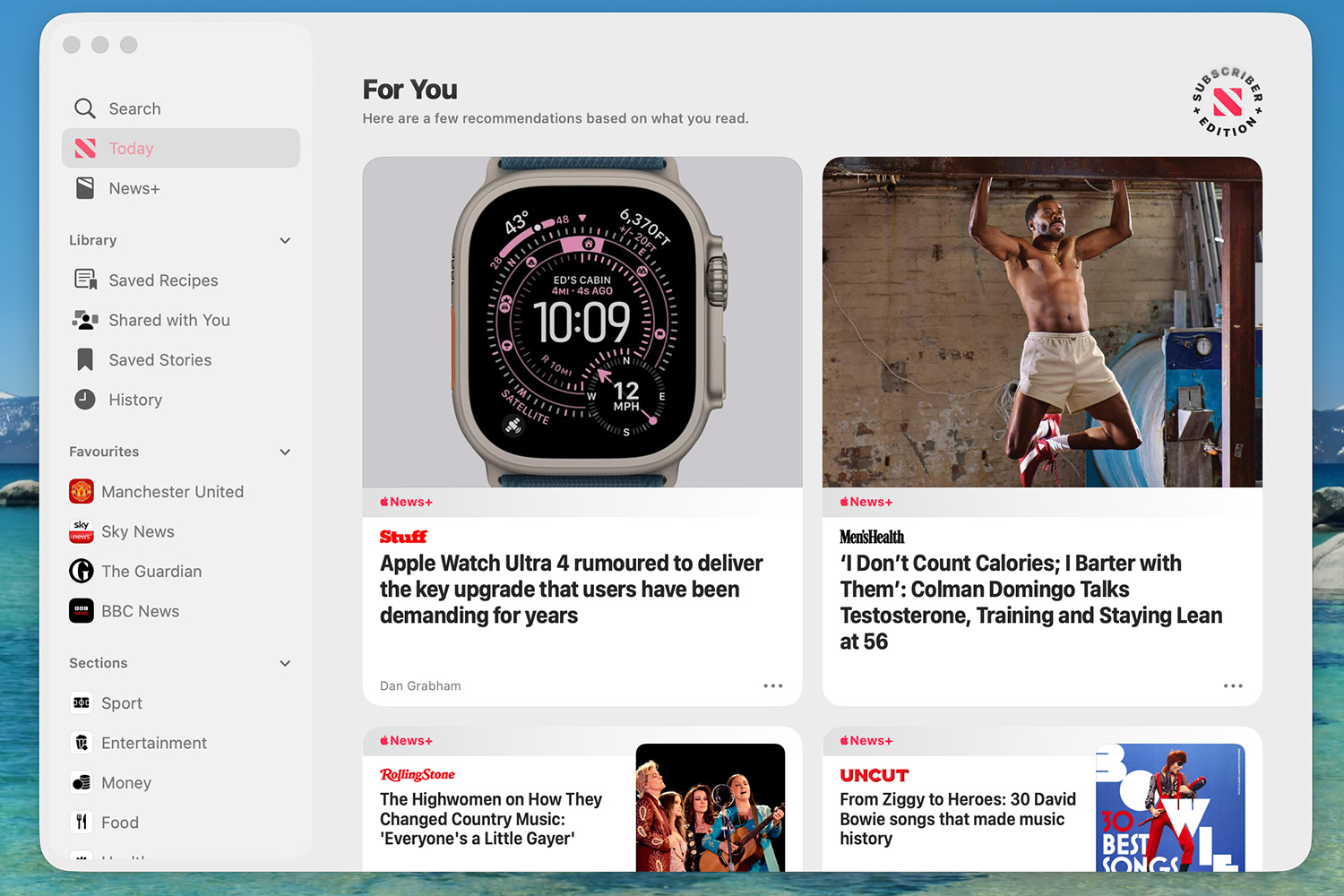
Close Menu
Gadget Guide News
  • Home
  • News
  • Features
  • Reviews
  • Best Stuff
  • Buying Guides
  • Deals
  • More Articles

Subscribe to Updates

Get the latest tech news and updates directly to your inbox.

Trending

WiiM’s first Atmos soundbar is a bigger Sonos Beam 2 rival with one unique feature

June 3, 2026

A first look at Microsoft’s Surface Laptop Ultra and Surface Dev Box

June 3, 2026

How to use Apple News – and what extra does Apple News+ give you?

June 3, 2026
Facebook X (Twitter) Instagram
Gadget Guide News
Subscribe
  • Home
  • News
  • Features
  • Reviews
  • Best Stuff
  • Buying Guides
  • Deals
  • More Articles
Gadget Guide News
  • Best Stuff
  • Buying Guides
  • Reviews
  • Deals
  • Features
Home»Features»How to use Apple News – and what extra does Apple News+ give you?
Features

How to use Apple News – and what extra does Apple News+ give you?

News RoomBy News RoomJune 3, 2026022 Mins Read
Share Facebook Twitter Pinterest Copy Link LinkedIn Tumblr Email Telegram WhatsApp
Follow Us
Google News Flipboard
Share
Facebook Twitter LinkedIn Pinterest Email Copy Link

Finding your way around

Apple News is ridiculously simple to navigate around. Along the bottom in the iOS app you’ll see five menu items: Today, News+, Audio, Following and a Search icon.

Of these, Search will be your initial best friends, essentially continuing the work you started during set-up. Explore serves up suggested channels and topics based on the preferences you’ve already expressed. Search strips things back and lets you, um, search for specifics. There’s nothing cryptic going on here.

Subscribe to channels and topics
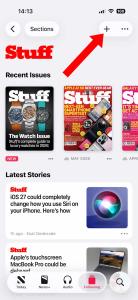
Apple News subscribe

Like the look of any channels and topics you come across on your travels and you can add them to your favourites by clicking the ‘+’ button in the top-right corner of each icon. Navigate to the Favourites tab and you’ll see all your selections laid out in a simple list.

Also in this list is Saved stories and Saved recipes – yep, these are any individual articles you’ve bookmarked; you can also access your Apple News browsing history from Following too. Once on a story you can save it for later reading (by hitting the bookmark icon in the top-right), share it, or as we mentioned before, ‘like’ or ‘dislike’ it. The share icon lets you send stories to others via all the usual channels available on your iPhone, iPad and Mac.

Get to know Today
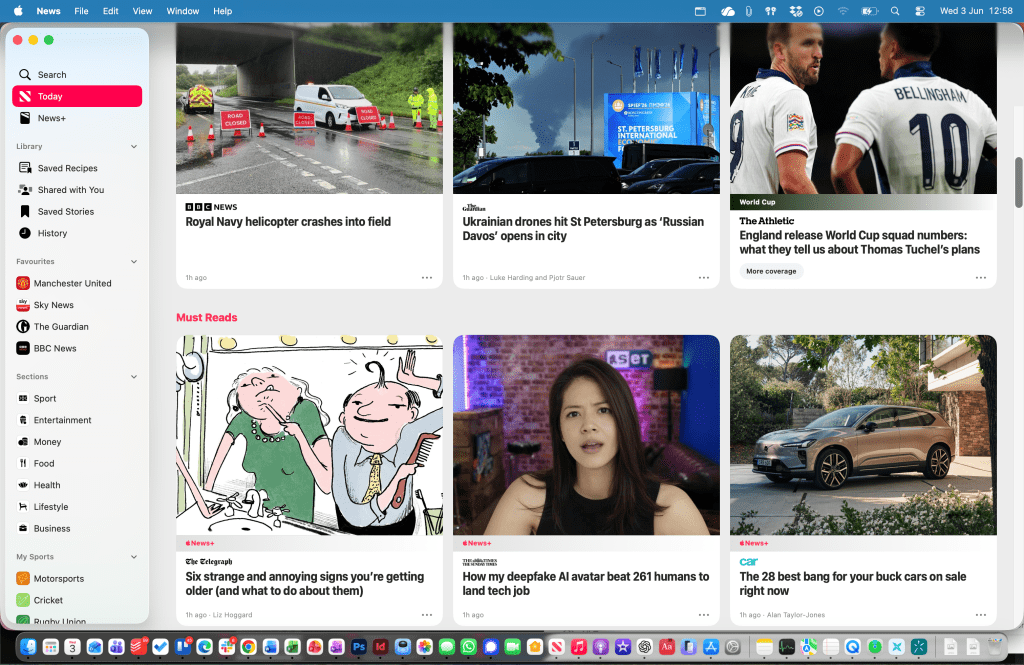
Apple News today

But it’s the Today tab that forms the heart of Apple News. Here you’ll see a feed of articles from the channels and topics you’ve suggested, together with others Apple News editors thinks you’ll like.

There are sections as follows: Top Stories (handpicked key stories from the day), Must reads (again handpicked), For You (just like on Apple Music, For You recommends stories based on what you read and liked), Trending Stories and then a section on Food.
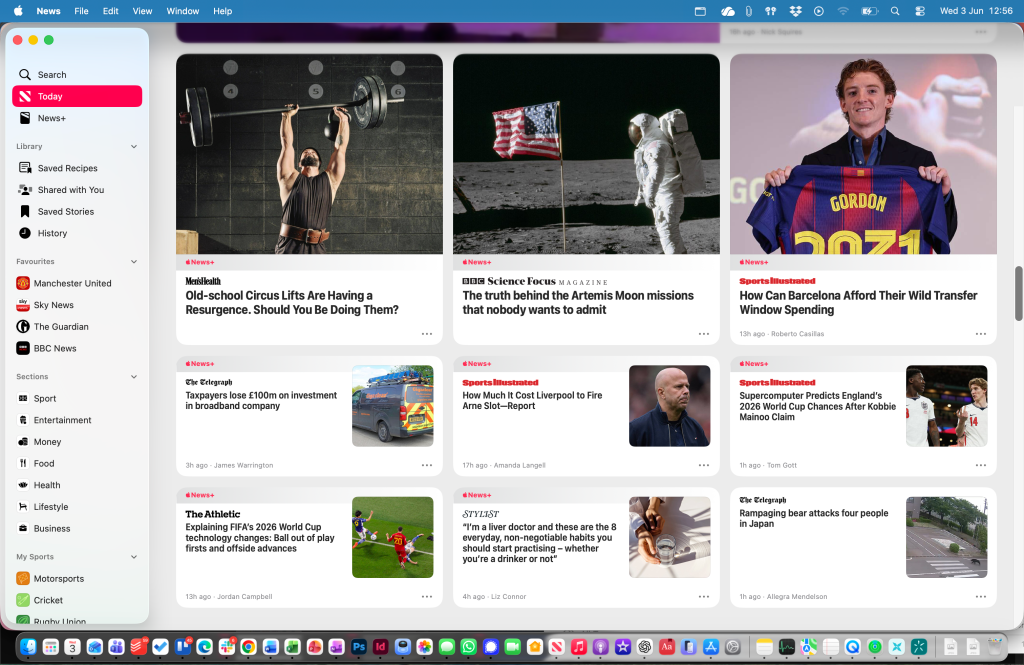
Apple News Today 2

You can also browse through key general interest topics from the Today screen, not just topics you have subscribed to.

When you do give it a try, make sure you follow Stuff’s channel. Oh, did I already mention that? Sorry. When you get there, click the + icon in the top right corner.

Read the full article here

Follow on Google News Follow on Flipboard
Share. Facebook Twitter Pinterest LinkedIn Tumblr Email Copy Link
News Room
  • Website

Related Posts

I think the BYD Ti7 offers way better value than a Land Rover Defender – but is it as good as one?

June 2, 2026

I love the way BYD Flash Charging offers filling station convenience for EV owners, and it works anywhere

June 2, 2026

The best paid-for iPhone and iPad apps money can buy

June 1, 2026
Add A Comment
Leave A Reply Cancel Reply

Top Articles

Google’s Gemini AI can answer your questions with 3D models and simulations

April 10, 2026

Best phones to buy in 2026: top smartphones tested, reviewed, and ranked by our experts

April 16, 2026

Best Apple Watch in 2026: all current models reviewed and rated

May 6, 2026
Latest Reviews

A first look at Microsoft’s Surface Laptop Ultra and Surface Dev Box

News RoomJune 3, 2026

Sennheiser Momentum 5 Wireless review: these keenly priced ANC over-ears have costlier rivals licked in two key areas

News RoomJune 3, 2026

I held the next-gen handheld

News RoomJune 2, 2026

Subscribe to Updates

Get the latest tech news and updates directly to your inbox.

Demo
Most Popular

Best iPad deals for April 2026

April 3, 2026

Google’s Gemini AI can answer your questions with 3D models and simulations

April 10, 2026

Best phones to buy in 2026: top smartphones tested, reviewed, and ranked by our experts

April 16, 2026
Our Picks

SwitchBot’s acquisition of Nanoleaf is about more than lighting

June 3, 2026

Tudor Black Bay Chrono gets a new, smaller case and a bold new colour

June 3, 2026

Sennheiser Momentum 5 Wireless review: these keenly priced ANC over-ears have costlier rivals licked in two key areas

June 3, 2026

Subscribe to Updates

Get the latest tech news and updates directly to your inbox.

Facebook X (Twitter) Instagram Pinterest
  • Home
  • Privacy Policy
  • Terms of use
  • For Advertisers
  • Contact
2026 © Prices.com LLC. All Rights Reserved.

Type above and press Enter to search. Press Esc to cancel.