

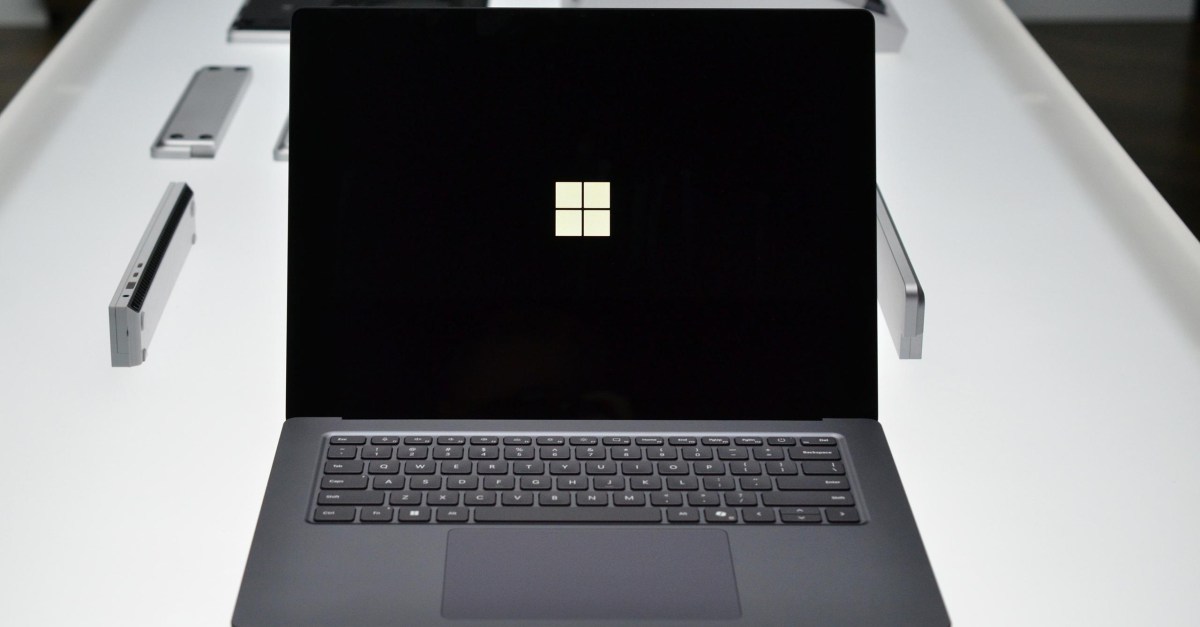
Microsoft has two new Surface devices arriving later this year, both powered by Nvidia’s RTX Spark chips. I got a chance to take a closer look at both the Surface Laptop Ultra and Surface RTX Spark Dev Box at Microsoft’s Build conference this week, and while both have the same chip inside, they’re utilizing Nvidia’s RTX Spark in different ways.
The Surface Laptop Ultra looks and feels very much like a 16-inch MacBook Pro. There are no transforming hinges, detachable displays, or any other tricks — this is a clamshell laptop built with performance in mind. Microsoft has opted for a 15-inch mini LED panel, which operates at up to 2,000 nits of HDR brightness. I got to see that peak HDR level in a dark room, and I can confirm it’s a very, very bright display. In fact, it’s the brightest display Microsoft has ever put on a Surface device.
The trackpad on the Surface Laptop Ultra is not only bigger than regular Surface trackpads, it also has the new haptics support in Windows 11. This adds subtle haptic patterns when you’re hovering near a close button in Windows, or alignment cues when you’re trying to drag, scale, or rotate objects. It’s the type of haptics that really transforms how a device feels, and you’ll notice it in various parts of Windows 11 when you’re dragging sliders and interacting with UI elements. I hope other laptop manufacturers start shipping this improved haptics support, too.
When I first picked up the Surface Laptop Ultra, I was also surprised by the weight. It feels hefty compared to the 15-inch Surface Laptop 7, but there’s clearly been a tradeoff of weight in favor of performance and battery life. “When we went through the priority order of what we’re going to design for, performance, performance, performance, battery life, battery life, battery life, display, display, display, making sure we’d nailed those things,” says Andrew Hill, corporate vice president of Surface product, in an interview with The Verge. “If other tradeoffs have to be made, so be it, but let’s make sure we nail the fundamentals that are really what people care about.”
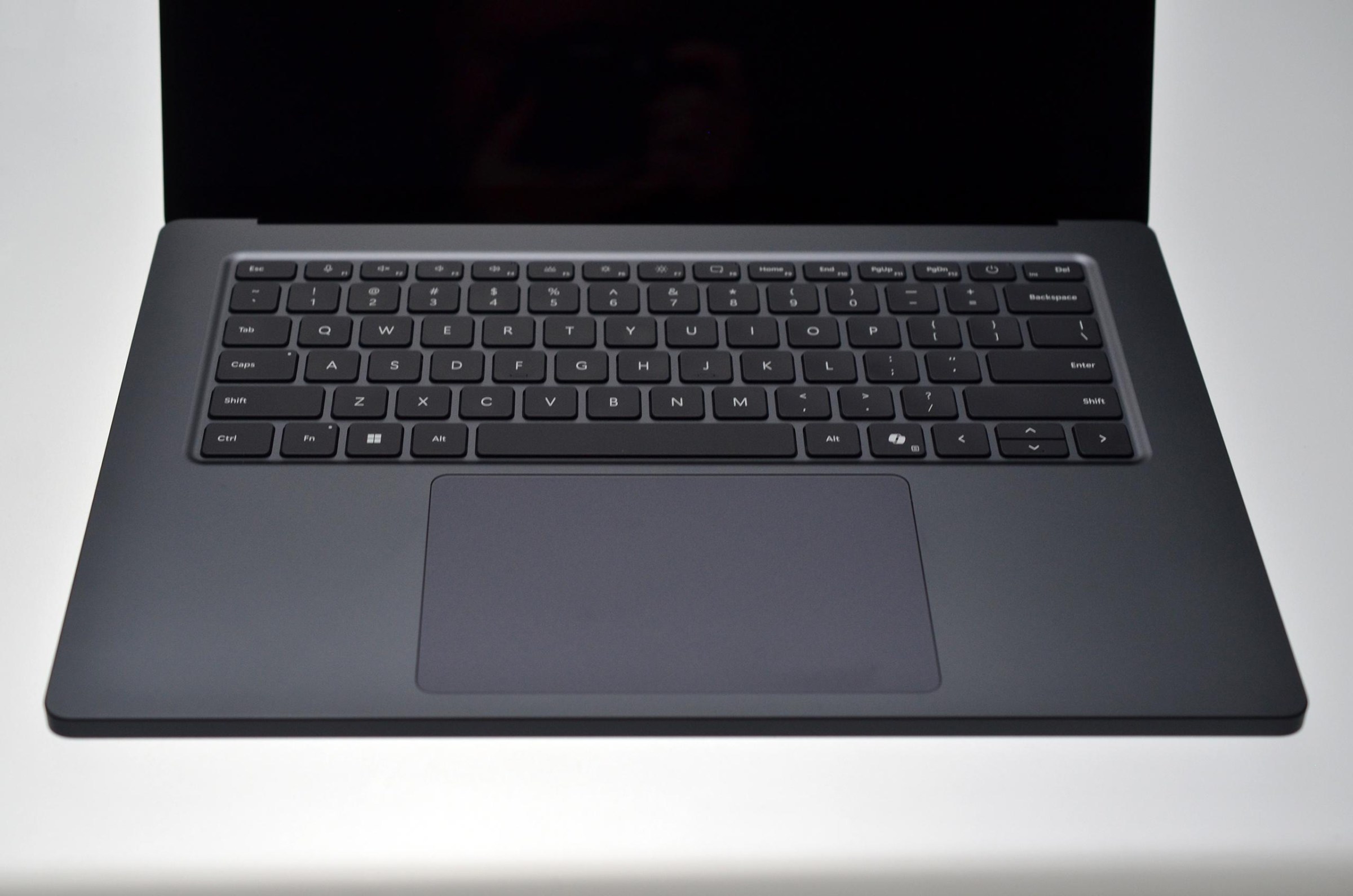
I got to see the Surface Laptop Ultra being put through its paces in a variety of tasks, including one demo where it was running a local AI model that was eating up a lot of the 128GB of unified memory, all while Indiana Jones and the Great Circle was playable.
I also got to feel the heat dissipation of the Surface Laptop Ultra, which has a hot spot just above the keyboard. It felt warm to touch at the section on the top of the keyboard and below that area on the rear of the device, but not hot enough to be uncomfortable on a lap. Microsoft is also using two fans to cool the device, and I could barely hear them even at almost full load.
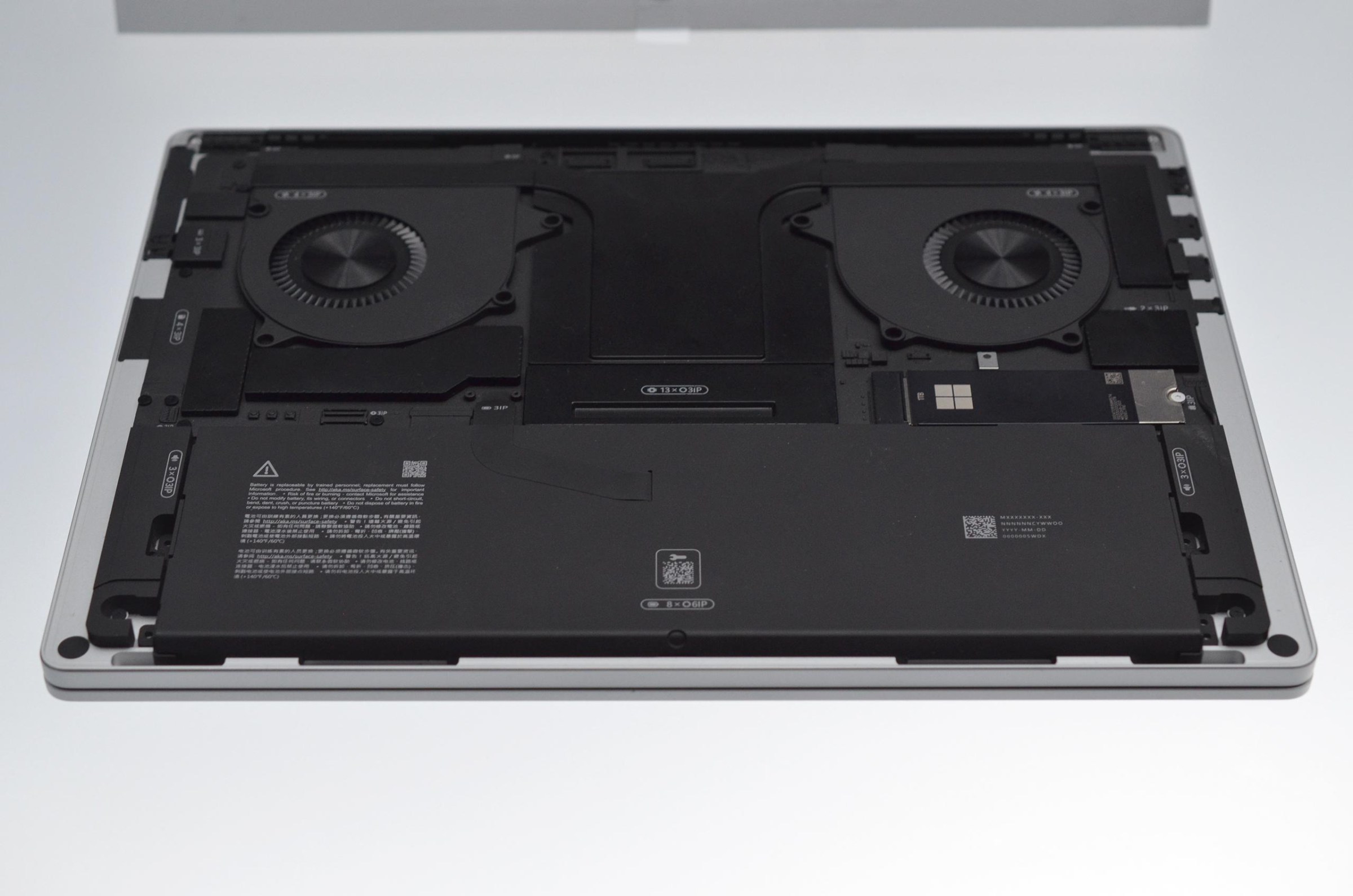
Inside the Surface Laptop Ultra, Microsoft has also made it easier to replace parts. It’s honestly like a work of art inside, with clearly marked components all neatly arranged in a black grid. Microsoft really focused on repairability for its Surface Laptop 7, improving its iFixit repairability score from 0/10 in 2017 to 8/10 in 2024. I’m very curious to see where iFixit ranks the Surface Laptop Ultra later this year.
The Surface Laptop Ultra also has a surprising number of ports. On the left-hand side, there are two USB-C ports and an HDMI port, and on the right-hand side, there’s a single USB-C, a USB-A port, and a full-sized SD Card reader. There’s also something intriguing about the single USB-C port on the right-hand side: It’s a little wider than the two on the left.
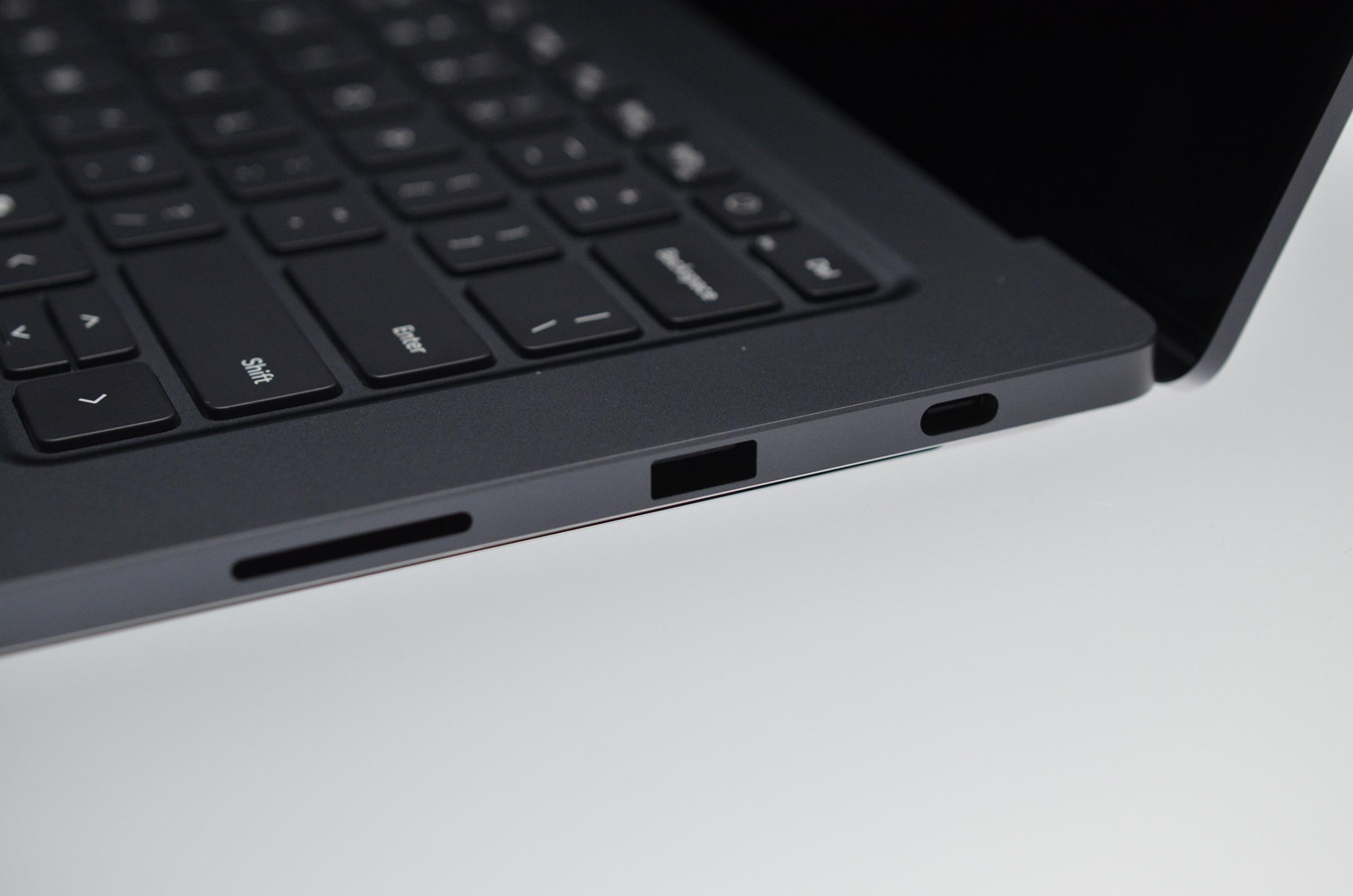
I asked Hill about the mysterious USB-C port and he smiled and laughed and said Microsoft would have more to share about the Surface Laptop Ultra later this year. This laptop is missing Microsoft’s traditional Surface Connect magnetic charging port, so I do wonder if the company has created some form of USB-C replacement.
It’s also worth noting that Microsoft isn’t really talking about its Copilot Plus PC initiative with the Surface Laptop Ultra. While it still qualifies for all the Copilot Plus PC features, Microsoft doesn’t mention that branding in its blog, and all the initial marketing around this device is aimed at professionals, creators, and developers.
Hill tells me Microsoft isn’t giving up on the Copilot Plus PC brand, even if it’s heavily deemphasized for this Surface device. Instead, it’s focusing on the creators and developers that would buy a laptop like this, especially for local AI compute where you won’t have to pay an AI cloud provider for tokens. “What you have here is an option where you’ll be able to do a lot of work locally on a thing you own, and if you want to let it rip, cool, you’re not on a meter,” says Hill. “There are sets of workloads that run in the cloud that are better, but you’ll be able to do a lot of work here.”
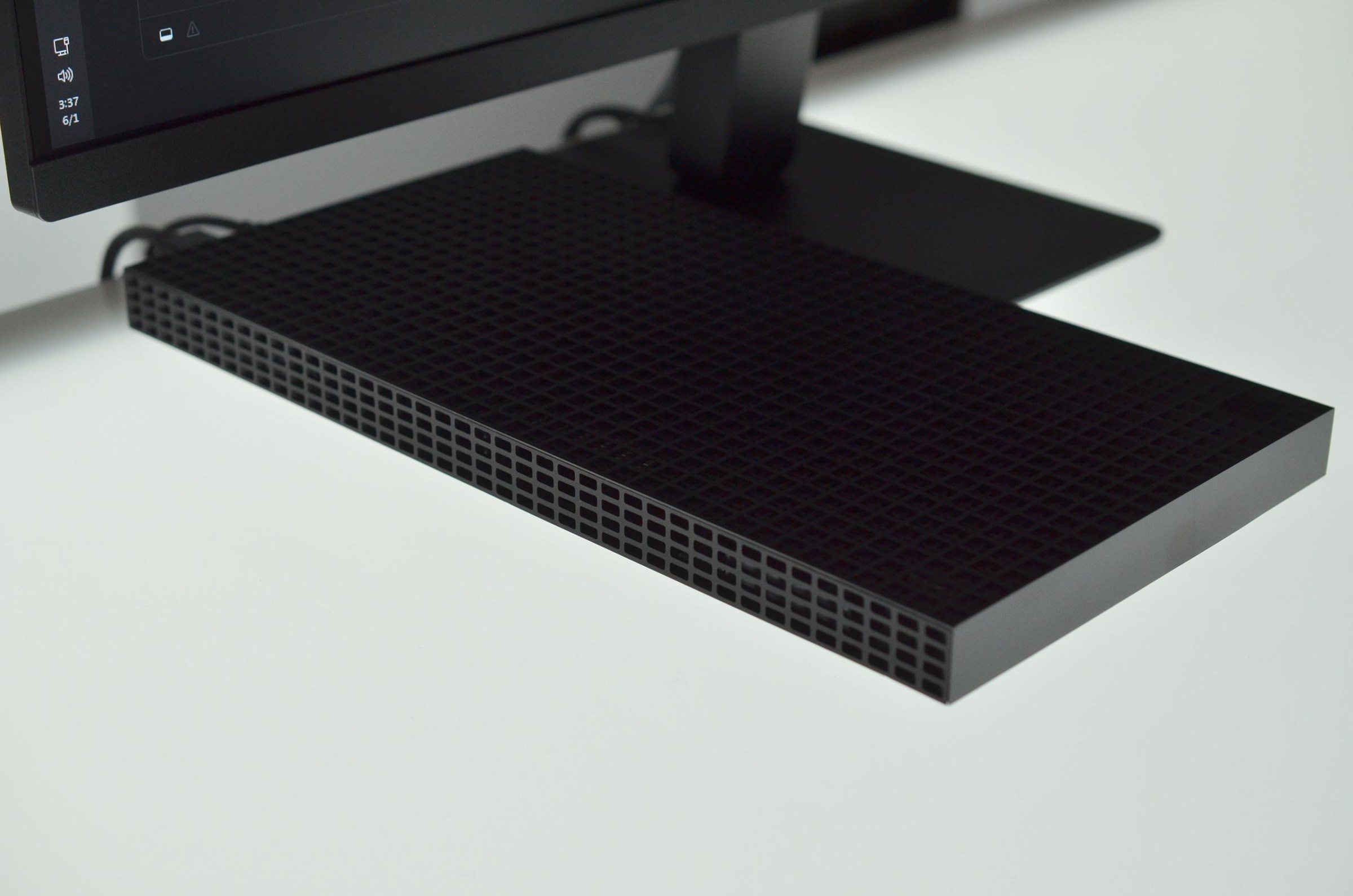
I also got a chance to briefly see the Surface RTX Spark Dev Box. It’s very much targeted at developers who want a powerful miniature PC on their desk and the ability to run AI workloads locally with 128GB of unified memory. Microsoft has manufactured the Dev Box with an aluminum 3D-printed body, and it has 1,000 air vents in the chassis to represent its 1,000 teraflops of compute performance.
Those air vents really remind me of an Xbox Series X, and the whole Dev Box looks like a flattened version of Microsoft’s console. At the rear, there are two USB-C ports, USB-A, HDMI, Ethernet, and a headphone jack. Inside it will run the same chip as the Surface Laptop Ultra, but Microsoft tells me there are some minor differences it’s not fully disclosing just yet.
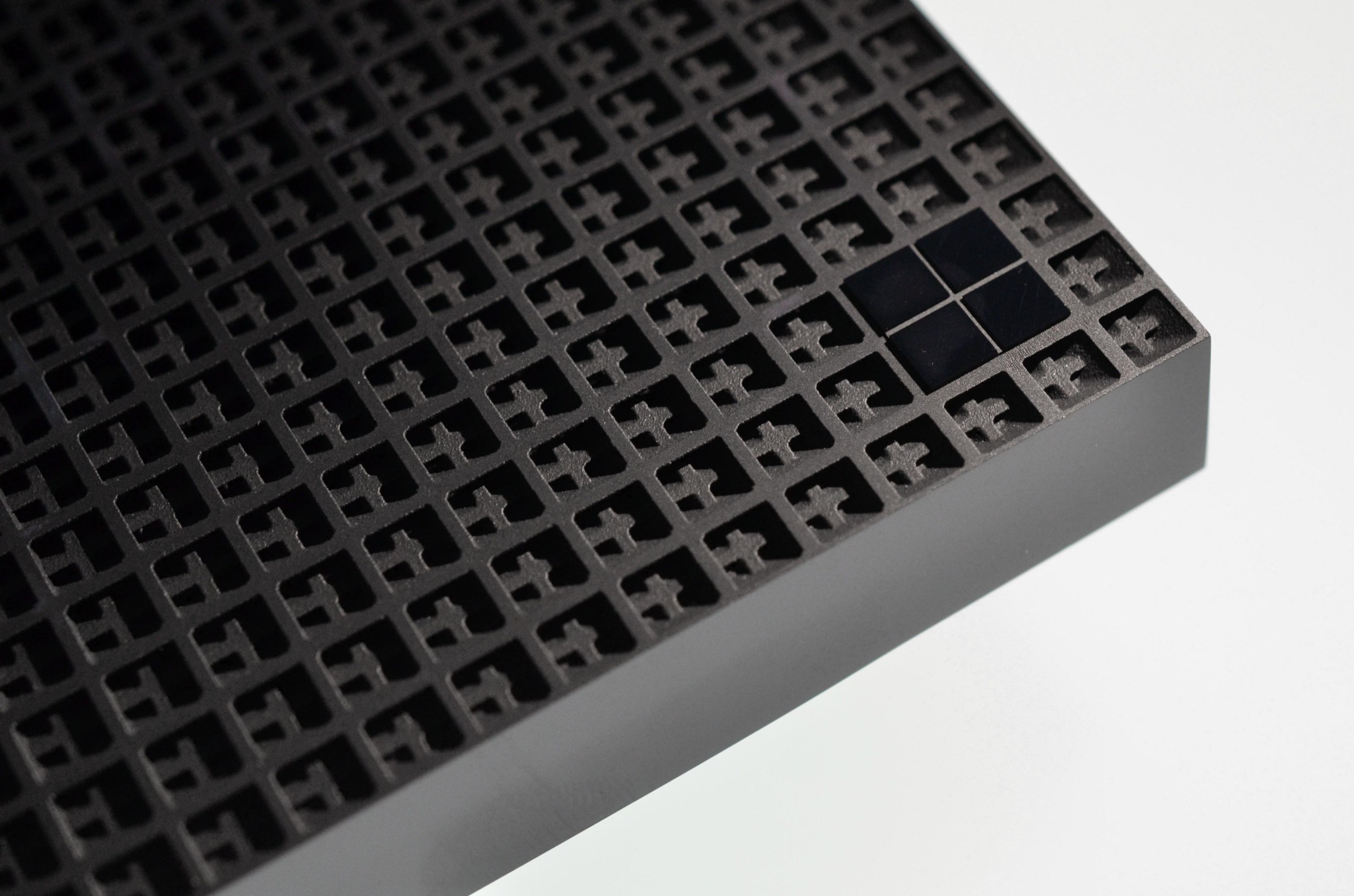
One of the major differences is that it has a 100-watt thermal envelope, compared to up to 80 watts on the Surface Laptop Ultra. That will mean the Dev Box will be more capable of sustained workloads, and in particular anything that takes advantage of Nvidia’s Tensor cores. That will largely be AI workloads, but Tensor cores are also utilized for upscaling with Nvidia’s DLSS technology, so gaming on the Dev Box could be slightly better than the Surface Laptop Ultra.
The big question hanging over both of these devices is pricing. RAMageddon has already pushed the prices of Microsoft’s new Intel-powered Surface devices up, and I suspect that these new RTX Spark devices are going to be at the very top end of premium PC pricing. We’ll find out later this year.
Photography by Tom Warren / The Verge
Read the full article here
