
Close Menu
Gadget Guide News
  • Home
  • News
  • Features
  • Reviews
  • Best Stuff
  • Buying Guides
  • Deals
  • More Articles

Subscribe to Updates

Get the latest tech news and updates directly to your inbox.

Trending

How can this lightweight outdoor jacket fabric still keep you warm?  

July 17, 2026

How to use Action mode on your iPhone to capture ultra-smooth video without a gimbal

July 17, 2026

God Of War TV series is recasting Kratos

July 17, 2026
Facebook X (Twitter) Instagram
Gadget Guide News
Subscribe
  • Home
  • News
  • Features
  • Reviews
  • Best Stuff
  • Buying Guides
  • Deals
  • More Articles
Gadget Guide News
  • Best Stuff
  • Buying Guides
  • Reviews
  • Deals
  • Features
Home»Features»How to use Action mode on your iPhone to capture ultra-smooth video without a gimbal
Features

How to use Action mode on your iPhone to capture ultra-smooth video without a gimbal

News RoomBy News RoomJuly 17, 2026023 Mins Read
Share Facebook Twitter Pinterest Copy Link LinkedIn Tumblr Email Telegram WhatsApp
Follow Us
Google News Flipboard
Share
Facebook Twitter LinkedIn Pinterest Email Copy Link

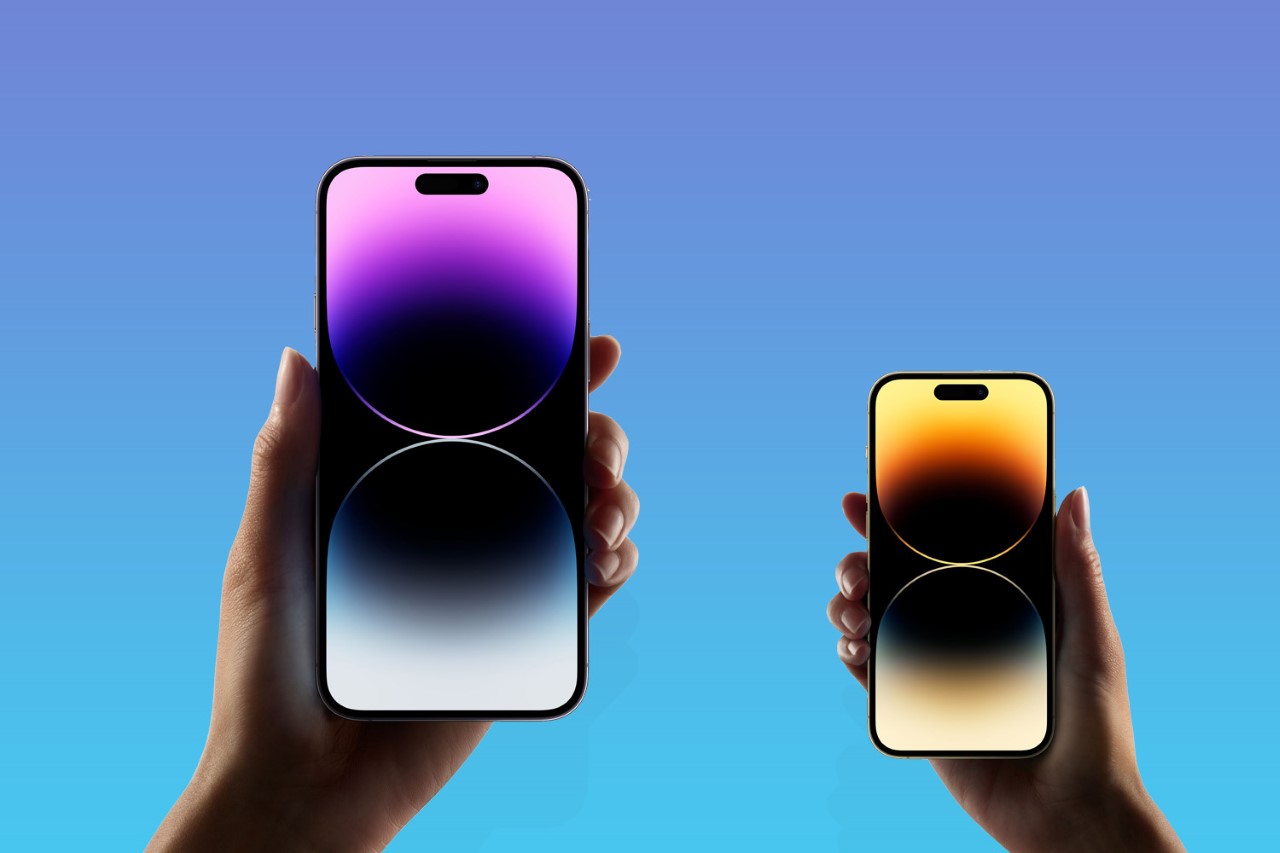
If you have a newer Apple phone in your pocket, you’ve got a bunch of excellent cameras in easy reach. They’re superb for stills, but also take fantastic video footage, and iPhone Action Mode is a big reason why.

Action Mode was introduced in the iPhone 14 series, and is meant to prevent your vids from being ruined by shaky hands. The digital image stabilisation tech helps keep those otherwise blurry frames from Saturday night looking clean and crisp – which may not be a good thing, depending on what you got up to. To get smoother shots, follow our handy guide to using Action Mode.

How to activate Action mode

When you’re ready to shoot steady video, simply open the iPhone’s native camera app and switch to video. Next, give the running person icon a press and presto, the iPhone Action mode is initiated. Action mode will switch to the ultrawide lens by default, and with a little tinkering can be set to either 1080p HD or 2.8K resolution.

Smoother, better, faster, sharper

Apple’s OTT Action Mode ad would have you believe your phone could shoot charity skydives and action scenes without a hitch. It absolutely can make a difference when filming choppy scenes, but it comes with a few caveats. The mode crops your 4K footage down in order to function, so quality will take a hit if you’re cutting up clips in iMovie.

If the camera and the subject are both moving, it can sometimes have a tough time focusing on the subject instead of the background. This feature won’t replace an external gimbal – but then who wants to carry one of those around with them 24/7? Camera handoff works impressively well for one-shot filming, and 360 shots on a stationary subject works smoothly.

Action mode is meant for the great outdoors

Action mode struggles with light, or a lack thereof. That’s especially true when filming indoors. In dim surroundings, a ‘More Light Required Message’ will pop up on the screen. That doesn’t mean Action mode won’t work indoors, just that the image quality may not exactly be crystal clear.

That can be tweaked, though. Navigate to Settings, tapping Camera > Record Video, and clicking on the ‘Action Mode Lower Light’ option. The feature will slightly polish what will still likely be a very grainy video, so don’t expect Spielberg quality.

If you simply must take the Action indoors, try to find a well-lit area. Or, better yet, don’t activate it at all.

Apple News

Read the full article here

Follow on Google News Follow on Flipboard
Share. Facebook Twitter Pinterest LinkedIn Tumblr Email Copy Link
News Room
  • Website

Related Posts

How can this lightweight outdoor jacket fabric still keep you warm?  

July 17, 2026

How to watch the World Cup final, wherever you are

July 17, 2026

I tested the TentBox Lite XL rooftop tent to see what all the fuss is about – and I now get it

July 17, 2026
Add A Comment
Leave A Reply Cancel Reply

Top Articles

User-replaceable batteries are coming back in a big way

May 31, 2026

I think the BYD Ti7 offers way better value than a Land Rover Defender – but is it as good as one?

June 2, 2026

The best paid-for iPhone and iPad apps money can buy

June 1, 2026
Latest Reviews

8BitDo’s FlipPad is the most pocketable way to turn your phone into a Game Boy

News RoomJuly 15, 2026

Siri AI is already changing how I use my iPhone

News RoomJuly 13, 2026

Siri AI makes the Apple Watch finally feel like a wrist computer

News RoomJuly 13, 2026

Subscribe to Updates

Get the latest tech news and updates directly to your inbox.

Demo
Most Popular

Best Royal Pop models ranked: these are the Swatch x Audemars Piguet collab watches I’d recommend

May 19, 2026

User-replaceable batteries are coming back in a big way

May 31, 2026

I think the BYD Ti7 offers way better value than a Land Rover Defender – but is it as good as one?

June 2, 2026
Our Picks

I’ve used the Razer Blade 16 (2026) for two weeks – here’s why it’s the gaming laptop I take everywhere

July 17, 2026

How to watch the World Cup final, wherever you are

July 17, 2026

I tested the TentBox Lite XL rooftop tent to see what all the fuss is about – and I now get it

July 17, 2026

Subscribe to Updates

Get the latest tech news and updates directly to your inbox.

Facebook X (Twitter) Instagram Pinterest
  • Home
  • Privacy Policy
  • Terms of use
  • For Advertisers
  • Contact
2026 © Prices.com LLC. All Rights Reserved.

Type above and press Enter to search. Press Esc to cancel.