

Introduction
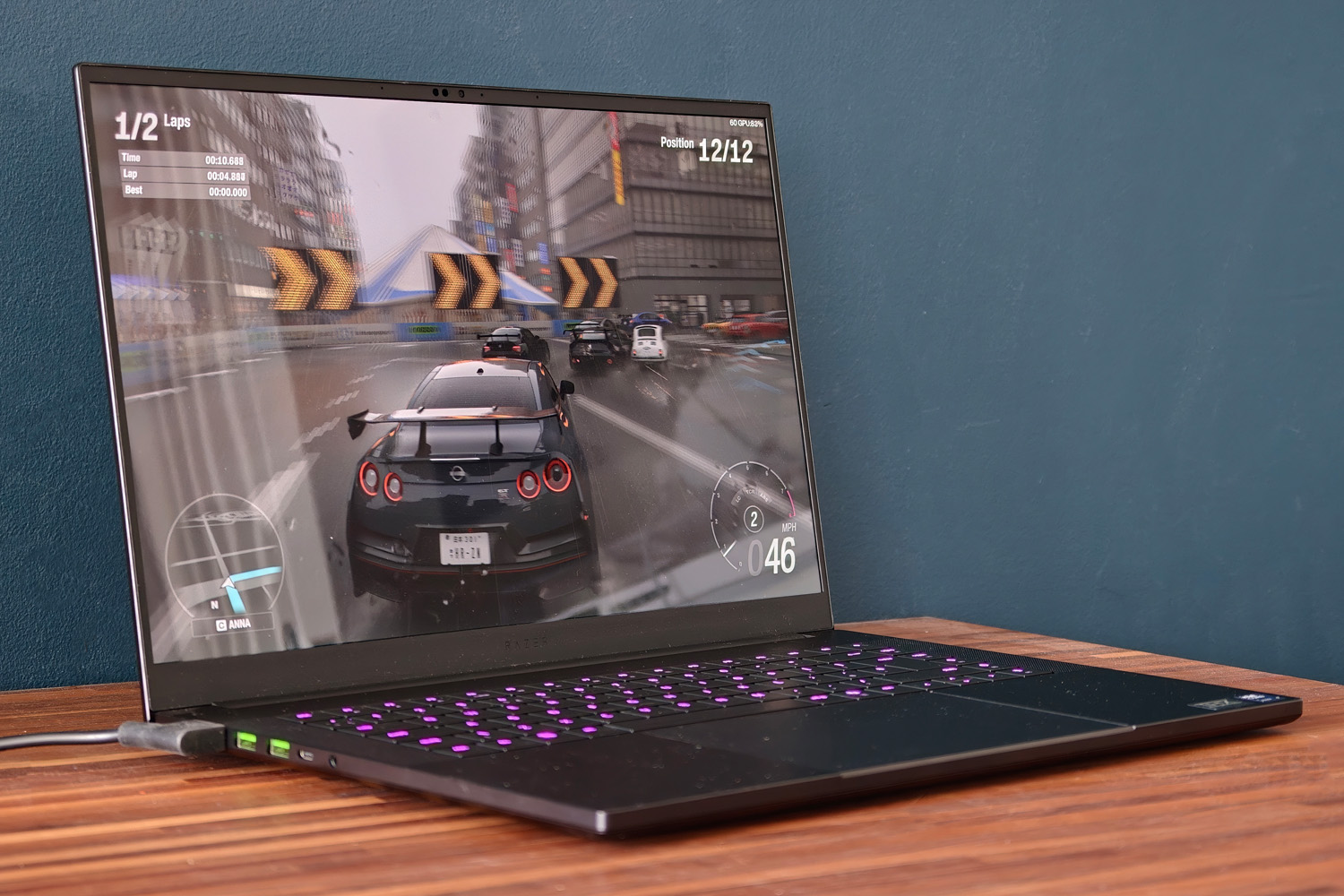
With its blend of good looks and high-grade components, the Razer Blade was one of the first properly modern gaming laptops – and it has gotten consistently better with each new iteration. For 2026 Razer has kept things simple, improving on the 2025 Blade 16 with an OLED display that’s twice as bright for HDR content, while keeping the uber-powerful GeForce RTX 5090 graphics and impressively slim chassis.
The biggest change is the switch from AMD Ryzen silicon to more efficient Intel Panther Lake, in the name of battery life. Because when you’re spending upwards of $5000/£4800 on a laptop, you should be able to use it anywhere, not just while connected to the mains.
That’s a significant price hike from the outgoing laptop. Intel/Razer aren’t wholly to blame – the entire industry is under the thumb of memory manufacturers and big AI – but is it enough that gamers should think twice before taking the plunge? Having lived with one for a few weeks now I’m sold on the portability and longevity, but things get more complicated once you look deeper at the performance figures…
Has the Razer Blade 16’s styling changed between generations?
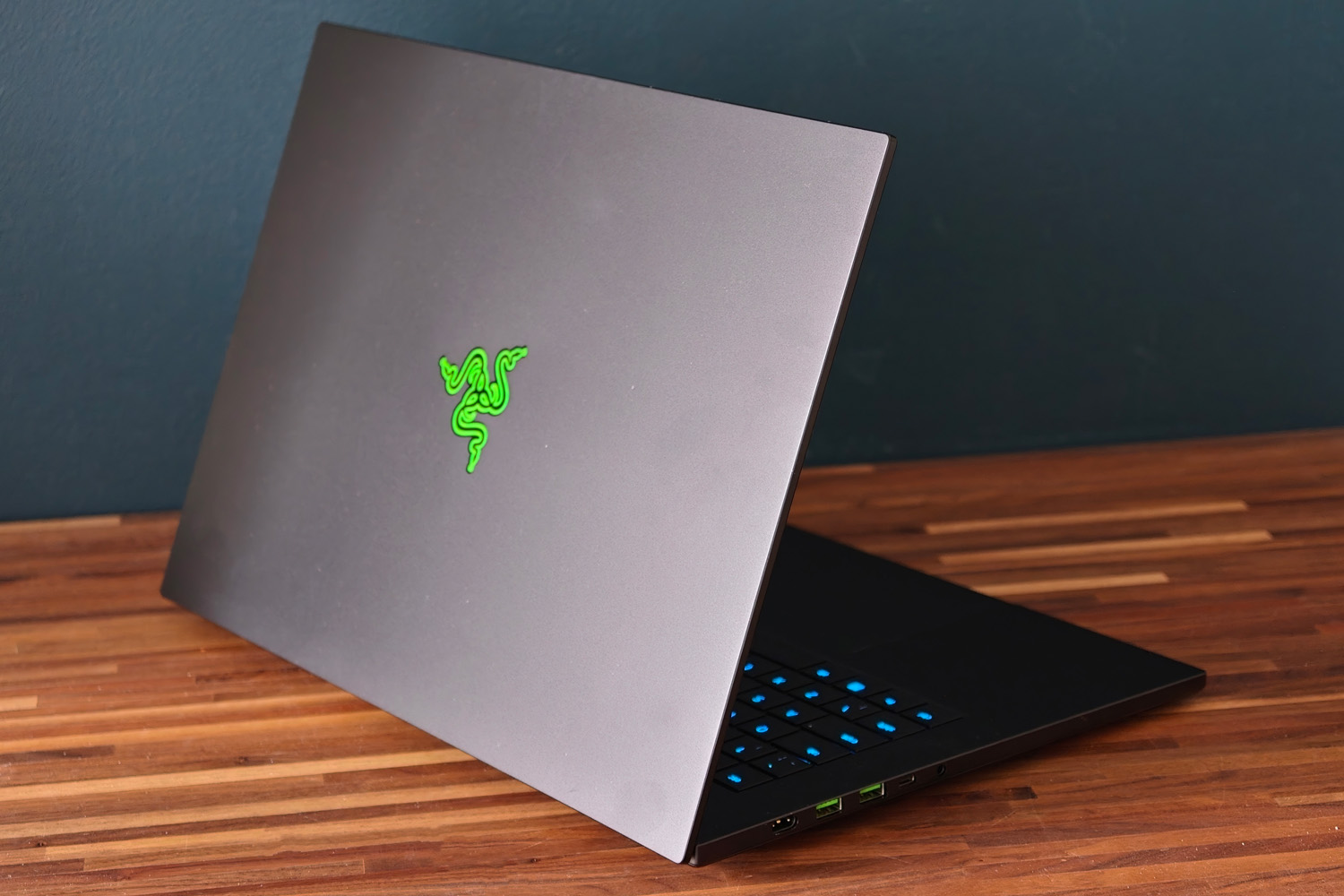
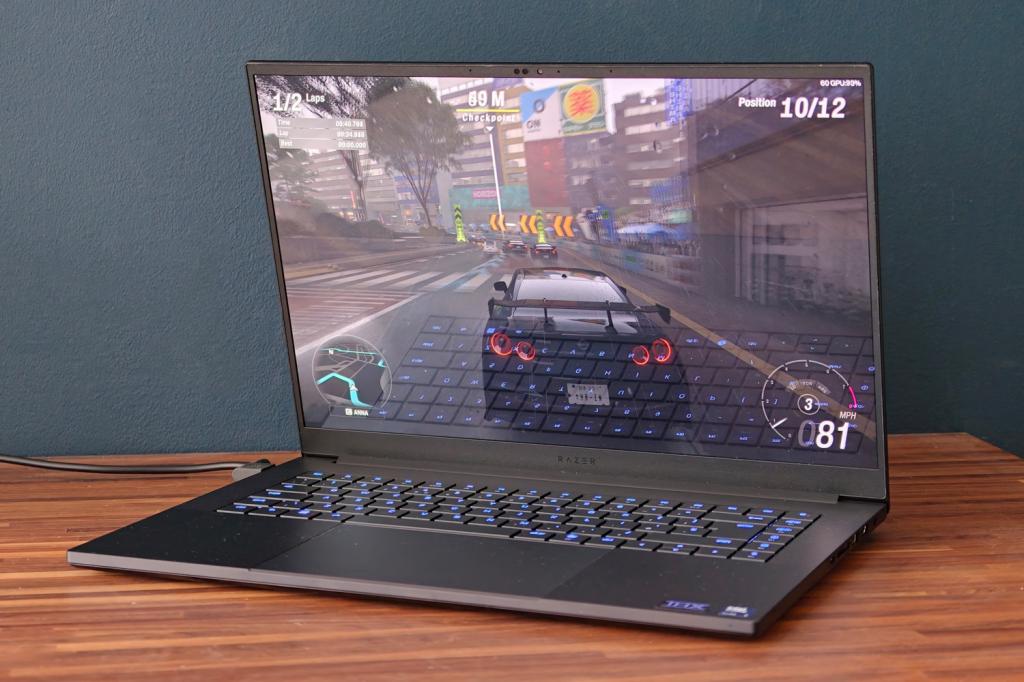
Razer brought in a significant design overhaul for the 2025-era Blade 16, slimming down dramatically from the previous generation and taking on a form closer to that of a MacBook Pro than a traditional gaming laptop. I was glad to see the chassis return almost unchanged here. The Razer is actually thinner than the current MacBook Pro (14.9mm to Apple’s 16.8mm) and the two weigh an identical 2.14kg. That’s seriously impressive on Razer’s part, given its machine has to accommodate a toasty RTX 5090 GPU.
Rival gaming laptops might’ve followed suit, but this is still the one I’d pick for frequent travelling.
Now you can get the MacBook in Space Black the pair are closer than ever design-wise: each has a milled aluminium body that looks and feels effortlessly premium. As ever the Blade stands out with green accented USB ports and an RGB-illuminated Ouroboros logo on the lid, but it’s nowhere near as ostentatious as some gaming laptops. I could get work done at a coffee shop without drawing much attention. The matte finish didn’t pick up too many fingerprints during my testing either.
It may be slim but the Blade 16 still packs in the ports, with three USB 3.2 Gen 2 type-As, full-size HDMI, a 3.5mm combo audio port and an SD card reader (which I found very handy for transferring files from a digital camera). The right side also finds room for a Thunderbolt 4 type-C port, while the left has a single Thunderbolt 5 type-C. Intel’s Panther Lake chips only support up to Thunderbolt 4, so Razer has worked some extra magic to add the newer standard here; it’s especially handy if you use a docking station or external GPU.
There’s also a proprietary power port for the 280W power adapter, which isn’t the bulkiest I’ve seen included with a gaming laptop but will still weigh down your backpack when taken on the move. Thunderbolt 5 supports up to 240W power delivery, so the Blade will still demand you use the official adapter in order to feed the graphics card enough juice for gaming.
This isn’t a desktop replacement, so the ports being at the sides rather than the rear isn’t a big deal.
Finally the 1080p webcam has an IR sensor for Windows Hello facial recognition that worked consistently well, but no camera shutter for privacy.
Are the Razer Blade 16’s keyboard and touchpad comfortable to use?
While you won’t find mechanical switches underneath the Blade 16’s QWERTY keys like you might on rivals such as the Alienware Area-51, I honestly didn’t mind. This is a wonderful laptop for typing, with large island-style keys that are generously spaced apart – helped by the fact Razer didn’t feel the need to add a numerical keypad.
1.5mm key travel doesn’t sound like a lot, but it feels deeper in use; as long as I didn’t bash away with real force, I rarely bottomed out each key. They’ve all got a decent bounce and don’t make a huge amount of noise either.
The column of customisable macro keys at the far right side are a nice touch, as is the way the per-key RGB backlighting shifts wshen holding the fn key to highlight the multimedia shortcuts. Light coverage is excellent, with very little bleed around the key edges. Whether they’re bright enough in the daylight depends on which colour you go for; some are dimmer than others but I found whites, light blues and greens very legible. Razer’s Synapse software give you carte blanche to set them all to your liking.
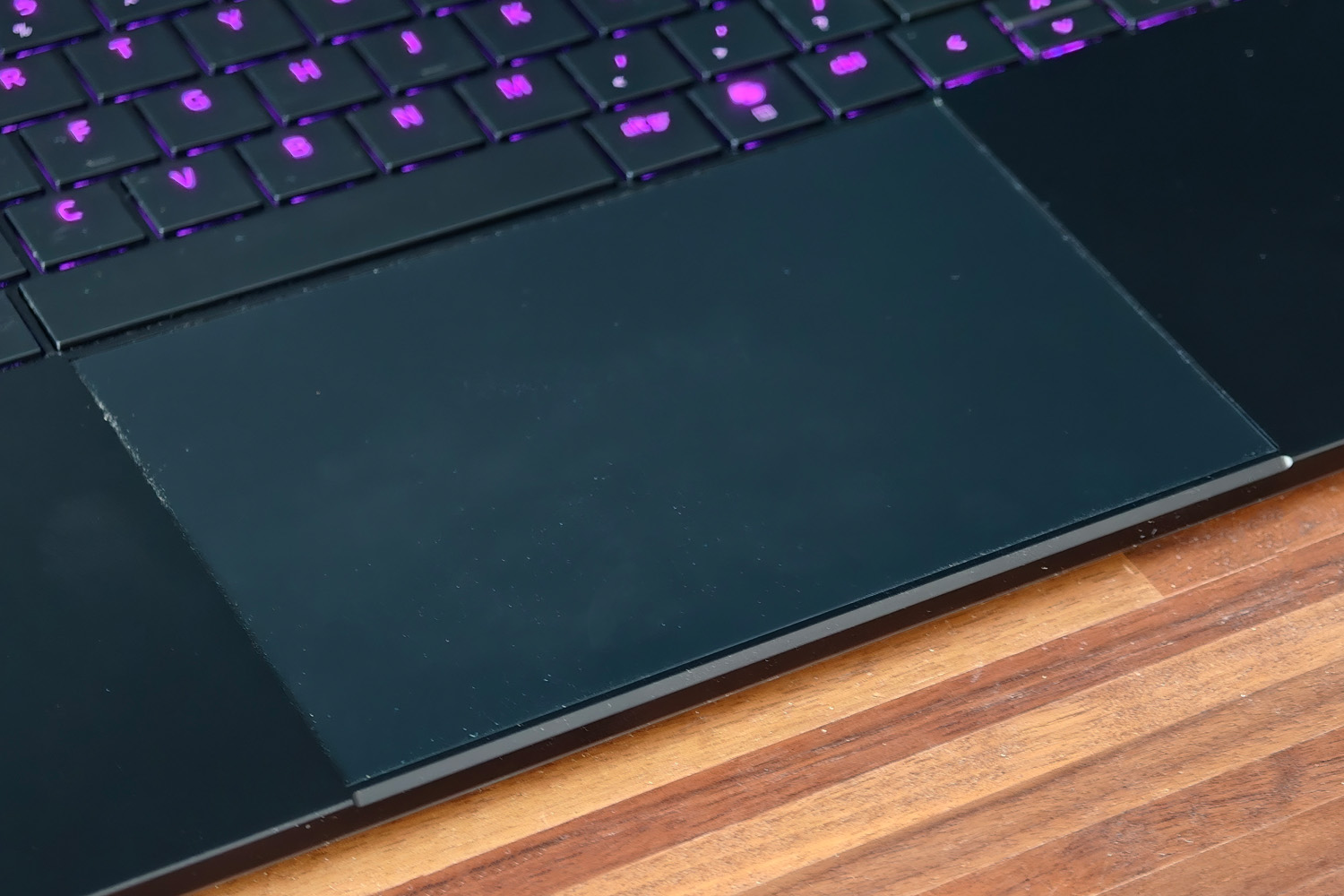
Razer’s palm rejection can be a little finicky at times, but the huge glass touchpad is otherwise ace. Friction is minimal, multi-touch gestures are always recognised and the physical click is firm – though haptics would’ve been more in keeping with this laptop’s astronomical asking price. A mouse is still a must for gaming, too.
Thankfully I’ve not had any of the issues with intermittent cursor movement experienced by owners of the last-gen laptop, which often resulted in a warranty claim.
Has the Razer Blade 16’s display seen any meaningful upgrades?
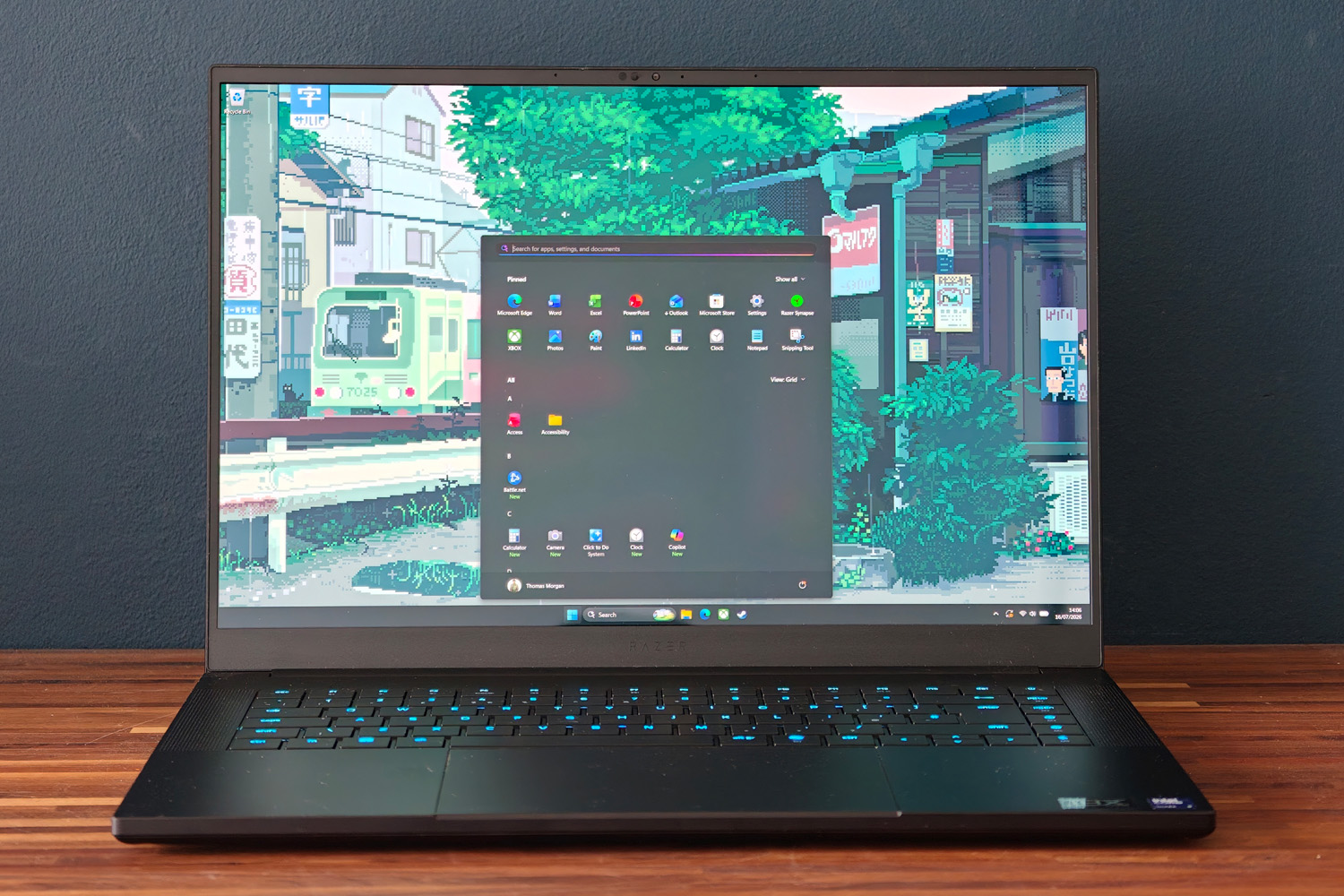
On paper the new Blade’s 16in OLED display looks a lot like the old one. It’s still a 1600p panel with a 240Hz maximum refresh rate and Nvidia G-Sync variable refresh that all but guaranteed I didn’t see any ugly screen tearing when game frame rates dipped.
It still has simply superb contrast levels, with inky dark blacks and plenty of shadow detail to give atmospheric games and movies real impact. Colour coverage is both expansive and accurate, with 100% of the DCI-P3 colour gamut and no need for creative types to perform a calibration as soon as they get the laptop out of the box.
There’s no optional upgrade to a 4K panel, but that just means the GPU isn’t having to work overtime to render games at the native resolution. 2560×1600 is plenty, looking perfectly sharp from my usual sitting distance. Viewing angles are excellent, but the glossy screen finish is very reflective, so nearby windows and artificial lights can be a little distracting.
The big upgrade for 2026 is to brightness. The Blade 16 is now VESA TrueBlack HDR1000 certified, meaning peak high dynamic range highlights of up to 1100 nits. That’s unbelievably bright, with compatible games having a whole lot more punch than they ever did on the old machine. It’s now comfortably up there with the best sub-4K laptop screens.
I couldn’t notice much difference in the six-speaker sound system, but that’s no bad thing as the old one got surprisingly loud. THX Spatial Audio upmixing is nice to have and it could perhaps use just a little more low-end oomph to avoid sounding thin at higher volumes, but headphones aren’t a must outside of competitive multiplayer games.
That said, I still wore mine more often than not because of fan noise. This is one of the louder gaming laptops I’ve tried recently during play, with the cooling system really ramping up during gameplay. Thicker rivals with larger cooling systems don’t need to spin up as often to stay chilled. It’s effective, though – the laptop never got uncomfortably hot, even during gameplay. That’s a small but welcome improvement over last year.
What has the switch from AMD to Intel done for the Blade 16’s performance?
I’ve been testing a near top-spec version of the Blade 16, which comes with an Intel Core Ultra 9 386H, 32GB RAM and a 2TB SSD. The 16-core chip is split between four performance cores, eight efficiency cores, and four low-power efficiency cores, and is based on Intel’s Panther Lake architecture.
It’s more often found in ultraportables than beefy gaming laptops; my synthetic benchmark tests show why. Raw CPU muscle is between 10-15% slower for single-core workloads than the Ryzen AI 9 HX 370 in the previous generation Blade 16. Multi-core performance is improved by about the same margin, though. Intel’s last-gen Core Ultra 9 290HX has more cores and is the comfortable leader.
I can’t say the difference impacted my daily use at all. This is still a powerful system, with enough grunt to edit and render 4K videos – just not quite as quickly as the beefiest desktop replacements can. It’s a tradeoff I’d happily make, as I’ll explain later.
| Razer Blade 16 (2026) productivity benchmarks | |
| Geekbench 6 single-core | 2859 |
| Geekbench 6 multi-core | 16960 |
| Geekbench AI | 8829 |
| Speedometer 3.1 | 38.0 |
While you can get a Blade 16 with an Nvidia GeForce RTX 5070 Ti or 5080 (US customers can go as low as a 5060), my review unit has the top tier RTX 5090, complete with a massive 24GB of video memory. It’s granted up to 165W of power (140W plus 25W of dynamic boost), so a little less than some rivals can deliver, so frame rates are very close to thicker machines that give extra juice to their 5080 GPUs.
Without an RTX 5080 Blade on hand to test, I can’t say whether you’d see much difference in games by opting for the lesser card instead; it’d likely be down to whether individual titles use more than the 5080’s 16GB of VRAM. I do know you’d save a significant £$900/£1600, though it does also mean stepping down to a 1TB SSD.
As it stands, the 5090-equipped Blade demolished every game I threw at it, regularly managing three figure frame rates even before I reached for any upscaling tech. Ray traced lighting remains a resource hog, but rarely a deal-breaker. Performance was very closely aligned to the outgoing AMD-powered Blade 16, with certain games favouring the newer machine but others preferring the stronger single-core grunt of the old one.
DLSS and Frame Generation pretty much guarantee even the latest, most demanding titles are fully playable at the native resolution. Cyberpunk 2077 only managed 25fps on its RT Overdrive setting, but turning on Nvidia’s secret sauce boosted it to a heady 180fps. I couldn’t check if Forza Horizon 6 had similar gains, as the game refused to launch until I’d disabled hardware-accelerated GPU scheduling (which is a requirement for frame generation). Still, 58fps at Ultra details without any kind of upscaling is perfectly playable.
| Razer Blade 16 (2026) gaming benchmarks | Native rendering (2560×1600) | DLSS Upscaling |
| 3DMark Steel Nomad | 6029 (60.29fps) | N/A |
| Gears Tactics | 145fps | N/A |
| Shadow of the Tomb Raider (RT off) | 167fps | 182fps (balanced) |
| Shadow of the Tomb Raider (RT on) | 107fps | 160fps (balanced) |
| Cyberpunk 2077 (Ultra, RT off) | 93.2fps | 322.3fps (balanced, 4x frame gen) |
| Cyberpunk 2077 (RT Overdrive) | 25.67fps | 180.1fps (balanced, 4x frame gen) |
| Forza Horizon 6 (Ultra+RT) | 58fps | N/A* |
If you really want to push the blade to its limit, Razer will sell you a laptop cooling pad with a built-in fan; once hooked up over USB the Synapse software recognises it and boosts the CPU and GPU clock speeds further. I’ve got one in for testing and will be covering it in more detail in a separate article.
How good is the Razer Blade 16 (2026)’s battery life?
I didn’t think the old Blade put in a bad performance away from the mains, but there’s no doubt this new one is even more comfortable with its power adapter removed. Switching to Panther Lake has made all the difference: a local video playing on loop at 50% brightness lasted over twelve hours before the laptop called it quits.
For desktop working, I was routinely getting between seven and eight hours, depending on things like screen brightness and how much I was asking from the CPU. That’s at least an hour more than the old machine could manage, and meant I could just sneak through a working day without having to keep the power brick close by.
Gaming still saps the thing dry in double-quick time, but that’s to be expected.
Should you buy the Razer Blade 16 (2026) in 2026?
I’ve long been a fan of the Blade’s stripped-back styling, but doubly so since Razer proved it could match the likes of Apple for slimness while still packing epic amounts of gaming potential. This latest version keeps everything I liked about its predecessor, including the gorgeous display, ample connectivity and comfortable keyboard. The extra HDR brightness is a very welcome addition.
Depending on the task, desktop performance has taken either a half-step backwards or forwards, so there’s little here to convince owners of the old Blade to upgrade. Gaming is largely on par too, with just a few frames per second in it. The longer battery life is the highlight, pure and simple.
The thing that’ll give most gamers pause for thought? The price. Razer has traditionally come at a premium and the ongoing PC component price crisis isn’t helping matters. A similarly-specced ROG Zephyrus G16 is marginally more expensive, but only because Asus only sells the 5090 version with 64GB of RAM. MSI and Acer remain go-tos if value matters more than portability or design, but for a potent gaming machine that can also be taken on the move – and doesn’t need the power brick kept close by – it’s simply stunning.
What are the Razer Blade 16 (2026)’s technical specifications?
Scroll to see more →
| Specifications | Medion Beast 18 |
|---|---|
| Screen | 16in, 2560×1600, 240 Hz OLED |
| Processor | Intel Core Ultra 9 386H |
| Memory | 32GB RAM |
| Graphics | Nvidia GeForce RTX 5090 Laptop w/ 24GB VRAM |
| Storage | 2TB SSD |
| Operating system | Windows 11 |
| Connectivity | Thunderbolt 5, Thunderbolt 4, 3x USB 3.2 Gen 2, HDMI 2.1, 3.5 mm headset port, SD card reader |
| Battery | 90Whr |
| Dimensions | 355x251x17.4mm, 2.1kg |


Read the full article here
