
Close Menu
Gadget Guide News
  • Home
  • News
  • Features
  • Reviews
  • Best Stuff
  • Buying Guides
  • Deals
  • More Articles

Subscribe to Updates

Get the latest tech news and updates directly to your inbox.

Trending

Twitch will let parents stop their teens going live

July 21, 2026

8 fitness apps we’ve tried and recommend for a smarter work out

July 21, 2026

Samsung can’t afford to play it safe with Apple’s first foldable looming

July 21, 2026
Facebook X (Twitter) Instagram
Gadget Guide News
Subscribe
  • Home
  • News
  • Features
  • Reviews
  • Best Stuff
  • Buying Guides
  • Deals
  • More Articles
Gadget Guide News
  • Best Stuff
  • Buying Guides
  • Reviews
  • Deals
  • Features
Home»News»How to turn off the Liquid Glass transparency effect on your Apple iPhone, iPad or Mac
News

How to turn off the Liquid Glass transparency effect on your Apple iPhone, iPad or Mac

News RoomBy News RoomJuly 21, 2026023 Mins Read
Share Facebook Twitter Pinterest Copy Link LinkedIn Tumblr Email Telegram WhatsApp
Follow Us
Google News Flipboard
Share
Facebook Twitter LinkedIn Pinterest Email Copy Link

It’s fair to say that Apple’s Liquid Glass design language hasn’t exactly been a roaring success. I think it’s absolutely fine on larger screens in fairness – I’ve got used to it on macOS 26 Tahoe for example and it’s not too invasive on iPadOS 26 either. And it’s essentially a relief that the latest version of the iPad software has finally nailed some decent multitasking features. The windowing feature works well.

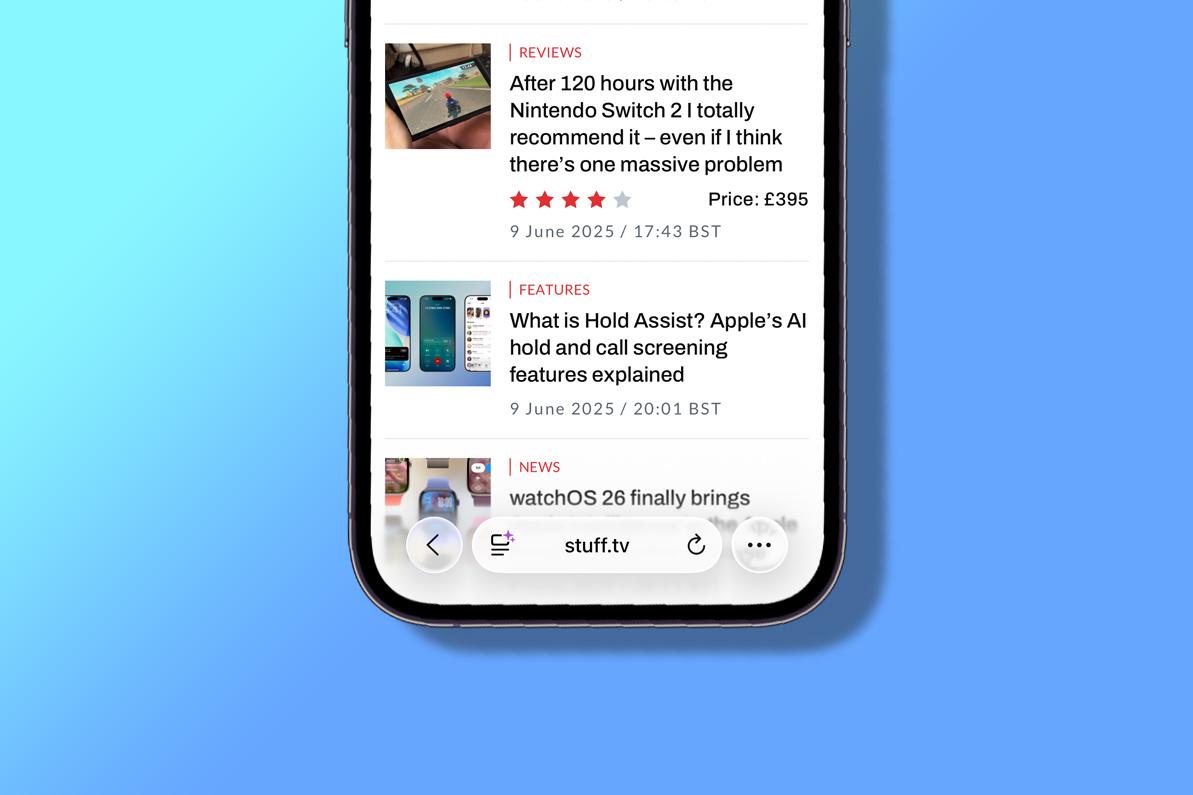
But on the iPhone‘s smaller display, Liquid Glass is a different story for me and as I’ve said in reviews, some apps have become harder to use.

It’s hard to read text in the menu of the Apple Music interface while Safari’s address/search bar is not only small and hard to target properly but the text is also hard to read with the transparency. I found it so difficult in fact, that I just did what I thought I’d have done years ago and replaced Safari with Chrome on my iPhone’s home screen.

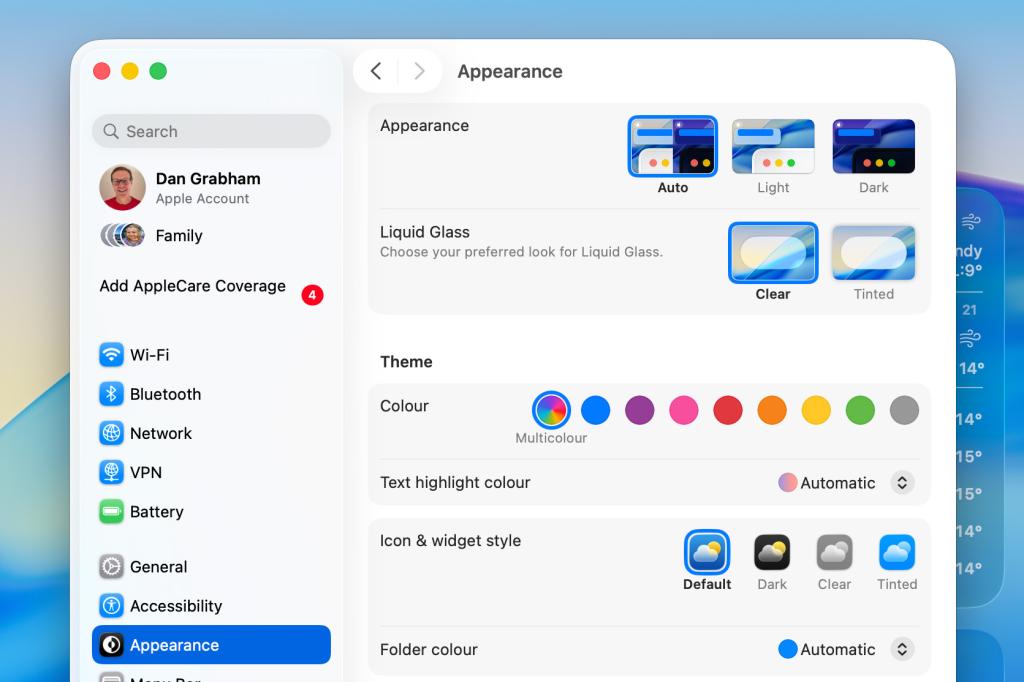
However, in the iOS 26.1 update (and later versions), Apple gives the option of reducing the effect of Liquid Glass with a new Liquid Glass toggle that enables you to reduce the level of transparency in Settings > Display & Brightness. An option now gives you the option to instead add a tint to elements, rather than making them almost see-through – the Liquid Glass default, called ‘Clear’ in the menu options.

The description on the feature says: “Choose your preferred look for Liquid Glass. Clear is more transparent, revealing the content beneath. Tinted increases opacity and adds more contrast.”

So what’s it like? Well, it basically softens the effect. There’s still a hint of transparency, but it really is just a hint and elements are nearly opaque. It’s a lot better to use in my opinion and will probably assuage those who have made complaints.

As you might expect, the feature is also available in iPadOS 26.1 and later – again via Settings > Display & Brightness – as well as in macOS 26.1 and later via Settings > Appearance.
All these features appear to be similar to the Accessibility setting called Reduce Transparency that has been present in earlier versions of iOS 26. This toggle says it will “improve contrast by reducing transparency and blurs on some backgrounds to increase legbility”.

In the other updates it has released for iOS 26, Apple has also fixed the alarm screen while iPadOS 26.1 and later brought back the popular Slide Over multitasking feature for iPad users, having previously removed it.

In Apple’s 2027 versions of the software such as iOS 27 – coming in September/October – Apple is going a step further and giving you a slider toggle to adjust the level of transparency. The software is now available in beta.

Also don’t forget to check out some of our favourite iOS 26 tips and tricks including Call Screening, Hold Assist, polls in Messages and lots more.


google preferred source

Apple News

Read the full article here

Follow on Google News Follow on Flipboard
Share. Facebook Twitter Pinterest LinkedIn Tumblr Email Copy Link
News Room
  • Website

Related Posts

Twitch will let parents stop their teens going live

July 21, 2026

Samsung can’t afford to play it safe with Apple’s first foldable looming

July 21, 2026

The Apple TV box price hike is eye-watering – here’s how much you’ll need to pay for one now

July 21, 2026
Add A Comment
Leave A Reply Cancel Reply

Top Articles

I think the BYD Ti7 offers way better value than a Land Rover Defender – but is it as good as one?

June 2, 2026

The best paid-for iPhone and iPad apps money can buy

June 1, 2026

Best flip phones in 2026: top clamshell foldables for every budget 

June 11, 2026
Latest Reviews

A touchscreen makes Xteink’s new X4 Pro a tempting Kindle alternative

News RoomJuly 21, 2026

Halliday’s latest smart glasses feature a much-improved display

News RoomJuly 21, 2026

Even Microsoft couldn’t make Windows 11 work well on 8GB of RAM

News RoomJuly 17, 2026

Subscribe to Updates

Get the latest tech news and updates directly to your inbox.

Demo
Most Popular

User-replaceable batteries are coming back in a big way

May 31, 2026

I think the BYD Ti7 offers way better value than a Land Rover Defender – but is it as good as one?

June 2, 2026

The best paid-for iPhone and iPad apps money can buy

June 1, 2026
Our Picks

The Apple TV box price hike is eye-watering – here’s how much you’ll need to pay for one now

July 21, 2026

By 2030, robots won’t just clean your floors – they’ll practically run your whole home

July 21, 2026

The wireless headset that gets hot-swappable batteries right

July 21, 2026

Subscribe to Updates

Get the latest tech news and updates directly to your inbox.

Facebook X (Twitter) Instagram Pinterest
  • Home
  • Privacy Policy
  • Terms of use
  • For Advertisers
  • Contact
2026 © Prices.com LLC. All Rights Reserved.

Type above and press Enter to search. Press Esc to cancel.