
Close Menu
Gadget Guide News
  • Home
  • News
  • Features
  • Reviews
  • Best Stuff
  • Buying Guides
  • Deals
  • More Articles

Subscribe to Updates

Get the latest tech news and updates directly to your inbox.

Trending

Twitch will let parents stop their teens going live

July 21, 2026

8 fitness apps we’ve tried and recommend for a smarter work out

July 21, 2026

Samsung can’t afford to play it safe with Apple’s first foldable looming

July 21, 2026
Facebook X (Twitter) Instagram
Gadget Guide News
Subscribe
  • Home
  • News
  • Features
  • Reviews
  • Best Stuff
  • Buying Guides
  • Deals
  • More Articles
Gadget Guide News
  • Best Stuff
  • Buying Guides
  • Reviews
  • Deals
  • Features
Home»Reviews»A touchscreen makes Xteink’s new X4 Pro a tempting Kindle alternative
Reviews

A touchscreen makes Xteink’s new X4 Pro a tempting Kindle alternative

News RoomBy News RoomJuly 21, 2026027 Mins Read
Share Facebook Twitter Pinterest Copy Link LinkedIn Tumblr Email Telegram WhatsApp
Follow Us
Google News Flipboard
Share
Facebook Twitter LinkedIn Pinterest Email Copy Link

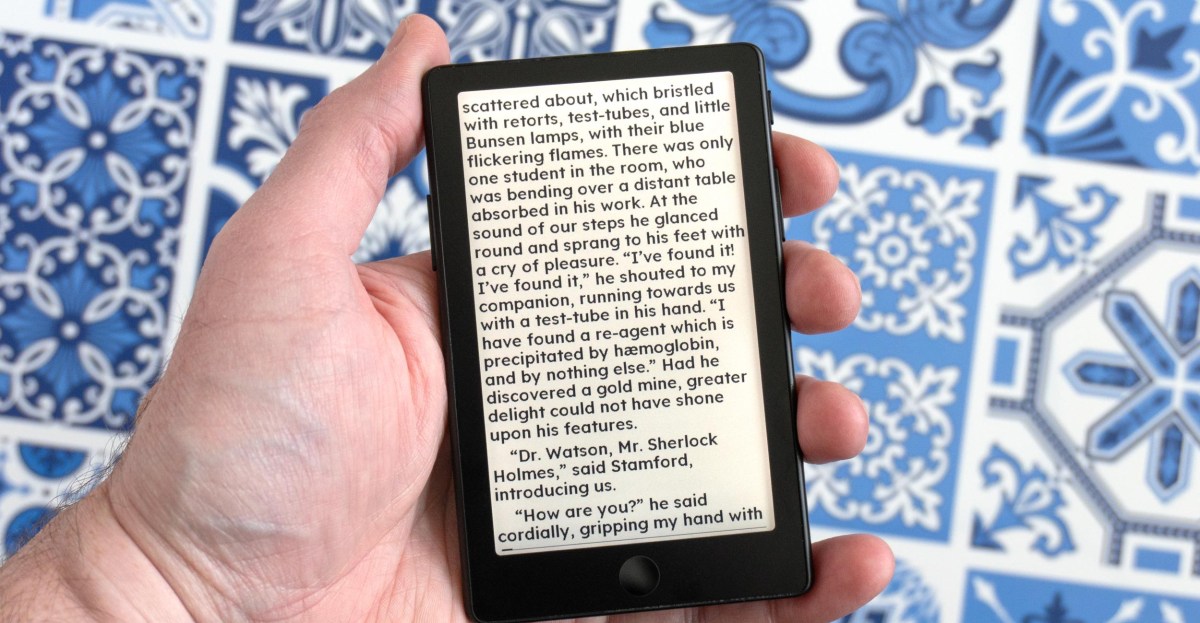
The familiar story with Xteink’s tiny e-readers plays out once again with its new X4 Pro: upgraded hardware held back by frustrating software. The company’s latest tiny e-reader adds a touchscreen and lighting, so choosing it over a Kindle or a Kobo feels like less of a compromise — until you use it. The new touch controls and some welcome software updates do manage to make the X4 Pro easier to use, but frustrations still abound. There’s a happier ending to the story this time, however, as the team behind the excellent CrossPoint Reader software plan to have their alternative firmware ready for the new device at its launch. If you’ve been considering one of Xteink’s e-readers, the X4 Pro is the one to get, even if it’s the most expensive yet.
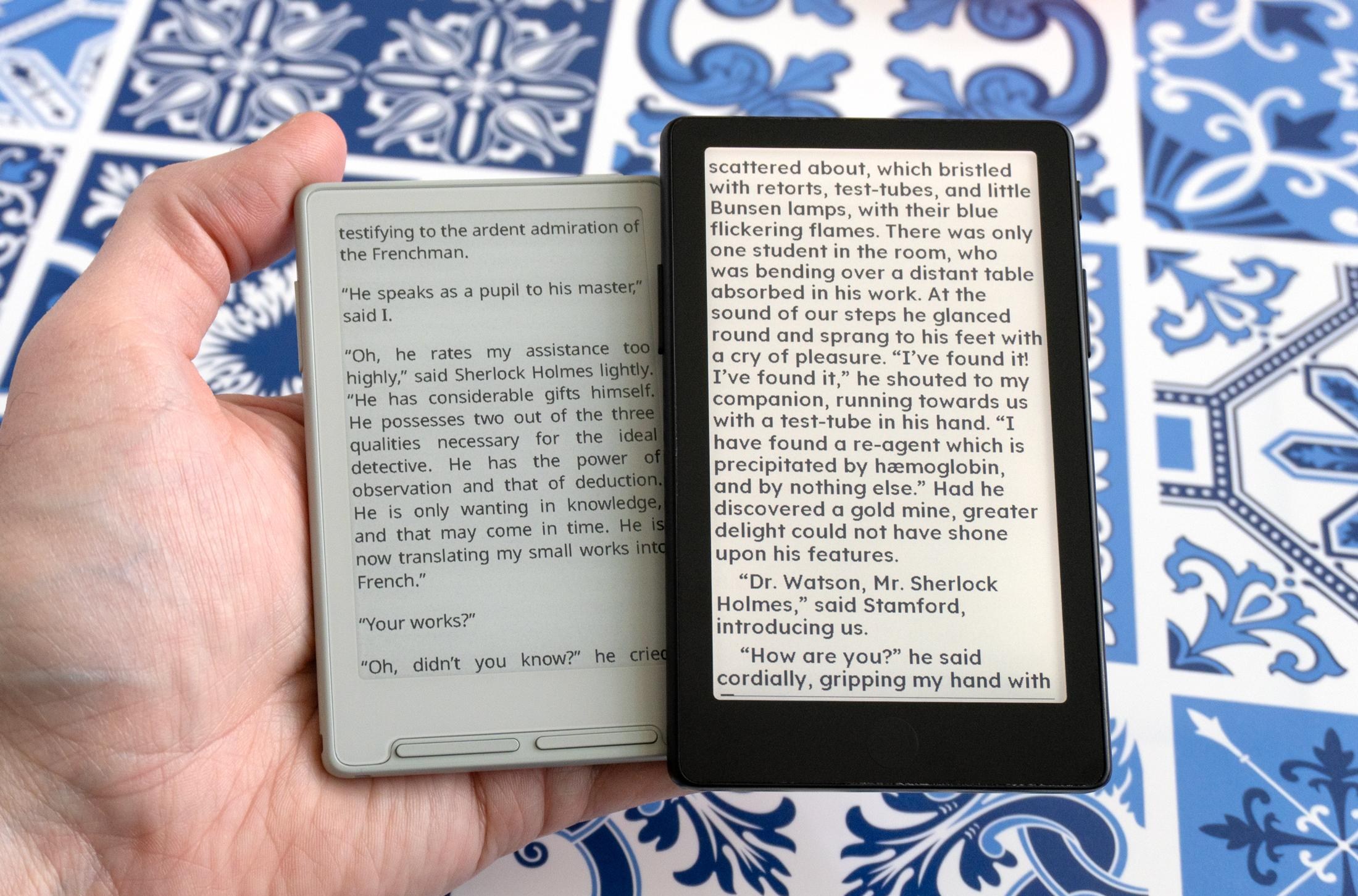
The X4 Pro (right) is slightly shorter and thinner than the original X4 (left).

The X3 (left) is much smaller than the X4 Pro (right), but the new e-reader is still extremely pocketable.

The X4 Pro is available for purchase today through Xteink’s online store for $99, making it slightly more expensive than the company’s $79 X3 and $69 X4 models. That also brings the X4 Pro closer in price to the $110 entry-level Kindle featuring Amazon’s polished e-reader experience and on-device access to a well-stocked digital bookstore. The X4 Pro lacks both of those things, but with a 4.26-inch, 800 x 480 E Ink screen, it’s another extremely pocketable device from Xteink that’s slightly smaller and thinner than the company’s first e-reader, and considerably smaller than Amazon’s 6-inch Kindle.
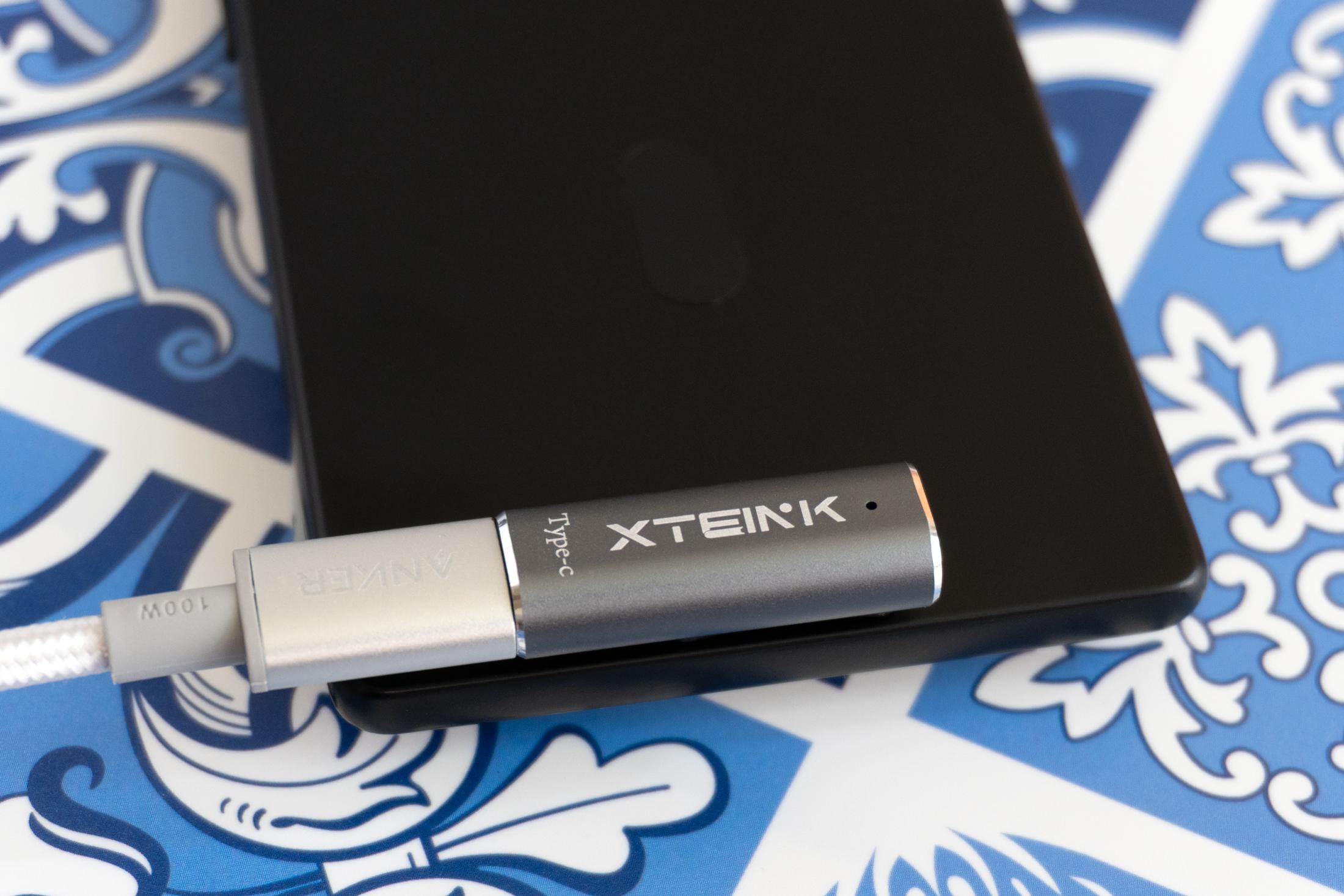
A close-up of a magnetic pogo-pin charger attached to the back of the Xteink X4 Pro.

Instead of a USB-C port, the X4 Pro features a magnetic pogo-pin connector on the back. It functions like a standard USB-C port, however, and an adapter (you won’t want to lose) is included.

That thin profile means you’ll need to be prepared for a big compromise: There’s no longer an actual USB-C port. You can still benefit from USB-C functionality but will need an adapter to deal with an uncommon magnetic pogo-pin connection. The adapter is included, but I’d still opt for a slightly thicker device with an actual USB-C port.
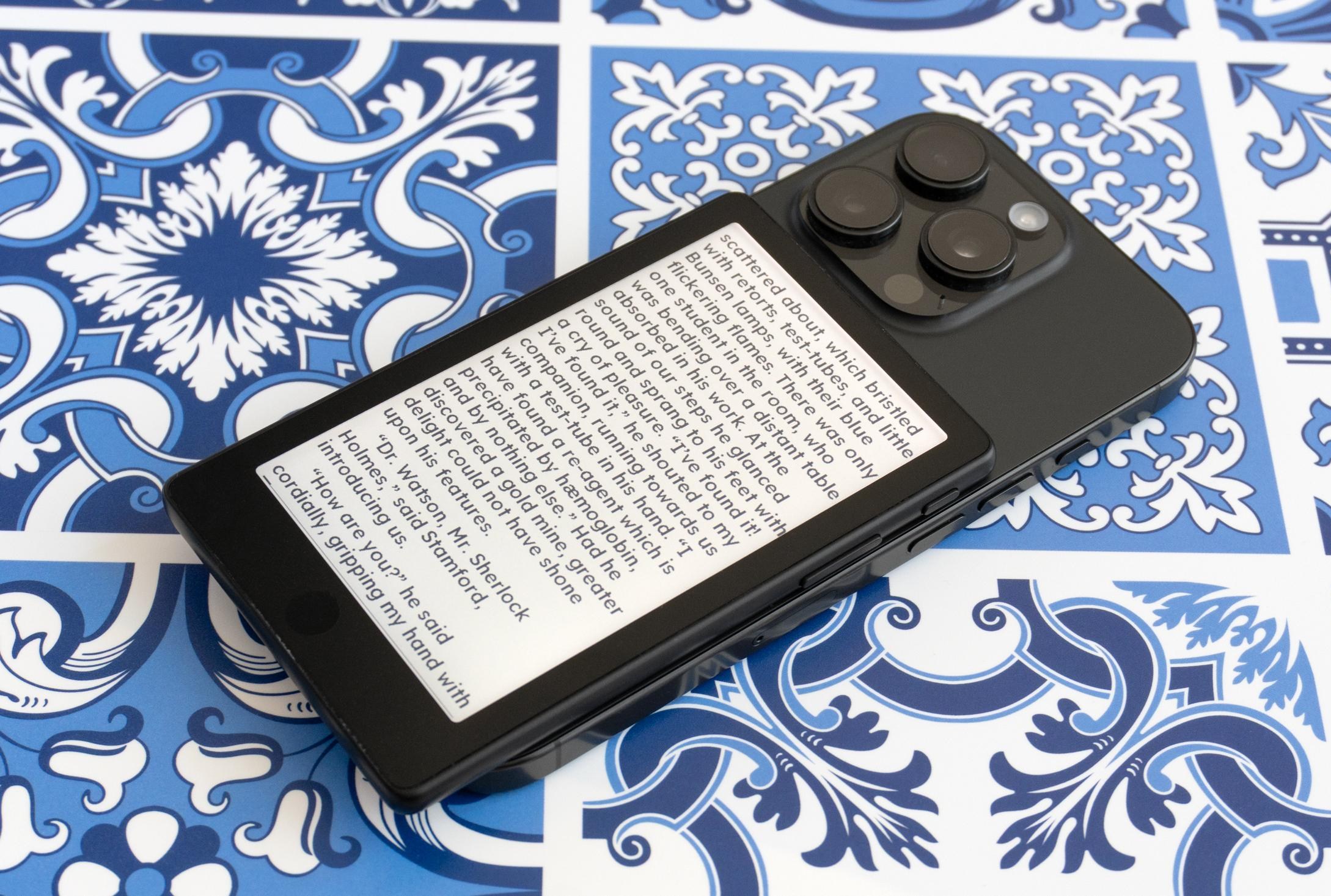
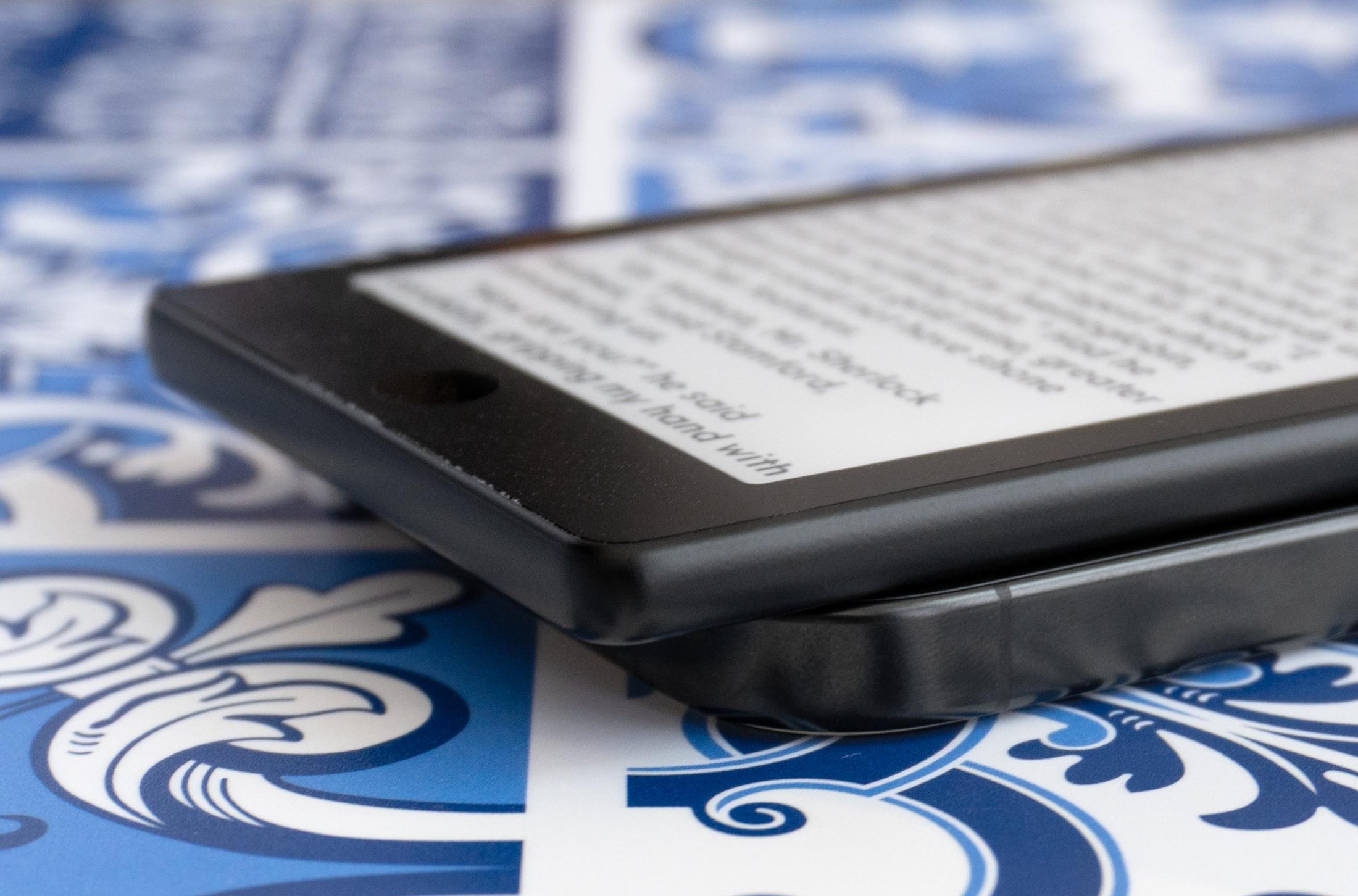
The magnets on the X4 Pro feel stronger than on the company’s other e-readers, but it still doesn’t doesn’t attach to the back of your phone as securely as magnetic power banks do.

It should fit larger phones, but when attached to the back of my iPhone 16 Pro the X4 Pro awkwardly hung off the bottom by about half an inch.

On the back of the X4 Pro you’ll once again find embedded magnets so you can attach it to compatible smartphones like a wireless battery. The magnets feel stronger, but still not strong enough to make me confident the e-reader is going to remain stuck to my phone while jostling around in my pocket. The X4 Pro’s size also makes the tiny e-reader awkwardly extend past the bottom of my iPhone 16 Pro when attached, and at this point I think Xteink should just abandon promoting this functionality. Its e-readers are better as standalone devices.
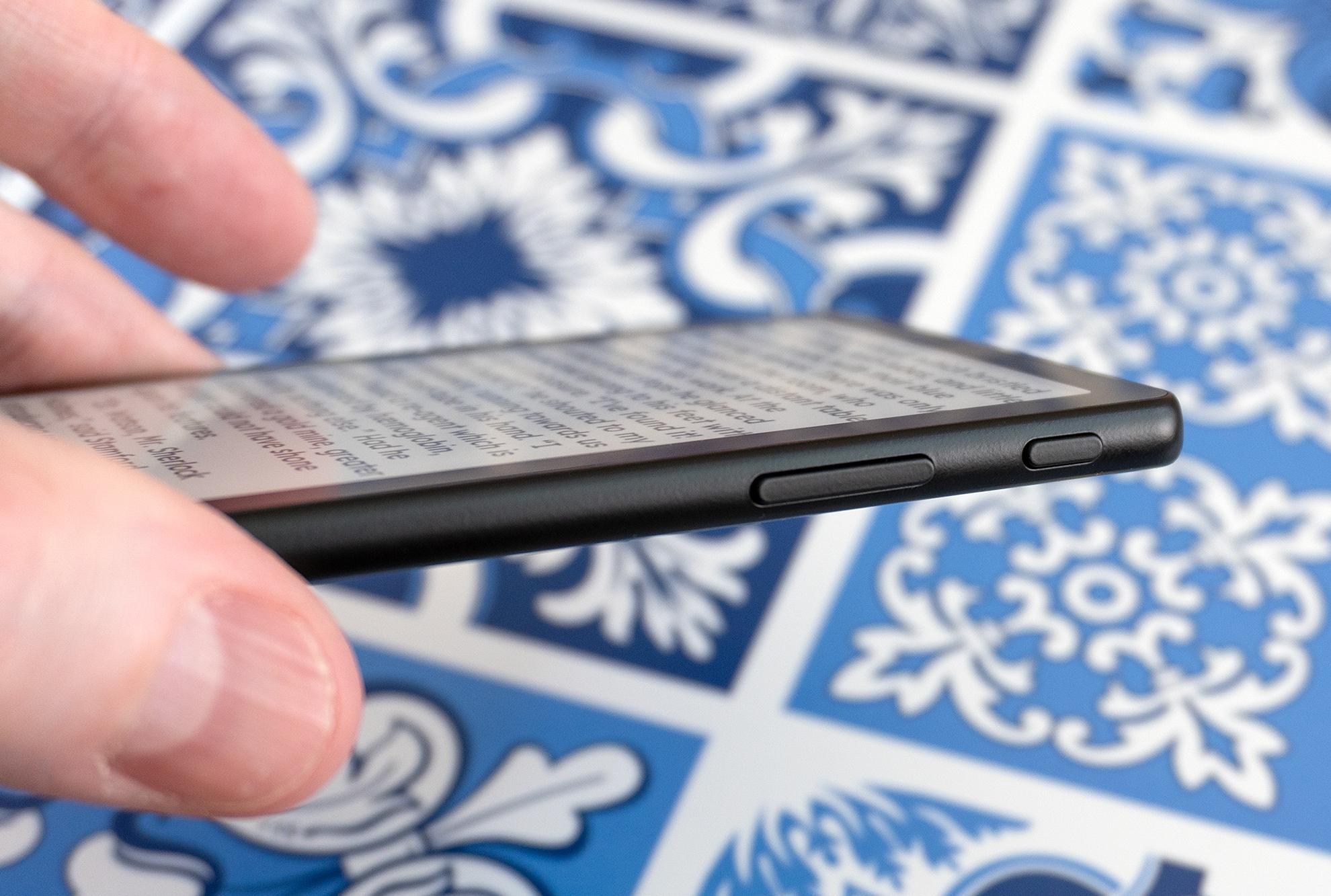
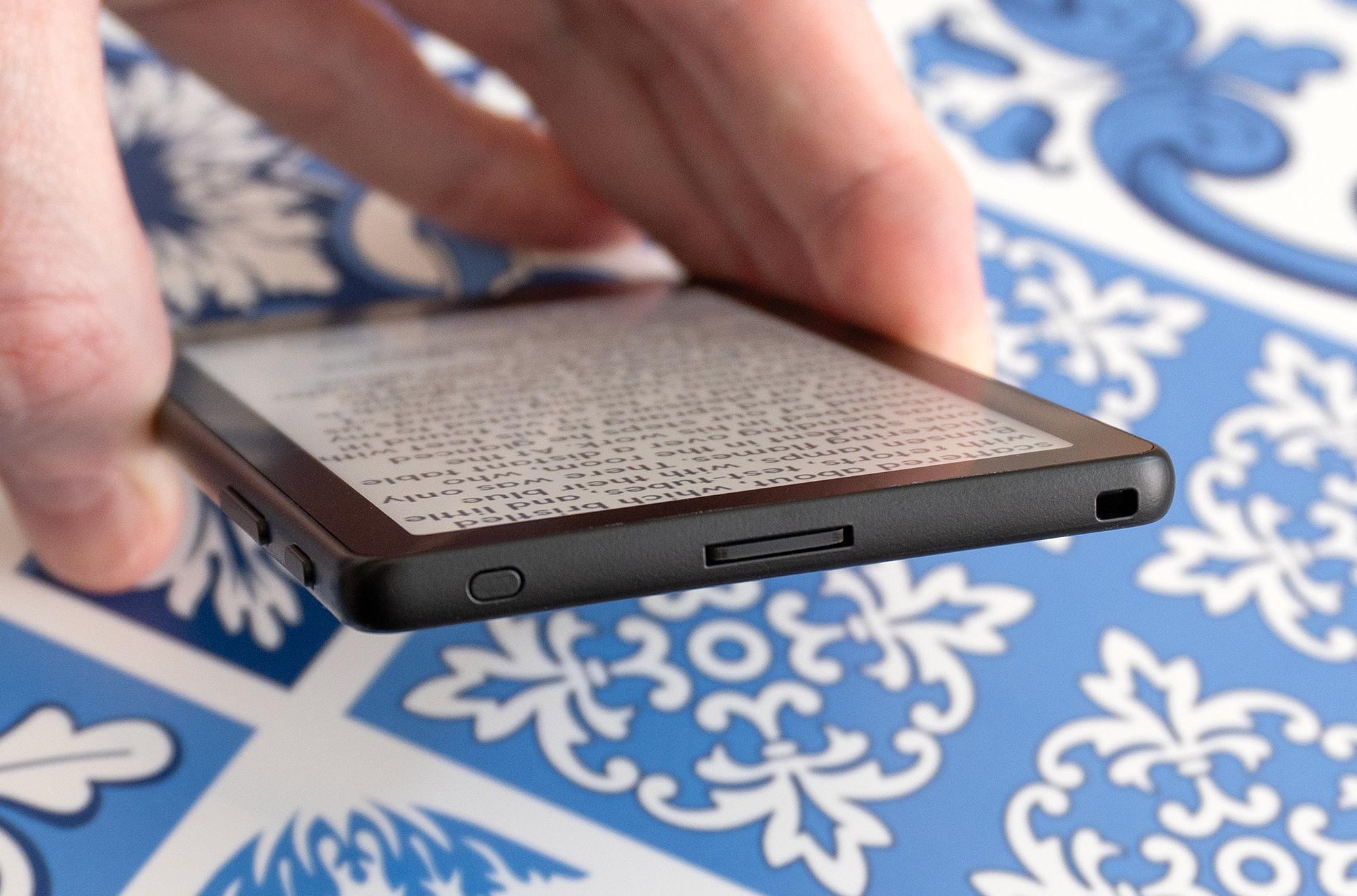
Xteink isn’t abandoning physical buttons altogether. The X4 Pro still has four in total: two page turn buttons, a reset button, and a power/sleep button.

On the top of the X4 Pro you’ll also find a microSD card slot so you can expand its storage.

The added touchscreen allows for a much simpler button layout on the X4 Pro, and I’m glad the company still includes dedicated page turn buttons on each side in addition to being able to tap the edges of the screen. There’s also a power/wake button and, for the first time, a touch button on the front of the e-reader below its screen for jumping back to the e-reader’s homescreen.
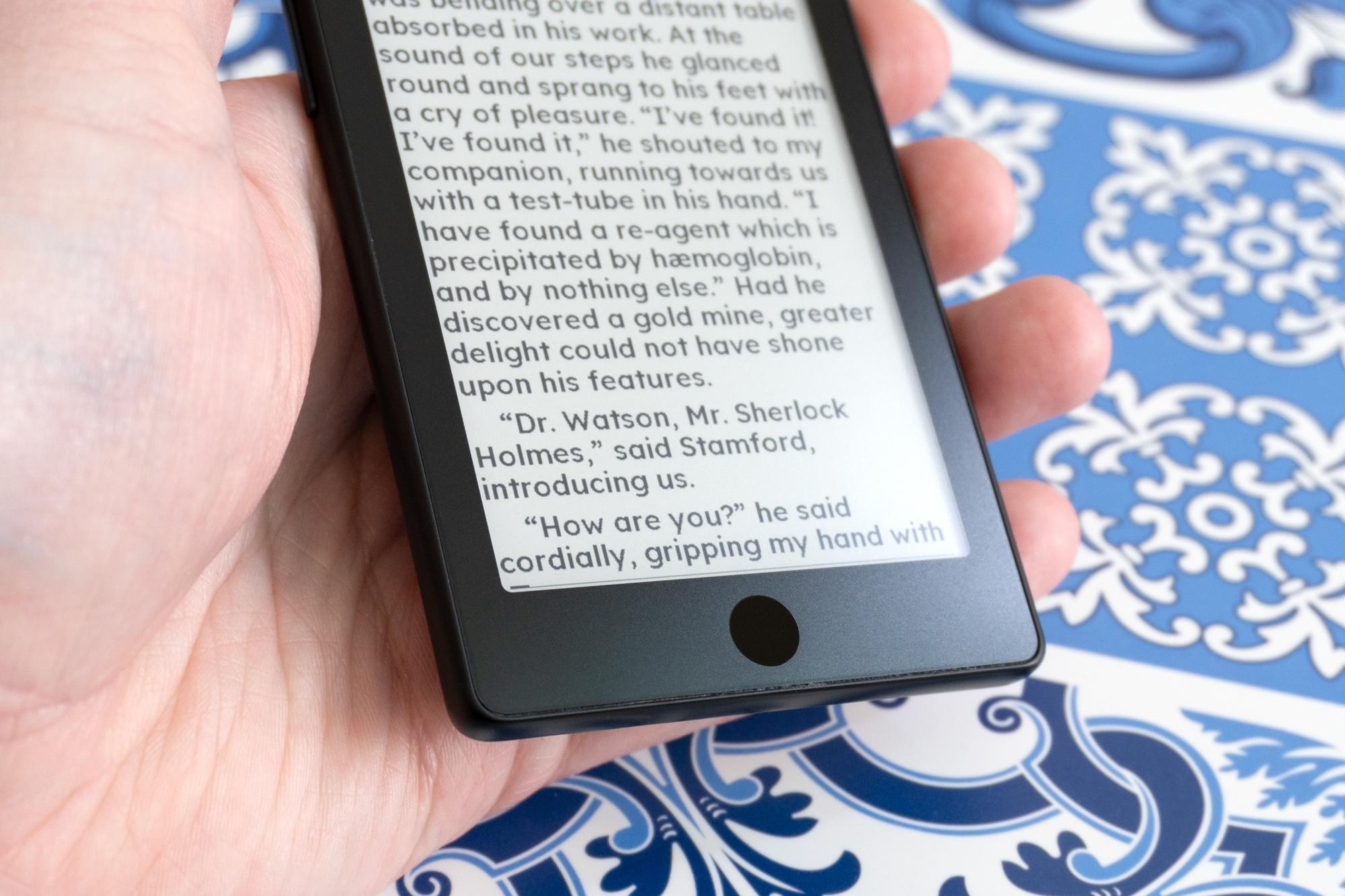
A close-up of the touch home button on the front of the Xteink X4 Pro.

The X4 Pro has a touch-sensitive button located beneath its screen, making it very easy to jump back to the device’s homescreen.

There’s been some debate about whether or not these tiny e-readers actually need a touchscreen, but after testing the X4 Pro for over a week I think it’s a welcome upgrade for these devices. Even after months of use, navigating the company’s other e-readers using just buttons has never felt intuitive or easy, and it’s held me back from wanting to carry them everywhere I go. Navigating the X4 Pro using screen taps (like we do with the rest of our mobile devices) finally makes it feel like I’m not fighting the e-reader to make it do what I want.

But the X4 Pro’s touchscreen doesn’t feel as sensitive or responsive as a Kindle or Kobo when tapping on the screen, and half the time it feels like I have to repeat a tap with a little more pressure for my finger to be detected. I’m hoping that’s something that can be improved through future software updates.
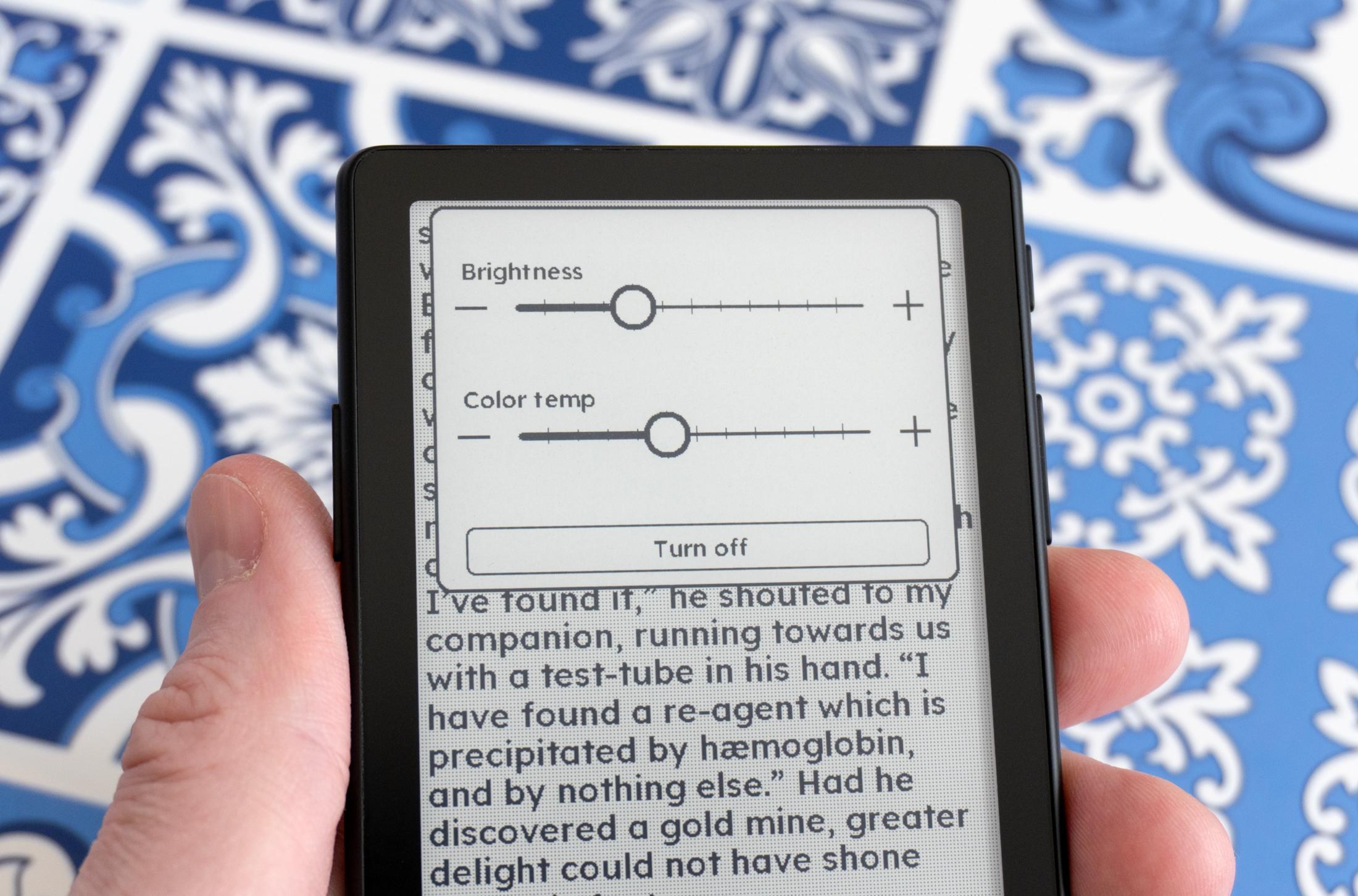
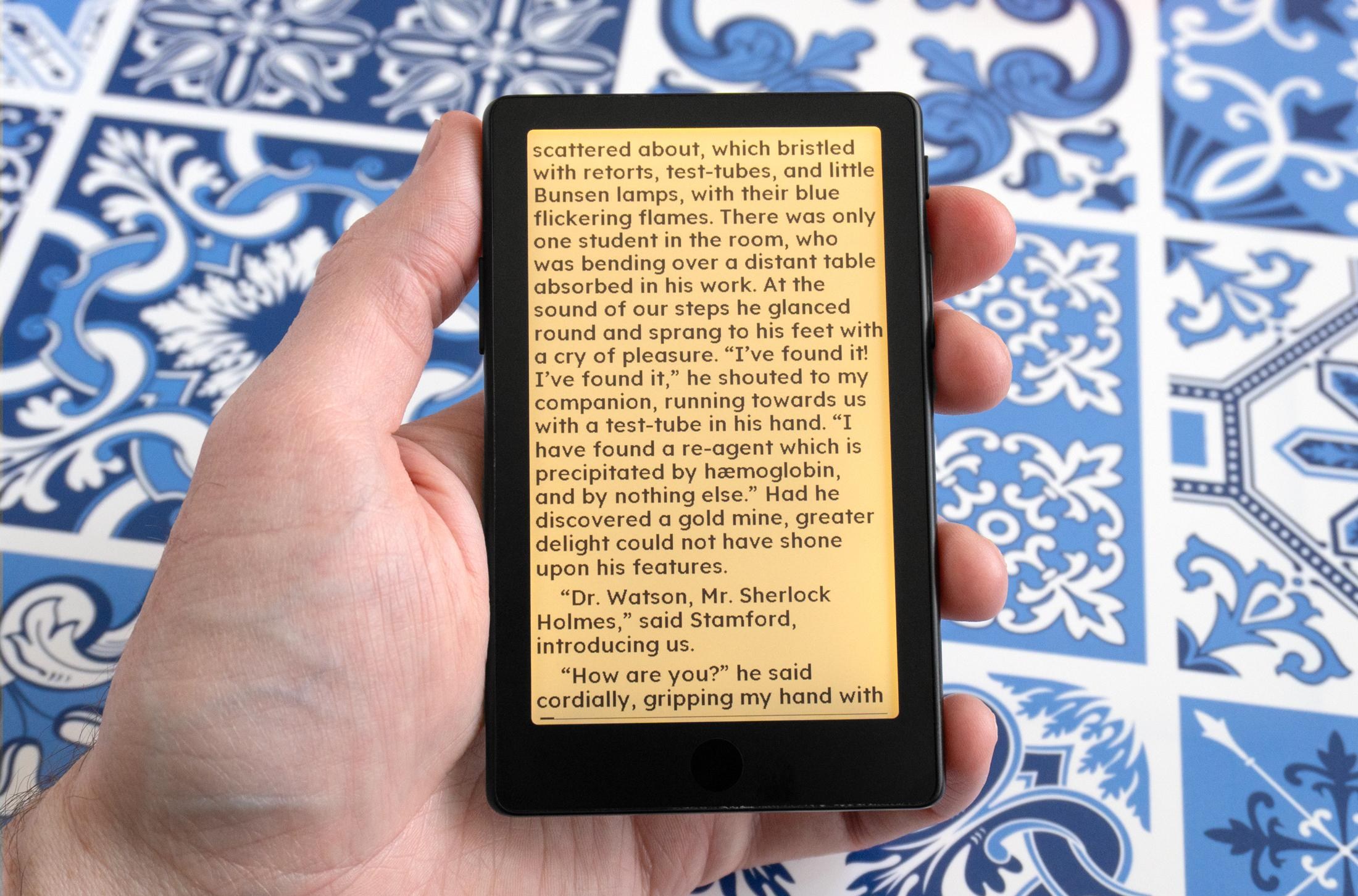
There are no automatic adjustments for the X4 Pro’s screen light, but you can manually adjust its intensity and color temperature.

The X4 Pro’s screen can be set to a very warm tint to reduce your blue light exposure while reading at night.

The added screen light is an excellent upgrade, and even though it’s a bit uneven and definitely a little brighter at the top of the display, you can adjust its intensity and color temperature using sliders that appear when you swipe down from the top of the screen. There are no automatic adjustments or scheduling available yet, but being able to finally use this e-reader in bed without having a lamp on is a game changer, and I can’t see myself going back to Xteink’s older devices that lack lighting.
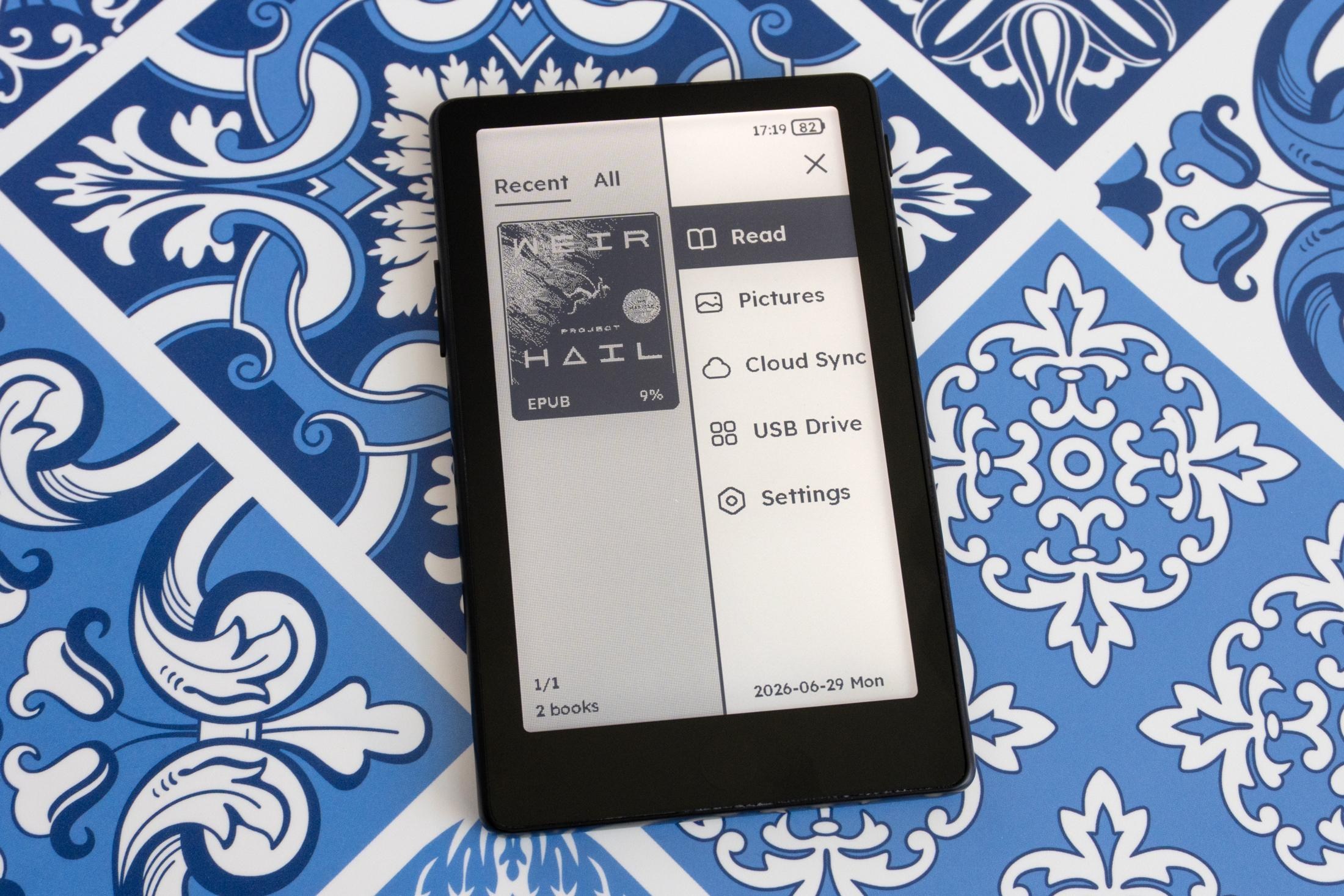
A photo of the Xteink X4 Pro e-reader’s user interface.

Xteink has made a lot of improvements to its bundled software and UI to accommodate the X4 Pro’s touchscreen. The menus have been streamlined and are easier to navigate with touch, and accessing reading settings by tapping anywhere on the page now feels more intuitive. There’s also more flexibility with adjusting text spacing and layout, but out of the box you’re once again limited to just a single font in two different sizes unless you want to jump through hoops to install your own. But you don’t have to suffer with Xteink’s unpolished software.
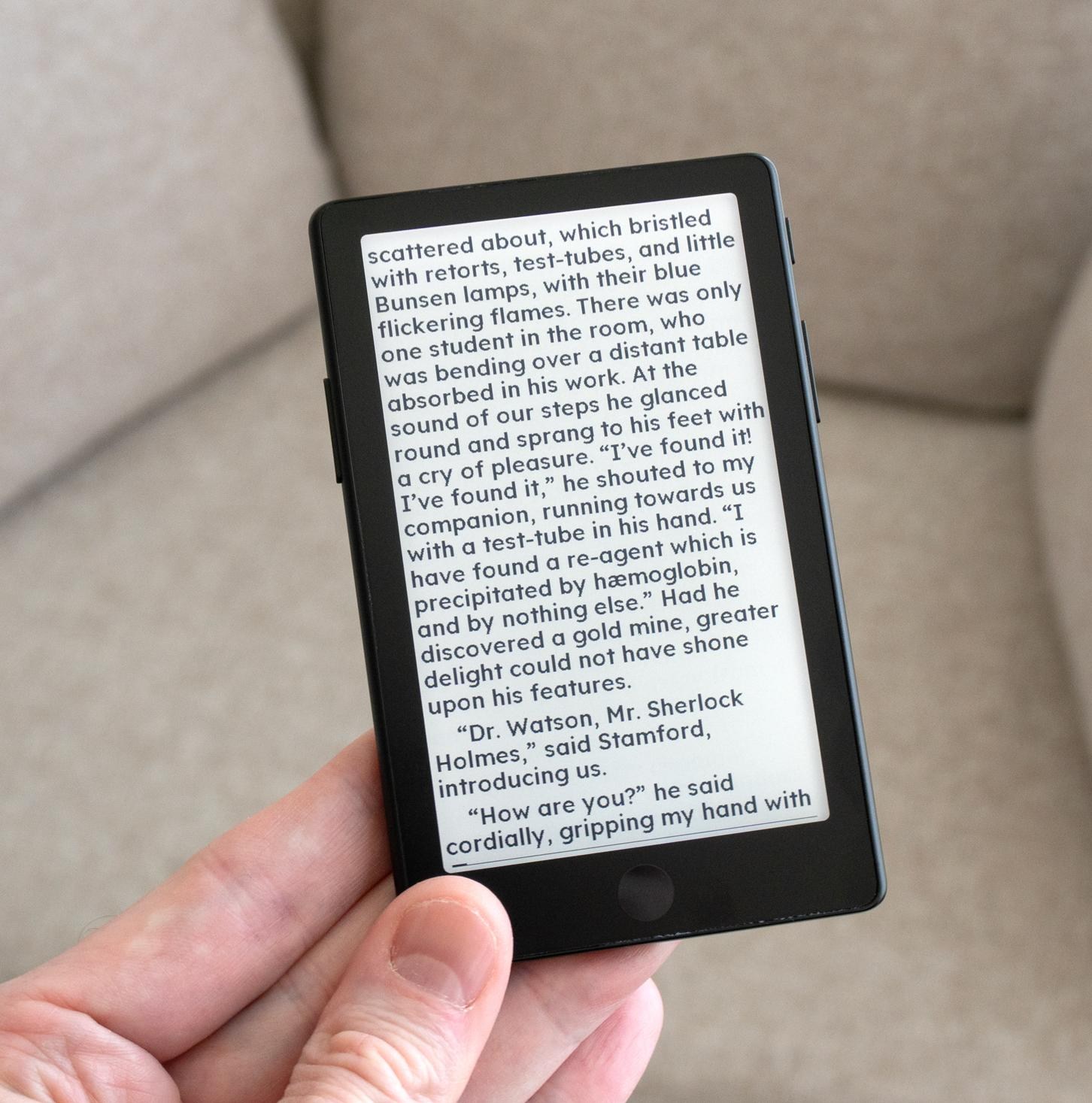
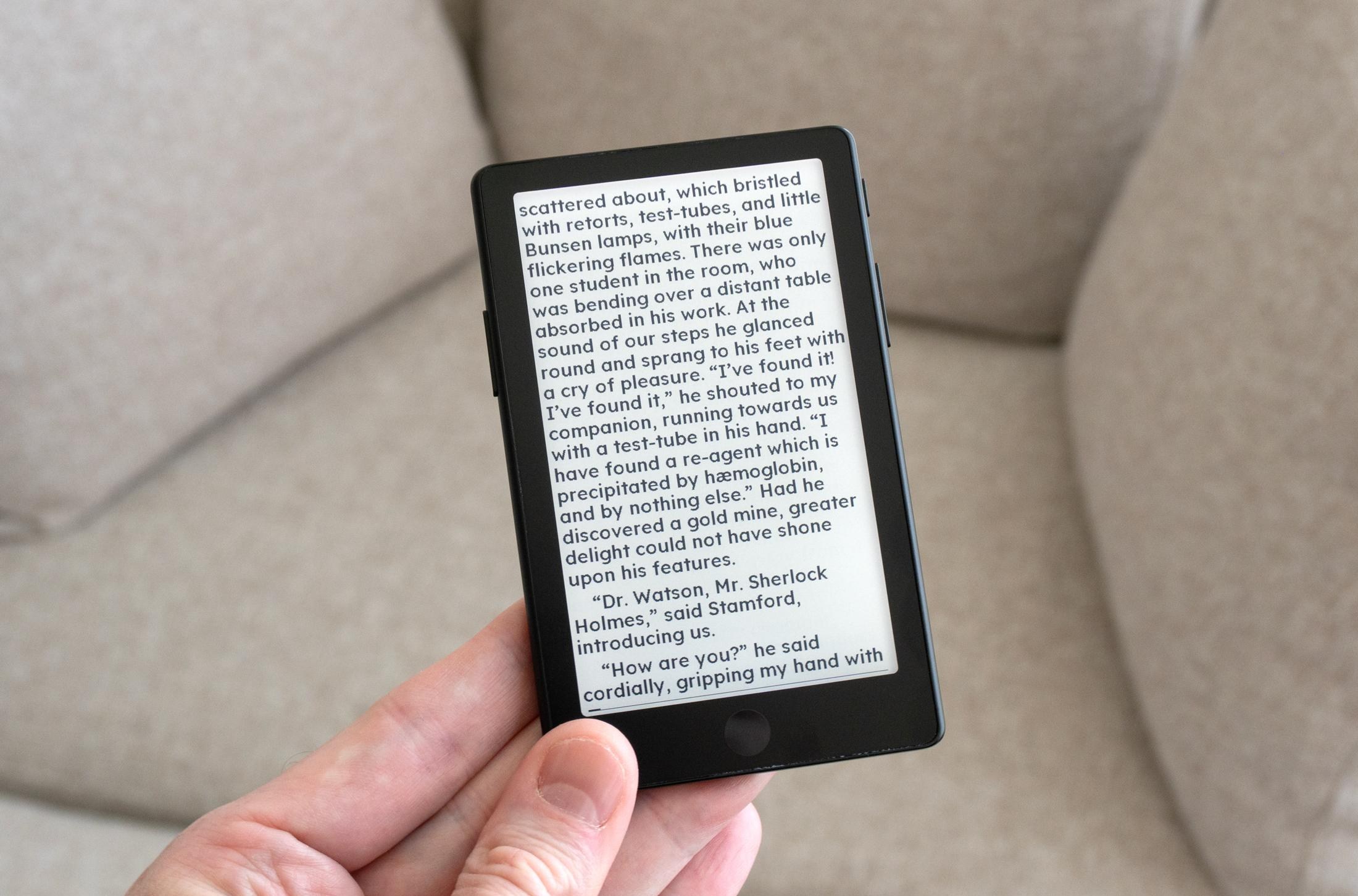
Of all the X4 Pro’s improvements, the most compelling reason to get Xteink’s latest e-reader is that the easy-to-install CrossPoint Reader software will be available at launch. It’s a free firmware alternative that vastly improves the UI and reading experience of Xteink’s devices. When I tested Xteink’s last e-reader the team behind CrossPoint Reader wasn’t sure when support for the X3 would be released, but Justin Mitchell has since taken over as the core maintainer of the software and told The Verge that X4 Pro support will be available “before any customers are able to order and receive theirs in the states.” CrossPoint Reader is also now a part of Mitchell’s new Free Ink project that counts Xteink as one of its hardware partners, so the firmware should be compatible with all of the company’s future devices at launch.
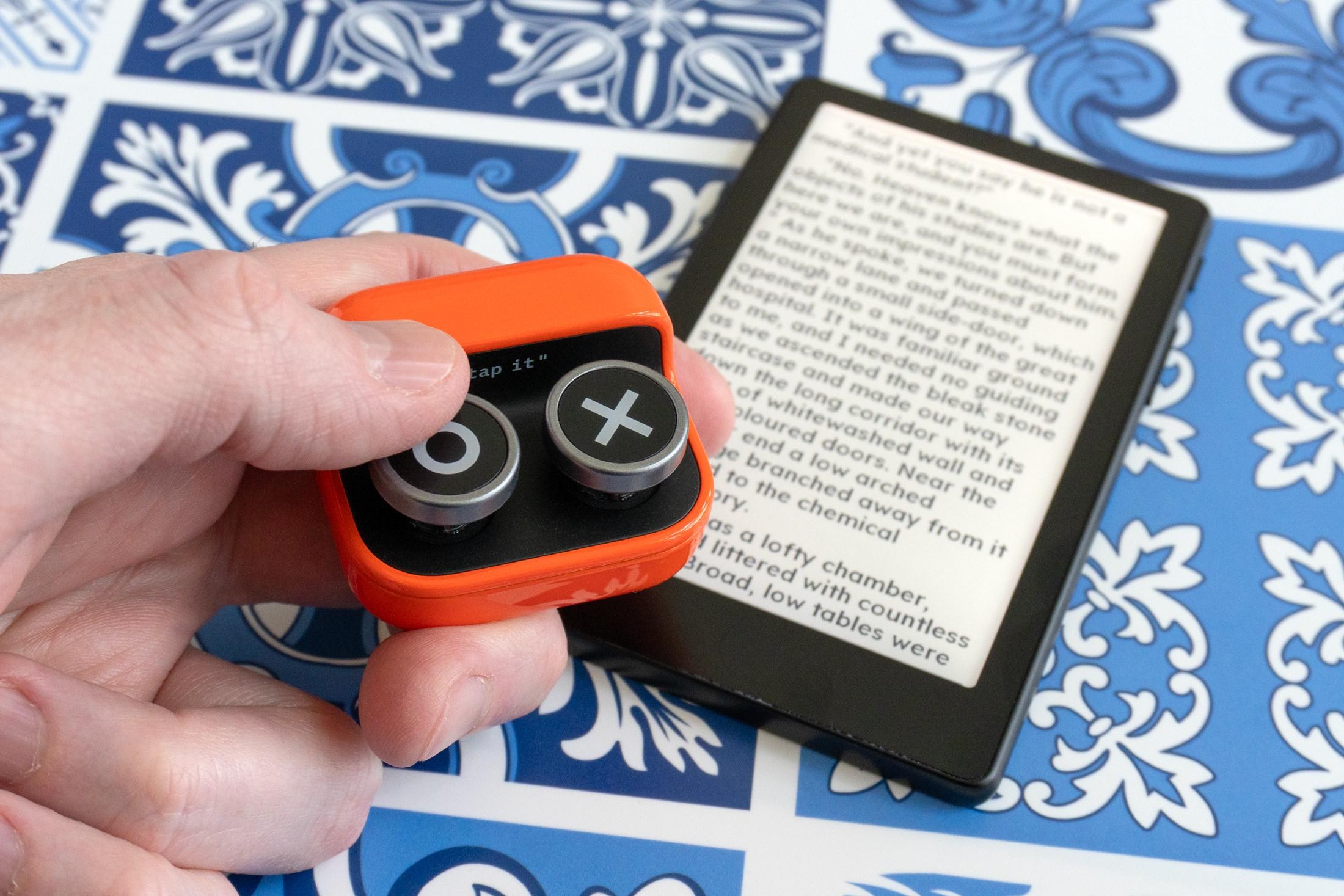
A person holding the Boox Tappy remote above the Xteink X4 Pro.

If you’ve been on the fence about grabbing one of Xteink’s e-readers, even with a proprietary USB-C connector and a $99 price tag the X4 Pro is the one to get if you prioritize portability. It won’t match the Kindle or Kobo experience even after installing CrossPoint Reader, but even with its limitations it’s still the best tiny e-reader you can buy and a device I already won’t leave the house without.

Photography by Andrew Liszewski / The Verge

Follow topics and authors from this story to see more like this in your personalized homepage feed and to receive email updates.

  • Andrew Liszewski

    Andrew Liszewski

    Andrew Liszewski

    Posts from this author will be added to your daily email digest and your homepage feed.

    See All by Andrew Liszewski

  • Deals

    Posts from this topic will be added to your daily email digest and your homepage feed.

    See All Deals

  • Gadgets

    Posts from this topic will be added to your daily email digest and your homepage feed.

    See All Gadgets

  • Hands-on

    Posts from this topic will be added to your daily email digest and your homepage feed.

    See All Hands-on

  • News

    Posts from this topic will be added to your daily email digest and your homepage feed.

    See All News

  • Reviews

    Posts from this topic will be added to your daily email digest and your homepage feed.

    See All Reviews

  • Tech

    Posts from this topic will be added to your daily email digest and your homepage feed.

    See All Tech

  • Verge Shopping

    Posts from this topic will be added to your daily email digest and your homepage feed.

    See All Verge Shopping

Read the full article here

Follow on Google News Follow on Flipboard
Share. Facebook Twitter Pinterest LinkedIn Tumblr Email Copy Link
News Room
  • Website

Related Posts

Halliday’s latest smart glasses feature a much-improved display

July 21, 2026

Even Microsoft couldn’t make Windows 11 work well on 8GB of RAM

July 17, 2026

8BitDo’s FlipPad is the most pocketable way to turn your phone into a Game Boy

July 15, 2026
Add A Comment
Leave A Reply Cancel Reply

Top Articles

I think the BYD Ti7 offers way better value than a Land Rover Defender – but is it as good as one?

June 2, 2026

The best paid-for iPhone and iPad apps money can buy

June 1, 2026

Best flip phones in 2026: top clamshell foldables for every budget 

June 11, 2026
Latest Reviews

A touchscreen makes Xteink’s new X4 Pro a tempting Kindle alternative

News RoomJuly 21, 2026

Halliday’s latest smart glasses feature a much-improved display

News RoomJuly 21, 2026

Even Microsoft couldn’t make Windows 11 work well on 8GB of RAM

News RoomJuly 17, 2026

Subscribe to Updates

Get the latest tech news and updates directly to your inbox.

Demo
Most Popular

User-replaceable batteries are coming back in a big way

May 31, 2026

I think the BYD Ti7 offers way better value than a Land Rover Defender – but is it as good as one?

June 2, 2026

The best paid-for iPhone and iPad apps money can buy

June 1, 2026
Our Picks

The Apple TV box price hike is eye-watering – here’s how much you’ll need to pay for one now

July 21, 2026

By 2030, robots won’t just clean your floors – they’ll practically run your whole home

July 21, 2026

The wireless headset that gets hot-swappable batteries right

July 21, 2026

Subscribe to Updates

Get the latest tech news and updates directly to your inbox.

Facebook X (Twitter) Instagram Pinterest
  • Home
  • Privacy Policy
  • Terms of use
  • For Advertisers
  • Contact
2026 © Prices.com LLC. All Rights Reserved.

Type above and press Enter to search. Press Esc to cancel.