

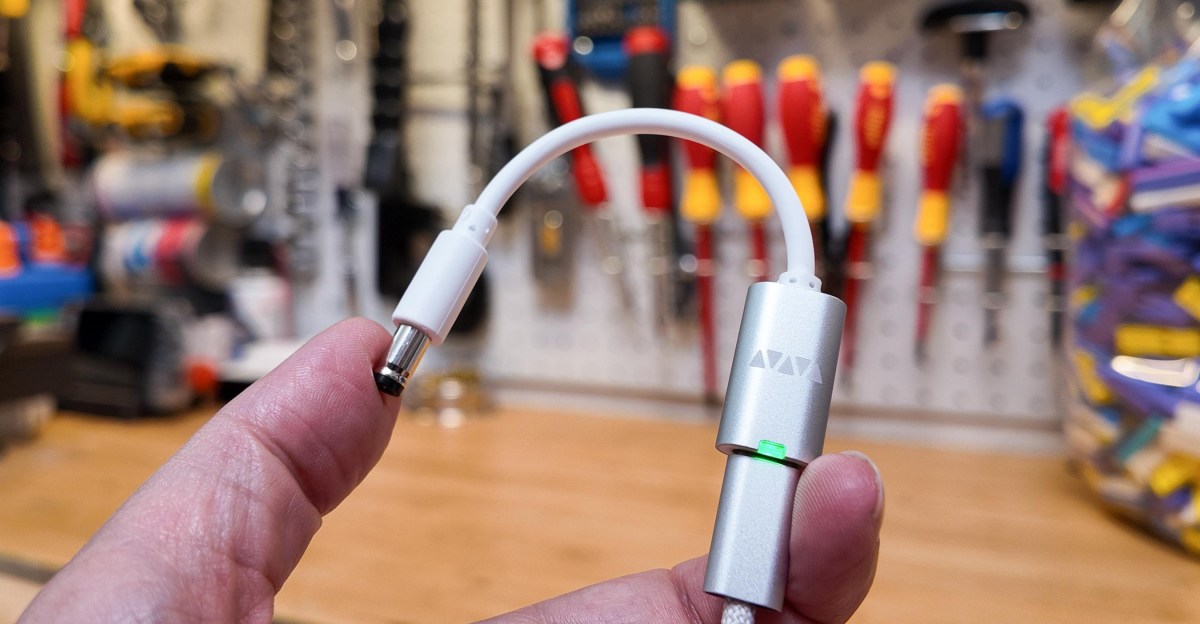
When I haul my 27-inch desktop monitor into the garage to film fun gadget videos… or want to play Japanese SNES games with friends… or lose the AC adapter for my old external hard disk… I can now power them with a USB battery instead.
None of them came with USB-C ports; the entire USB protocol was barely a twinkle in its creator’s eye when Nintendo shipped the Super Famicom in 1990! But a tiny programmable dongle, from a company called Werewolf, can transform old power ports to accept USB-C electricity. I’m so impressed, I just bought a second kit for a friend’s birthday.
With these dongles, there’s no surgery required to add USB-C. You plug the $8 Werewolf VFLEX dongle into your phone to program it, plug it into your USB charger or battery, then attach a $4 barrel jack tip.
It’s like having a universal A/C adapter, one you don’t even need to plug into the wall, because modern USB-C batteries offer far more power than yesteryear’s gadgets did.
Here’s my Asus monitor, my Super Famicom, and a cheap RCA-to-HDMI adapter all powered by a single Shargeek 300 portable battery and two VFLEX adapters:
At its current rate of drain (2W for the game, 24W for the monitor, and less than 1W for HDMI), that big battery will last hours this way. With my wife’s original 1989 Game Boy, which I measured draining just 0.33 watts playing Tetris, even my pocket battery could theoretically power it for over 90 hours straight.
I have non-theoretical examples, too: When I held a classic gaming party on the Fourth of July, I genuinely powered this Super Famicom with a VFLEX for some five-player Bomberman.
When I recorded my Steam Machine video, I used an old Atomos recording device whose aging batteries died too fast — so I used a VFLEX to plug it in.
And when I shot my Sharge Disk Pro 2 video just the other day, I didn’t want to rip my monitor’s carefully cable-managed power supply out of my desk just to film in my garage for a day. I turned it into a portable monitor by plugging in a VFLEX and a USB-C battery.
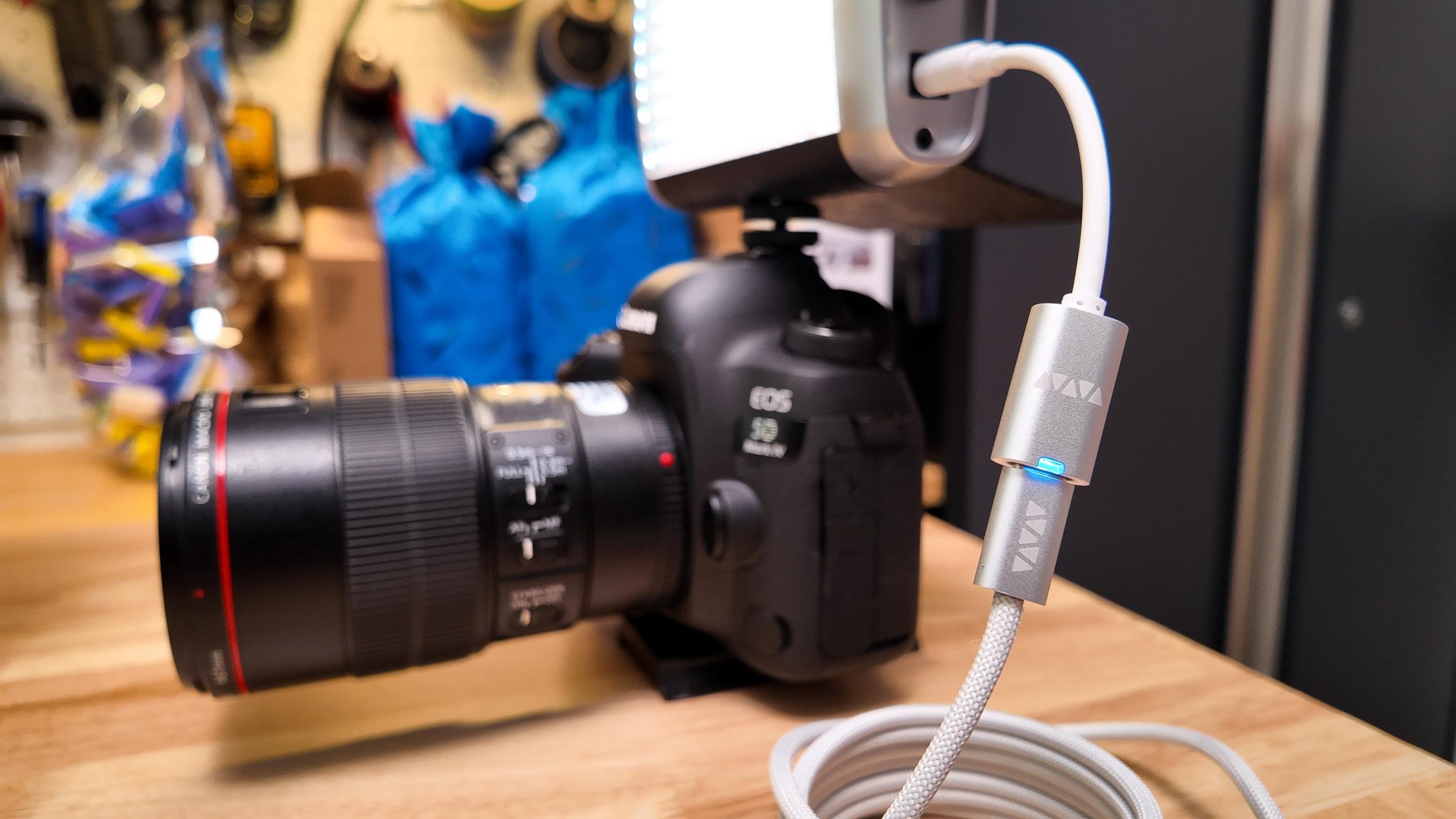
It’s practical, and it doesn’t require surgery, but the VFLEX does take some forethought. Before you plug it into a gadget, you should always plug the USB-C end into your phone to set the right voltage. It does store settings in non-volatile memory, but I hate to think what might happen to my vintage Game Boy if I accidently shoved my monitor’s 19 volts into it.
The genius of Werewolf’s system is that it doesn’t need to convert voltage — it asks for the power you want. It uses the same protocols that other USB-C gadgets do to negotiate power, only here you get to specify how much.
But you can’t just buy a VFLEX and expect your existing chargers to do everything else. For example, my Apple 140W USB-C power adapter, the most powerful the company makes, can’t deliver the 19 volts my desktop monitor wants. Like every 100W USB-C PD charger, it’s comfortable delivering 5V, 9V, 15V, or 20V, and because it’s a 140W Extended Power Range (EPR) charger, it can do 28V as well.
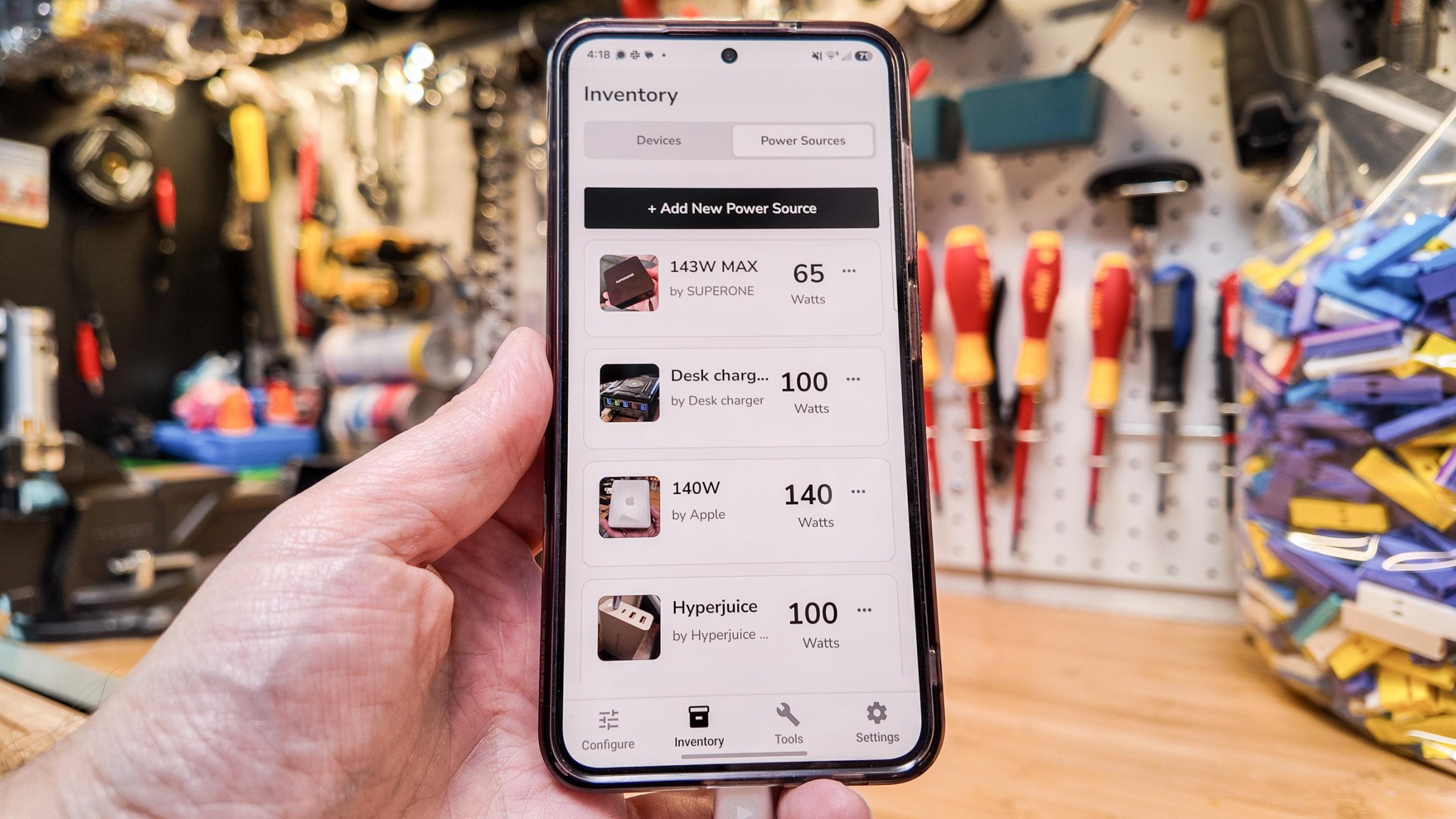
Those voltages might be fine for many of your gadgets, and Werewolf claims the VFLEX can even go up to 48V if you’ve got a 240W USB-C power adapter to feed it. But if you need USB-C voltage below or between the standard 5, 9, 15, 20, 28, 36, or 48, you need what’s called a programmable power supply (PPS), and Apple’s charger isn’t that.
Thankfully, you don’t need to think about most of this. You can save profiles for each gadget and charger to the Werewolf app — and use the VFLEX dongle itself to test your power sources. Press the scan button, plug the dongle into your charger, plug it back into your phone, and the app will store your charger’s capabilities.
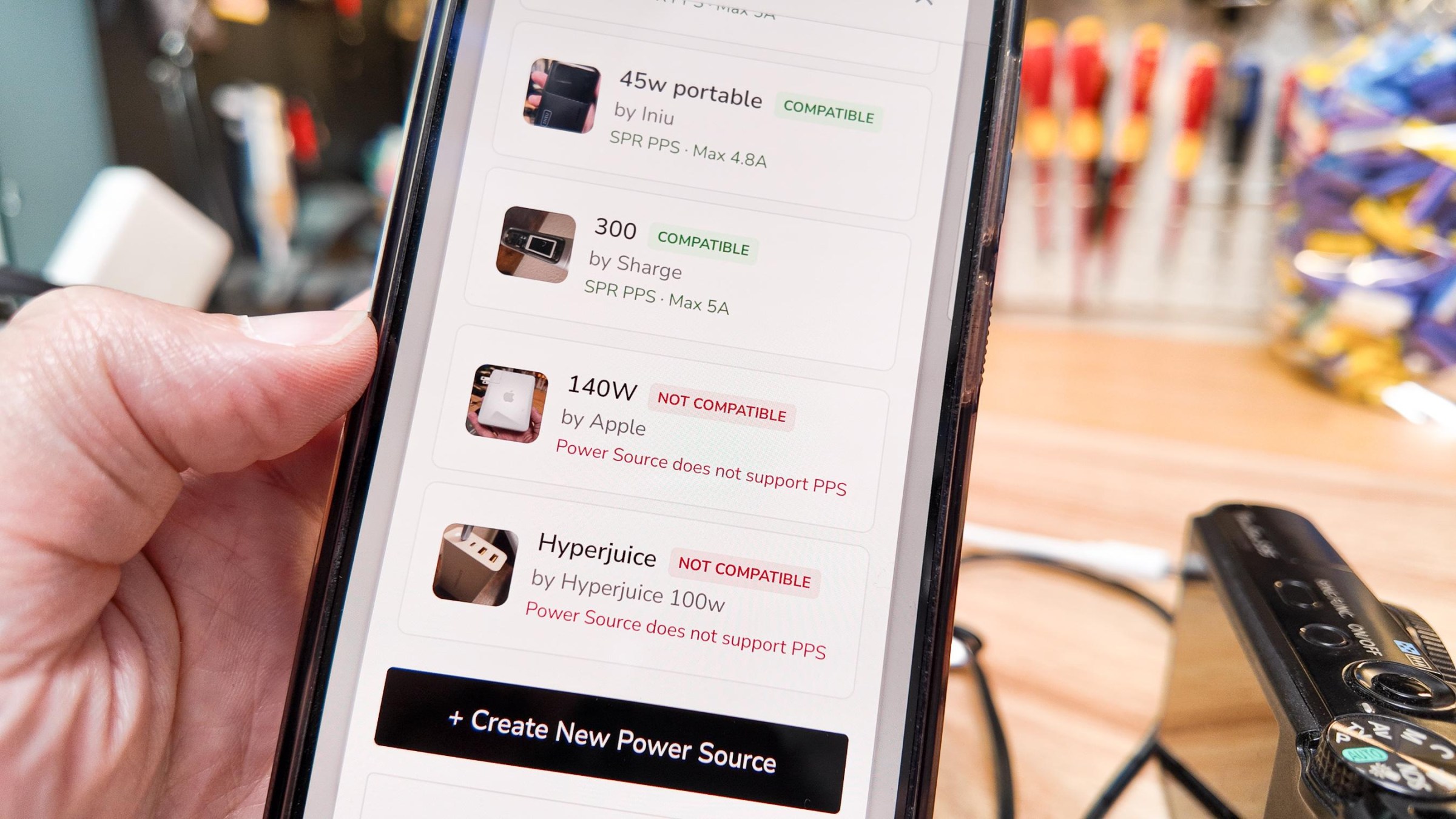
When it’s time to plug in my 19-volt monitor, I don’t need to pick “19 volts” or remember which of my chargers can deliver — I just tap the picture of my monitor, and the app tells me which of my saved chargers are compatible. Tap that charger, hit “Update” to program the dongle, then plug everything in correctly.
How did I know my monitor needed 19 volts to begin with? The VFLEX can’t test a dumb barrel jack, unfortunately. I had to look up that spec on the monitor itself, or the old power brick. Usually, you’ll find the device’s input voltage or the charger’s output voltage, though you can also look them up online.
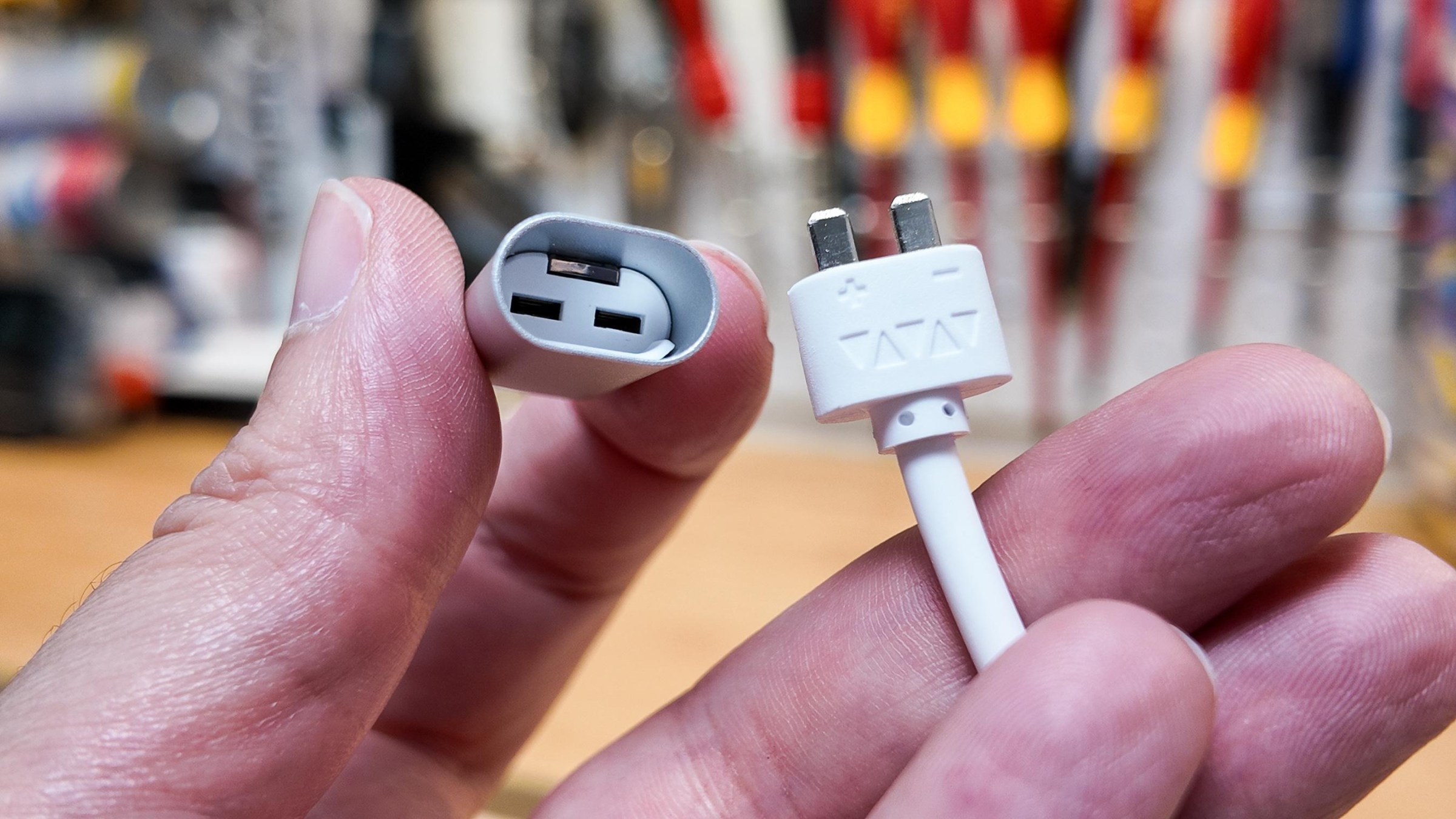
But there is one additional wrinkle: Some devices, including guitar pedals and my Nintendo Game Boy and Super Famicom, have a negative center pin instead of a positive one, so you have to use a reverse-polarity connector to avoid feeding them backward. The Werewolf app doesn’t let you program this (even though there’s a non-working toggle there) and you can’t just flip the connector upside down.
If you see the center negative symbol on your gadget, you need to use an orange-tipped plug:
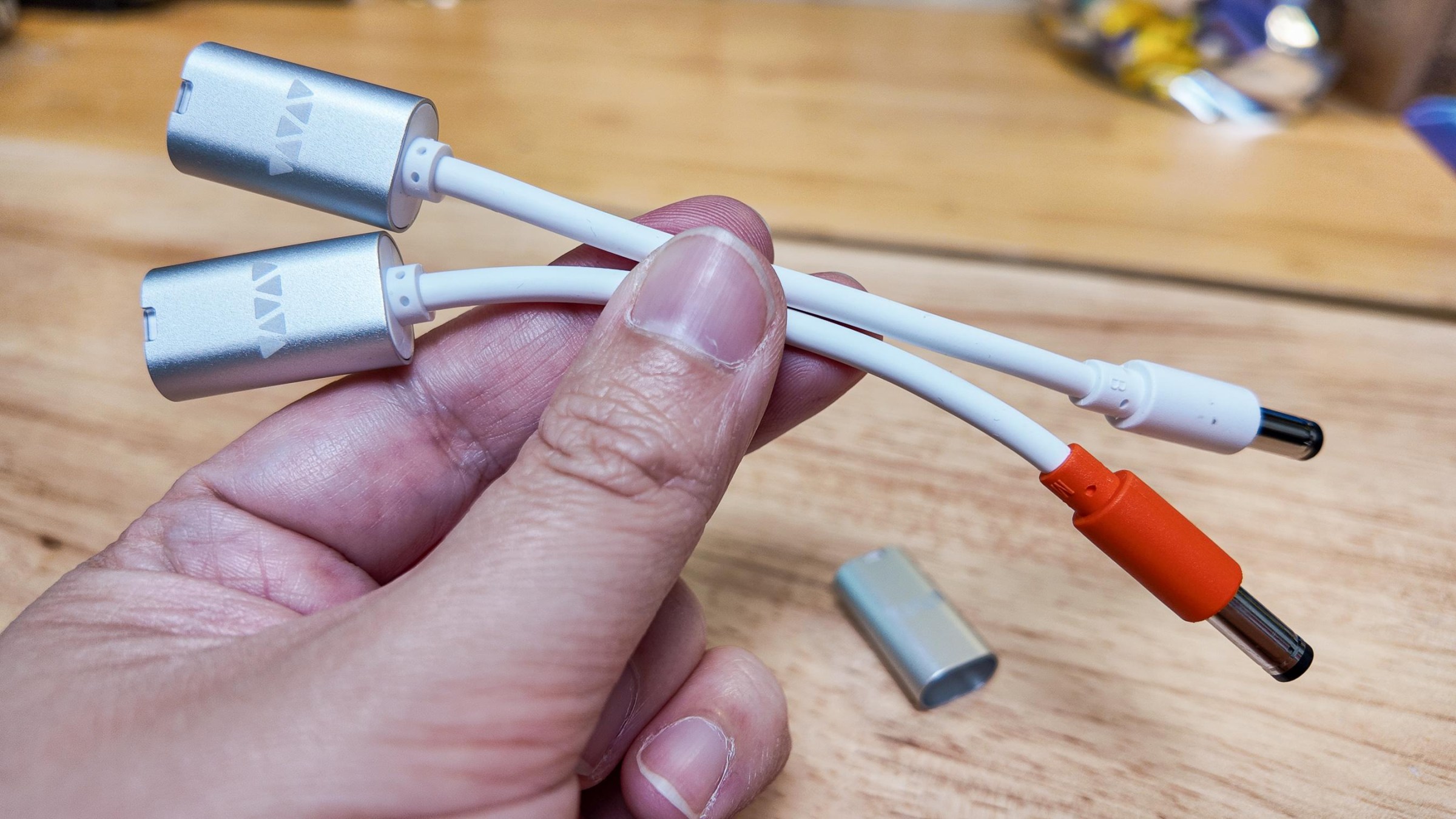
Werewolf’s Kevin Spangler (who has since left the company) said the team knows VFLEX “may not resonate with the average consumer” because of these wrinkles; it’s working on specific adapter cables for retro gaming consoles, CPAP machines, and M12 connectors for industrial environments too. And founder Luke Beno says he’s planning to slowly phase out the orange connectors in favor of a reverse-polarity version of the VFLEX itself.
“The main reason why is that it can convert any adapter size to reverse-polarity, so we do not need to build two variants of each connector,” he says. Once that happens, the Werewolf app will also be able to warn you if you’ve got the wrong type of VFLEX connected.
I’m selfishly loving my modular USB-C power trip, and I want my Werewolf to be even more powerful and flexible than it is already. The dongles are already firmware updatable, there’s a public API and a web app, and Spangler said the company might even build its own power supplies to unlock more voltages in the future.
Read the full article here
