








You’re in an aluminium tube, 35,000 feet in the air, doing 550 miles an hour, and somehow you’re streaming a 4K movie better than on your sofa at home. That’s the experience you should get when you fly on a plane equipped with Starlink. Several commercial airlines have now started installing the SpaceX Wi-Fi technology, including Virgin Atlantic, Emirates, United Airlines, Air France, SAS, Qatar and British Airways, to name a few, while others, such as American Airlines and Lufthansa, have announced plans to use it.
Some airlines are further along in their rollouts than others – Virgin has Starlink on all its A350 aircrafts, for example, while British Airways currently has just five of its aircraft fitted with the technology, according to Starlink Flights. But with 46 airlines said to be deploying Starlink, including many big names, there’s a chance you’ll experience this speedy in-flight Wi-Fi at some point over the next few years if you’re travelling commercially.
How does a plane moving that fast keep a lock on a satellite that’s moving even faster? Here’s how Starlink works and what you need to know (I’ve got a good tip after trying it earlier this year).
Stupidly close satellites (by satellite standards)

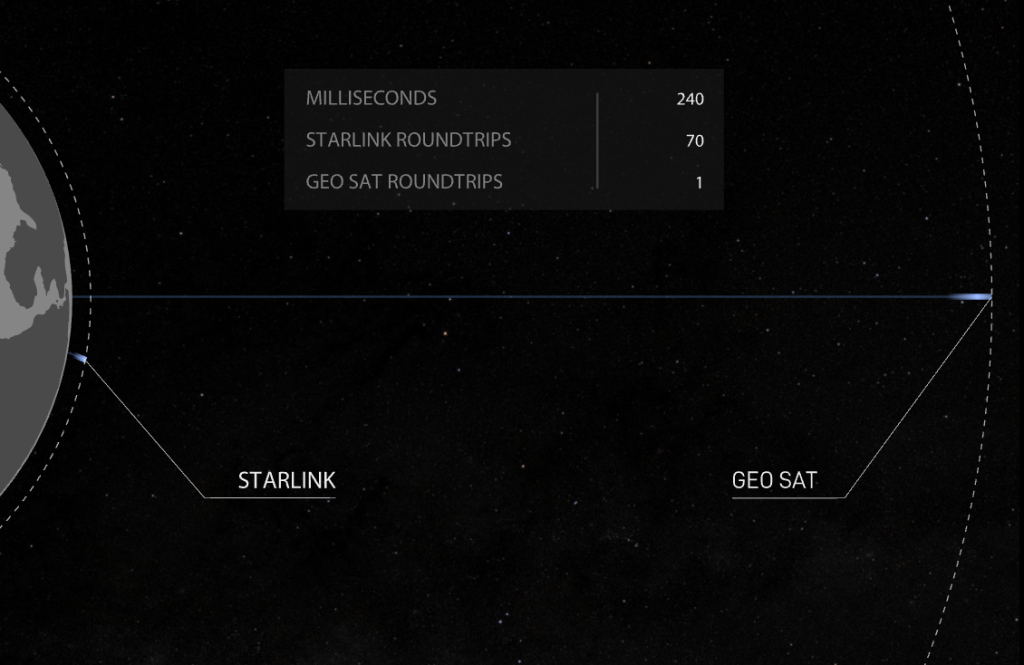
Traditional in-flight Wi-Fi relies on geostationary satellites, which orbit 22,236 miles above the equator. At this altitude, their orbital speed matches Earth’s rotation, making them appear fixed over a single spot on the ground, according to NASA. If you’ve ever experienced in-flight Wi-Fi, though, you’ll know it’s not particularly reliable, often dropping out completely for several hours during a long-haul flight or taking a very long time to load anything.
That’s down to the distance, as Starlink’s technology page unsurprisingly highlights. When data needs to travel that far, the round-trip time makes it “nearly impossible” to support streaming, gaming or video calls properly. The latency for geostationary satellites is over 600ms. Starlink instead uses a constellation of thousands of satellites (around 10,900) much closer to Earth in low Earth orbit (LEO), operating around 340 miles above, covering the whole globe and reducing latency down to 25ms.
That shorter hop is why latency drops so much on flights using Starlink, and it’s why you can video call from seat 34C without everyone freezing mid-sentence. It’s also why Starlink can promise global coverage, including over international waters and at high latitudes and in polar regions, with connectivity available on the ground, during take-off, in flight and during landing – gate to gate, basically.
No moving parts or dishes

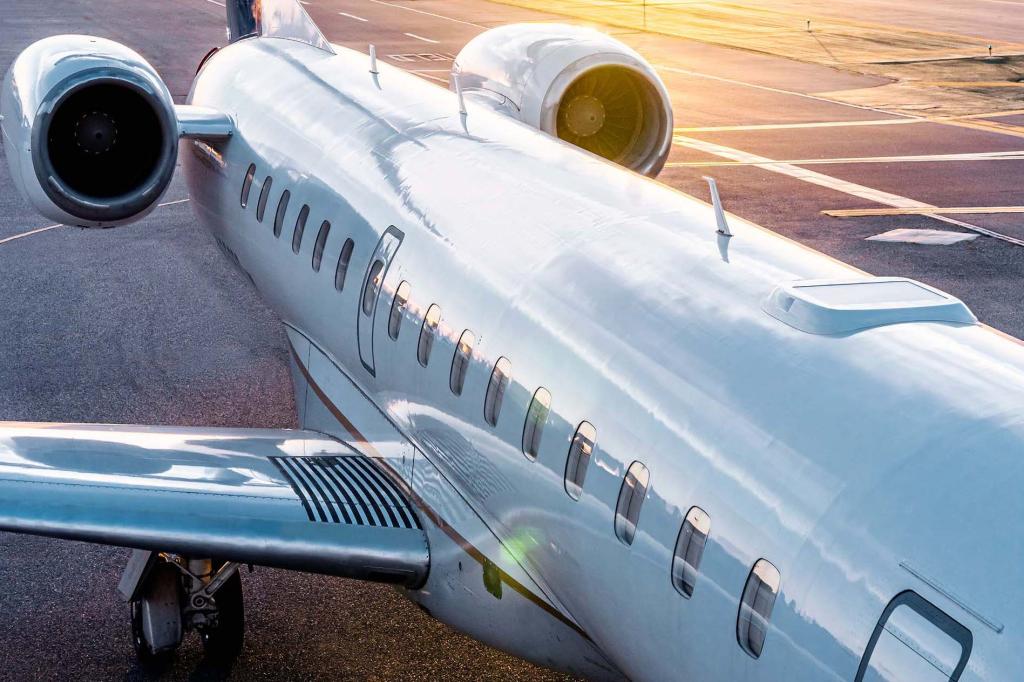
In terms of installation, the full kit is fairly modest as aviation hardware goes. Starlink’s support documentation lists it as one Aero Terminal (the antenna), one Power Supply Unit, two Wireless Access Points (WAPs) to spread the signal around the cabin, and the wiring to tie it all together.
“Starlink’s simplified design enables installations during minimal downtime (10-14 days) and combines well with other routine maintenance checks,” the Starlink support page says. Simply Flying notes that it is said to take an average of around eight hours to install for most airlines, though, so pretty speedy really.
There’s no motor whirring away on top of the plane, swinging a dish about to track the satellite. The panel bolted to the aircraft’s fuselage required for Starlink is a phased array antenna, a technology also used satellite-side, where Starlink describes it as functioning “like a cellphone tower in space”, connecting seamlessly across the network using lasers rather than any physical repositioning.
On the ground, or in this case at altitude, the same principle applies: rather than a single dish physically swivelling to track a satellite, the antenna comprises many small elements that steer the beam electronically. As one satellite passes out of range, the antenna hands off to the next satellite already coming into view, without us, as passengers, ever noticing.
The plane’s speed doesn’t really matter. The antenna is already built to track a satellite crossing the sky at low-Earth-orbit speeds, so an aircraft cruising at a comparatively leisurely 550mph compared to the satellite’s 17,000mph isn’t adding much extra difficulty. It’s the satellite doing all the hard work, not the plane.
Is Starlink any good?


In my experience, yes. I thought it was excellent when I had it on my Virgin Atlantic flight to San Francisco earlier this year, though I do advise loading it on any phone, tablet or laptop when you board, before the plane leaves the gate. That’s because sometimes verification codes are sent to your phone to allow you to log in to your member accounts, and you might struggle to receive them if you have no cellular data.
United has said its Wi-Fi customer satisfaction scores on its Starlink-equipped aircraft have nearly doubled since the rollout began, too, with passengers praising gate-to-gate connectivity, reliable service and onboard streaming. Virgin Atlantic, meanwhile, celebrated the completion of its A350 Starlink rollout with a Sugababes concert live-streamed from 35,000 feet, so it’s fair to say the technology has plenty of potential. We now just have to hope the rollout for the 46 confirmed airlines continues as quickly as the speeds Starlink offers.
Read more: I used Starlink on a plane – here’s why it changed my expectations of in-flight Wi-Fi




Read the full article here


