

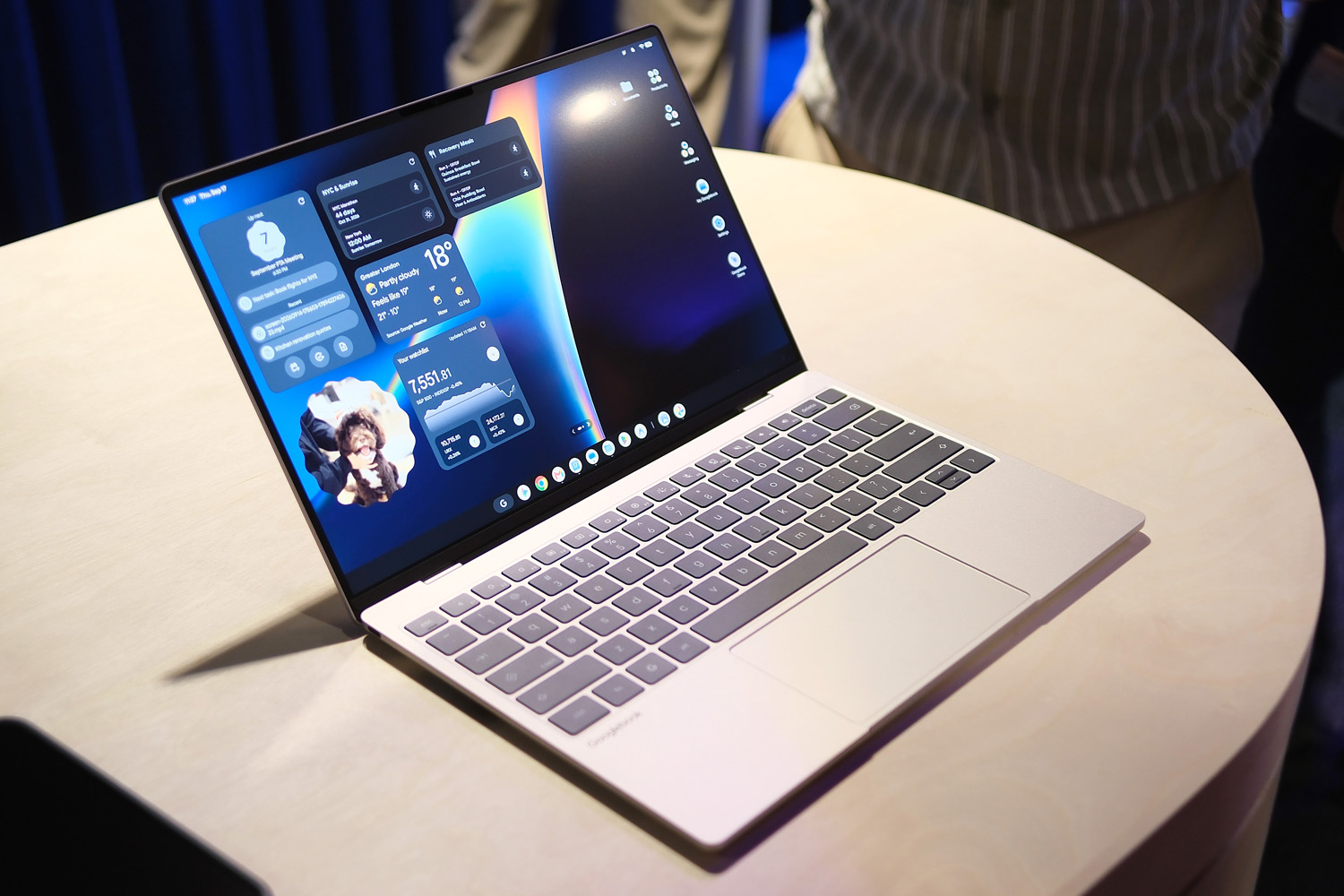
You might not notice at first glance, but Google has gone back to the drawing board for its new Googlebook initiative. As well as combining the best bits of ChromeOS and Android, it has joined forces with big-name brands to move its next laptop effort a lot more upmarket.
The lineup launches on October 5th, with Acer, Asus, Dell, HP and Lenovo first in line using a mix of Intel and Qualcomm hardware. Other laptops with MediaTek internals are in the works. Each one is more MacBook Air than MacBook Neo, with all-metal builds, ultra-slim and lightweight chassis’, high quality screens and more than enough performance for getting serious work done.
Software is where things get interesting, especially for Android phone owners, with seamless connectivity that lets you use mobile apps directly on the laptop without any additional software, instant file access across devices and Gemini intelligence throughout.
After trying out the launch devices ahead of their official reveal, I walked away thinking Google might have just shaken off the “it’s just for school” stigma that has dogged ChromeOS for years – even if value is no longer on its side.
Hardware
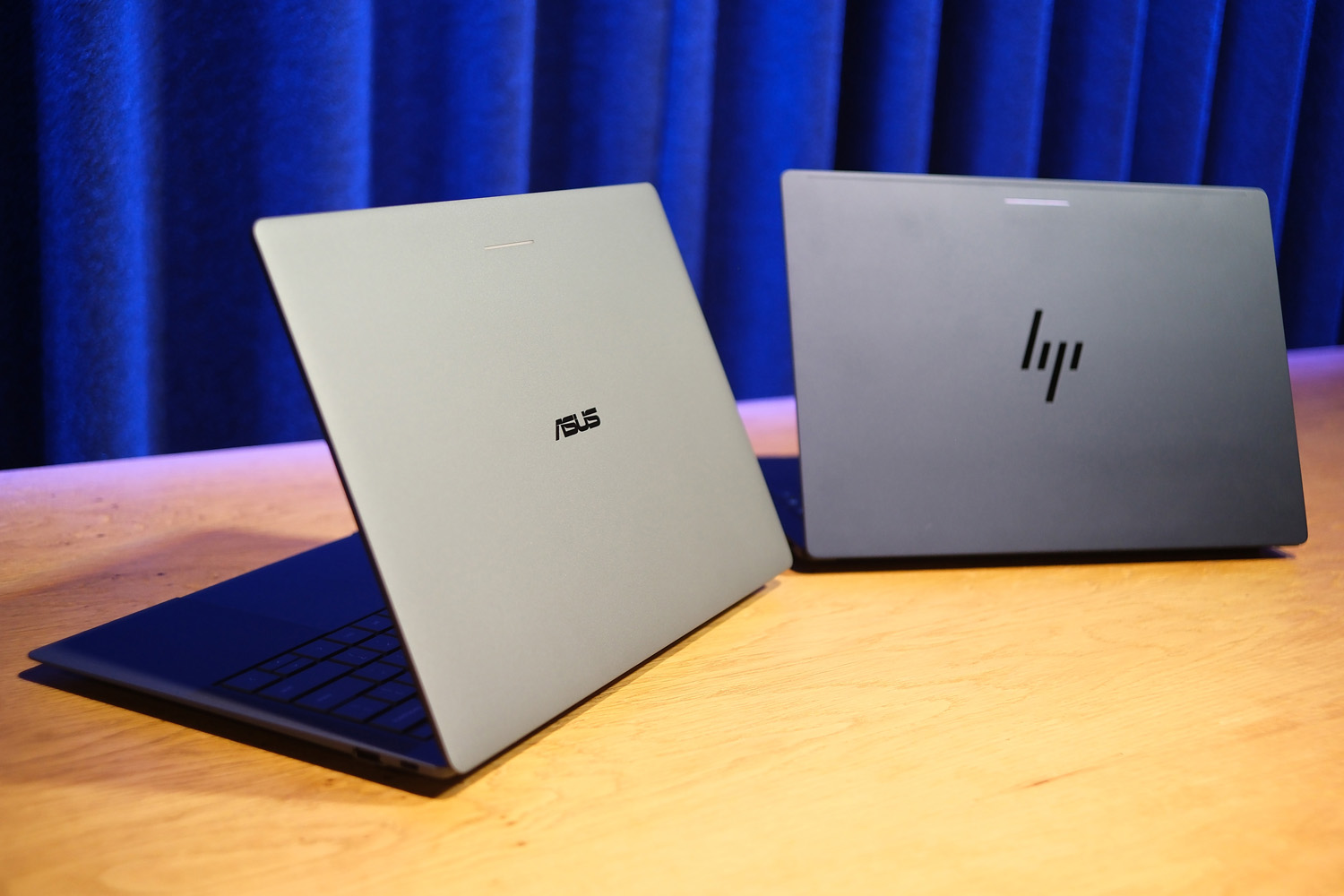
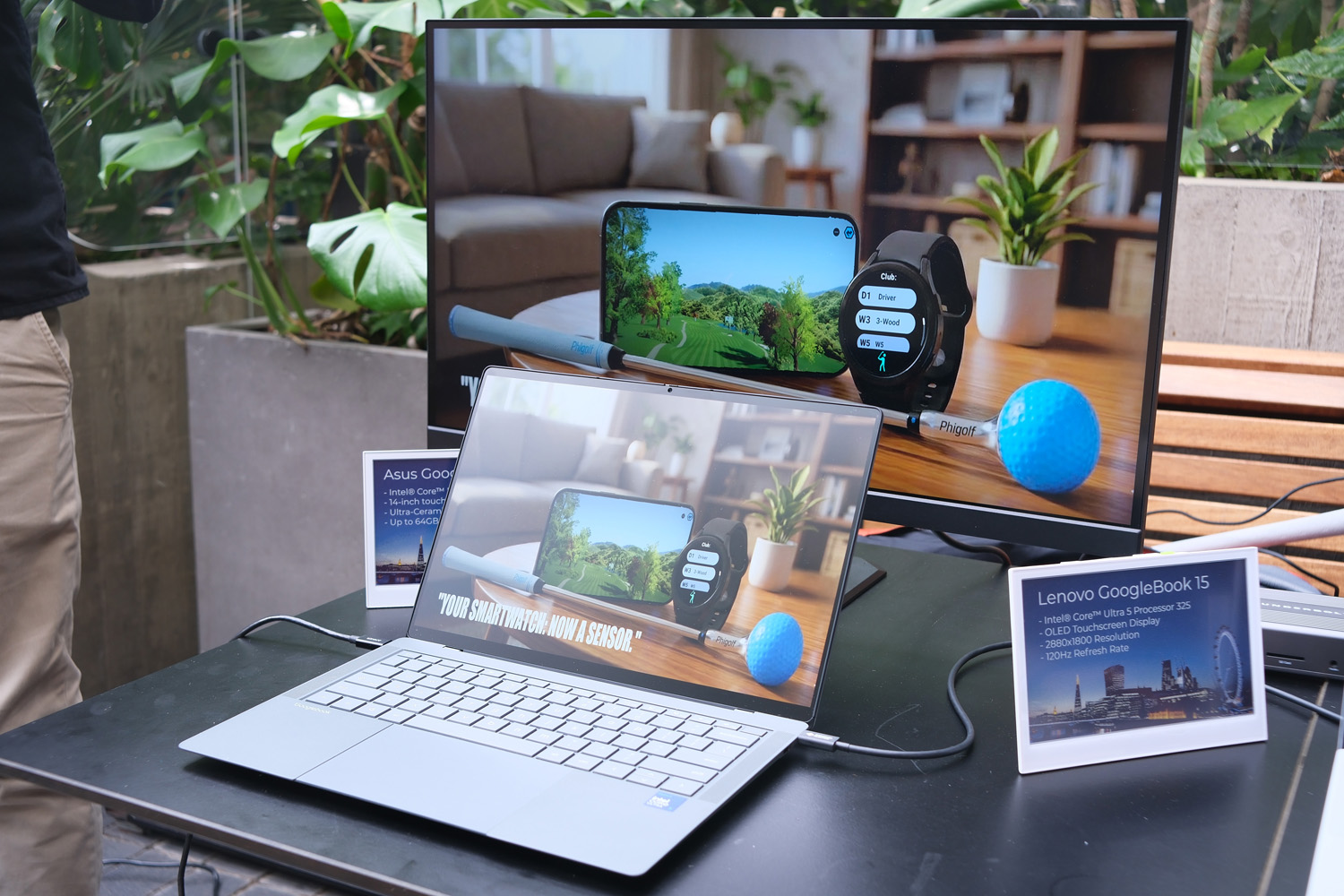
Just like the Chromebook programme, Google sets out a bunch of requirements for hardware partners to meet before they can earn Googlebook status. Acer, Asus, Dell, HP and Lenovo were first to step up. The majority are lightweight, travel-friendly ultraportables – the Asus in particular is a mere 1kg – with only the Lenovo Googlebook having a larger 15.3in screen. The Acer is the only convertible, with a flip-over screen hinge for tablet-style use.
Each uses more metal than I’m used to seeing on laptops running a Google operating system, while being thinner and that bit more mature than even the rather luxe Lenovo Chromebook Plus 14. They might be small, but most have respectable connectivity options, including dual USB-C/Thunderbolt (for the Intel-powered machines), USB-A, HDMI 2.0, and a headphone port.
Every machine makes room for Google’s Glow Bar on the lid. This colour-shifting LED strip makes it clear (in a subtle way) you’re looking at a Googlebook – important, as models like the Dell XPS Googlebook aren’t all that dissimilar from their Windows-powered equivalents. It lights up when the laptop powers on and shows remaining battery life when pulling the power cord – but not when you double-tap the lid, like the old Pixelbook laptop.
The other biggest difference is on the inside, where a bespoke keyboard layout puts Gemini shortcuts a few keystrokes away. Being fully backlit is another Google requisite, as is the touchpad below being of the haptic variety. Not every laptop has up-firing stereo speakers either side of the keyboard, but Atmos-compatible spatial audio should appear regardless of brand.
Other musts include a high-resolution touchscreen, though it’s down to the manufacturer whether they use OLED or LCD. There’s a mix of both on offer at launch, with Dell opting for the latter. There has to be at least one form of biometric security as well; most have fingerprint sensors built into their power buttons but a few also have facial authentication.
Internally you’re looking at Snapdragon X or Intel Core Ultra silicon, 16GB of RAM as standard, and 256GB of base storage. Google reckons users can expect up to 14 hours of video playback or 16 hours of web browsing.
Software
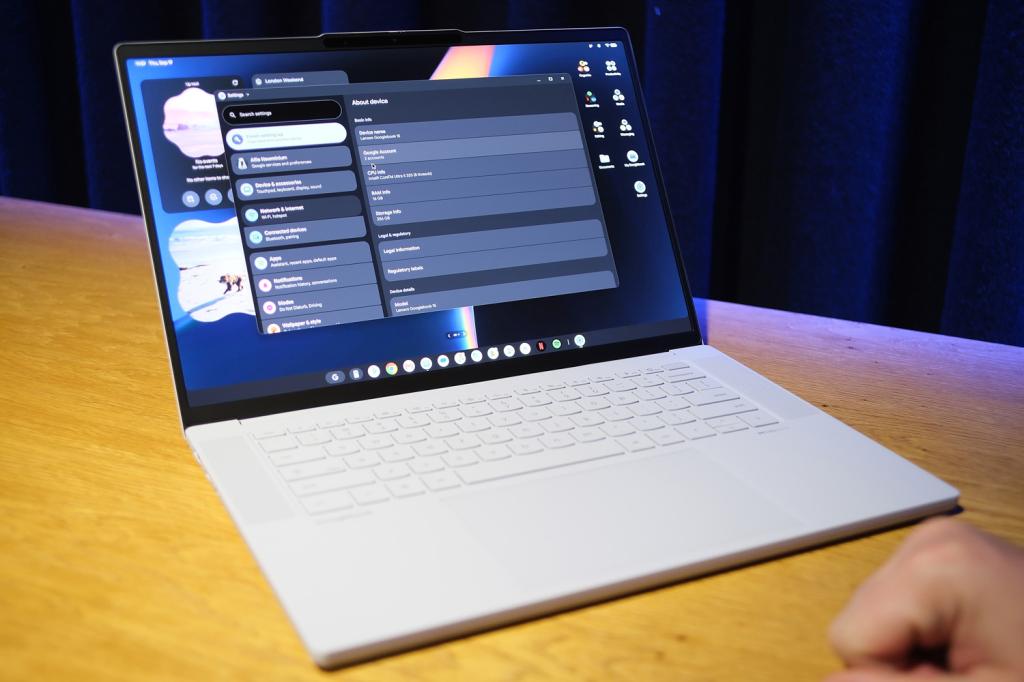
When I first got in front of a Googlebook, my initial thought was that it felt like an evolution of ChromeOS, rather than a ground-up redesign. Familiar features like the app tray and status bar return, except now they’re separate (apps at the bottom, status at the top) just like macOS. Quick settings live in the top right corner. This is also where new notifications pop in.
The interface is Material 3 Expressive all the way through, with a generous selection of widgets to customise your desktop. You can vibe code your own via Gemini too. There are options for multiple desktop pages, like an Android phone homescreen, as well as multiple virtual desktops for power users to organise all their software. Except now you’re not starting from scratch: single sign on brings all your Google account information during setup.
Under the hood, it uses a Linux kernel and native Android stack, with support for both x86 and ARM hardware. If you don’t speak tech geek, that basically means Android apps can run natively with no extra dev work. Google’s own Titan chip provides device-level security.
Gemini is ever-present, being a wiggle of the cursor away. Google calls this the Magic Pointer; it’s a little like Circle to Search on a phone, letting you select anything onscreen and add it to a prompt. Pressing the Insert key on the keyboard does something similar, or there’s voice recognition (including the new Rambler model that isn’t thrown off by ums and ahs). It’s all rather slick, letting you add calendar events from images, recognising context from emails, and being able to hand off to maps when an address is recognised in your chat apps.
Speaking of apps, Google has worked with third-party devs to grade software on a tiered system. Some will simply work better as a web app (think Facebook, which has never played particularly nicely with big-screen Android devices) while others perform just fine as Android apps. Others have been fully optimised for desktop use, with more UI elements than you’d normally find on the phone or tablet versions. Capcut was one example – it gained a much clearer timeline view in desktop mode.
It’s a similar deal with games. Googlebooks will be able to run all Play Store games, but some will have been specifically optimised for the big screen as part of Google’s Play Games Level Up programme. If that’s not enough, Nvidia is also throwing in one year of GeForce Now cloud streaming with every purchase.
I could see a Googlebook becoming a capable development tool: Google provides a full terminal environment, along with a Lvl 5 hypervisor that has terminal access and fully sandboxed agents – so there little danger of bad code taking down the operating system.
Phone meets laptop
Really, though, the biggest appeal for me is how well Googlebooks seem to partner with an Android smartphone. A “Continue On…” prompt appears on the app bar when using your phone; clicking it then effectively streams a version of the app onto the desktop, no install required. As long as both laptop and phone are on the same local Wi-Fi, it should be seamless. File sharing will be too, the redesigned files app giving access to all files saved to your phone, directly from the laptop with no need to share manually. Google has also made sure you won’t be bothered by duplicate notifications.
It helps that Gemini is smart enough to search contextually, recognising the content of photos rather than just relying on a filename. Typing “dog” brought up images with no other identifiers.
Another big win is Google’s promise of ten years of automatic updates. That’s a seriously long time for software support. Quarterly feature drops are planned too.
What does this mean for ChromeOS? Not a lot, apparently: Google told me the budget-friendly Windows alternative is sticking around, leaving this new operating system to target a more premium price point.
My initial Googlebook verdict
We’ve come a long way from the first Chromebooks that arrived in 2011. The new Googlebook programme has some properly tasty hardware at launch, along with mature software that feels – at least on first inspection – like Android finally sitting comfortably on a desktop. These laptops aren’t just for adults that grew up with Chromebooks during their school years, but serious productivity and entertainment machines.
Based on my early demo, I’m not sure Google is doing enough to help anyone who relies on software that has no Android equivalent – a long-standing issue from ChromeOS. I use the full version of Adobe Photoshop so heavily I couldn’t switch away from my work-provided MacBook. If you do most of your work through a browser, though? I can absolutely see the appeal.
The tricky thing is price. Chromebooks always had value on their side. Had Googlebooks landed a year ago, they might have too, but ever-rising component costs have thrown a spanner in the works. The Snapdragon X1 Elite-powered HP Googlebook 14 starts at $1299 and Dell XPS Googlebook from $1199; the Intel Core Ultra 3-equipped Lenovo Googlebook 15 will be $1299, the Asus Googlebook 14 $1299, and the Acer Googlebook 14 convertible starts at $899.
A software bundle including one year’s Google AI Pro subscription softens the blow a little. But will it be enough? I’ll have to wait until a full review – and the first round of customer feedback – to say for sure.


Read the full article here
