






Introduction
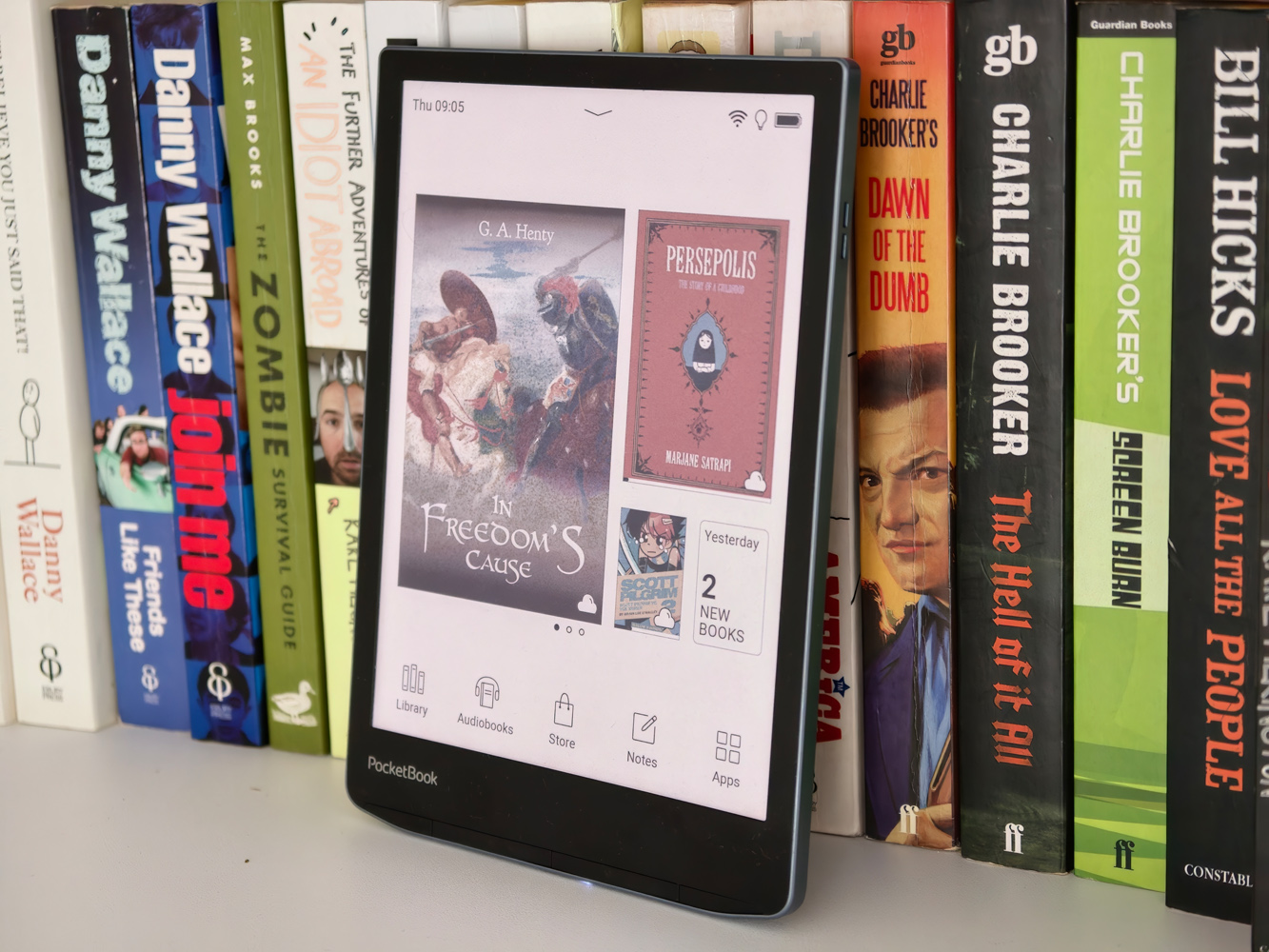
Amazon may be the biggest name in the English-speaking e-reader world, but it’s far from the only one. Swiss-based PocketBook – which until recently operated mainly in other parts of Europe – had Bezos beat to colour screens by several years, and has now finally rolled out a UK-specific ebook storefront to better take on the Kindle here.
The InkPad Color 3 was also my first chance to test out newly-added support for Libby, an on-device app for borrowing ebooks and audiobooks from public libraries. If you’re not precious about ownership, it sounds like a great way to get reading without breaking the bank.
That’s a big deal, as at £285 the PocketBook is more expensive than the latest Amazon Kindle Colorsoft Signature Edition (there’s no US availability right now). Can an even larger screen and built-in speakers for audiobook playback sans headphones justify the extra pennies?
Design: bigger is better?
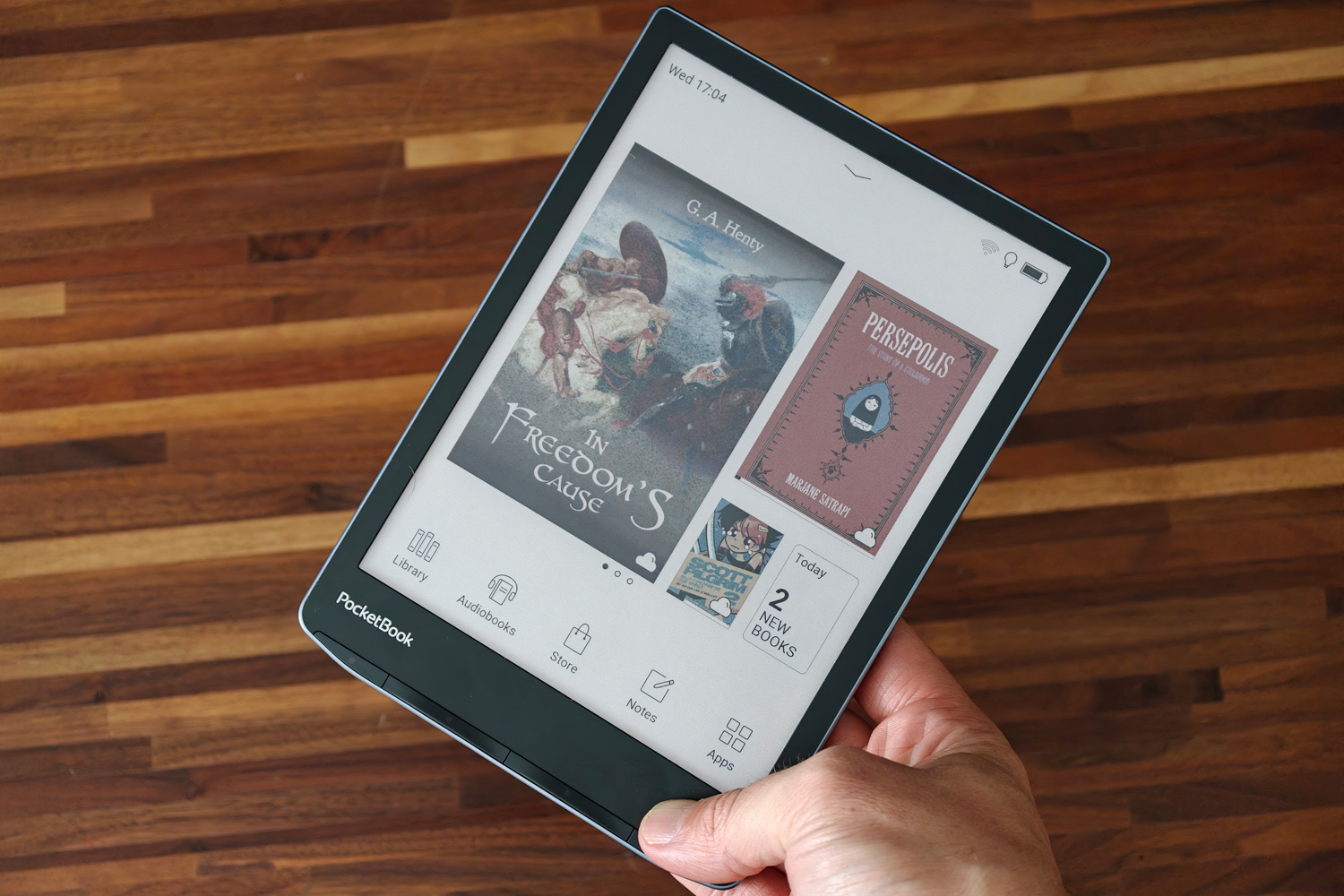
As e-readers go, the InkPad Color 3 is a biggun. With a 7.8in full colour e-ink display, it dwarfs every one of Amazon’s efforts save the reader-cum-digital notepad Kindle Scribe. The bezels aren’t the slimmest though, and the panel is recessed into the frame rather than sitting flush so they can accumulate dust rather quickly.
It looks sleek with a black front face, blue metal-effect central frame and textured rear panel that add a bit of welcome extra grip. The rounded corners at the bottom edge make it very comfortable to hold one-handed (in either hand) too. It’s all made from plastic, though, and the sort that quickly accrues fingerprint smears and smudges.
IPX8 resistance means you can take the InkPad Color 3 to the pool without fear of water damage. I also took my review unit to the beach with no ill effects, though it’s not rated for any kind of dust or dirt ingress so you’ll still want to be careful here.
The four buttons along the bottom edge take care of page turning, menus and returning to the previous screen. I found them a little hit or miss, though; sometimes they’d give a pronounced click when pressed, while other times they’d be quiet and mushier. Still, they get the job done if you’re not a fan of tapping and swiping to turn pages.
Display: colour me interested
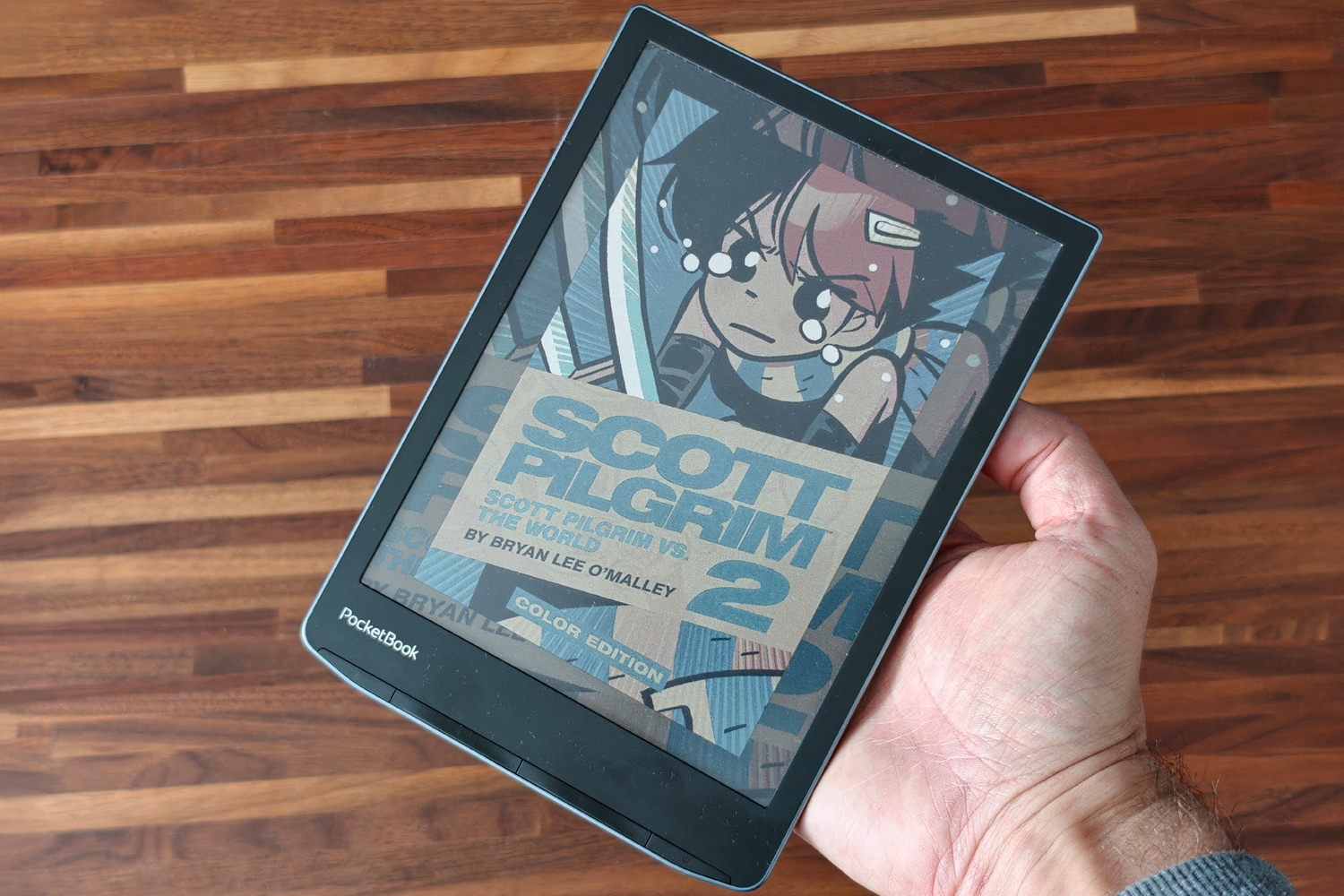
The InkPad Color 3’s E-Ink Kaleido 3 panel has an impressively sharp 1872×1404 resolution, which helps counter the ‘screen door’ effect present on pretty much every full-colour e-ink display when showing plain text. Look really closely and you’ll still see it here, but this is otherwise a very clean screen that can handle very small text without appearing blurry.
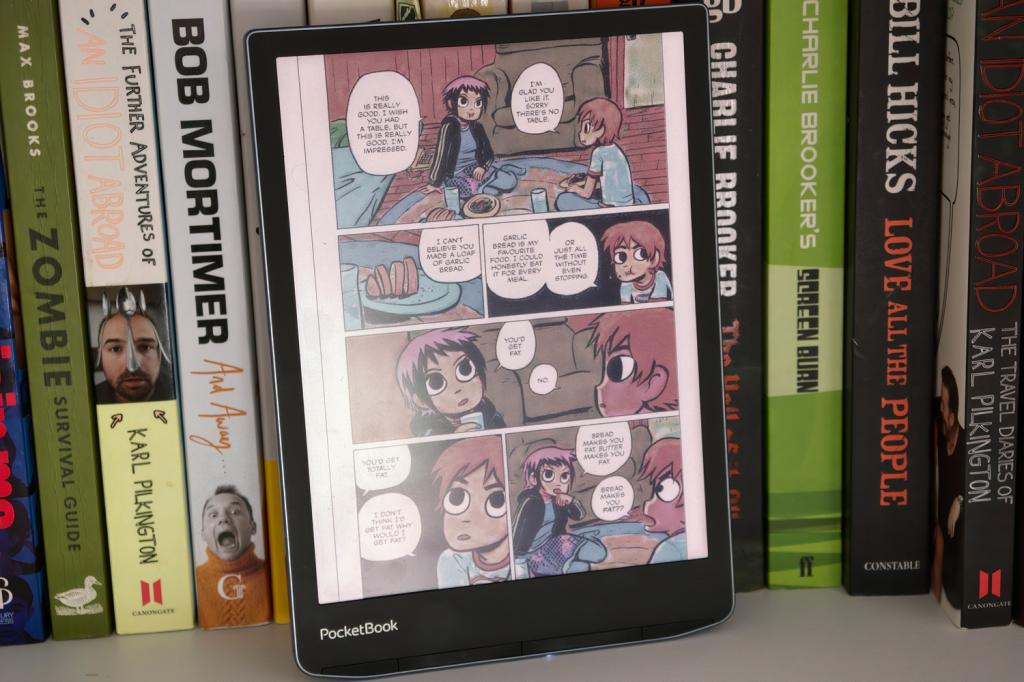
Colours aren’t going to give OLED or even LCD tablets a run for their money, looking closer to a newspaper’s flat CMYK hues, but that’s true of every rival too. They still bring comics, graphic novels and book covers to life better than any greyscale E-Ink screen. The bigger question is whether you really need colour on an e-reader at all, if you’re not regularly reading comics. Other than the covers, the majority of my ebook library was in black and white.
With the light off things are slightly darker than they would be on a regular E-Ink display, and with slightly more washed-out contrast. I largely kept the light on at all times. The screen also only fully refreshes after five page turns by default, which can mean a bit of ghosting is noticeable – particularly with comics and full-page graphics.
Viewing angles are otherwise fantastic, and the backlight auto-adjusts light temperature and brightness smoothly based on ambient lighting, which made it ideal for late night reading in bed.
Interface and features: easy reader
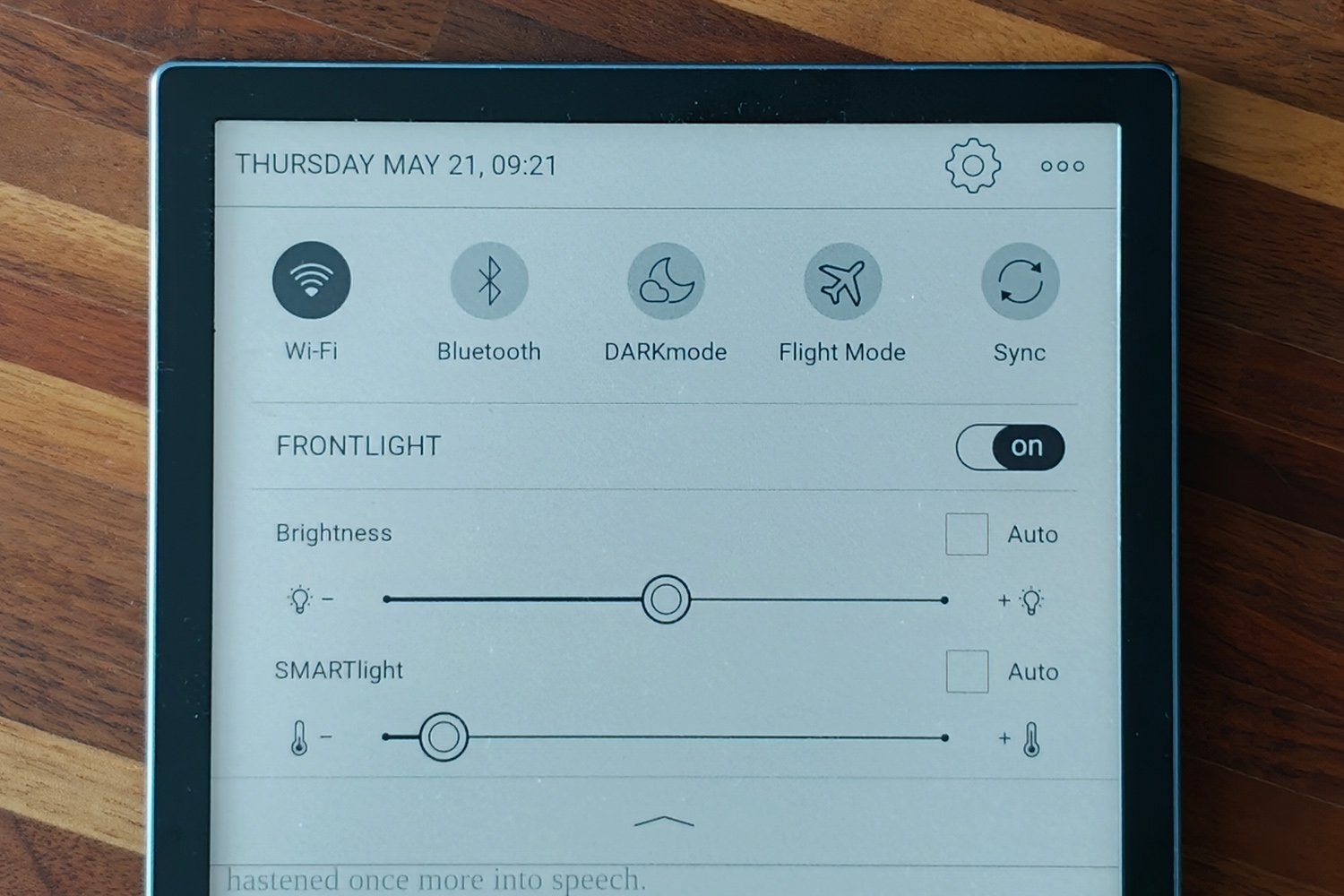
PocketBook’s interface doesn’t stray far from the established e-reader formula. The homescreen puts your most recent titles front-and-centre, with shortcuts to your library and the storefront. The notes list is handy if you like to annotate as you read and I appreciate audiobooks getting their own separate section. You don’t have to reach for a pair of headphones to listen to them either, thanks to the built-in speaker. It’s not especially loud and is rather tinny, making some narrators sound like they’re on AM radio, but it’s better than not having any speaker at all.
A quick settings panel can be accessed with a tap or swipe down from the top of the screen, with toggles for Wi-Fi, Bluetooth, Flight mode and dark mode as well as sliders for tweaking the front light brightness and tone. Once in a book, you have all the typical font, padding and page layout options I’d expect.
It’s all easy to navigate, with intuitive taps, swipes and button presses. Everything feels responsive for the most part, though it can occasionally bog down and stutter while it processes what to do next. It’s most noticeable with anything that downloads images over Wi-Fi, so browsing the store can be a bit painful at times. While reading, though, it feels satisfyingly snappy.
The InkPad Color 3 has a handful of typical e-reader tools including a web browser, RSS reader and dictionary, plus a few more that make the most of the colour screen. There’s an image gallery that can double as a digital photo frame, a music player, and a handful of basic games: simple fare like Chess, Sudoku and Solitaire. The tap-to-paint colouring in game might keep little ones entertained for a few minutes too.
Battery life reportedly maxes out at one month, though that’ll depend entirely on how you use the e-reader. I was able to burn through a charge in a little over two weeks with a mix of books, graphic novels, games, browsing the store and audiobook playback. A Kindle Colorsoft can last as long as two months, so this is a merely average showing. There’s no wireless charging support here either, just wired refuels over USB-C.
Ebook storefront: beg, steal, borrow
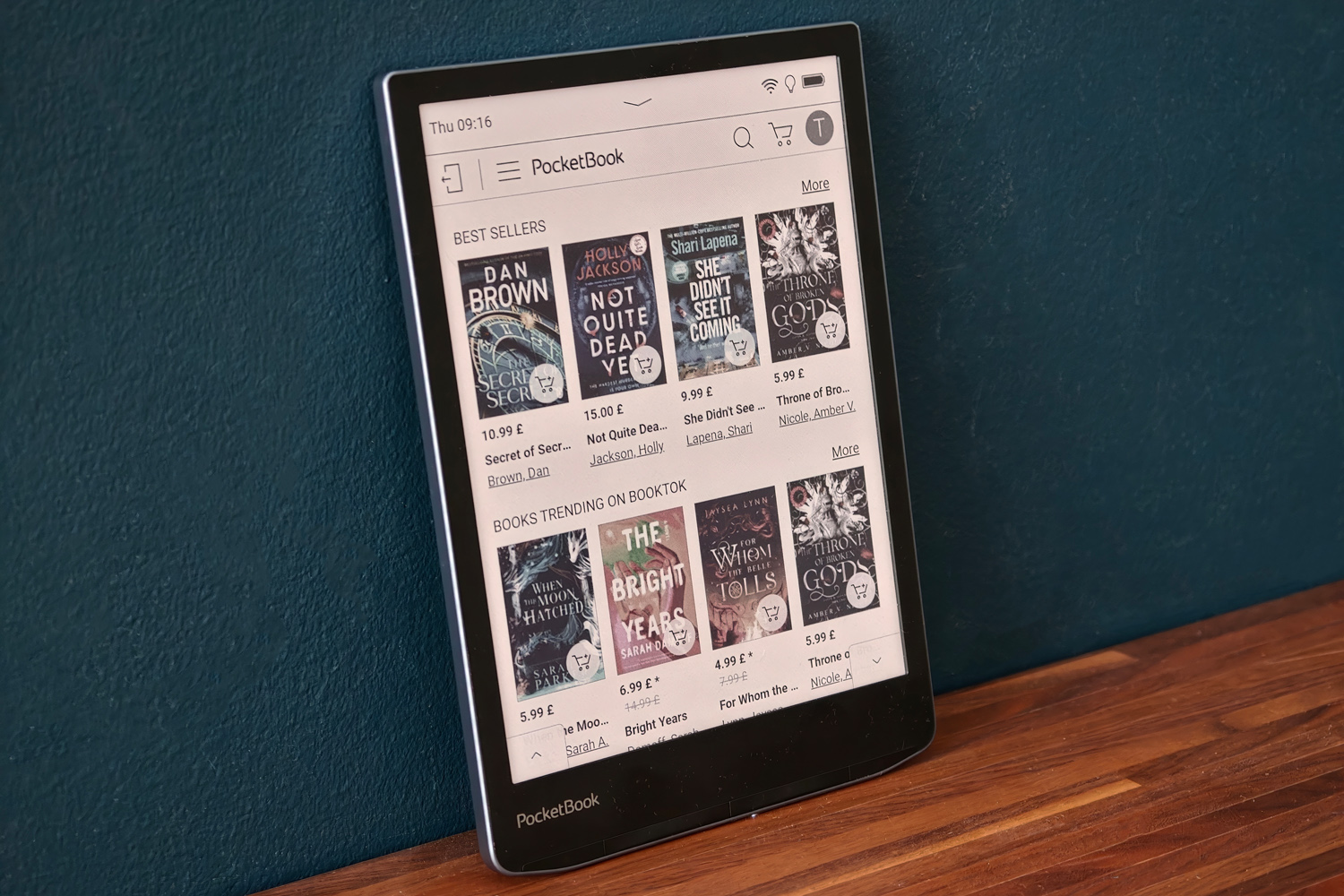
The InkPad Color 3 has been on sale in Europe for quite a while now, but the version I tested had been updated to support the new UK-specific storefront. It comes via Gardners, one of the biggest digital stockists of English language books, with over 4.5 million titles listed.
There were definitely a few blind spots: Gardners seemingly has no love for Max Brooks’ highly instructional and not at all fictitious Zombie Survival Guide, while Adrian Newey’s How to Build a Car – a must-read for any Formula One fan – only seemed available in German. Most of the titles I searched for were present, though, and a good number were the same price as Amazon’s Kindle store – even if Stanley Tucci’s delightful memoir-through-Italian-cuisine Taste was a whopping four times more expensive.
PocketBook claws things back with Libby, which let me borrow ebooks and audiobooks from my local library for free. Getting set up was a matter of minutes with my library card to hand, then I could reserve and wishlist any titles stocked by the library on device. I could take out up to ten at a time, for as long as three weeks each, at which point they’re downloaded instantly to the device. During the loan they behave exactly like titles you own, and are removed from internal storage just as quickly once they’re ‘returned’.
Libby is currently only supported on Kindles in the USA, giving British readers a real incentive to pick up a PocketBook instead. It’s just a shame you can’t also access Libby’s fantastic free selection of magazines (which naturally includes the world’s best monthly tech mag, Stuff magazine) on the device itself; this would be exactly the sort of content to put the high resolution colour display in its best light. Maybe PocketBook can work with Libby on this for a future update.
Finally, the InkPad Color 3 makes it much easier to add content manually than with a Kindle. As well as direct connection with a PC over USB, you can send EPUB files and the like through Dropbox or PocketBook’s own upload service.
Pocketbook InkPad Color 3 verdict

It doesn’t have the slickest software out there. The styling and build quality aren’t quite as premium as the price suggests they should be. Battery life could be better. And the Amazon alternative costs less. Yet I can’t help but be charmed by the InkPad Color 3.
The ease at which you can borrow books from your local library, right from the device itself without losing your sofa, appeals to my inner skinflint. There’s merit in not contributing to the Bezos empire too. The built-in speaker, while basic, will be a boon for audiobook fans, and the big colour screen is a great choice for comic book lovers.
PocketBook InkPad Color 3 Technical specifications
Scroll to see more →
| Specifications | PocketBook InkPad Color 3 |
|---|---|
| Screen | 7.8in, 1872×1404 E-Ink Kaleido 3 |
| Processor | 1.8GHz quad-core |
| Storage | 32GB on-board |
| Connectivity | USB-C, Wi-Fi, Bluetooth |
| Durability | IPX8 |
| Battery life | Up to four weeks |
| Dimensions | 195x136x8mm, 270g |




Read the full article here


