







Apple’s next-generation assistant Siri AI is rolling out today as part of iOS 27, with Apple pitching it as the moswt private way to use generative AI. Apple has spoken a lot about how, wherever possible, Apple Intelligence will process data on-device without those requests ever leaving your iPhone, iPad, Mac and more.
When it’s necessary to consult the cloud for information, Apple uses Private Cloud Compute servers that do not store personal data, or make it available to Apple or third parties.
In a release today, Apple said: “These latest models run on device and on servers using Private Cloud Compute. Every facet of new Apple Intelligence architecture is built privacy-first, from the latest Apple Foundation Models to the core operating system technologies that integrate these models deep into Apple’s platforms.
“Apple Intelligence uses on-device processing and Private Cloud Compute to help protect users’ privacy. Private Cloud Compute gives users access to frontier-level intelligence while extending the privacy and security of iPhone into the cloud. When Private Cloud Compute is handling users’ requests, their personal data is not stored nor made accessible to Apple or anyone else. Outside experts can continue to verify this privacy promise at any time.”
However, there remains one setting that users should be sure not to enable if they wish to keep that data as private as possible. When you’re setting up iOS 27 on your device – and Siri AI specifically – you may be asked whether you wish to help “Improve Siri & Dictation”.

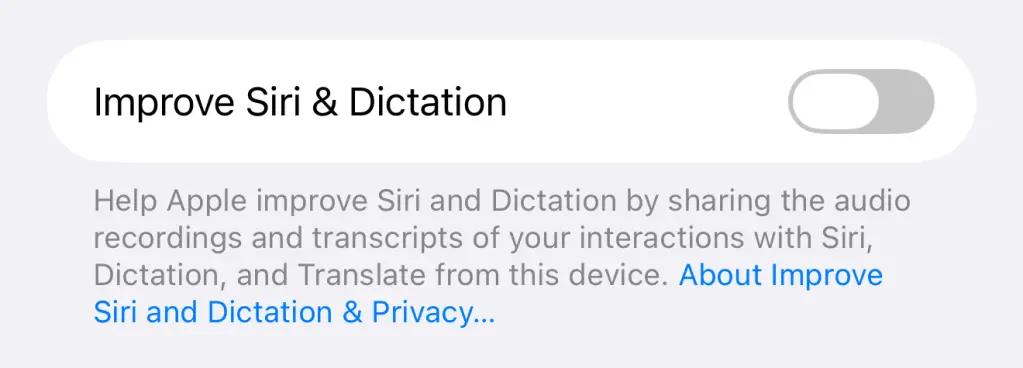
If you don’t wish for Apple to collect your data to improve Siri, then you should select Not Now. If you do enable the feature it can be toggled off by browsing to Settings > Privacy and Security > Analytics and Improvements > Improve Siri and Dictation. The section on Siri and Dictation essentially gives Apple the right to use Siri recordings to refine its speech recognition models. Turning this setting off won’t stop you from using Siri AI, but it removes the ability for Apple to use your interactions to help improve the models.




Read the full article here


