






Introduction
Asus really has spoiled us for choice with its ultraportable line-up this year. The new Zenbook 14 can be had with either Intel, AMD or Qualcomm internals, letting lightweight laptop fans pick between outright performance and prolonged battery life. Some canny chip choices have also helped shift pricing a little closer to MacBook Neo territory than you might expect for the spec.
The UX3480QA I’ve been testing has a Snapdragon X CPU, 16GB of RAM and a 512GB SSD, but dial that hardware back a bit and the base model will set UK shoppers back £800 when bought directly from Asus. That makes it a genuine alternative to the entry-grade version of Dell’s excellent XPS 13 (2026) I tested only recently. Things aren’t so clear cut in the US, though. Asus has yet to confirm regional pricing but I’ll be shocked if it can get close to Dell or Apple.
So why opt for the Zenbook over those two rivals? A simply gorgeous OLED screen and epic battery life ought to do it…
Design & build
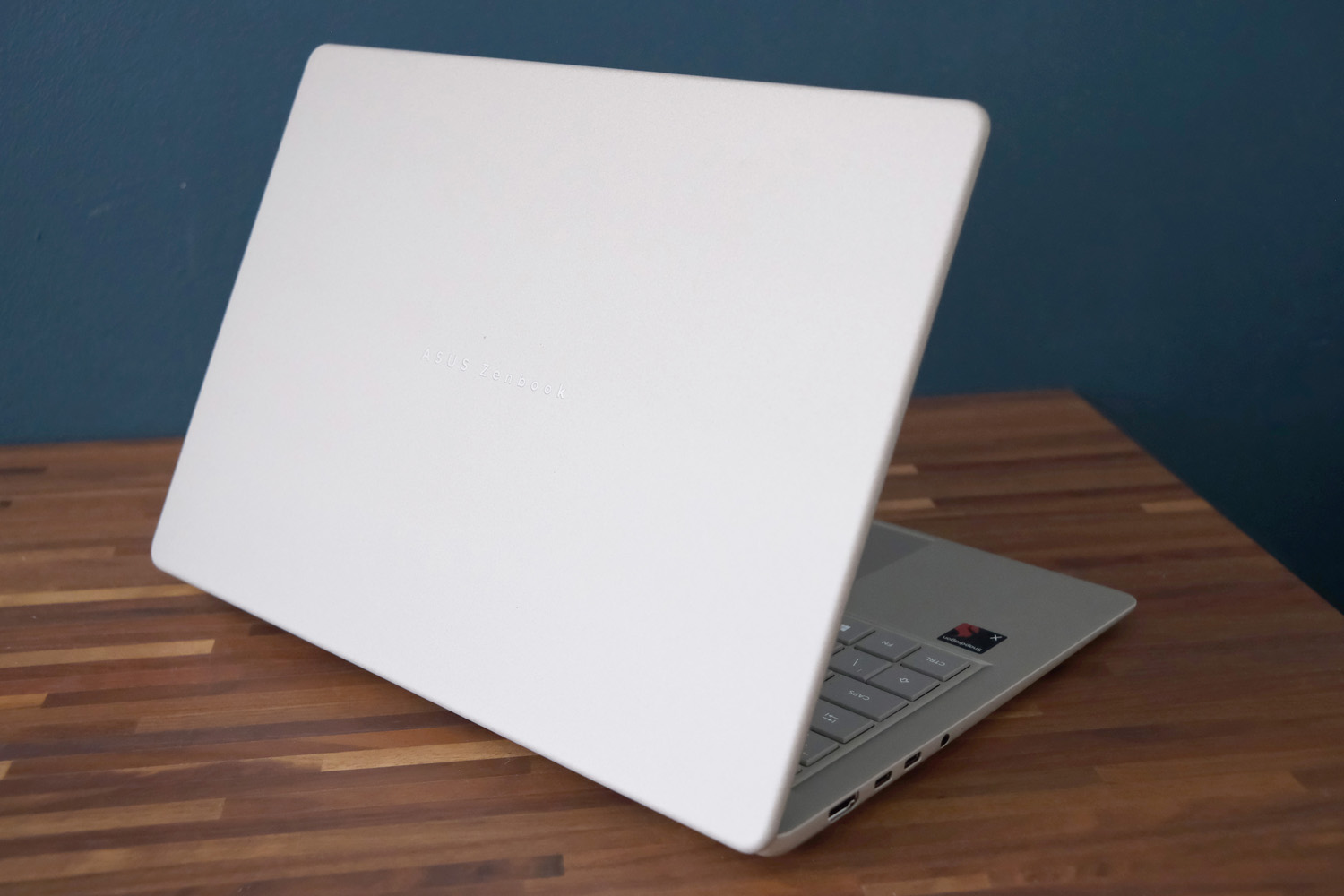
From a distance you’d almost think my ‘Zabriskie Beige’ review unit was carved from stone. By pumping enough high voltage through the magnesium-aluminium alloy chassis that the aluminium part forms a tougher ceramic-like layer, Asus has crafted a unique Ceraluminum material that looks and feels just like a pebble. It’s scratch resistant, has so far failed to pick up a single fingerprint smudge, and because it’s not merely a coating it won’t fade over time.
You can mix things up with Komodo Coral and Arctic Blue colours if you like. None are as vivid as the MacBook Neo‘s bright hues, but I actually prefer the Zenbook’s more natural appearance.
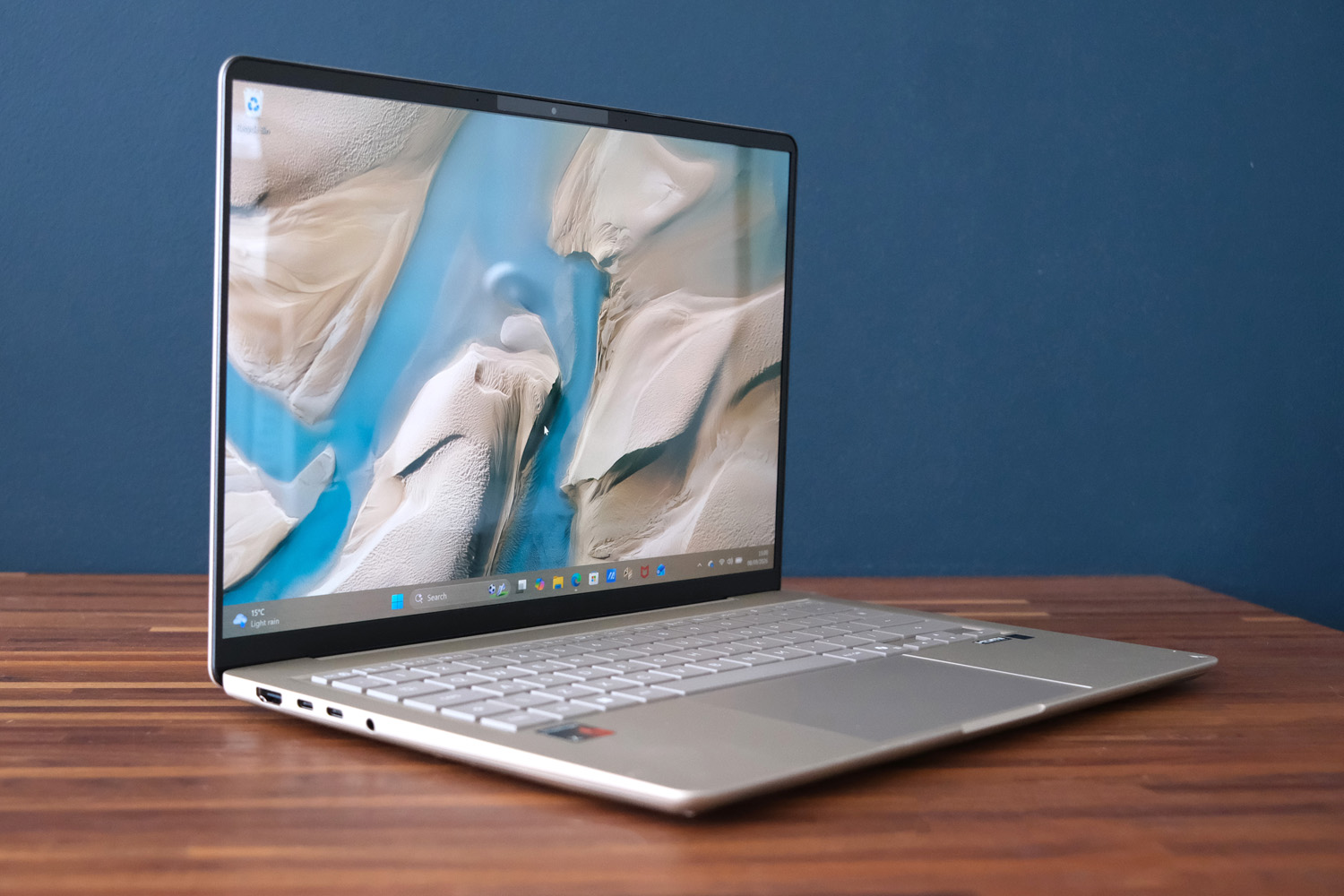
The laptop itself is satisfyingly light and skinny. A tapered design sees it slope to 13.9mm at its thinnest point, down from a hair under 17mm at its thickest. At 1.1kg it beats the already minnow-esque Zenbook A14 I tested in 2025. It’s comfortable enough to hold in one hand and isn’t far short of ultraportables from the class above in terms of dimensions. Regular travellers will love how easily it slides into a backpack.
Asus reckons the whole thing has passed MIL-SPEC testing for shock and extreme temperatures; I can’t vouch for those but had no issues working through especially hot summer days.
It has both the XPS 13 and MacBook Air beaten for connectivity, with an HDMI output, two USB-C ports and a headphone ports on the left side plus a solitary USB-A on the right. There’s also a Full HD camera with IR sensor for Windows Hello facial recognition, which was both fast and accurate throughout my testing.
Keyboard & touchpad
Asus has brought its familiar island-style keyboard across from the Zenbook A14, or rather kept the same layout; there’s a little more key travel here than you got on the older laptop, which makes the typing experience that bit nicer. Each key has a bouncy action and only bottoms out when you’re really smashing at the ‘board.
The layout is almost entirely full size, with just the arrow and function keys having to shrink in height. The coating Asus has applied to repel fingerprints works well and wasn’t as slippy as I remember earlier efforts being. I was up to my usual typing speed in no time.
My only gripe? There’s no backlighting here. It’s something Dell managed to squeeze into the budget for the XPS 13, so it’s disappointing Asus couldn’t do the same – especially for my step-up model, which retails for £1200 in the UK. Night-time working wasn’t quite as smooth as a result, though the screen does help illuminate the keys a little.
The oversized glass touchpad sitting directly below the keyboard is a delight to use, being plenty big and sensitive enough to get around the desktop without multiple swipes. It recognises Windows’ multi-touch gestures and has a few bespoke ones of its own: sliding a finger along the top edge or sides can adjust volume, brightness and video playback without having to reach for a keyboard shortcut. The mechanical clicks are firm too.
Screen & sound
If colour and contrast take priority over resolution and refresh rate, then the Zenbook 14 could be your ideal ultraportable. Asus has stuck gone for a 1920×1200 panel that maxes out at 60Hz, putting it behind the XPS 13’s smoother and more detailed 120Hz LCD – but the underlying OLED tech has it cleanly beaten in other areas.
There’s a vibrancy and depth to images and videos you just don’t get elsewhere, with impeccable black levels and wonderful shadow detail. Crucially it stays accurate, so you don’t have to fiddle to get a true-to-life picture.
The 14in display also has a work-friendly 16:10 aspect ratio, decently skinny side bezels and a serious amount of screen tilt, which could be handy when working in tight spaces like plane seats. Viewing angles are top tier too.
A claimed 300 nits peak brightness is decent rather than class-leading, but good enough for daytime working as long as I wasn’t outdoors in bright sunshine. The glossy finish, which is quick to catch reflections, didn’t help.
I had no major complaints about the stereo speakers, which are Atmos-certified and use dual magnet tech to deliver clean, concise audio. They get plenty loud and don’t deteriorate when you crank it, though as ever with thin and light laptops, there’s not an awful lot in the way of low-end.
Performance and battery life
While you can pick up a Zenbook 14 with Intel Core Ultra or AMD Ryzen hardware (depending on where you are in the world), the Qualcomm-powered machine is the most affordable of the lot. Asus hasn’t gone with the newer (and presumably costlier) Snapdragon X2, instead sticking with a first-gen Snapdragon X chipset.
This is the entry-grade chip, with eight CPU cores, an Adreno GPU and an NPU for speeding up any AI-related tasks. That said, it puts in a strong showing in synthetic benchmarks: single-core performance was slightly higher than the Dell XPS 13 and its Intel Core 5 320, but multi-core tests were some 40% faster. Depending on the workload, you’re getting some serious power here. More typical tasks may not benefit, with the Speedometer browser test only scoring a few points more, but things swung back in Snapdragon’s favour with Geekbench AI.
What does that mean for daily use? The Zenbook 14 is absolutely no slouch, able to run multiple apps at once including a browser stuffed with open tabs. Having 16GB of RAM helps; I’d be interested to see how the base 8GB model fares here. I also didn’t run into any issues running my test suite, suggesting Windows on ARM has absolutely closed the gap to x86 on software compatibility. There may still be more esoteric apps that refuse to run, though, so it’s still worth checking if you rely on something super specific for work.
| Asus Zenbook 14 (2026) benchmarks | |
| Geekbench 6 single-core | 1820 |
| Geekbench 6 multi-core | 10531 |
| Geekbench AI | 5171 |
| Speedometer 3.1 | 24.6 |
| 3DMark Steel Nomad Light (ARM) | 1066 / 7.9fps |
This isn’t a gaming machine, with the Steel Nomad graphics test only managing single digit frame rates at the native resolution. Even older titles that aren’t too demanding on modern hardware, like Shadow of the Tomb Raider, couldn’t deliver a playable performance. Even after I dropped resolution and details to 720p/medium, it couldn’t crack 30fps. This is a GPU that copes best with video rather than 3D rendering.
Where the Zenbook 14 truly excels is battery life. It may only have a modest 50Whr cell, but Asus reckons it can squeeze an incredible 30+ hours of video playback from a single charge, or 18 hours of web browsing. In my testing it didn’t get that far, but streaming a looping file over Wi-Fi with screen brightness at 50% it was still good for north of 20 hours. That easily has the MacBook Neo beaten and the Dell XPS 13 can’t hope to match it either.
For desktop working, I could comfortably get through my entire working day and still have enough in reserve for some Netflix bingeing in my downtime. The diminutive power brick isn’t exactly a chore to carry around and can top the laptop back up in a few hours, but being able to leave it at home for a remote working day was greatly appreciated.
Should you buy the Asus Zenbook 14 in 2026?

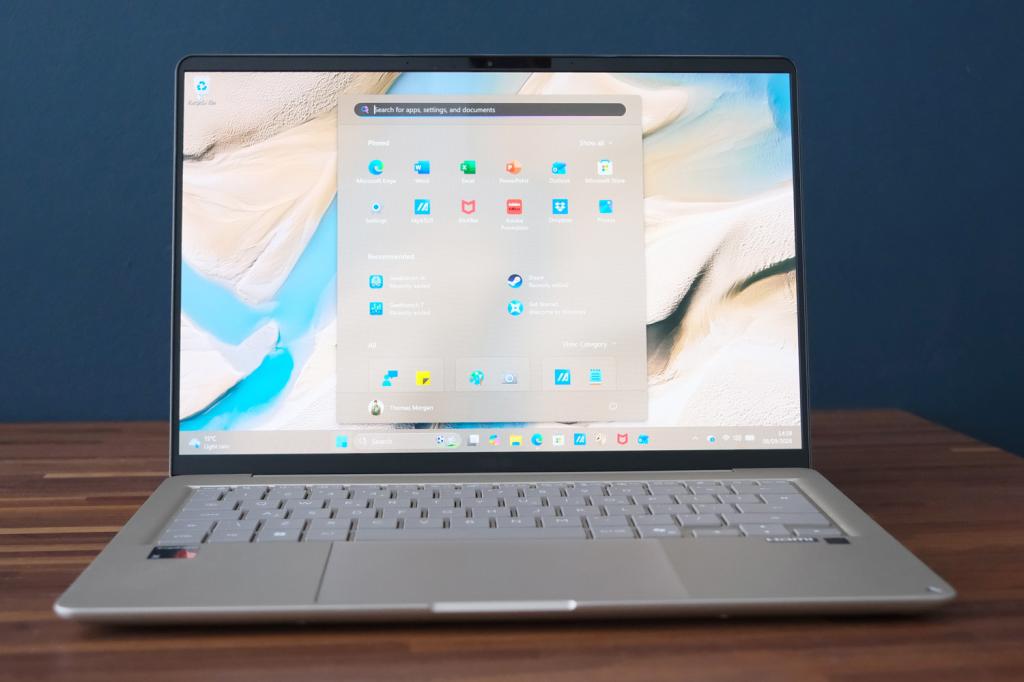
If you’re in need of a lightweight Windows laptop that can go the distance, it’s hard to argue with the Zenbook 14. In its Snapdragon guise, this little machine just keeps going and going. The unique chassis finish and subtle styling make it look every bit the high-end device, while the OLED display really makes it stand out against LCD-based rivals. Connectivity is very respectable and the typing experience is great.
Qualcomm hardware isn’t the limitation it once was with respect to software support, especially in a thin and light machine like this that’ll largely be on simple desktop duties. The most affordable version makes do with a meagre 8GB of RAM, though, and the step-up model I tested is considerably more expensive. Blame the ongoing components price crisis on that one.
This puts the Zenbook in a difficult middle ground; too costly to rival the MacBook Neo but lacking a few premium features found on Dell’s XPS 13, even after you’ve added extra RAM and storage. Even so, it’s still a compelling choice if battery life is your primary concern.
What are the Asus Zenbook 14 (2026)’s technical specifications?
Scroll to see more →
| Specifications | Asus Zenbook 14 (2026) |
|---|---|
| Screen | 14in, 1920×1080 OLED |
| Processor | Qualcomm Snapdragon X1 26 100 |
| Memory | 8/16GB RAM |
| Graphics | Qualcomm Adreno (integrated) |
| Storage | 256/512GB |
| Operating system | Windows 11 (ARM) |
| Connectivity | HDMI, 2x USB-C, 1x USB-A, 3.5mm |
| Battery | 50Whr |
| Dimensions | 311x216x17mm, 1.1kg |




Read the full article here


