


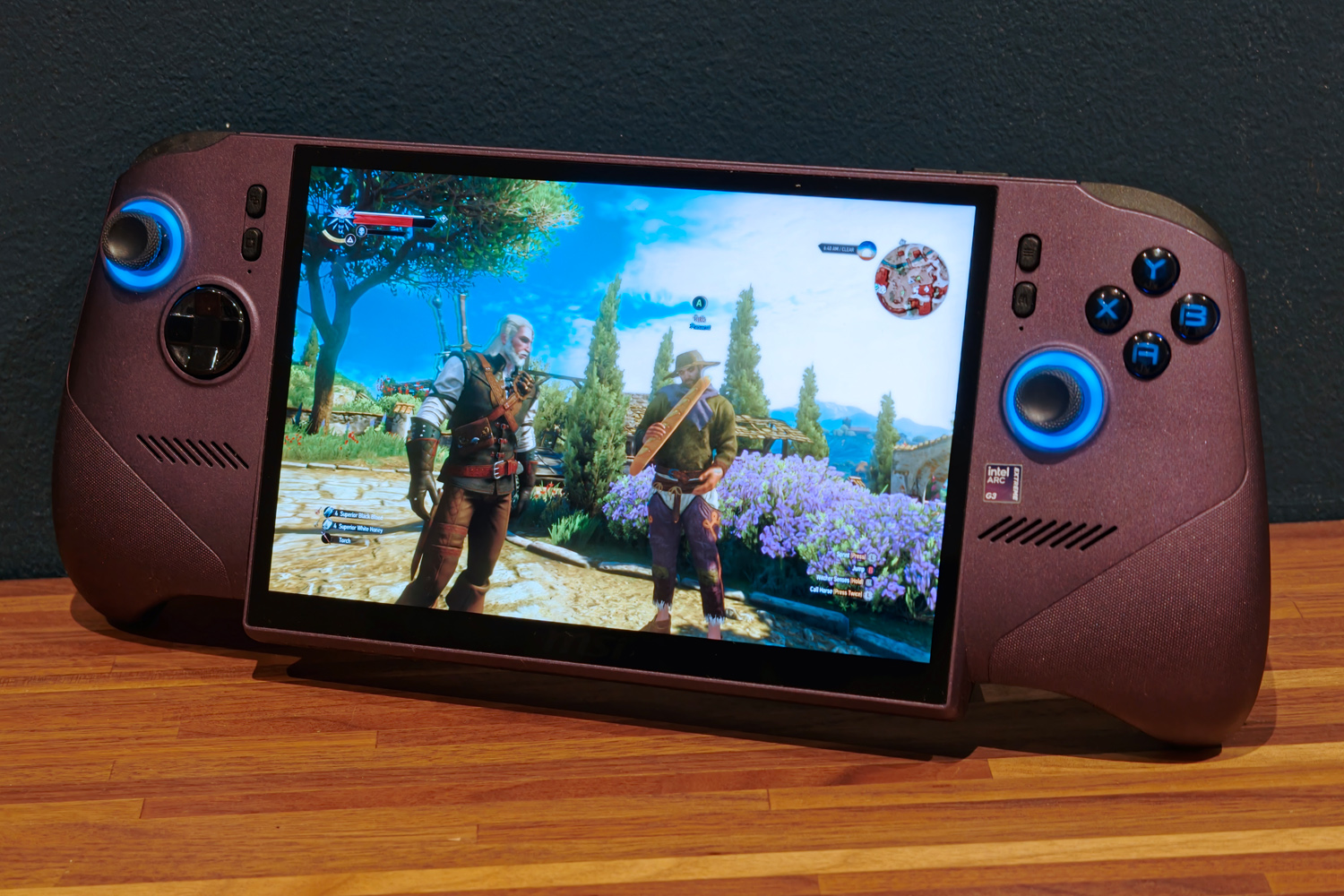
Introduction
The Claw 8 AI EX+ is a gaming handheld on a redemption tour. Not just for its maker MSI, whose earlier efforts made a few questionable ergonomic choices, but also for chipmaker Intel; the firm’s old Lunar Lake silicon couldn’t compete with AMD’s Ryzen Z1, which basically had the class all to itself. Arc G3 wants to be the seriously rapid yet impressively efficient follow-up that redresses the balance.
Things looked promising in my early taster session at Taiwan’s Computex show, but now that the final retail version has landed, Intel wasn’t blowing smoke – the Claw 8 AI EX+ really does have the muscle to embarrass the Asus Xbox ROG Ally X and the stamina to do so for an impressive length of time on battery power.
The only problem? An all-new processor plus copious amounts of RAM and flash storage, at a time when high demand has sent component costs sky-high, means you’ll need to shell out $1799/£1449 to take one home. That’s a colossal jump from the Steam Deck OLED, as well as virtually every AMD-powered handheld. Does that make it impossible for the average gamer to justify?
Where has MSI streamlined the Claw 8 EX AI+’s design?
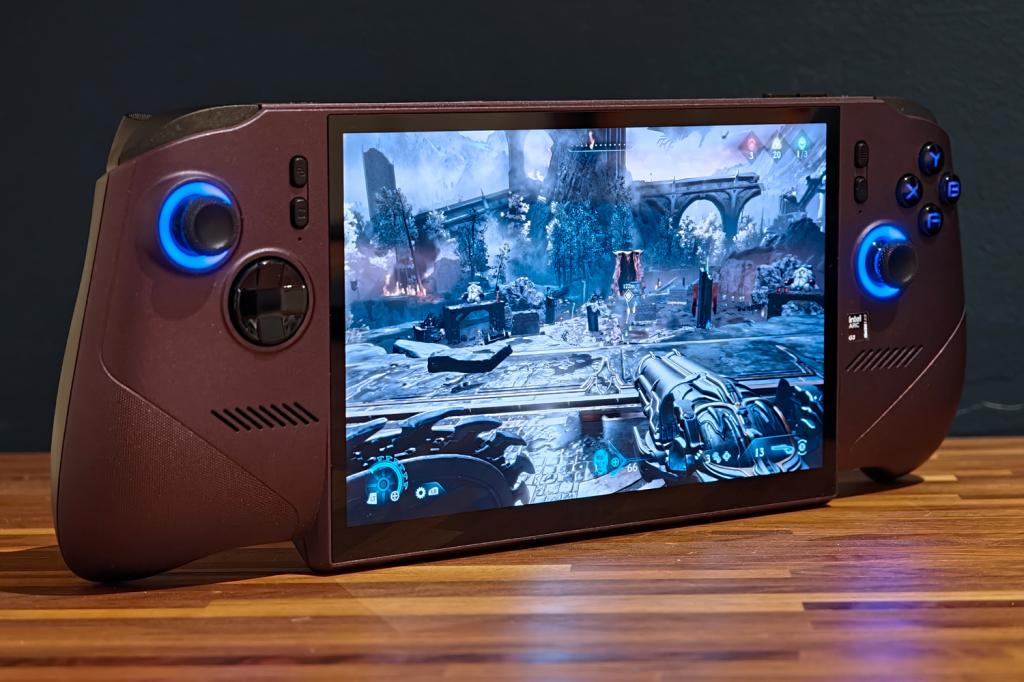
I hope you like purple, as the Claw 8 EX AI+ only comes in that one distinctive hue. I’m a fan – it instantly sets the MSI apart from rivals like the Steam Deck and Lenovo Legion Go 2, but without being as shouty as the Xbox ROG Ally X20‘s translucent gold. That is, until the RGB illumination around the analogue sticks kicks into life. Besides, only the top half is purple; it’s black underneath, with MSI’s signature dragon crest sandwiched between two large fan grilles that mean business.
MSI’s older handhelds had blocky grips that weren’t all that comfortable to wrap your hands around, so I was relieved to see the firm refine its ergonomics for 2026. The Claw 8 EX AI+ has a more sculpted shape, with chunkier grips that better fill your palms but don’t move the controls out of reach. There are textured portions where you need them the most and weight distribution is pretty good.
The Claw weighs a substantial 785g, which may be less than the previous generation, but is still over 100g than a Steam Deck OLED. I still found it comfy enough to use for hours at a time, but you’re definitely paying a penalty for that larger display.
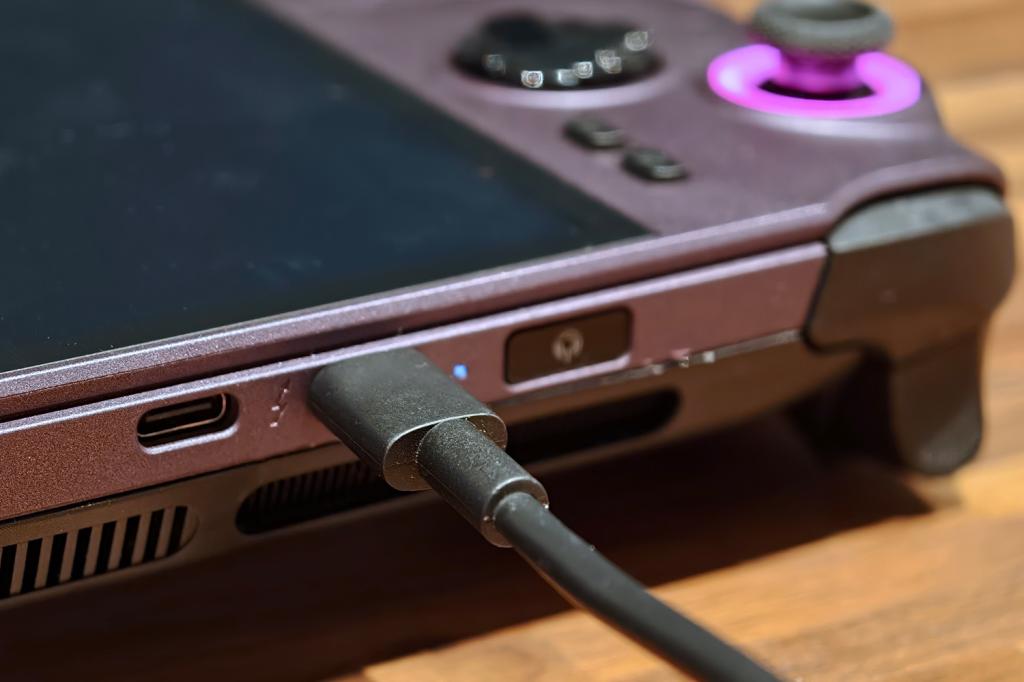
Connectivity is largely unchanged from the last Claw, with a pair of USB-C ports up top alongside a microSD card slot, 3.5mm headphone port and a power button that doubles as a reasonably quick and accurate fingerprint sensor. The USB ports tick along at Thunderbolt 4 speeds and the card slot swallows faster microSD Express cards, which is great news for anyone with large game collections or the desire to hook up to an external display.
Six Phillips-head screws secure the rear panel, should you want to upgrade the single 2280 PCIe 4.0 SSD later down the line.
What are the Claw 8’s inputs like to use?
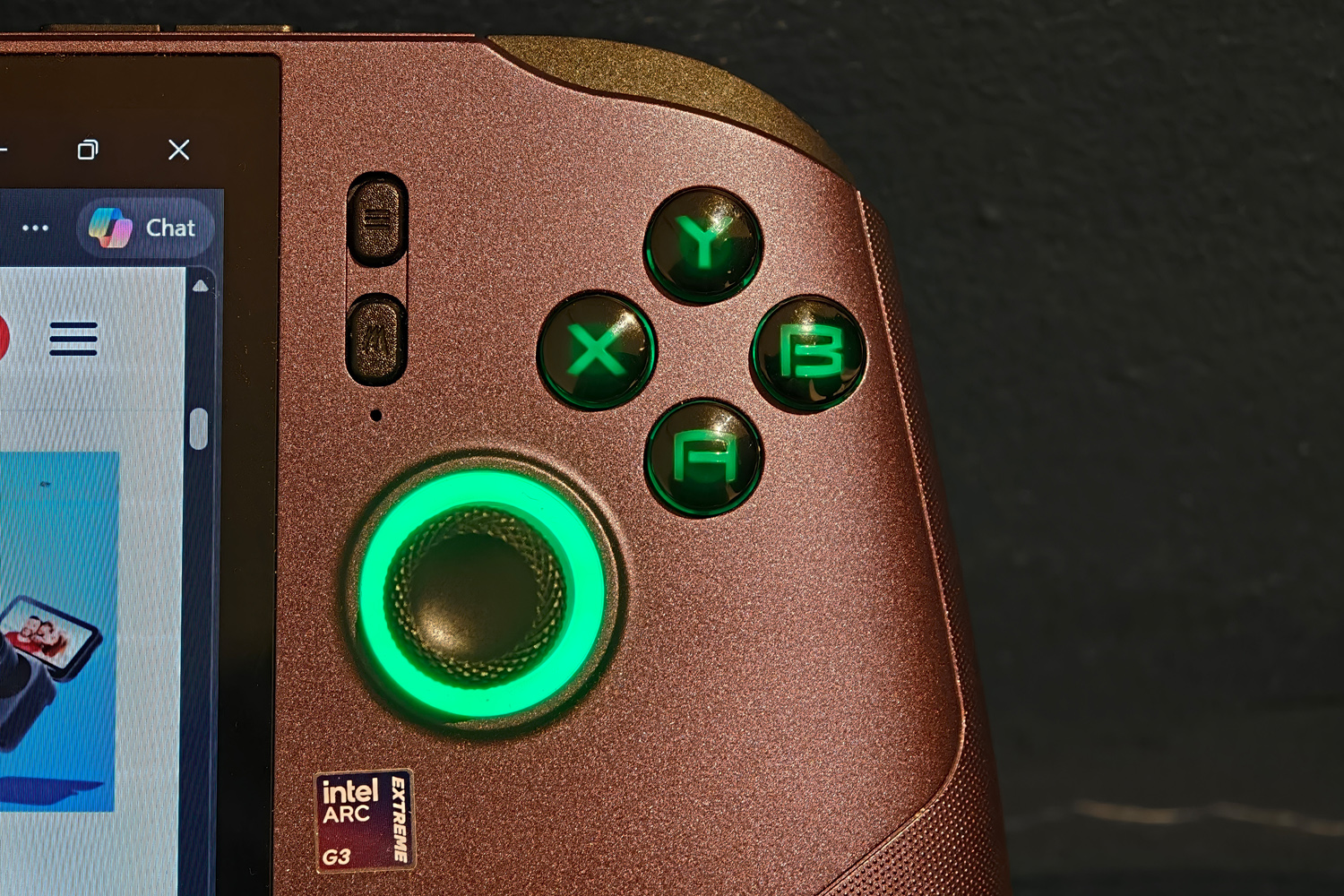
MSI hasn’t broken the mould in terms of button layout here, keeping the same rough placement as its earlier Claw efforts. You get an Xbox-style offset analogue stick setup; the standard four face buttons; an eight-way D-pad; and two sets of triggers and bumpers up top. There are also two customisable buttons on the rear of the handheld.
Almost every input has tweaked or redesigned for the better, though. The analogue sticks use Hall effect sensors instead of physical contacts, fully preventing the possibility of stick drift over time. The face buttons aren’t as mushy as previous efforts, with a more responsive and clicky action (without actually using mouse-like microswitches), and the D-pad has much more distinctive four-way directions. The shape is great for multi-direction fighting game inputs too.
I found the bumpers easier to reach than the smaller Acer Predator Atlas 7 I tried at IFA earlier in the year, with a crisp click that instantly lets you know an input has registered. The triggers also use Hall effect tech and have a good amount of resistance. You miss out on the Impulse trigger rumble effects seen on the Xbox Ally X, but haptics in general are substantial.
Does the Claw 8’s screen stand out?
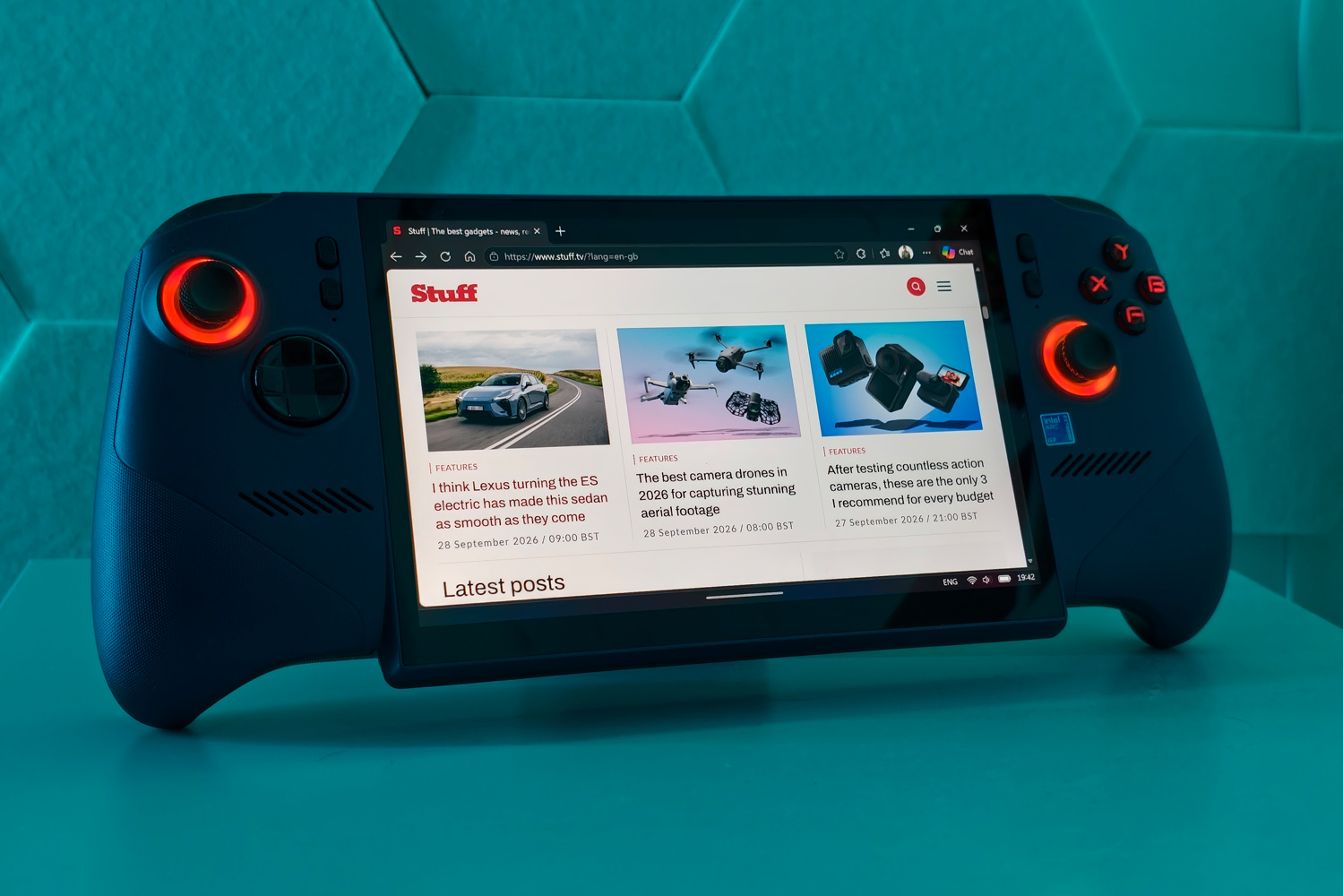
Quite literally, yes – the display’s bottom edge pokes outwards from the main chassis in order to accommodate its sizeable 8in diagonal. It’s thick enough to let the device stand upright quite firmly, which could be handy for hands-free video playback. Reasonably skinny bezels mean it fills more of the available space than an ROG Ally does and the 16:10 aspect ratio is a little taller too.
The 1920×1200 resolution has the Asus beaten for pixel count, along with the Steam Deck OLED. It looks satisfyingly crisp without asking too much of the GPU, like the original Legion Go did. A 48-120Hz variable refresh rate keeps games looking smooth in pretty much all situations.
It’s an LCD panel underneath, though, which is disappointing given the high price. While the Claw has colours that are fairly impactful for the tech, they’re still in second place compared to an OLED – which also takes a commanding lead for contrast and shadow definition. Viewing angles are decent rather than fantastic too.
A peak 500 nits brightness I was still able to play darker game levels without having to draw the curtains, in spite of the very glossy finish highlighting reflections all too easily. There’s no HDR support here either: compatible titles look so much more dynamic and engaging on rivals like the Steam Deck OLED, whereas here you’re stuck with standard dynamic range.
It’s not a bad screen overall, but I’d rather have an OLED with HDR even if it meant accepting a slightly lower resolution.
I thought the integrated speakers were a great pairing to the display, at least, with ample volume and good overall clarity. There’s little in the way of meaty bass, of course, and high frequencies are at the edge of bring shrill or tinny at extreme volumes. I’d usually reach for a pair of headphones for anything beyond casual gaming.
Is MSI’s software worth using?
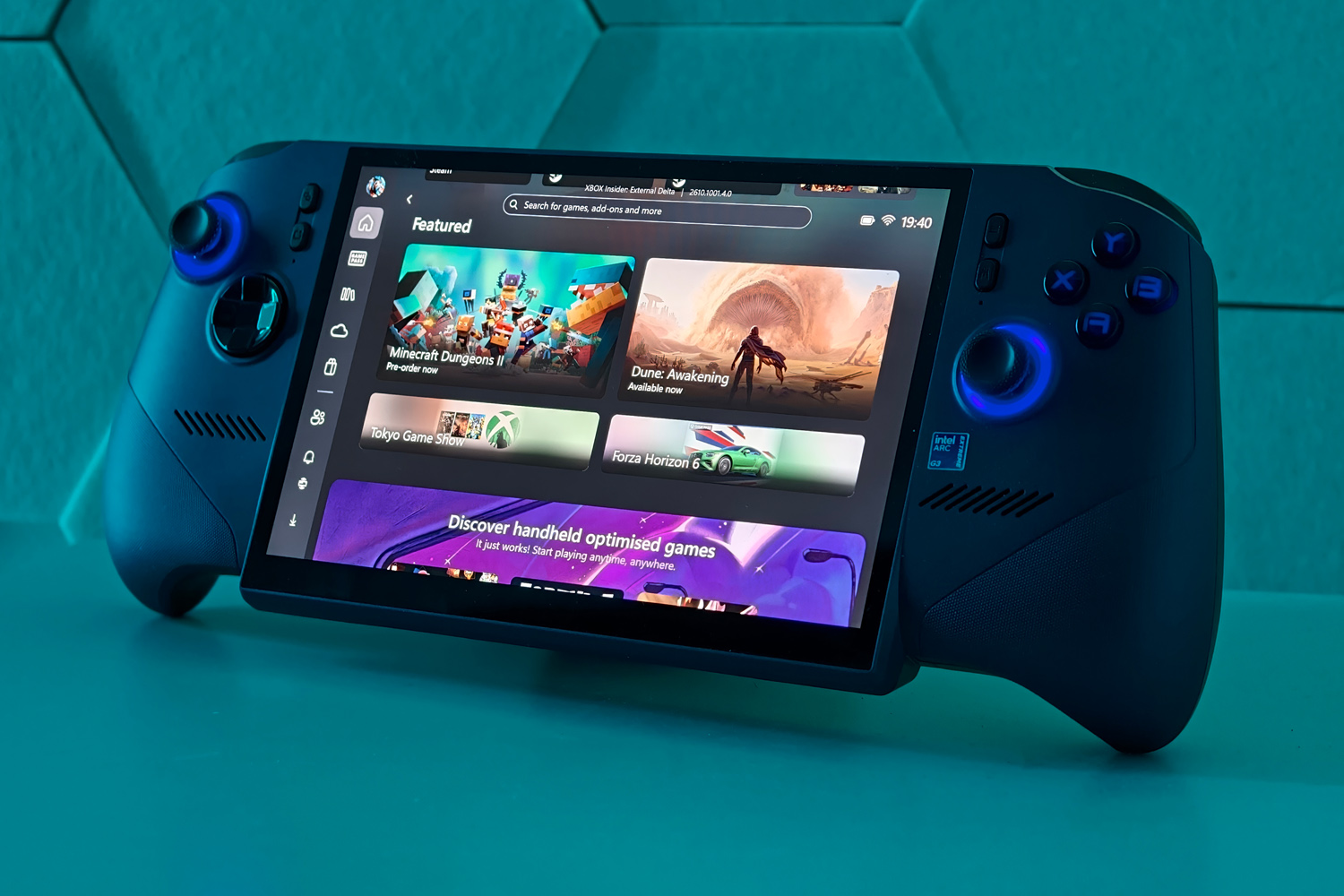
The Claw 8 EX AI+ defaults to Windows 11’s Xbox Full Screen Experience, with MSI’s Centre M handling device settings and control modes. It can also act as a game launcher, but Microsoft has streamlined the Xbox UI enough that I was happy to stick with it – especially now it has shortcuts to launchers like Steam and the Epic Games store, so you’re not forced to head to the desktop for anything not purchased through the Xbox store.
While the usual software shortcuts and performance overlays and are all present and correct, I thought MSI’s implementation could still use some work. Shutting the overlay won’t always put the game back into focus, needing a tap of the touchscreen to get back to gaming. Changing power modes had a layer of hesitancy I didn’t get from either Lenovo or Asus’ Windows-based handhelds.
There’s still some way to go before Windows on handhelds feels as natural or native an experience as SteamOS, but on the flip side you don’t have to worry about certain titles refusing to play because of incompatible anti-cheat software.
Does Intel’s Arc G3 Extreme deliver class-leading performance?
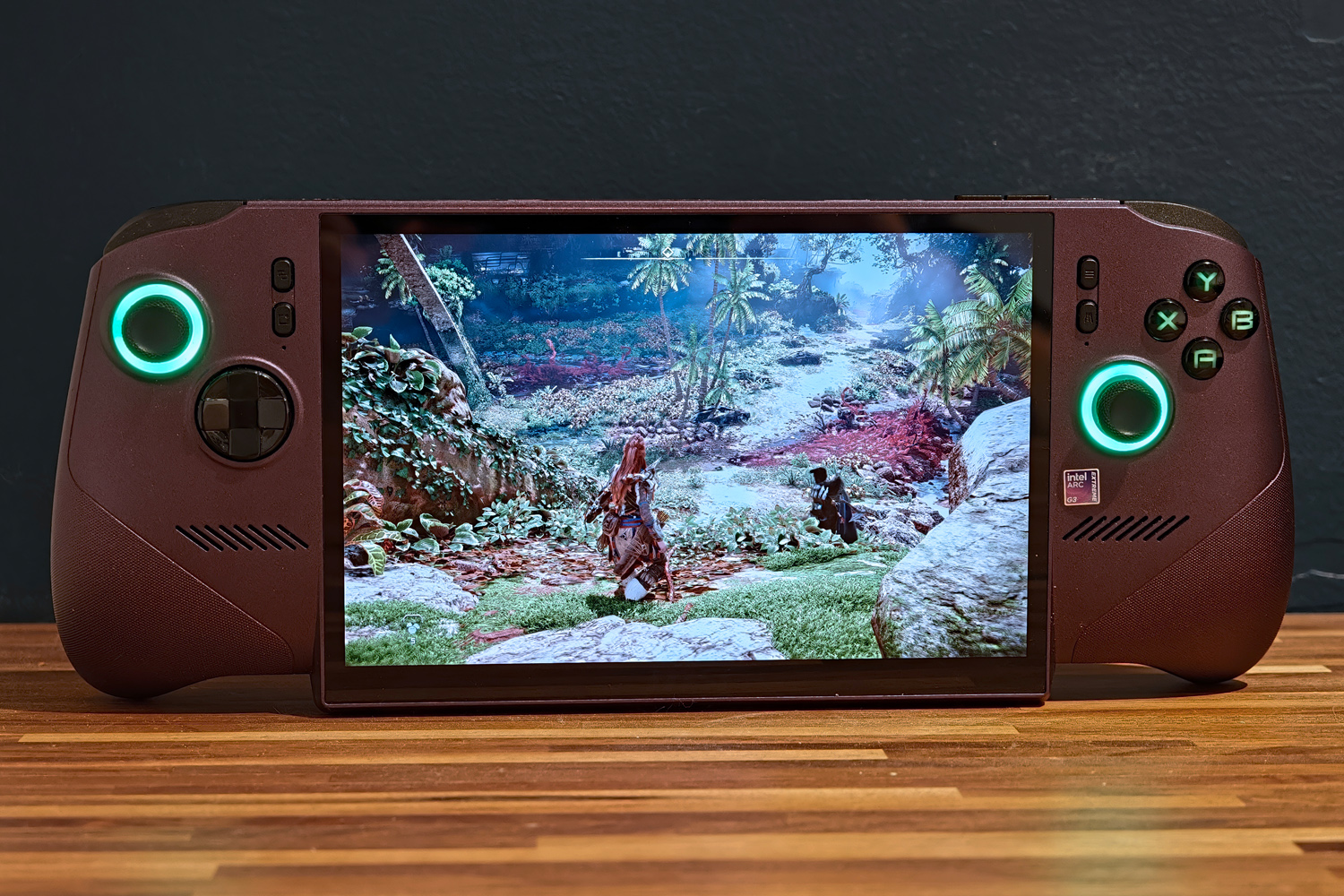
The Claw 8 EX AI+ lands as a single variant, powered by an Arc G3 Extreme chipset, 32GB of RAM and 1TB of speedy SSD storage.
The G3 is essentially a tweaked version of Intel’s Panther Lake laptop architecture that’s been optimised for handhelds, balancing efficiency with the sort of graphics horsepower that can cope with modern gaming at 1080p. It’s got 14 CPU cores operating in a 8-35W power window, while the Arc B390 integrated graphics has 12 Xe3 cores of its own and can call upon Intel’s XeSS 3 upscaling tech when things get intense.
Kicking things off on the desktop, I saw CPU performance not all that far behind a laptop-grade Intel Core Ultra X7 358H. That’s not too surprising, given they share a lot of the same architecture, but a Dell XPS 14 with one of those chips will currently cost you $2500/£2500. You’re getting plenty of productivity muscle should you want to use this handheld for anything other than gaming.
| MSI Claw 8 EX AI+ productivity benchmarks | |
| Geekbench 6 single-core | 2312 |
| Geekbench 6 multi-core | 14,789 |
| Geekbench AI | 7143 |
| Speedometer 3.1 | 33.5 |
I’d still expect most owners to use this device more for play than work, of course. So it’s great to see Arc G3 Extreme really puts in a shift here. When given the same maximum 35W power envelope as AMD’s rival Ryzen Z2 Extreme, it holds a chunky advantage – between 20% and 40%, depending on the game, even before any kind of upscaling is used.
Shadow of the Tomb Raider managed 59fps at the Claw’s native 1920×1200 using Ultra details but ray tracing disabled; at the same settings a Lenovo Legion Go 2 could only manage 29fps. The ROG Xbox Ally X caps out at 1920×1080, so has fewer pixels to push, but even then a 43fps average is notably behind the Claw.
Newer titles like Forza Horizon 6, Hogwarts Legacy and Horizon: Forbidden West have to adjust their presets to a mix of medium and high settings, but could all comfortably manage a smooth 60fps or higher. Naturally Cyberpunk’s demanding RT Overdrive preset is asking way too much of the hardware, even with upscaling, but XeSS was able to make the Ultra detail preset very playable indeed once ray tracing was disabled.
Other than boutique handhelds with full-on laptop chipsets like the OneXPlayer Ace, this is simply as good as it gets for the class at the time of writing.
| MSI Claw 8 EX AI+ gaming benchmarks | Native rendering (1920×1200) | XESS Upscaling |
| 3DMark Steel Nomad | 40.9fps | N/A |
| Shadow of the Tomb Raider (RT off) | 59fps | 77fps |
| Shadow of the Tomb Raider (RT on) | 39fps | 55fps |
| Cyberpunk 2077 (Ultra, RT off) | 33.3fps | 97.3fps |
| Cyberpunk 2077 (RT Overdrive) | 4.8fps | 34.6fps |
I was impressed that the two-fan, two-heatpipe cooling system wasn’t forced to make an absolute racket just to tame temperatures either. Sure, it gets noticeably loud when going full pelt in the highest power profile, but it never got oppressively hot to the touch.
How good is the MSI Claw 8 EX AI+ for battery life?

The Claw has one of the largest batteries you’ll find in a 2026 PC gaming handheld, with a generous 80Whr on tap. That’s on par with the Xbox ROG Ally X and a lot more than the Steam Deck OLED’s 50Whr cell. Intel has also talked a big game about Arc G3 Extreme’s efficiency when run in a lower power profile, meaning with the right settings you can eke out play times in the double digits.
How much graphical muscle your games demand will dictate your time away from the mains, but you should absolutely expect three hours of AAA gaming with the display at 50% brightness and the handheld in Airplane mode. Play with the power envelope, dial the graphics down a little and stick to older or slightly less intensive 3D titles – Diablo IV or Hades 2, for example – and five hours is achievable. This is a longer lasting system than the AMD-powered Asus.
An Endurance mode restricts games to 30fps in order to save battery life, though I found whether this was a price worth paying depended heavily on the game. Even simpler indie titles lost some polish when not allowed to run at 60fps, so I preferred to take the battery hit.
Should you buy the MSI Claw 8 EX AI+ in 2026?
This is, hands down, the most powerful PC-based handheld out there right now from a mainstream brand. Intel really has brought the fight to AMD with Arc G3, delivering superb 1080p performance in modern titles as well as impressive battery life at lower power limits.
MSI has then wrapped that silicon in a shell that’s comfortable to hold for long play sessions, with ergonomic controls and a large, sharp screen. Getting an LCD display instead of an OLED is a blow, though, as is the ungainly way the panel has been made to fit the form factor. It’s not like this is an especially small handheld either. If visuals matter most, the Lenovo Legion Go 2 shouldn’t be overlooked.
I can’t ignore the wince-inducing price either. Neither MSI nor Intel can be blamed for the wider tech world’s ongoing component cost crisis, but the unfortunate result is a handheld that’ll set you back more than some 15in gaming laptops with RTX 5060 graphics. Having 30% more graphical punch than the Asus Xbox ROG Ally X simply can’t justify a 60% higher asking price.
If money is no object, this will be your sole gaming device, or a laptop simply isn’t portable enough, you’ll be very happy with the muscle on offer here; everyone else will find the much cheaper Steam Deck OLED hard to ignore.
What are the MSI Claw 8 EX AI+‘ technical specifications?
Scroll to see more →
| Specifications | MSI Claw 8 EX AI+ |
|---|---|
| Screen | 1920×1200, 48-120Hz LCD touchscreen |
| Processor | Intel Arc G3 Extreme |
| Memory | 32GB RAM |
| Graphics | Intel Arc B390 |
| Storage | 1TB SSD, microSD Express expansion |
| Operating system | Windows 11 |
| Connectivity | 2x Thunderbolt 4, 3.5mm |
| Battery | 80Whr |
| Dimensions | 321x130x48mm, 785g |




Read the full article here